
Introduction
This manual provides instructions for the installation, operation, and maintenance of the Kariwust Kaidi KDH136-001 Power Recliner Hand Control Switch. This unit is designed as a replacement for existing 4-button, 5-pin recliner switches and includes an integrated USB charging port.
The KDH136-001 switch is compatible with electric recliners and lift chairs that utilize a 5-pin round plug connector. It controls two motors, enabling the up and down movement of the chair. The integrated USB port provides 5V 2A output for charging compatible devices.
Product Overview
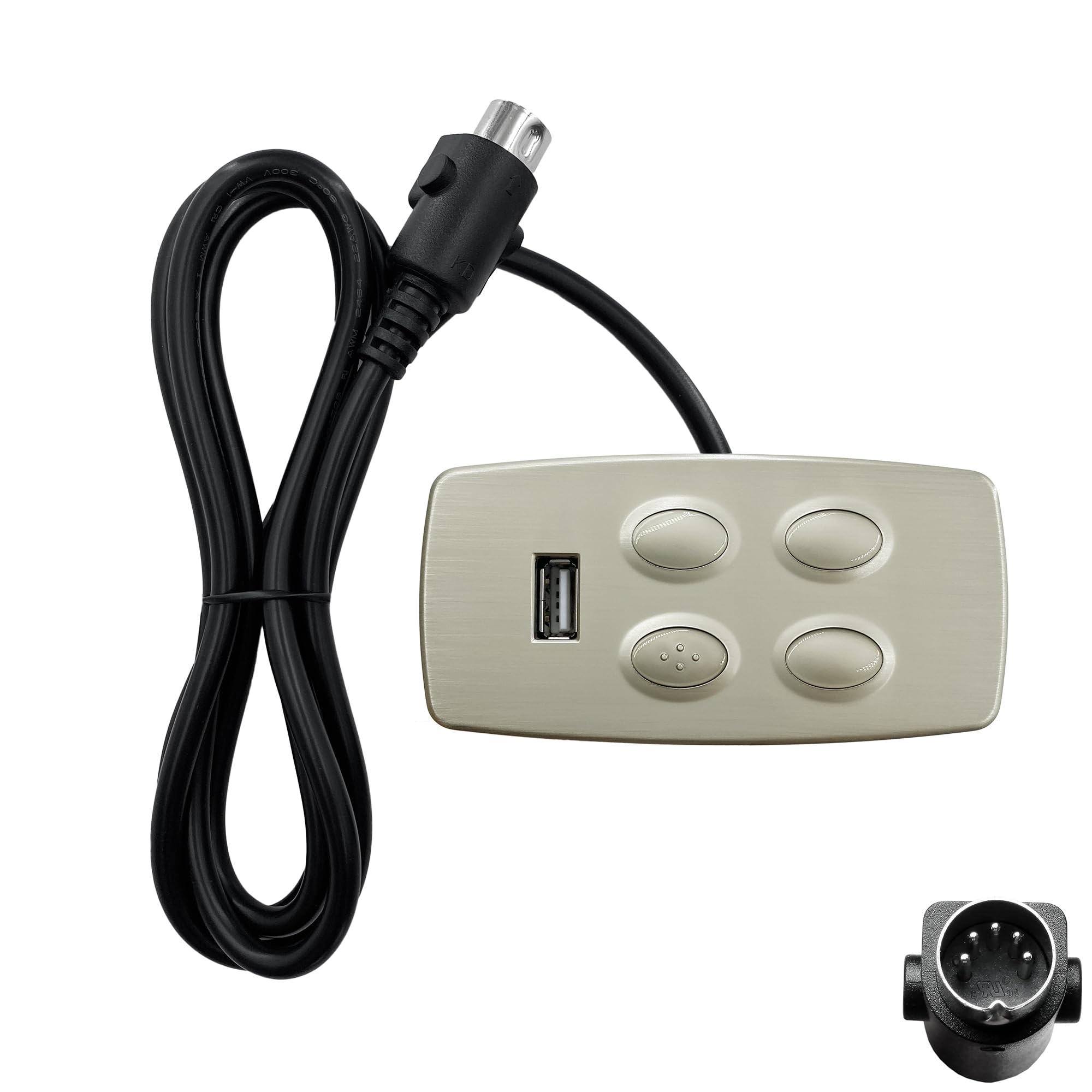
Image 1: Front view of the Kariwust Kaidi KDH136-001 recliner switch, showing the four control buttons and the USB A charging port on the left side.

Image 2: The Kariwust Kaidi KDH136-001 recliner switch with its outer cover detached, displaying the main body, cable, and 5-pin connector.

Image 3: Top-down view of the switch with a measurement overlay indicating a length of 8.5 cm (3.3 inches).
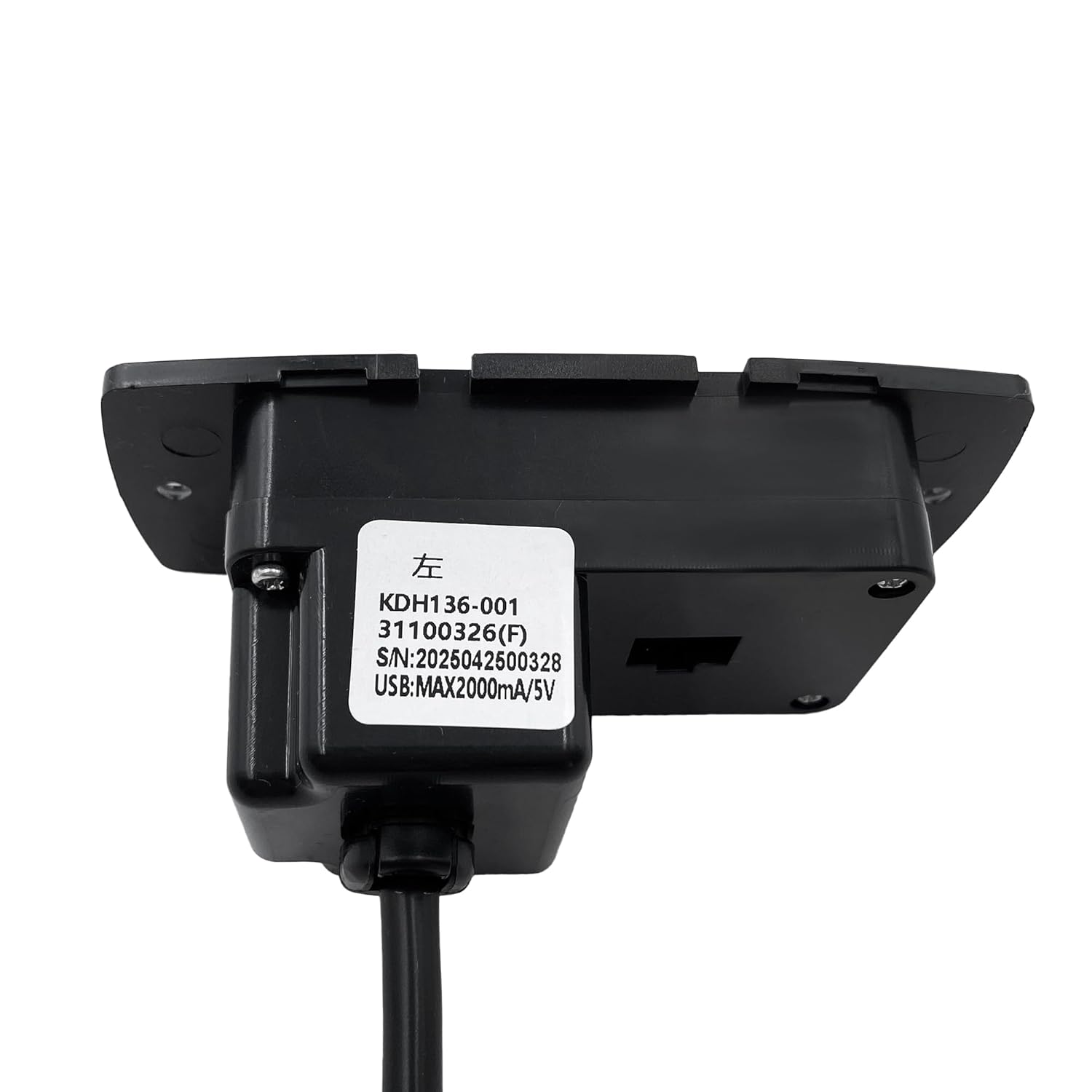
Image 4: Rear view of the switch, displaying the product label with model number KDH136-001, serial number, and USB output specifications (MAX 2000mA/5V).
Setup and Installation
- Safety First: Before beginning installation, ensure the recliner or lift chair is unplugged from the power outlet to prevent electrical shock.
- Remove Old Switch: Carefully detach the old hand control switch from the armrest or side of the chair. Disconnect its 5-pin round plug from the motor connector. Note the orientation of the old switch for proper placement of the new unit.
- Prepare New Switch: The plastic cover of the new KDH136-001 switch may be separated from the main unit for easier installation. If it is attached, gently remove it.
- Connect New Switch: Locate the 5-pin round plug on the new switch's cable. Connect this plug to the corresponding motor connector on your recliner. The plug is designed with a 180-degree angle at the end to plug straight into the motor connector. Ensure a secure connection.
- Mount Switch: Position the new switch into the designated opening in the armrest or side of the chair. Secure it using appropriate fasteners (not included, typically reused from the old switch or provided with the chair).
- Reattach Cover: Once the switch is securely mounted and connected, reattach the plastic cover. Ensure it clicks into place firmly.
- Test Functionality: Plug the recliner back into the power outlet. Test all four buttons to ensure the chair's up and down functions operate correctly. Test the USB port with a compatible device.
Note: If the new switch does not function, double-check all connections and ensure the power supply to the recliner is active.
Operating Instructions
The Kariwust Kaidi KDH136-001 switch features four buttons for controlling your recliner and a USB port for charging.
- Recliner Control:
- The two upper buttons control the upward movement of the recliner. Press and hold to raise the chair.
- The two lower buttons control the downward movement of the recliner. Press and hold to lower the chair.
- Release the button to stop movement at any desired position.
- USB Charging Port:
- The USB A port is located on the side of the switch.
- Connect your compatible mobile device (e.g., smartphone, tablet) to the USB port using a standard USB charging cable.
- The port provides a 5V 2A output for charging. Ensure your device is compatible with these charging specifications.
- Charging will begin automatically when a device is connected and the recliner is powered.
Maintenance
To ensure the longevity and proper function of your recliner switch, follow these simple maintenance guidelines:
- Cleaning: Use a soft, dry cloth to wipe the surface of the switch. Avoid using abrasive cleaners, solvents, or excessive moisture, as these can damage the electronic components.
- Cable Inspection: Periodically inspect the power cable and the 5-pin connector for any signs of wear, fraying, or damage. If any damage is observed, discontinue use and replace the switch immediately.
- Environmental Conditions: Keep the switch away from direct sunlight, extreme temperatures, and high humidity.
Troubleshooting
If you encounter issues with your Kariwust Kaidi KDH136-001 switch, refer to the following troubleshooting steps:
| Problem | Possible Cause | Solution |
|---|---|---|
| Recliner does not move. |
|
|
| USB port not charging. |
|
|
| Buttons are unresponsive or sticky. |
|
|
Specifications
| Feature | Detail |
|---|---|
| Model Number | KDH136-001 |
| Brand | Kariwust (Manufacturer: Kaidi) |
| Operation Mode | ON-OFF |
| Operating Voltage | 5 Volts (DC) |
| Contact Type | Normally Open |
| Connector Type | 5 Pin Round Plug (180-degree angle) |
| Switch Type | Push Button |
| Number of Buttons | 4 |
| USB Output | 5V 2A |
| Control Method | Push Button |
| Mounting Type | Surface Mount |
| Compatible Devices | Electric recliners and lift chairs with 5 pin round plug |
| Item Weight | 5.6 ounces |
| Package Dimensions | 8 x 7 x 1 inches |
Warranty Information
Specific manufacturer warranty details for the Kariwust Kaidi KDH136-001 switch are not provided in this manual. For information regarding product warranty, please refer to the purchase documentation or contact the seller directly.
Third-party protection plans may be available for purchase separately. These plans are not provided by the manufacturer and are subject to their own terms and conditions.
Customer Support
If you require further assistance or have questions not covered in this manual, please contact the retailer or seller from whom you purchased the Kariwust Kaidi KDH136-001 switch. Provide your product model number (KDH136-001) and details of your inquiry for efficient support.
For general inquiries about Kariwust products, you may visit the Kariwust Store on Amazon.