
Melitta Drip Coffee Maker
Melitta Aroma Fresh Plus 10-Cup Automatic Drip Coffee Maker
User Manual
Model: Drip Coffee Maker
Product Overview
The Melitta Aroma Fresh Plus is a 10-cup automatic drip coffee maker designed for convenience and optimal coffee flavor. It features a built-in high-performance conical burr grinder, allowing you to brew coffee from freshly ground beans or pre-ground coffee. The machine includes adjustable grind settings, coffee strength settings, and a programmable timer for personalized brewing.
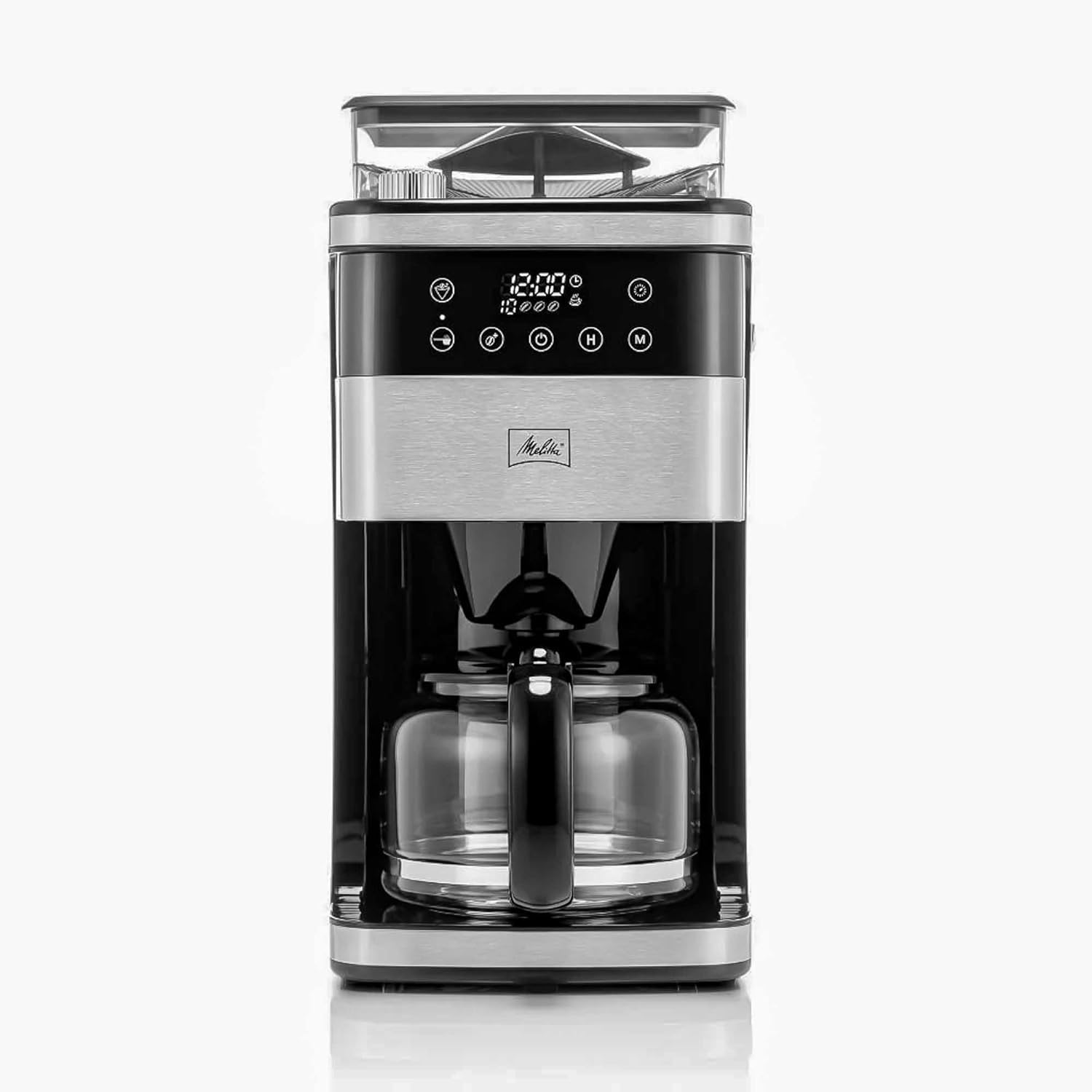
Figure 1: Front view of the Melitta Aroma Fresh Plus Coffee Maker, showcasing its sleek design and integrated controls.
Important Safety Instructions
- Read all instructions before using the appliance.
- Do not touch hot surfaces. Use handles or knobs.
- To protect against fire, electric shock, and injury to persons, do not immerse cord, plugs, or appliance in water or other liquid.
- Close supervision is necessary when any appliance is used by or near children.
- Unplug from outlet when not in use and before cleaning. Allow to cool before putting on or taking off parts, and before cleaning the appliance.
- Do not operate any appliance with a damaged cord or plug or after the appliance malfunctions, or has been damaged in any manner.
- The appliance is designed for household use only.
- All food-contact parts are BPA-free and FDA cleared as food contact safe.

Figure 2: Illustration highlighting that all food-contact parts of the coffee maker are BPA-free and FDA cleared for safety.
Components and Features
Familiarize yourself with the main components of your Melitta Aroma Fresh Plus coffee maker:
- Control Panel with LCD Display: Touch-activated controls for setting time, brew strength, and programming.
- Bean Hopper: Large, transparent container for whole coffee beans (capacity up to 7.5oz).
- Burr Grinder: Integrated high-performance conical burr grinder.
- Grind Setting Dial: Adjusts grind from fine to coarse.
- Water Tank: Fixed water tank with water level indicator window and graduated fill marks.
- Filter Basket: Removable cone-shape filter basket for optimal flavor extraction.
- Thermal Carafe: Keeps coffee warm for up to 2 hours.

Figure 3: Close-up of the touch interface and LCD display for easy, personalized brewing.

Figure 4: View highlighting the large and transparent bean hopper.

Figure 5: Detail of the grind setting dial, allowing selection from fine to coarse.
Initial Setup
- Unpacking: Carefully remove all packaging materials and inspect the coffee maker for any damage.
- First Use Cleaning: Before first use, clean all removable parts (carafe, filter basket) with warm, soapy water. Wipe the exterior of the unit with a damp cloth.
- Initial Rinse Cycle: Fill the water tank to the 10-cup mark with fresh water. Place an empty filter in the filter basket. Run a full brew cycle without coffee to rinse the internal components. Repeat this process 2-3 times to ensure no residual manufacturing odors or tastes.
- Setting the Clock: Refer to the control panel instructions to set the current time.
Operating Instructions
Brewing Coffee with Whole Beans (Integrated Grinder)
- Fill Water Tank: Open the water tank lid and fill with fresh, cold water up to the desired number of cups using the water level indicator.
- Add Whole Beans: Open the bean hopper lid and add whole coffee beans. The hopper has a capacity of up to 7.5 oz.
- Insert Filter: Place a Melitta #4 cone filter into the removable filter basket.
- Select Grind Setting: Use the grind setting dial to choose your preferred grind: Fine, Medium, or Coarse.
- Select Coffee Strength: Use the control panel to select your desired coffee strength (3 settings available).
- Place Carafe: Ensure the thermal carafe is correctly placed on the warming plate.
- Start Brewing: Press the brew button to begin the grinding and brewing process. The machine will automatically grind the beans and brew the coffee.
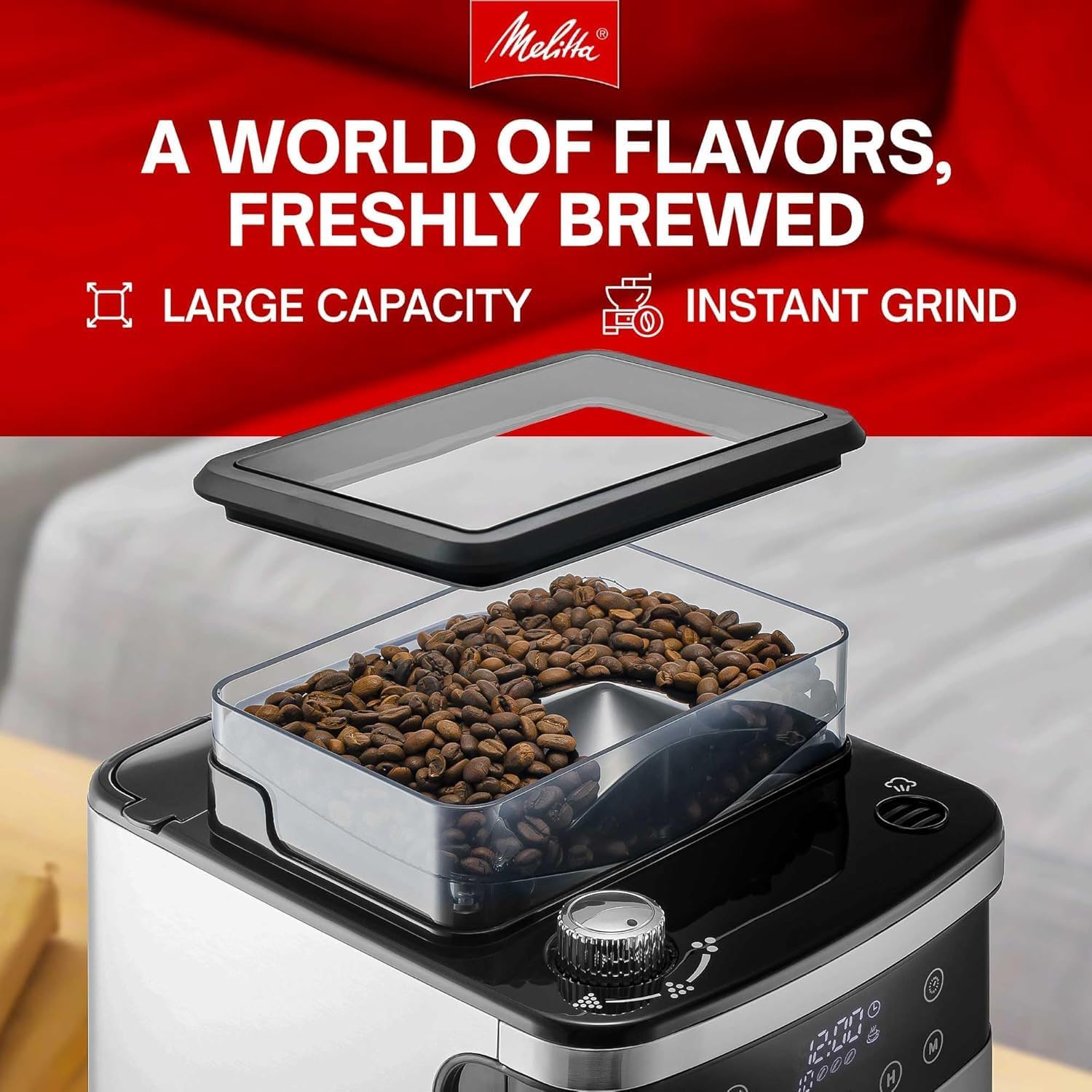
Figure 6: Fresh coffee beans ready in the large capacity bean hopper.

Figure 7: The removable cone-shape filter basket, showing flexibility for freshly ground or pre-ground coffee.
Brewing Coffee with Pre-Ground Coffee
- Fill Water Tank: Fill with fresh, cold water up to the desired number of cups.
- Insert Filter and Add Grounds: Place a Melitta #4 cone filter into the removable filter basket. Add your desired amount of pre-ground coffee into the filter.
- Bypass Grinder: Ensure the grinder bypass function is activated (refer to your control panel for specific button/setting). This prevents the grinder from operating.
- Select Coffee Strength: Choose your desired coffee strength.
- Place Carafe: Ensure the thermal carafe is correctly placed.
- Start Brewing: Press the brew button.
Programmable Timer
The programmable timer allows you to set the coffee maker to start brewing at a specific time. Consult the LCD display and control panel buttons (e.g., 'H' for hour, 'M' for minute, program button) to set your desired brew time.
Pause & Serve System
The pause & serve feature allows you to temporarily remove the carafe during the brewing cycle to pour a cup of coffee. The flow of coffee will automatically stop. Return the carafe to its position within 20 seconds to prevent overflow.
Keep Warm Function
The thermal carafe is designed to keep your brewed coffee warm for up to 2 hours without a heating plate, preserving the coffee's fresh taste.

Figure 8: Overview of key brewing controls and features, including 10-cup capacity and keep warm functionality.
Maintenance and Cleaning
Regular cleaning and maintenance will ensure the longevity and optimal performance of your coffee maker.
- Daily Cleaning: After each use, discard the used coffee filter and grounds. Wash the filter basket and thermal carafe with warm, soapy water. Rinse thoroughly and dry. Wipe the exterior of the coffee maker with a damp cloth.
- Bean Hopper and Grinder Cleaning: Periodically, empty any remaining beans from the hopper. Use a soft brush or cloth to clean the inside of the bean hopper and around the burr grinder area. Ensure no coffee grounds accumulate, as this can affect grinder performance.
- Decalcification: Mineral deposits from water can build up over time and affect performance. The coffee maker may indicate when decalcification is needed. To decalcify, use a descaling solution specifically designed for coffee makers, following the product's instructions. Alternatively, a solution of white vinegar and water (1:2 ratio) can be used. Run the solution through a full brew cycle, then run 2-3 cycles with fresh water to rinse thoroughly.
Troubleshooting
| Problem | Possible Cause | Solution |
|---|---|---|
| Coffee not brewing / Machine not starting. | No water in tank; Carafe not properly placed; Power cord unplugged; Grinder jammed (if using whole beans). | Fill water tank; Ensure carafe is correctly seated; Check power connection; Clear any bean blockages in the grinder. |
| Coffee tastes weak or too strong. | Incorrect coffee-to-water ratio; Grind setting incorrect; Strength setting incorrect. | Adjust coffee amount; Adjust grind setting (finer for stronger, coarser for weaker); Adjust strength setting on control panel. |
| Grinder is loud or not grinding. | Beans jammed; Grinder needs cleaning; Decalcification needed (if related to water flow). | Clear bean hopper and grinder area; Perform grinder cleaning; Decalcify the machine. |
| "Decalcify" indicator light is on. | Mineral buildup in the machine. | Perform a decalcification cycle as described in the Maintenance section. |
Specifications
| Feature | Detail |
|---|---|
| Brand | Melitta |
| Model Name | Drip Coffee Maker |
| Capacity | 10-cup |
| Color | Stainless Steel & Black |
| Product Dimensions | 12.32"D x 8.19"W x 16.61"H |
| Special Features | Adjustable Brew Strength, Auto Shut-Off, Integrated Coffee Grinder, Programmable Timer |
| Coffee Maker Type | Drip Coffee Machine |
| Filter Type | Paper (Melitta #4 cone filters recommended) |
| Bean Hopper Capacity | Up to 7.5 oz |
| Operation Mode | Electric |
| Human Interface Input | Touchscreen |
| Item Weight | 14.55 pounds |
| UPC | 850034919188 |
Warranty and Support
Melitta products are manufactured to high-quality standards. For information regarding your product's warranty, please refer to the warranty card included in your product packaging or visit the official Melitta website.
For technical support, troubleshooting assistance, or to order replacement parts, please contact Melitta Customer Service. Contact details can typically be found on the Melitta website or on the product packaging.
You can visit the official Melitta store on Amazon for more information: Melitta Store