
1. Introduction
Thank you for choosing Bushnell PowerView 2 10x25 Binoculars. This manual provides essential information for the proper use and care of your new optical instrument. The PowerView 2 series is designed for durability and clear viewing, making it suitable for various outdoor activities.

Image 1.1: Bushnell PowerView 2 10x25 Binoculars, showcasing the compact design.
2. Key Features
- 10x Magnification: Provides a powerful view of distant objects.
- 25mm Objective Lenses: Offers a balance of light gathering and compact size.
- Multi-Coated Optics: Enhances light transmission for bright, clear, and vibrant images, even in low-light conditions.
- Aluminum Alloy Chassis: Ensures long-lasting durability without excessive weight.
- Durable Rubber Armor: Provides a secure, non-slip grip and protects against impacts.
- Ultra-Smooth Focus Wheel: Allows for quick and precise focusing.
- Adjustable Diopter: Compensates for differences in eye strength.

Image 2.1: Diagram highlighting key features such as adjustable diopter, non-slip design, durable rubber armor, aluminum alloy chassis, and multi-coated optics.
3. Package Contents
Upon opening your Bushnell PowerView 2 10x25 Binoculars package, you should find the following items:
- Bushnell PowerView 2 10x25 Binoculars
- Carrying Case
4. Setup
4.1 Adjusting Interpupillary Distance (IPD)
The interpupillary distance is the distance between the centers of your pupils. To match this to your binoculars:
- Hold the binoculars up to your eyes.
- Look through them at a distant object.
- Adjust the hinge between the two barrels by moving them closer together or further apart until you see a single, clear circular field of view.
4.2 Adjusting the Diopter
The diopter adjustment compensates for differences in vision between your left and right eyes, ensuring a sharp image for both.
- Cover the right objective lens (the large lens at the front) with your hand or the lens cap.
- Look through the binoculars with your left eye at a distant object.
- Rotate the central focus wheel until the image is sharp and clear for your left eye.
- Now, cover the left objective lens.
- Look through the binoculars with your right eye. Without touching the central focus wheel, rotate the diopter adjustment ring (usually on the right eyepiece) until the image is sharp and clear for your right eye.
- Your binoculars are now adjusted for your eyes. You will only need to use the central focus wheel for future focusing.
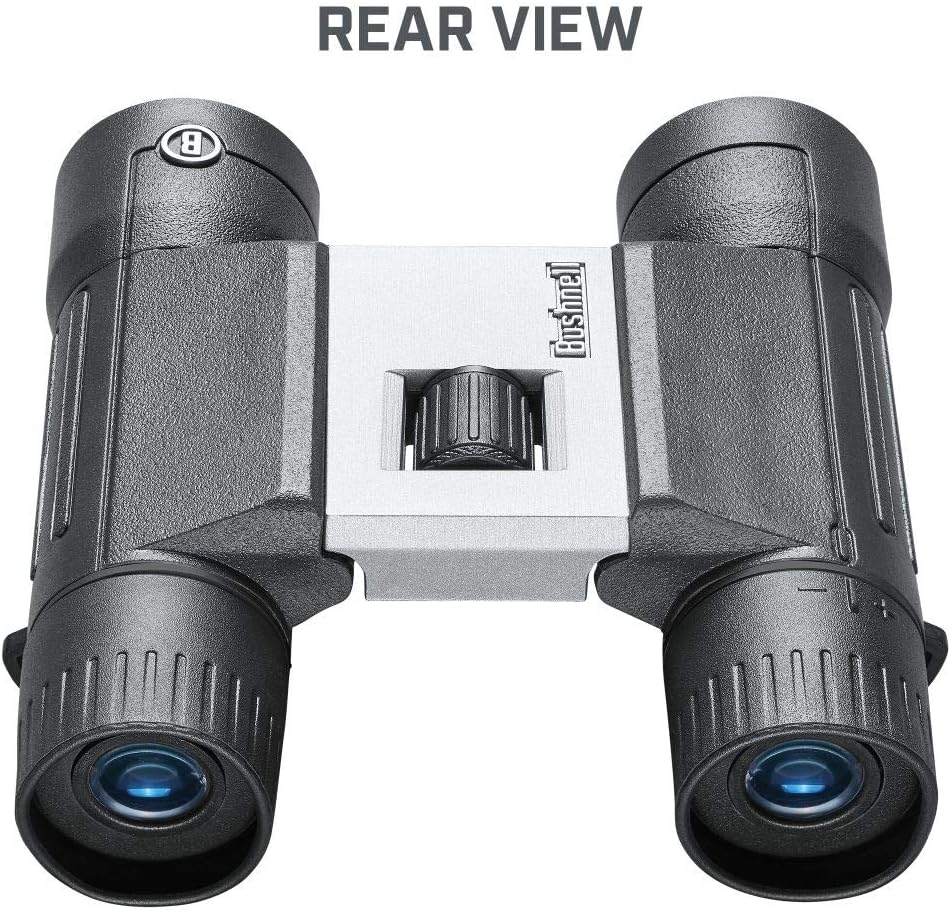
Image 4.1: Rear view of the binoculars, indicating the eyepieces and the location of the diopter adjustment.
5. Operating Instructions
5.1 Focusing
Once the interpupillary distance and diopter are set (as described in Section 4), focusing is straightforward:
- Look through the binoculars at your desired object.
- Rotate the central focus wheel (located on the top bridge of the binoculars) until the image appears sharp and clear.
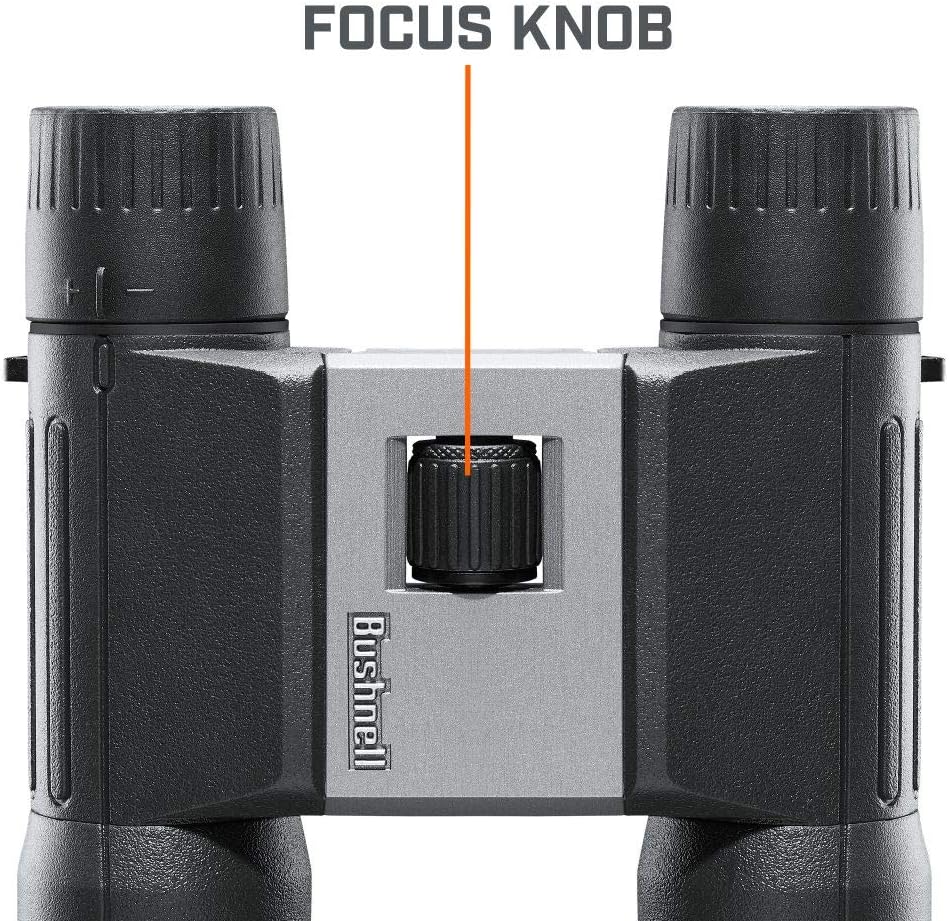
Image 5.1: Close-up view of the central focus knob.
5.2 General Use
These binoculars are suitable for a variety of activities:
- Travel: Compact size makes them easy to carry.
- Sports: Ideal for viewing sporting events.
- Outdoor Activities: Excellent for bird watching, hiking, and general nature observation.

Image 5.2: Visual representation of recommended uses: travel, sports, and outdoor activities.

Image 5.3: Illustration of 10x magnification capability.
6. Maintenance
6.1 Cleaning Lenses
When cleaning the lenses, use only a soft, lint-free cloth or a lens cleaning brush. For stubborn spots, a small amount of lens cleaning fluid designed for optics can be applied to the cloth, not directly to the lens. Avoid using abrasive materials or excessive force, as this can scratch the lens coatings.
6.2 Cleaning Body
The body of the binoculars can be wiped with a soft, damp cloth. Do not use harsh chemicals or solvents.
6.3 Storage
Store your binoculars in a cool, dry place, preferably in their protective carrying case, when not in use. Avoid exposing them to extreme temperatures or high humidity for extended periods.
7. Troubleshooting
7.1 Blurred Image
- Ensure the central focus wheel is adjusted correctly for your viewing distance.
- Verify the diopter setting is correct for your individual eye strength (refer to Section 4.2).
- Check if the objective or eyepiece lenses are dirty and clean them if necessary (refer to Section 6.1).
7.2 Double Image or Incomplete Circle
- Adjust the interpupillary distance (IPD) by moving the barrels closer or further apart until a single, circular field of view is achieved (refer to Section 4.1).
7.3 Difficulty Focusing
- Ensure the diopter is correctly set for your eyes.
- The minimum focus distance for these binoculars is approximately 10-15 meters. Objects closer than this may not be able to be brought into sharp focus.
8. Specifications
| Feature | Detail |
|---|---|
| Model Name | Bushnell PowerView 2 Binoculars_10x25_PWV1025 |
| Magnification | 10x |
| Objective Lens Diameter | 25 Millimeters |
| Color | Grey |
| Material | Plastic (with Aluminum Alloy Chassis and Rubber Armor) |
| Item Weight | 9.2 Ounces (approx. 260 grams) |
| Item Dimensions (LxWxH) | Approx. 10.5 x 10 x 0.1 inches (folded) / Length 4.5 inches (114.3mm) |
| Special Feature | Compact and Lightweight Design; Anti-Reflection Multicoated Glass; Closed Bridge Configuration; Lightweight Armored Aluminum Chassis; Low-Profile Textured Focusing Wheel |
| Suggested Users | Unisex-adult |
| Specific Uses For Product | Travel, Sports, Outdoor |

Image 8.1: Side view illustrating the compact length of the binoculars.

Image 8.2: The binoculars held in hand, demonstrating their lightweight design.
9. Warranty & Support
9.1 Warranty Information
Your Bushnell PowerView 2 Binoculars are covered by a Lifetime Ironclad Warranty. For specific details regarding warranty claims and coverage, please refer to the official Bushnell website or contact their customer service.
9.2 Customer Support
For further assistance, technical support, or to inquire about replacement parts, please visit the official Bushnell Store on Amazon or their corporate website.


