1. Introduction
This manual provides essential instructions for the installation, operation, and maintenance of your Scondaor WiFi Gas and Carbon Monoxide (CO) Detector. This device is designed to detect both combustible gases (natural gas and LPG) and carbon monoxide, providing early warning through audible alarms, LED indicators, and remote notifications via the Tuya Smart Life application. Please read this manual thoroughly before use to ensure proper function and safety.
2. Safety Information
- This device is for indoor use only.
- Do not paint the detector. Paint can clog the sensor openings and prevent the unit from functioning properly.
- Do not block the ventilation openings.
- Regularly test the detector using the 'TEST' button.
- In case of an alarm, immediately ventilate the area and contact emergency services if necessary.
- The device operates on 100-240V AC power. Ensure proper electrical connection.
- This device detects carbon monoxide (CO) and combustible gases (Methane/Natural Gas and LPG). It does not detect carbon dioxide (CO₂).
3. Product Overview
The Scondaor WiFi Gas and CO Detector features a clear LCD display, LED indicators, and a test/silence button for easy interaction. It is equipped with high-precision sensors for reliable detection.

Figure 3.1: Detector Components. This image displays the Scondaor WiFi Gas and CO Detector with key components labeled, including the LCD Display, Gas/CO Inlet Holes, LED Indicators (Green-Power, Yellow-Fault, Red-Alarm), Test/Silence Button, Loudspeakers, and Output control for solenoid valve.
- LCD Display: Shows real-time concentration values of detected gases.
- LED Indicators:
- Green: Power/Normal operation.
- Yellow: Fault.
- Red: Alarm.
- Test/Silence Button: Used to test the alarm function and silence an active alarm.
- Loudspeakers: Emits an 85 dB audible alarm during detection.
- Output Control for Solenoid Valve: Optional connection for an external 12V DC solenoid valve (not included) to automatically cut off gas supply during an alarm.
4. Setup and Installation
4.1 Power Connection
- Plug the detector into a standard 100-240V AC power outlet. The device is equipped with a European plug.
- Upon connection, the detector will initiate a 180-second warm-up period. The LCD display will show a countdown during this time.
- Once the warm-up is complete, the detector will emit a beep, and the green power indicator will remain on, with the LCD displaying "0", indicating normal operation.
4.2 WiFi Connectivity (Tuya Smart Life App)
The detector supports 2.4 GHz WiFi networks for remote monitoring and notifications.
- Download the Tuya Smart Life app from your device's app store (iOS/Android).
- Register or log in to your Smart Life account.
- Follow the in-app instructions to add the Scondaor WiFi Gas and CO Detector. Ensure your WiFi network is 2.4 GHz.
- Once connected, you will receive remote alerts and notifications on your smartphone if a dangerous leak is detected.

Figure 4.1: Smart Life App Integration. This image illustrates the Scondaor detector's connectivity with the Tuya Smart Life app, showing real-time notifications on a smartphone for enhanced home safety.
4.3 Installation Location
Correct placement is crucial for effective detection. Consider the type of gas and the recommended installation height:
- Gases heavier than air (e.g., LPG): Install the detector 0.3 to 1.0 meter (1 to 3.3 feet) above the floor.
- Gases lighter than air (e.g., Methane/Natural Gas, CO): Install the detector 0.3 to 1.0 meter (1 to 3.3 feet) below the ceiling.
- General Placement: Position the device 1 to 3 meters (3.3 to 10 feet) horizontally away from combustion sources such as boilers, ovens, and water heaters.
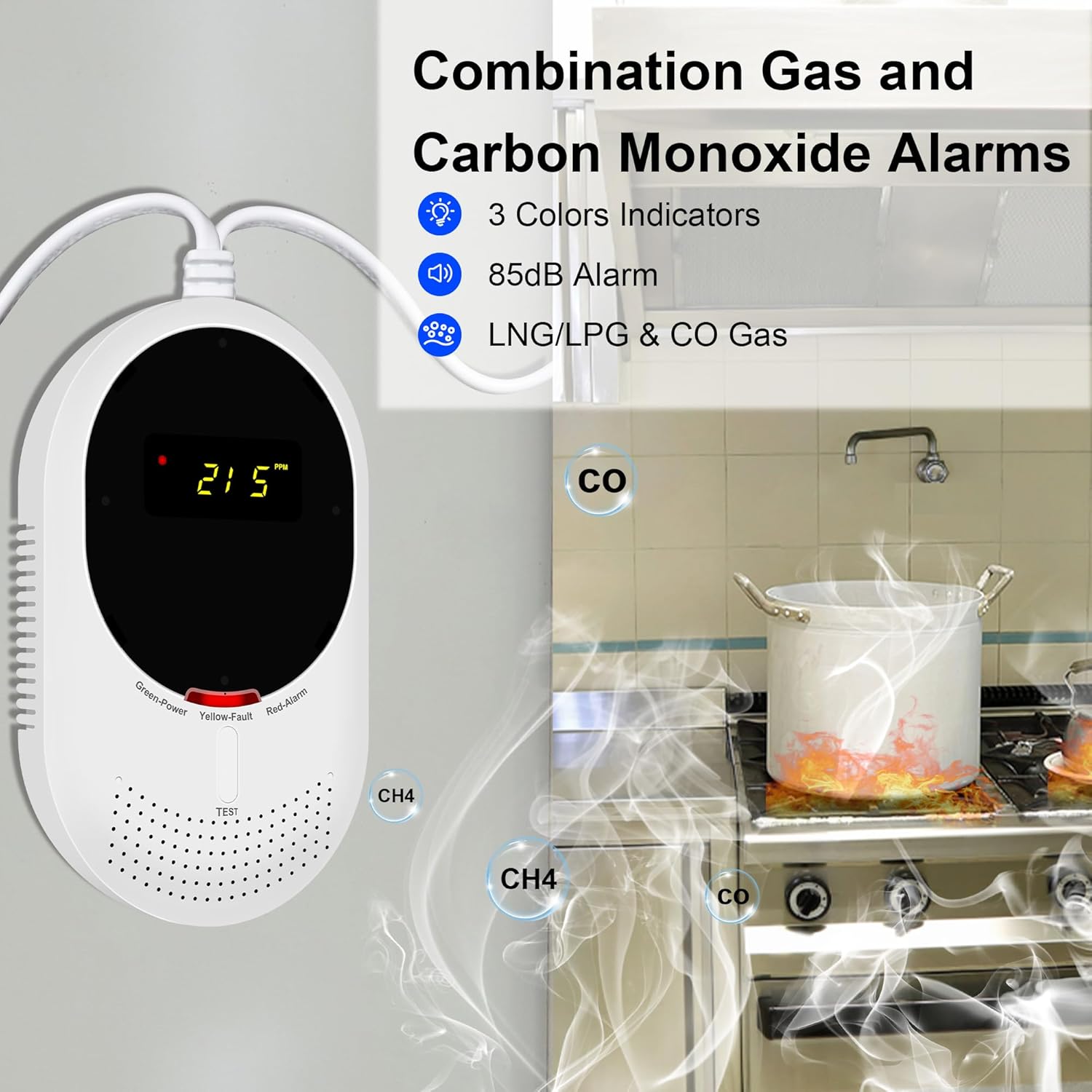
Figure 4.2: Recommended Installation Environment. This image shows the Scondaor detector in a kitchen, illustrating its role in detecting both combustible gases (CH4) and carbon monoxide (CO) near potential sources.
4.4 Solenoid Valve Connection (Optional)
For enhanced safety, the detector includes an optional output cable to connect a 12V DC solenoid valve (sold separately). This allows the valve to automatically cut off the gas supply when an alarm is triggered.
- Connect the output cable from the detector to a compatible 12V DC solenoid valve.
- Ensure the solenoid valve is installed by a qualified professional according to local regulations.
- When uninstalling the valve, keep the cable disconnected from the detector.

Figure 4.3: Solenoid Valve Connection. This image demonstrates the optional connection of the Scondaor detector to a safety solenoid valve, which can automatically shut off gas supply upon alarm activation. Note: The solenoid valve is not included.
5. Operating Instructions
5.1 Normal Operation
During normal operation, the green power indicator remains lit, and the LCD display shows "0". This indicates the detector is functioning correctly and no dangerous levels of gas or CO are present.
5.2 Alarm Conditions
The detector will activate an alarm under the following conditions:
- Combustible Gas Alarm: When gas concentration exceeds 4% LEL (Lower Explosive Limit). The LCD will display the concentration value (4-20% LEL).
- Carbon Monoxide (CO) Alarm: When CO concentration exceeds 20 ppm (parts per million). The LCD will display the concentration value (20-999 ppm).
Upon alarm activation, the device will emit an 85 dB audible alarm, the red LED indicator will flash, and you will receive notifications via the Smart Life app.

Figure 5.1: Real-Time Gas & CO Monitoring. This image shows the detector's LCD displaying alarm thresholds for combustible gas (e.g., 19% LEL for CH4) and carbon monoxide (e.g., 636 ppm for CO), indicating real-time concentration monitoring.
5.3 Test Function
Press the 'TEST' button to manually check the alarm function. The detector will sound the alarm and flash the red LED, confirming its operational status.
5.4 Hush Function
In case of a nuisance alarm, you can press the 'TEST/SILENCE' button to temporarily silence the audible alarm. The detector will continue to monitor the environment.
6. Maintenance
- Cleaning: Regularly clean the exterior of the detector with a soft, damp cloth. Do not use harsh chemicals or abrasive cleaners. Ensure the gas inlet holes are free from dust and debris.
- Sensor Lifespan: The gas sensor has a lifespan of approximately 5 years. After this period, it is recommended to replace the detector to ensure continued accuracy and safety.
- Self-Test: Perform a self-test using the 'TEST' button weekly to confirm the alarm is functioning correctly.
7. Troubleshooting
- No Power/Display Off: Ensure the detector is securely plugged into a live power outlet. Check the power source.
- Yellow Fault Indicator: This indicates a malfunction. Try unplugging and re-plugging the device. If the fault persists, contact customer support.
- No App Notifications:
- Verify the detector is connected to a 2.4 GHz WiFi network.
- Check your smartphone's notification settings for the Tuya Smart Life app.
- Ensure your phone has an active internet connection.
- Confirm the detector is properly paired with the app.
- False Alarms: Ensure the detector is not placed too close to cooking fumes, strong cleaning agents, or areas with high humidity. Review installation location guidelines.
- What to do during an alarm:
- Immediately open windows and doors to ventilate the area.
- Turn off all gas appliances.
- Evacuate the premises if the alarm persists or if you feel unwell.
- Contact your gas supplier or emergency services.
8. Specifications
| Model Number | JKD-815COM-W |
| Manufacturer | Scondaor |
| Power Supply | 100-240V AC |
| Power Consumption | < 5 Watts |
| Detected Gases | Combustible Gas (Methane/Natural Gas, LPG), Carbon Monoxide (CO) |
| Gas Sensor Lifespan | 5 years |
| Alarm Volume | 85 dB |
| WiFi Frequency | 2.4 GHz (IEEE 802.11b/g/n) |
| Certifications | EN 50291, EN 50194 |
| Dimensions | 17.7 x 12 x 5.1 cm |
| Weight | 230 g |
| UPC | 727431792945 |
9. Warranty and Support
The Scondaor WiFi Gas and Carbon Monoxide Detector comes with a 3-year limited warranty. For any inquiries, technical assistance, or issues, please contact Scondaor customer support via email. We offer responsive after-sales service.