
1. Introduction
This manual provides comprehensive instructions for the Wishouse K15 FRS two-way radios. The K15 radios are designed for reliable communication, featuring 2W FRS power, 22 channels, USB-C charging, a built-in flashlight, NOAA weather alerts, and an SOS function. Please read this manual thoroughly before operating your device to ensure proper use and to maximize its performance.
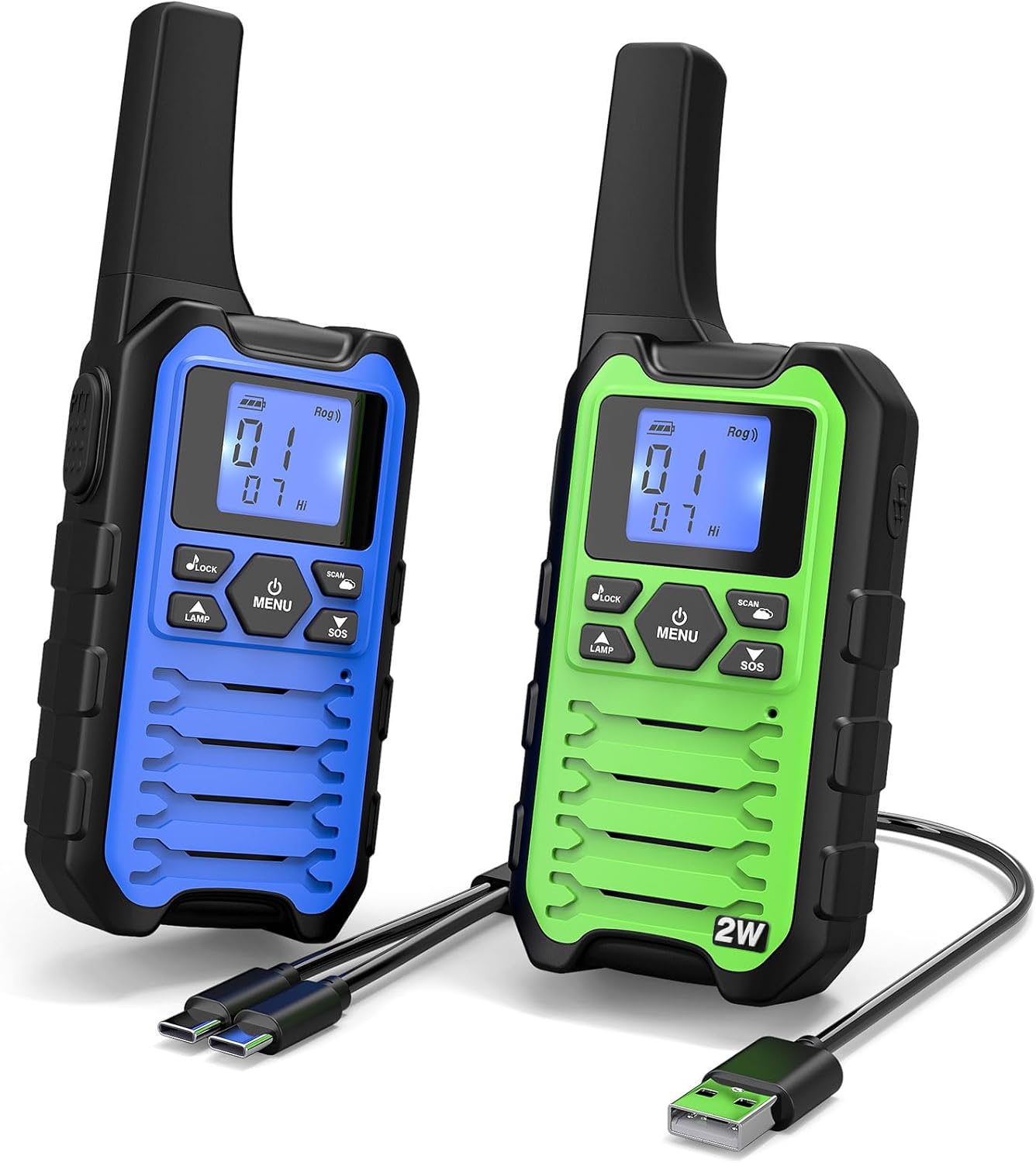
Figure 1: Wishouse K15 Two-Way Radios (Blue and Green models shown).
2. Package Contents
Verify that all items are present in your package:
- 2 x Wishouse K15 Walkie Talkies
- 2 x Lanyards
- 6 x AA NiMH Rechargeable Batteries (3 per radio)
- 1 x 1-to-2 USB-C Charging Cable
- 1 x Visual User Manual (Quick Start Guide)

Figure 2: Included components in the Wishouse K15 package.
3. Setup
3.1 Battery Installation
- Locate the battery compartment cover on the back of each radio.
- Slide the cover down and lift to open.
- Insert 3 AA NiMH rechargeable batteries into each radio, observing the correct polarity (+/-).
- Replace the battery compartment cover and slide it up until it clicks securely into place.
3.2 Attaching the Belt Clip
Align the belt clip with the slots on the back of the radio and slide it upwards until it locks into position.
3.3 Initial Charging
Before first use, fully charge the radios. Connect the 1-to-2 USB-C charging cable to a power source (e.g., USB wall adapter, power bank, car charger) and then to the USB-C port on each radio. The battery indicator on the display will show charging status.
3.4 Quick Pairing
The K15 radios feature a quick-pair function for immediate communication:
- Ensure both radios are powered on.
- On one radio, press the PAIR button (often integrated with the Menu button or a dedicated button).
- The radio will automatically sync with another K15 radio within range.
- Once paired, you can begin communication using the Push-to-Talk (PTT) button.

Figure 3: One-key pairing process for Wishouse K15 radios.
4. Operating Instructions
4.1 Power On/Off
To power on or off, press and hold the Power button (usually integrated with the Menu button) for approximately 3 seconds.
4.2 Channel Selection
The K15 radios operate on 22 FRS channels. To change channels:
- Press the MENU button once. The channel number will flash.
- Use the Up or Down arrow buttons to select your desired channel (1-22).
- Press the MENU button again or wait a few seconds for the selection to be confirmed.
4.3 Privacy Codes (CTCSS/DCS)
Privacy codes help reduce interference from other users on the same channel. To set a privacy code:
- Press the MENU button twice. The privacy code number will flash.
- Use the Up or Down arrow buttons to select a code.
- Press the MENU button again or wait for confirmation.
Note: For successful communication, both radios must be set to the same channel and privacy code.
4.4 Push-to-Talk (PTT)
To transmit, press and hold the large PTT button on the side of the radio. Speak clearly into the microphone. Release the PTT button to listen. For optimal clarity, especially in noisy environments, press the PTT button, pause for approximately 0.5 seconds, then begin speaking.
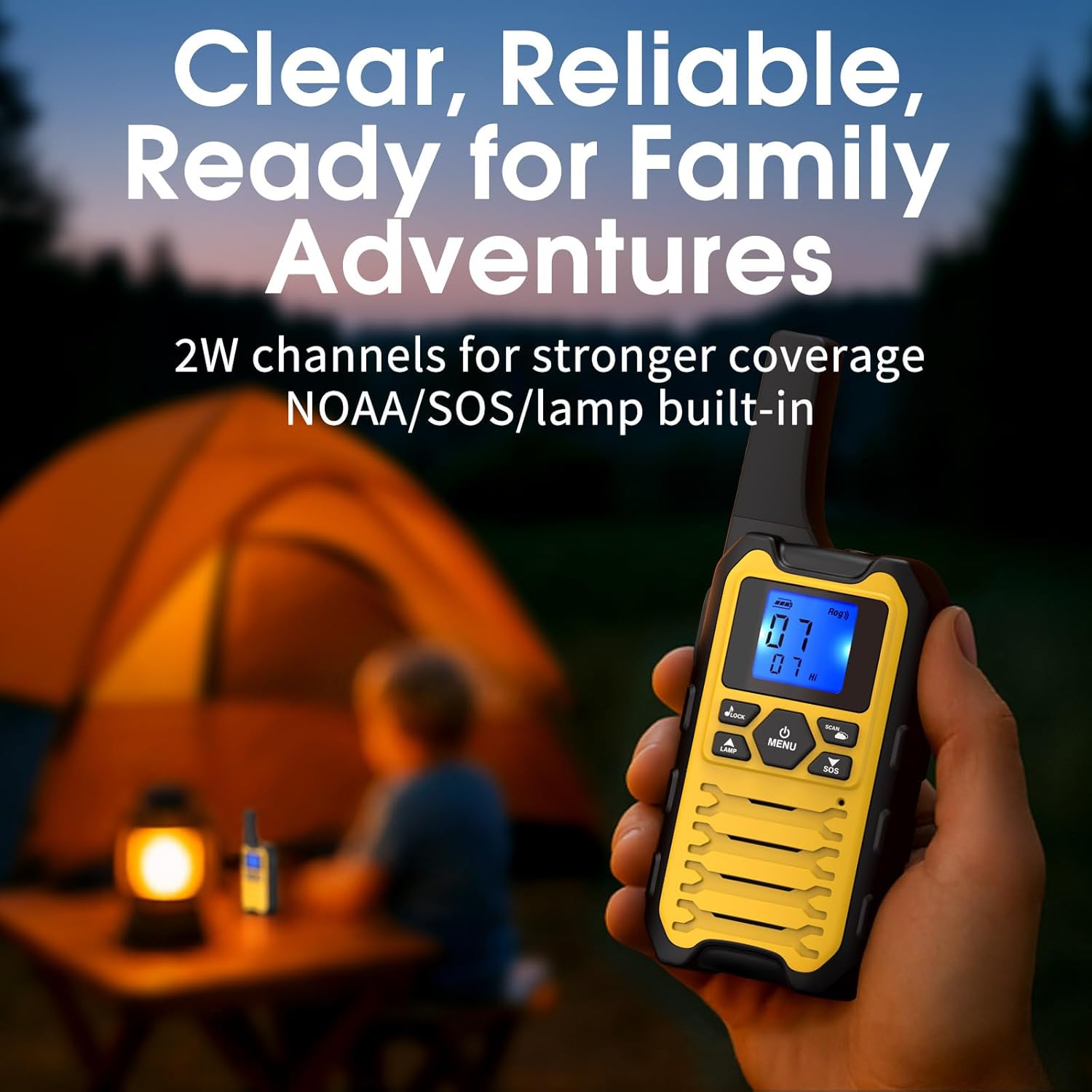
Figure 4: Wishouse K15 radio in use during outdoor activities.
4.5 Volume Adjustment
Use the dedicated Up and Down buttons (often located near the display) to adjust the speaker volume.
4.6 Key Lock
To prevent accidental button presses, press and hold the LOCK button (or a combination, refer to quick guide) until the lock icon appears on the display. Repeat to unlock.
4.7 Scan Function
The scan function allows you to monitor all channels for activity. Press the SCAN button to activate. The radio will cycle through channels and stop on any active transmission. Press PTT to transmit on the active channel or press SCAN again to resume scanning.
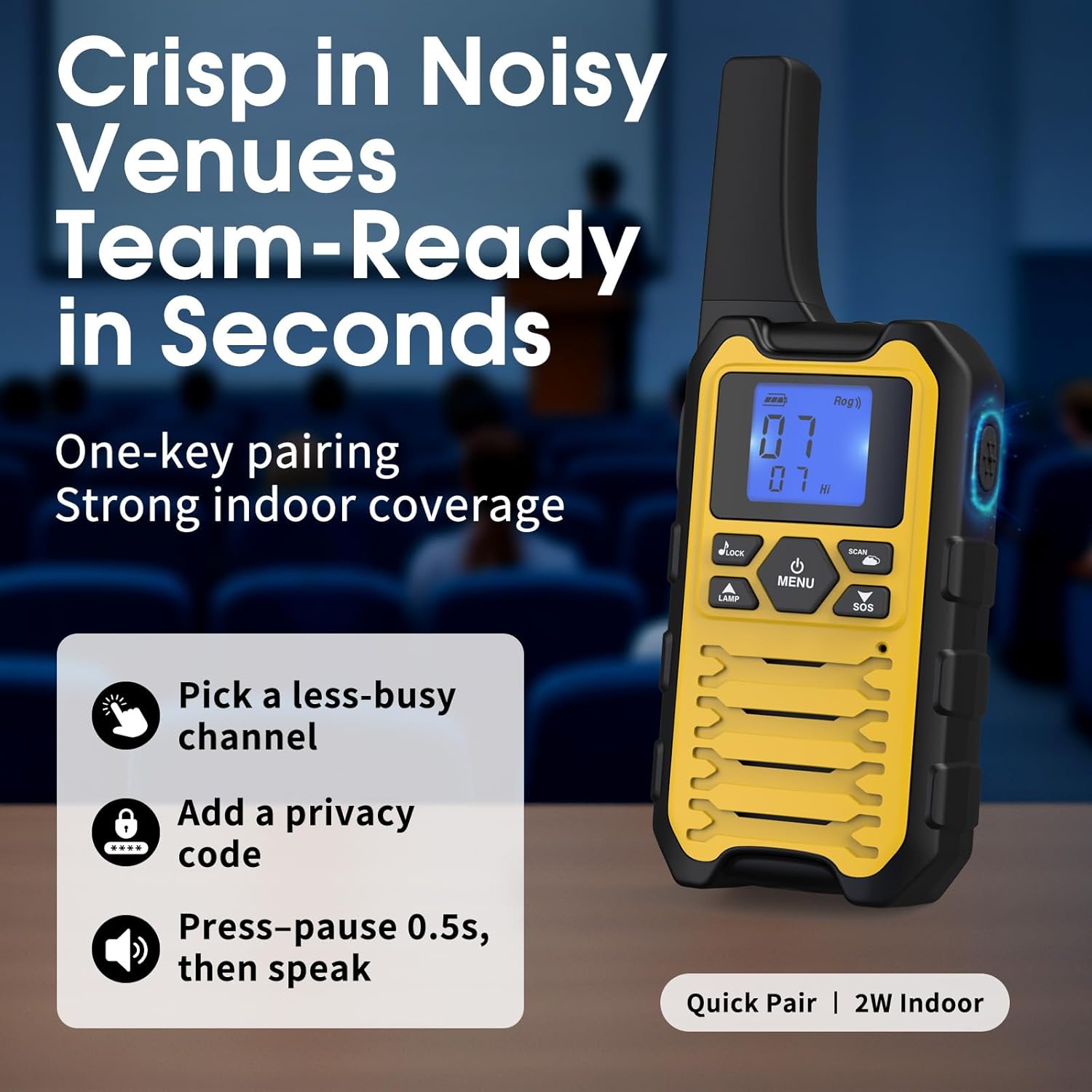
Figure 5: Tips for clear communication with K15 radios.
5. Charging
The Wishouse K15 radios are powered by 3x1500mAh AA NiMH rechargeable batteries. The included 1-to-2 USB-C cable allows simultaneous charging of both radios from a single USB power source. The auto battery-save feature helps extend battery life during use.
- Charging Time: Varies depending on battery level and power source.
- Battery Life: Approximately 8-10 hours of mixed use, up to 3 days standby.
- Important: Only charge NiMH batteries in the radio. Do not attempt to charge alkaline batteries.

Figure 6: Charging the Wishouse K15 two-way radio.
6. Safety Features
6.1 Flashlight
The K15 radios include a built-in LED flashlight for illumination in low-light conditions. Press the LAMP button to turn the flashlight on or off.
6.2 NOAA Weather Alert
Stay informed about local weather conditions. The NOAA weather alert function allows the radio to receive broadcasts from the National Oceanic and Atmospheric Administration (NOAA) where available. Consult your quick start guide for specific activation steps, as this may vary.
6.3 SOS Alarm
For emergency situations, the K15 features an SOS alarm. Press and hold the SOS button for 3 seconds to activate a loud audible alarm and flashing light. This is an on-device alarm and does not place calls to emergency services.

Figure 7: Built-in safety tools of the Wishouse K15.
7. Range and Performance Tips
The actual communication range of your K15 radios can vary significantly based on several factors:
- Terrain: Hills, mountains, and dense foliage can obstruct signals.
- Structures: Buildings, concrete, and metal structures can reduce range.
- Congestion: High radio traffic or electromagnetic interference can affect clarity and range.
- Power Output: Channels 1-7 and 15-22 operate at 2W for stronger performance, while channels 8-14 operate at 0.5W.
Tips for Optimal Range:
- Select a 2W FRS channel (1-7 or 15-22) when possible.
- Seek higher ground or positions near windows in buildings.
- Maintain a clear line of sight between radios whenever feasible.
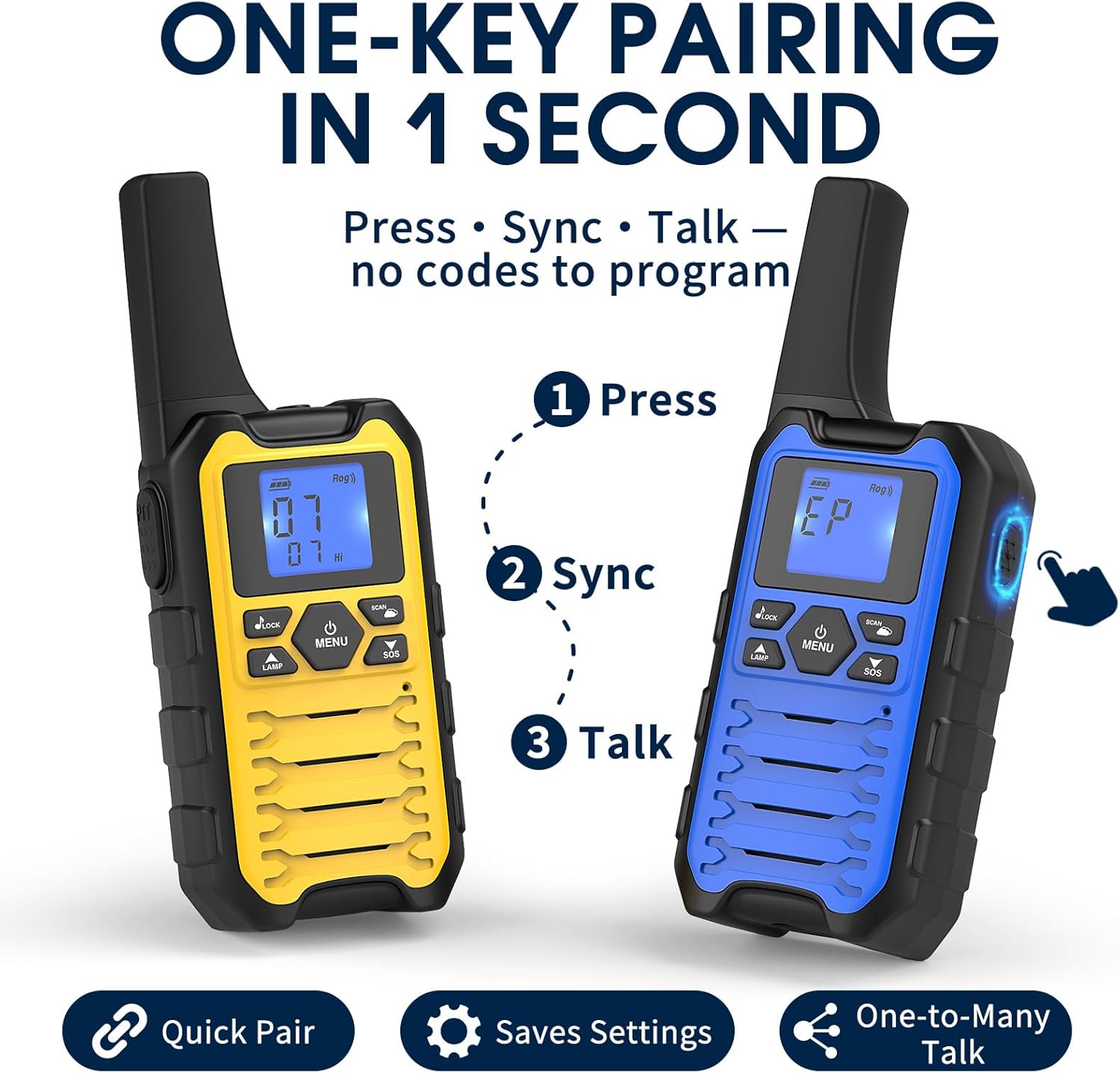
Figure 8: Factors affecting radio range and tips for improved performance.
8. Maintenance
- Cleaning: Wipe the radio surfaces with a soft, damp cloth. Do not use harsh chemicals or abrasive cleaners.
- Battery Care: For long-term storage, remove the batteries from the radios. Recharge batteries periodically if stored for extended periods to maintain their lifespan.
- Storage: Store radios in a cool, dry place away from direct sunlight and extreme temperatures.
- Water Resistance: The K15 radios are not water-resistant. Avoid exposure to rain, splashes, or immersion in water.
9. Troubleshooting
| Problem | Possible Cause | Solution |
|---|---|---|
| Radio does not power on. | Low or depleted batteries; incorrect battery installation. | Ensure batteries are correctly installed and fully charged. |
| Cannot communicate with other radios. | Different channels or privacy codes; out of range; PTT not pressed correctly. | Verify both radios are on the same channel and privacy code. Move closer. Ensure PTT is pressed and held during transmission. |
| Poor audio quality or static. | Weak signal; interference; low battery. | Move to an area with fewer obstructions. Change channels. Recharge batteries. |
| Keypad is unresponsive. | Key lock is activated. | Deactivate the key lock function. |
10. Specifications
| Model | K15 |
| Brand | Wishouse |
| Item Weight | Approximately 1.08 pounds (for the pair) |
| Product Dimensions | 1.34 x 2 x 6.3 inches (per radio) |
| Batteries | 6 AA NiMH rechargeable batteries (3 per radio, included) |
| Number of Channels | 22 FRS Channels |
| Frequency Range | 462.5500-462.7250 MHz, 467.5625-467.7125 MHz |
| Power Output | CH 1-7 & 15-22 at 2W, CH 8-14 at 0.5W |
| Voltage | 3.6 Volts |
| Special Features | Adjustable Receiver Sensitivity, Emergency Alarm (SOS), Flashlight, Long Range, Rechargeable, Weather Alert (NOAA) |
| Water Resistance Level | Not Water Resistant |
11. Warranty and Support
For warranty information or technical support, please refer to the contact details provided with your product packaging or visit the official Wishouse website. Keep your purchase receipt as proof of purchase.
For additional assistance, you may also contact the seller directly through your purchase platform.


