
Ubervia JSD-20158
Ubervia JSD-20158 Bluetooth Car Stereo Audio System User Manual
Model: JSD-20158
1. Introduction
Thank you for choosing the Ubervia JSD-20158 Bluetooth Car Stereo Audio System. This in-dash MP3 FM radio is designed for universal 24V vehicle applications, offering a range of features including Bluetooth connectivity for hands-free calls and audio streaming, USB/SD/MMC card reader support, and a high-quality FM stereo radio. This manual provides detailed instructions for installation, operation, and maintenance to ensure optimal performance and user satisfaction.

Figure 1: Front view of the Ubervia JSD-20158 Car Stereo unit.
2. Package Contents
Please check the package carefully to ensure all items are present:
- 1x Ubervia JSD-20158 Bluetooth Car Stereo Player
- 1x Remote Control
- 1x User Manual (this document)
- 1x Wiring Harness
3. Key Features
- Bluetooth Connectivity: Built-in Bluetooth for hands-free calls and advanced audio distribution profile (A2DP) for wireless music streaming.
- High-Quality FM Radio: Digital stereo radio tuner with 18 preset stations (frequency: 87.5-108 MHz).
- Media Playback: Supports USB, SD, and MMC card readers. Compatible audio formats include MP3, WMA, WAV, and FLAC.
- Large Color LCD Display: Clear and bright display for easy viewing of information.
- Audio Control: Preset EQ options (Pop/Rock/Class), electronic control for volume, treble, bass, balance, and fader. Multiple EQ scene selections (Jazz, Rock, Pop, Classical, etc.).
- Power Output: Max. 60W x 4 channels for robust audio.
- Additional Functions: Digital clock display, full-function remote control, folder function support, breakpoints and ID3 play, mute and loudness control, L/R RCA audio output jacks.
- Voltage: Designed for 24V vehicle systems.
4. Installation Guide
Important: This unit operates on a 24V power supply. Connecting it to a 12V system or incorrect wiring can cause damage to the unit and your vehicle's electrical system. If you are unsure about the installation process, it is highly recommended to seek professional assistance.
4.1 Wiring Diagram (General)
Refer to the wiring harness provided with the unit. Typically, the connections include:
- Yellow Wire: Constant 24V power (Battery +)
- Red Wire: Switched 24V power (Ignition/ACC +)
- Black Wire: Ground (Chassis -)
- Blue Wire: Antenna/Amplifier remote turn-on
- Speaker Wires: Typically color-coded (e.g., White/White-Black, Gray/Gray-Black, Green/Green-Black, Purple/Purple-Black) for front left, front right, rear left, and rear right speakers. Ensure correct polarity.
Ensure all connections are secure and insulated to prevent short circuits. After wiring, carefully slide the unit into the dashboard opening until it locks into place.
5. Operation
5.1 Power On/Off and Volume Control
- Press the POW button to turn the unit on or off.
- Rotate the VOL knob to adjust the volume level.
5.2 Mode Selection
Press the MOD button to cycle through available modes: FM Radio, Bluetooth, USB, SD, AUX.
5.3 FM Radio Operation
- In FM mode, press the BAND button to select FM1, FM2, or FM3 band.
- Press the Seek buttons (|<< or >>|) to automatically search for the next strong station.
- Long press the Seek buttons for manual tuning.
- To store a station, tune to the desired frequency, then long press one of the preset number buttons (1-6) until you hear a beep.
5.4 Bluetooth Function
The unit supports Bluetooth for hands-free calling and audio streaming.
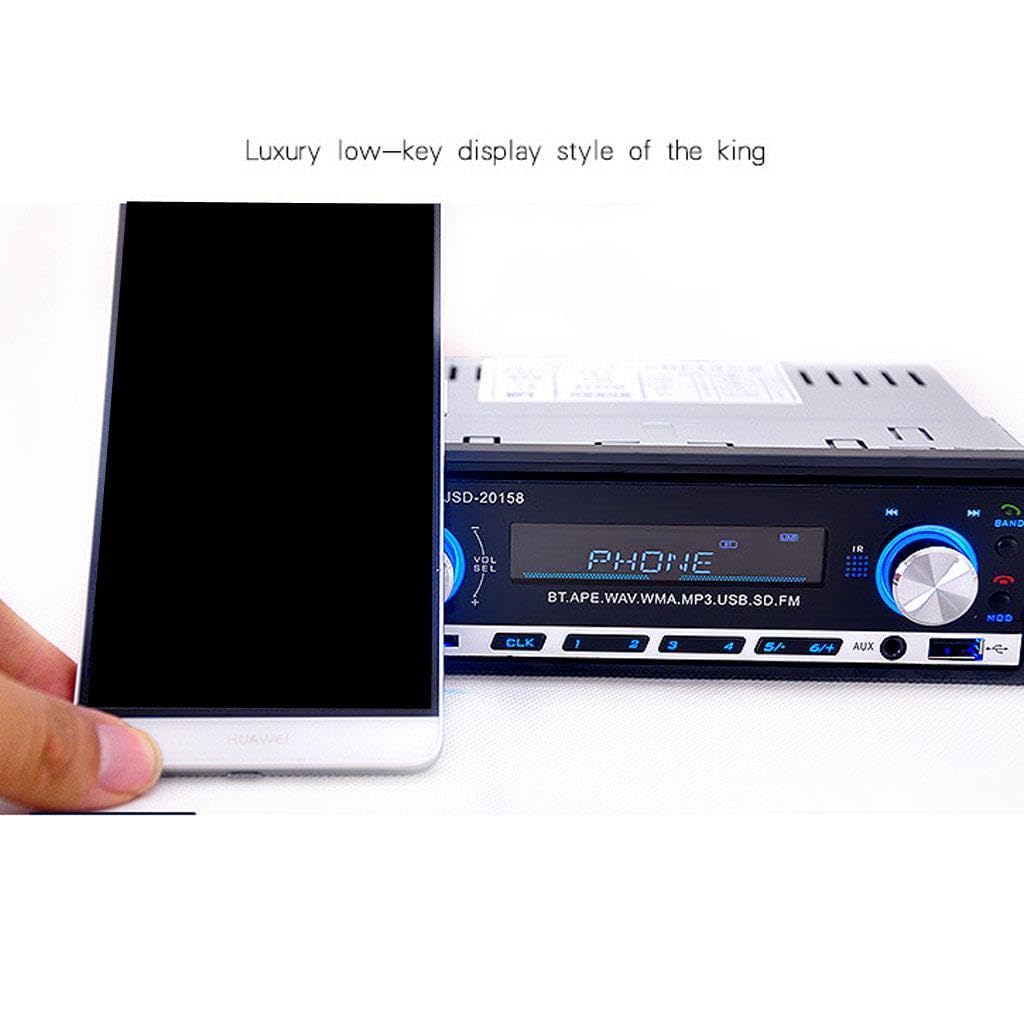
Figure 2: Display showing 'PHONE' during Bluetooth operation or pairing.
- Pairing: Select Bluetooth mode. On your mobile device, search for Bluetooth devices and select "JSD-20158". Enter "0000" if a PIN is required.
- Hands-Free Calls: When a call comes in, the unit will display "PHONE". Press the Answer button (usually the green phone icon or a dedicated button) to answer. Press the End Call button (red phone icon) to end a call.
- Audio Streaming: Once paired, you can play music from your phone, and the audio will stream through the car stereo. Use the |<< and >>| buttons to skip tracks.
5.5 USB/SD/MMC Playback
Insert a USB drive or SD/MMC card into the respective slot. The unit will automatically switch to USB/SD mode and begin playing compatible audio files.
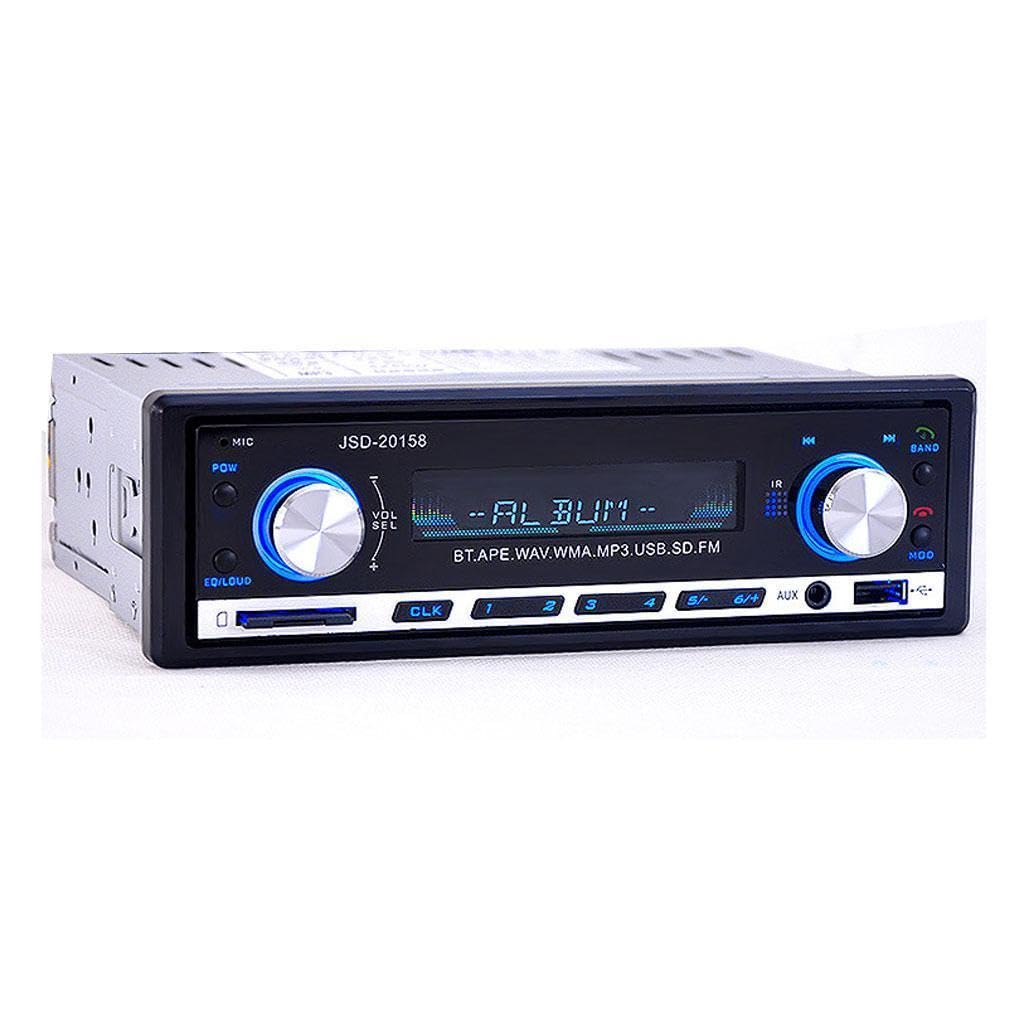
Figure 3: Display showing 'ALBUM' during MP3 playback from USB/SD.
- Use the |<< and >>| buttons to navigate between tracks.
- The unit supports folder function and ID3 tag display.
- MP3 randomized playback and 10-track up/down playback are available.
5.6 AUX Input
Connect an external audio device (e.g., smartphone, MP3 player) to the AUX input jack on the front panel using a 3.5mm audio cable.

Figure 4: Connecting an external device via the AUX input.
- Select AUX mode using the MOD button.
- Control playback from the connected external device.
5.7 Clock Display
The unit features a digital clock display. Press the CLK button to view the time. Long press the CLK button to enter time setting mode, then use the volume knob or seek buttons to adjust hours and minutes.

Figure 5: The unit displaying the current time.
6. Specifications
| Feature | Specification |
|---|---|
| Model Name | JSD-20158 |
| Voltage | 24V |
| Max. Power Output | 60W x 4 Channels |
| Display Size | 2.5 inches |
| Display Resolution | 256 x 186 |
| FM Radio Frequency | 87.5 - 108 MHz |
| Supported Audio Formats | MP3, WMA, WAV, FLAC |
| Connectivity | Bluetooth, USB, SD/MMC Card, AUX Input |
| OSD Language | English |
| Dimensions (W x H x D) | 188 mm x 58 mm x 120 mm (Machine Size) |
| Overall Dimensions (W x H) | 178 mm x 50 mm |
| Material Type | Aluminum + PVC |
7. Troubleshooting
If you encounter issues with your Ubervia JSD-20158, please refer to the following common problems and solutions:
- No Power:
- Check all power connections (Yellow, Red, Black wires) for proper contact and voltage.
- Ensure the vehicle's fuse for the stereo is not blown.
- Confirm the vehicle's electrical system is 24V.
- No Sound:
- Verify speaker wire connections are correct and secure.
- Check if the volume is turned up and not muted.
- Ensure the correct audio source (FM, Bluetooth, USB, AUX) is selected.
- Bluetooth Pairing Issues:
- Make sure Bluetooth is enabled on your mobile device and the stereo is in Bluetooth mode.
- Delete "JSD-20158" from your phone's paired devices list and try pairing again.
- Ensure your phone is within range of the stereo.
- USB/SD Card Not Reading:
- Ensure the USB drive or SD card is inserted correctly.
- Check if the files on the media are supported audio formats (MP3, WMA, WAV, FLAC).
- Try a different USB drive or SD card to rule out media issues.
8. Maintenance
To ensure the longevity and optimal performance of your car stereo, follow these simple maintenance guidelines:
- Cleaning: Use a soft, dry cloth to clean the front panel and display. Avoid using abrasive cleaners or solvents, as they may damage the surface.
- Avoid Liquids: Do not expose the unit to water or other liquids.
- Temperature: Avoid extreme temperatures. While designed for automotive use, prolonged exposure to very high or low temperatures can affect performance.
- Connections: Periodically check wiring connections to ensure they remain secure.
9. Warranty and Support
For any queries, technical assistance, or warranty-related concerns, please contact the seller or the manufacturer directly. Specific warranty terms and conditions may vary and are typically provided at the point of purchase or with the product packaging.
Related Documents - JSD-20158
 |
JSD-520 MP3/USB/SD/MMC Car Player Operation Manual Comprehensive operation manual for the JSD-520 MP3/USB/SD/MMC car player with radio receiver. Includes installation, troubleshooting, specifications, and panel/remote function guides. |
 |
Hippcron Car Stereo User Manual - Features and Operation Comprehensive user guide for the Hippcron car stereo system, covering its various features including USB, SD card, AUX, FM radio, and Bluetooth connectivity. Learn how to set up and operate your car audio system. |
 |
Hippcron JSD-520 Car Radio User Manual Comprehensive user manual for the Hippcron JSD-520 1-DIN car stereo, featuring Bluetooth, USB, AUX, and FM radio playback. Includes operation instructions and specifications. |
 |
SINOVCLE JSD-1788 Car Radio Operation Manual Comprehensive operation manual for the SINOVCLE JSD-1788 car radio, covering installation, panel and remote functions, troubleshooting, and specifications for USB/SD/MMC/MP3/WMA playback with radio receiver. |
 |
QSC JSD-60 Cinema Processor User Manual User manual for the QSC JSD-60 Cinema Processor, detailing its features for digital cinema audio, including system overview, specifications, installation, operation, and automation. |
 |
SWM-530 Car Stereo MP3 Player Instruction Manual Detailed instruction manual for the SWM-530 Car Stereo MP3 Player, featuring PLL FM Stereo Radio, USB-Port, MMC/SD Card Reader, and Bluetooth connectivity. Includes specifications, control locations, and operating instructions. |