
JOOAN L-2K
JOOAN 2K Outdoor Security Camera L-2K User Manual
Model: L-2K | Brand: JOOAN
1. Product Overview
The JOOAN 2K Outdoor Security Camera L-2K is a wired 360° PTZ camera designed for home surveillance. It features 2.4G WiFi connectivity, IP66 waterproof rating, motion detection with alert sounds, color night vision, 24/7 recording, and supports cloud or 8-256G card storage with auto tracking capabilities.

Figure 1: JOOAN 2K Outdoor Security Camera L-2K
Key Features:
- 2K HD Video: Provides sharp and smooth live view experience.
- 360° PTZ Control: 355° Pan and 90° Tilt for comprehensive coverage.
- Smart Motion Detection: Triggers sound alarms and sends message pushes to your phone.
- Full Color Night Vision: Equipped with IR lights and floodlights for clear night monitoring.
- Two-Way Audio: Built-in microphone and speaker for real-time communication.
- IP66 Weatherproof: Designed to withstand various weather conditions.
- Flexible Storage: Supports secure cloud storage (30-day trial) and up to 256GB SD card storage.
- 2.4G WiFi Connectivity: Stable wireless connection.
- Multi-user Sharing: Share real-time video with family and friends securely.
2. Setup and Installation
2.1 Package Contents
Before installation, please ensure all components are present:
- JOOAN 2K Outdoor Security Camera
- Power Adapter (5V)
- Mounting Screws and Anchors
- User Manual (this document)
2.2 Mounting the Camera
The camera supports both wall and ceiling installation. Choose a location that provides optimal viewing coverage and is within range of your 2.4G WiFi network or wired connection point.
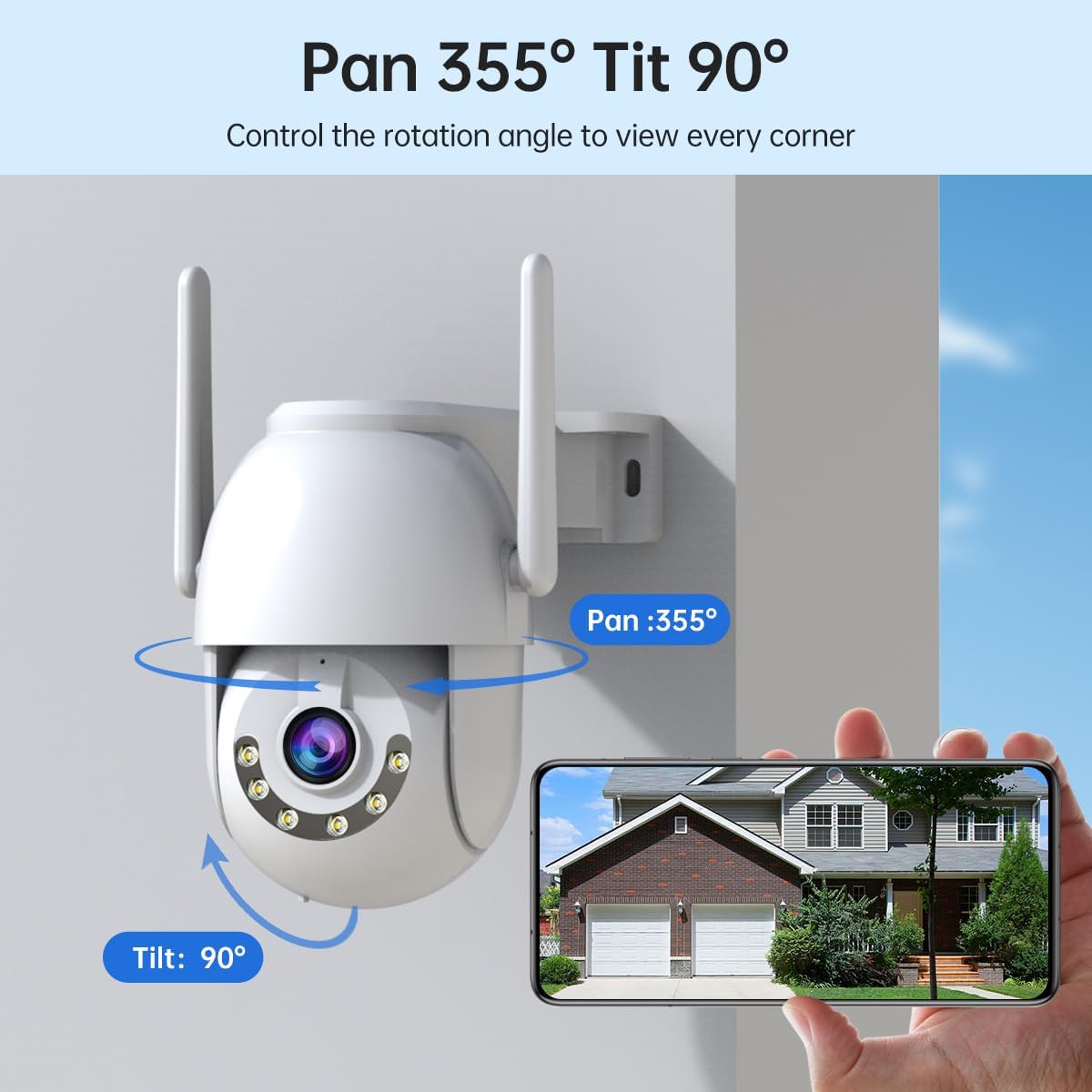
Figure 2: Wall Mount Installation Example

Figure 3: Ceiling Mount Installation Example
- Select a suitable mounting surface.
- Use the provided mounting template (if any) or mark the drill holes for the camera bracket.
- Drill holes and insert wall anchors if necessary.
- Secure the camera bracket to the surface using the screws.
- Attach the camera to the bracket.
2.3 Powering On and Network Connection
Connect the camera to the power adapter (5V) and plug it into a power outlet. The camera will power on and initiate its startup sequence.
The camera supports both wireless (2.4G WiFi) and wired network connections.

Figure 4: Wireless (left) and Wired (right) Connection Setup
Wireless Connection (2.4G WiFi)
- Ensure your WiFi router is operating on the 2.4GHz band. This camera does not support 5GHz WiFi.
- Download the "Cam720" app from your mobile app store.
- Register an account and log in.
- Follow the in-app instructions to add your device. This typically involves scanning a QR code on the camera or using Bluetooth configuration.
Video 1: Demonstrates the setup process including Bluetooth configuration and app usage for the JOOAN 3MP Outdoor WiFi Security Camera. This video highlights features such as Pan/Tilt, auto-tracking, sound and light alarms, smart alerts, B/W and HD color night vision, IP66 weatherproofing, 5X digital zoom, and overall security management via the app.
Wired Connection
- Connect an Ethernet cable from your router to the camera's Ethernet port.
- Follow the in-app instructions to add your device, selecting the wired connection option.
3. Operating the Camera
3.1 Pan, Tilt, and Zoom (PTZ) Control
The JOOAN L-2K camera offers extensive pan and tilt capabilities, allowing you to remotely adjust the viewing angle through the "Cam720" app. It supports 355° horizontal pan and 90° vertical tilt, providing 360° coverage.
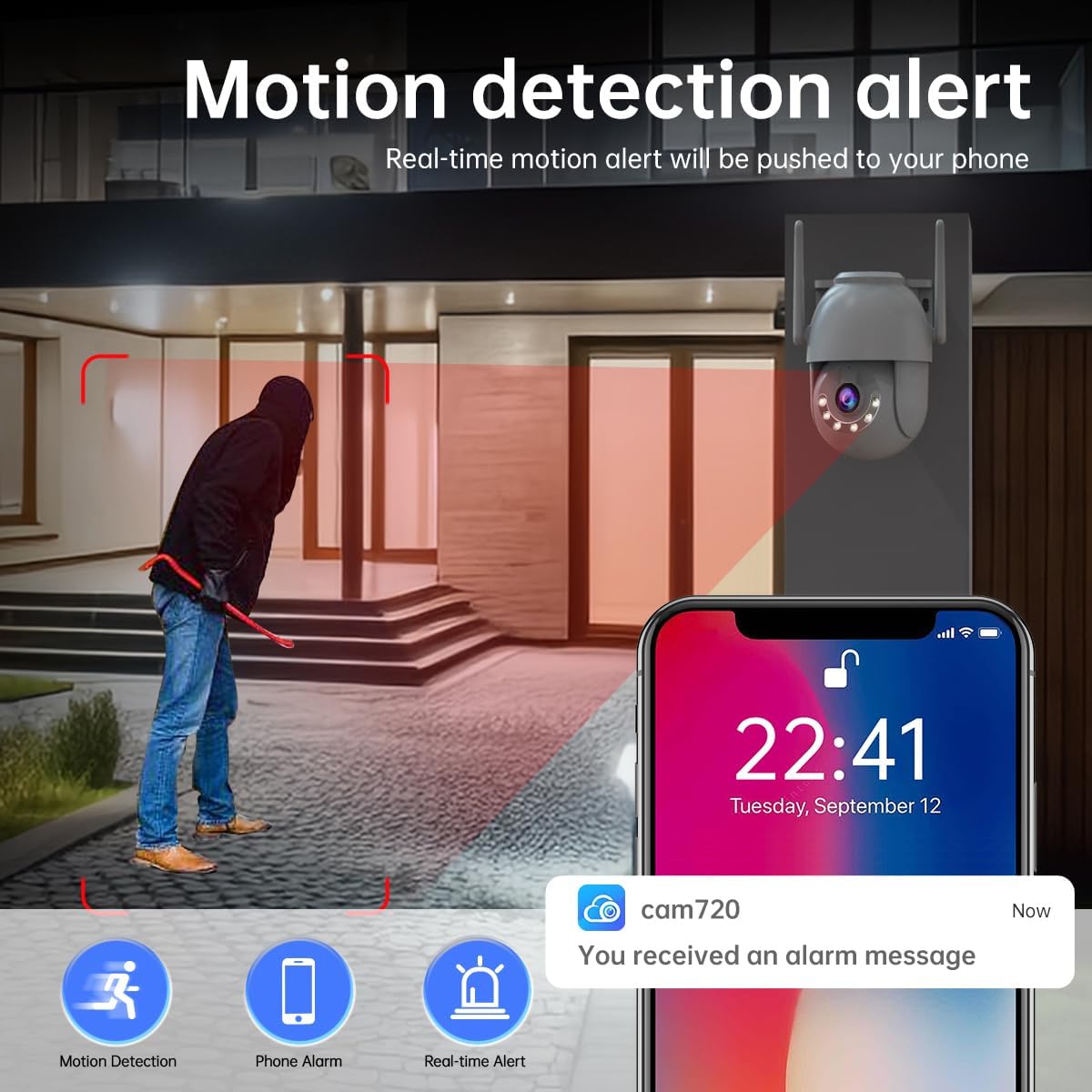
Figure 5: Pan 355° and Tilt 90° Control
Use the directional controls within the app's live view interface to move the camera lens. The camera also features 5X digital zoom to view details from a distance.
3.2 Motion Detection and Alerts
The camera is equipped with smart motion detection. When a moving object enters the monitoring area, the camera will trigger an alarm and send a message push notification to your phone.
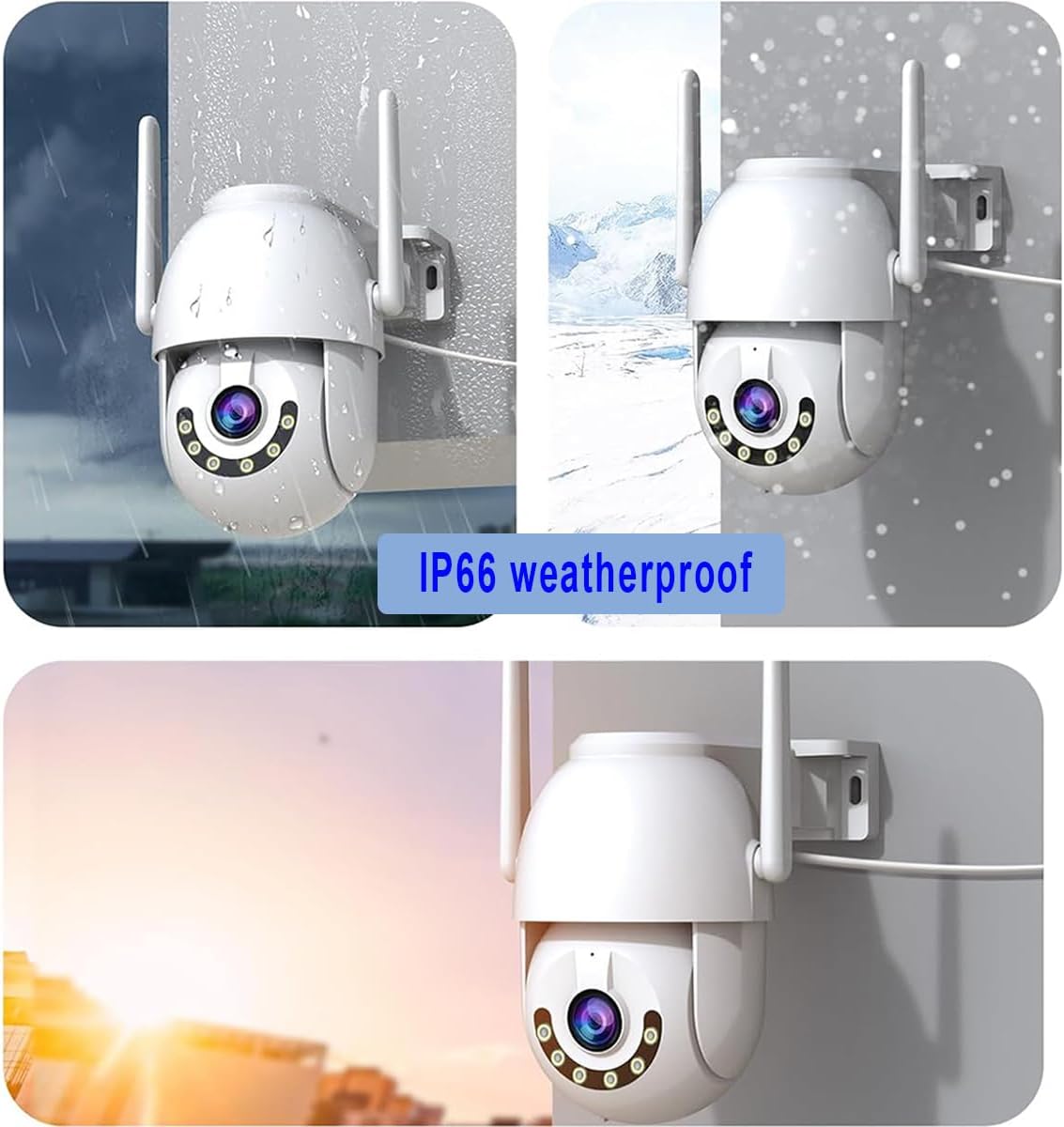
Figure 6: Real-time Motion Detection Alerts
- Customizable Sensitivity: Adjust detection sensitivity (high, medium, low) in the app to reduce false alarms.
- Sound Alarms: The camera can emit an audible alarm when motion is detected.
- Message Push: Receive instant notifications on your mobile device.
3.3 Night Vision Modes
The camera supports both infrared (IR) night vision and full-color night vision for clear monitoring in low-light conditions.
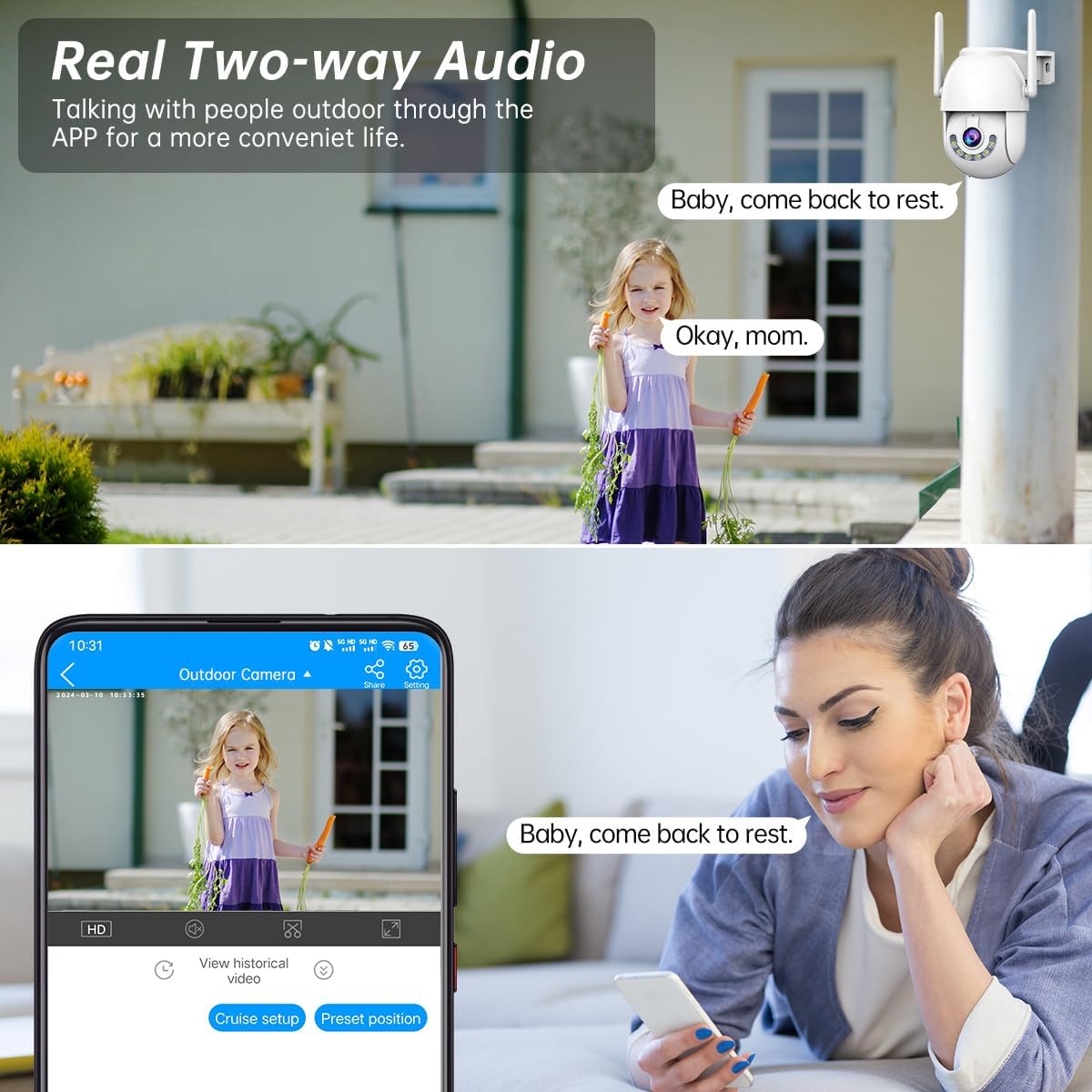
Figure 7: Infrared and Full Color Night Vision Comparison
- IR Night Vision: Provides clear black and white video in complete darkness.
- Full Color Night Vision: Utilizes built-in floodlights to provide color video even at night.
- Intelligent Mode: Automatically switches between IR and color night vision based on detected motion or light conditions.
3.4 Two-Way Audio
Communicate with visitors or deter intruders using the camera's built-in microphone and speaker.

Figure 8: Real-time Two-Way Audio Functionality
Access the two-way audio feature through the "Cam720" app to speak and listen in real-time.
3.5 Video Storage Options
The camera offers flexible storage solutions for your recorded footage.

Figure 9: Cloud and SD Card Storage
- Cloud Storage: Enjoy a secure 30-day free trial for cloud storage. Your data is protected and accessible only with your permission.
- SD Card Storage: Supports up to 256GB Micro SD card (not included) for local storage.
4. Maintenance
4.1 Weather Resistance
The JOOAN L-2K camera is IP66 weatherproof, meaning it is protected against dust and powerful water jets. It is designed to operate reliably in various outdoor conditions, including rain, shine, or storms.

Figure 10: Camera operating in various weather conditions
4.2 Cleaning
To ensure optimal performance and clear image quality, periodically clean the camera lens and housing. Use a soft, damp cloth to wipe away dust and dirt. Avoid using harsh chemicals or abrasive materials that could damage the camera.
5. Troubleshooting
Common Issues and Solutions:
| Problem | Possible Cause | Solution |
|---|---|---|
| Camera not connecting to WiFi | Incorrect WiFi password; 5GHz WiFi network; camera too far from router. | Double-check WiFi password. Ensure router is 2.4GHz. Move camera closer to router or use a WiFi extender. Try wired connection. |
| No motion detection alerts | Detection sensitivity too low; app notifications disabled; incorrect detection zone setup. | Increase detection sensitivity in the app. Enable notifications for the "Cam720" app in your phone settings. Adjust detection zones in the app. |
| Poor image quality at night | Lens obstruction; IR/floodlights not active. | Clean the camera lens. Check night vision settings in the app to ensure IR or color night vision is enabled. |
| SD card not recording | SD card full or corrupted; incorrect recording settings. | Format the SD card via the app or replace it. Check recording schedule and settings in the app. |
For further assistance, please refer to the in-app help section or contact JOOAN customer support.
6. Specifications
| Feature | Detail |
|---|---|
| Brand | JOOAN |
| Model | L-2K |
| Connectivity Technology | Wireless (2.4G WiFi), Wired |
| Power Source | Corded Electric (5V Adapter) |
| Resolution | 2K HD |
| Pan/Tilt Range | 355° Pan, 90° Tilt |
| Digital Zoom | 5X |
| Night Vision | IR Night Vision, Full Color Night Vision |
| Audio | Two-Way Audio (Built-in Mic & Speaker) |
| Storage Options | Cloud Storage (30-day trial), Micro SD Card (up to 256GB) |
| Weatherproof Rating | IP66 |
| Mounting Type | Ceiling Mount/Wall Mount |
| Compatible Devices | Phone (via Cam720 App) |
| Item Weight | 15.2 ounces |
| Package Dimensions | 5.51 x 4.8 x 4.02 inches |
7. Warranty and Support
JOOAN is committed to providing high-quality security products. For any product-related inquiries, technical support, or warranty claims, please contact JOOAN customer service through the official channels provided with your purchase or visit the JOOAN Store on Amazon.
Please retain your proof of purchase for warranty purposes.