
1. Introduction
Thank you for purchasing the Jierben Sound Bar J-SS03. This manual provides essential information for setting up, operating, and maintaining your sound bar to ensure optimal performance and longevity. Please read this manual thoroughly before use and retain it for future reference.
Package Contents
Carefully unpack the box and ensure all items listed below are present and in good condition:
- 1 x Jierben Sound Bar (Dimensions: 2.6"D x 15.75"W x 2.95"H)
- 1 x Remote Control
- 1 x Power Adapter
- 1 x Audio Cable (1.5m)
- 1 x Optical Fiber Cable (1.5m)
- 1 x Instruction Manual
- 2 x Green Rivets (for wall mounting)

Image: Contents of the Jierben Sound Bar J-SS03 package, showing the sound bar, remote control, power adapter, audio cable, optical fiber cable, instruction manual, and green rivets.
2. Product Overview
The Jierben Sound Bar J-SS03 is designed to enhance your audio experience with powerful sound and versatile connectivity. It features 50W output power and two built-in full-range speakers for immersive audio.
Key Features
- 50W Output Power: Delivers powerful and clear audio.
- 360° Surround Sound: Two built-in full-range speakers provide an immersive listening experience.
- DSP Technology: Ensures stable and accurate sound output.
- 3 EQ Modes: Switch between Music, Movie, and News modes for optimized sound.
- Multiple Connectivity Options: Supports Bluetooth 5.0, Optical, AUX, RCA, and USB.
- Compact Design: Slim profile suitable for various setups.
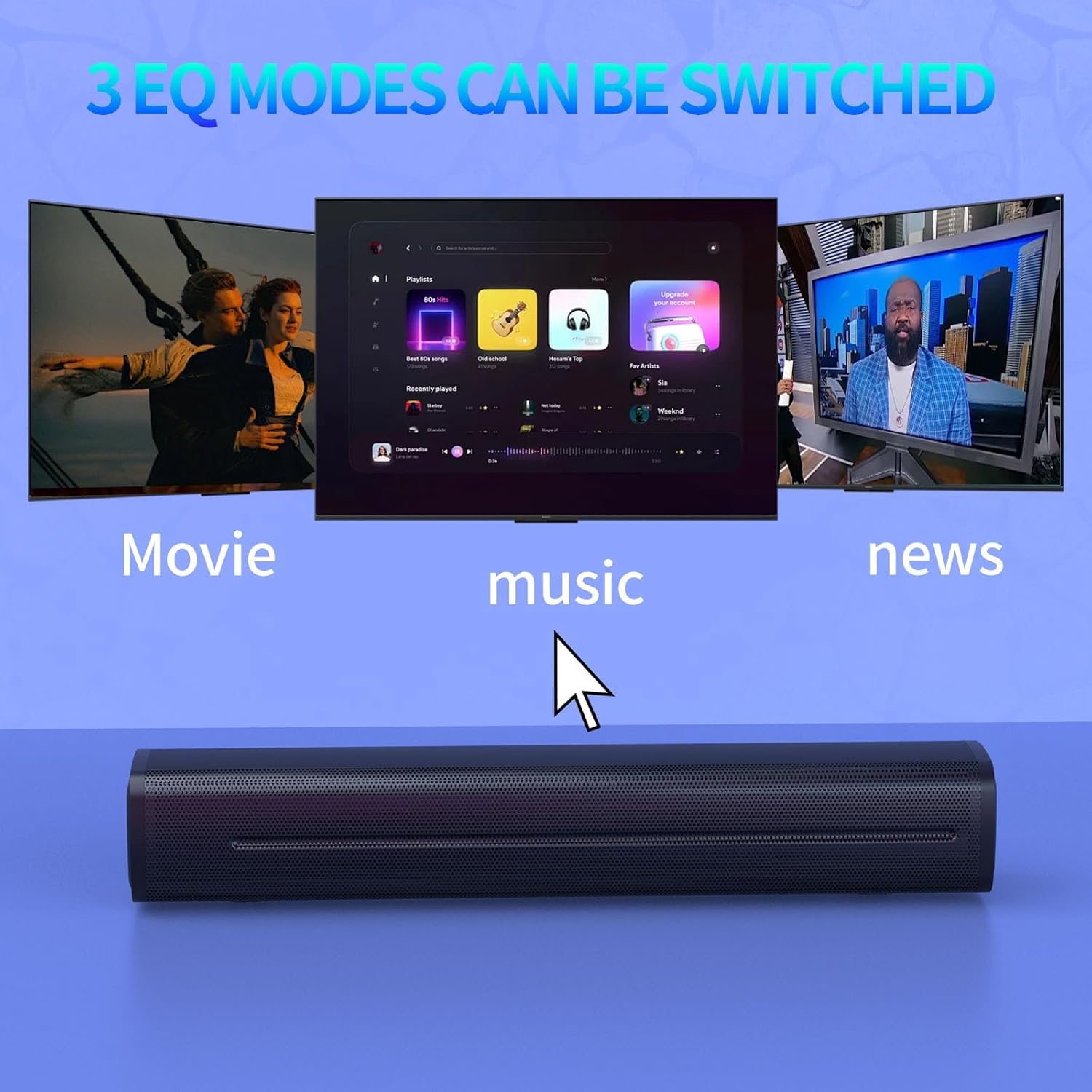
Image: An internal view of the Jierben Sound Bar J-SS03, highlighting its 50W high-quality surround sound speakers.
Component Identification
Familiarize yourself with the sound bar's components:
- Front Grille: Protects the speakers.
- Control Panel: Located on the side, includes power, volume, and mode buttons.
- Rear Panel: Contains input ports (Optical, AUX, USB, Power).
- Wall-mounted Buckles: For securing the sound bar to a wall.
- EVA Cotton Pads: Reduces vibration when placed on a desktop.
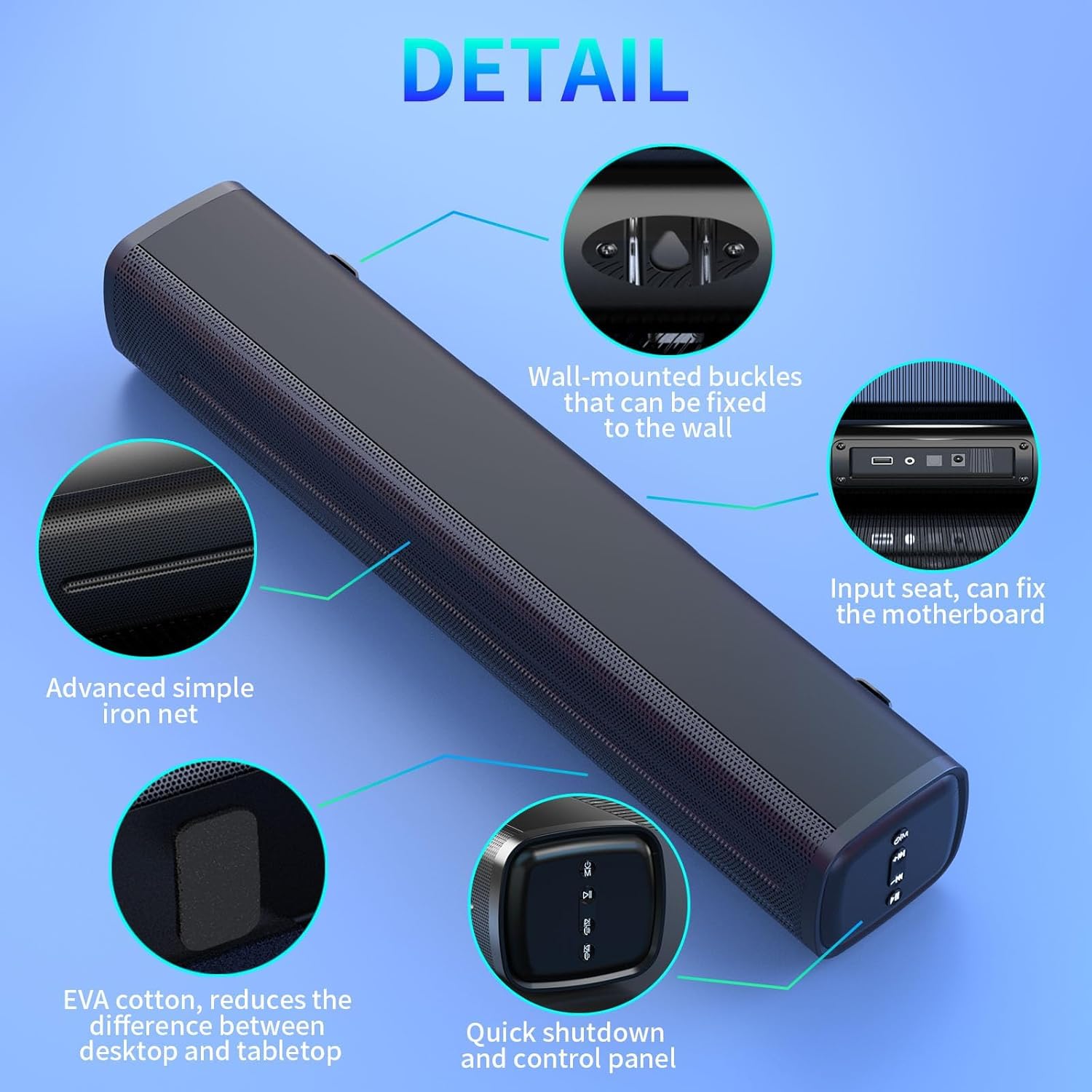
Image: A detailed diagram of the Jierben Sound Bar J-SS03, pointing out key features such as wall-mounted buckles, input ports, advanced iron net, EVA cotton pads, and the control panel.
3. Setup
Placement
The sound bar can be placed on a tabletop or mounted on a wall. Ensure it is placed on a stable, flat surface or securely mounted to a wall using the provided rivets. For optimal sound, position the sound bar centrally in front of your TV or monitor.
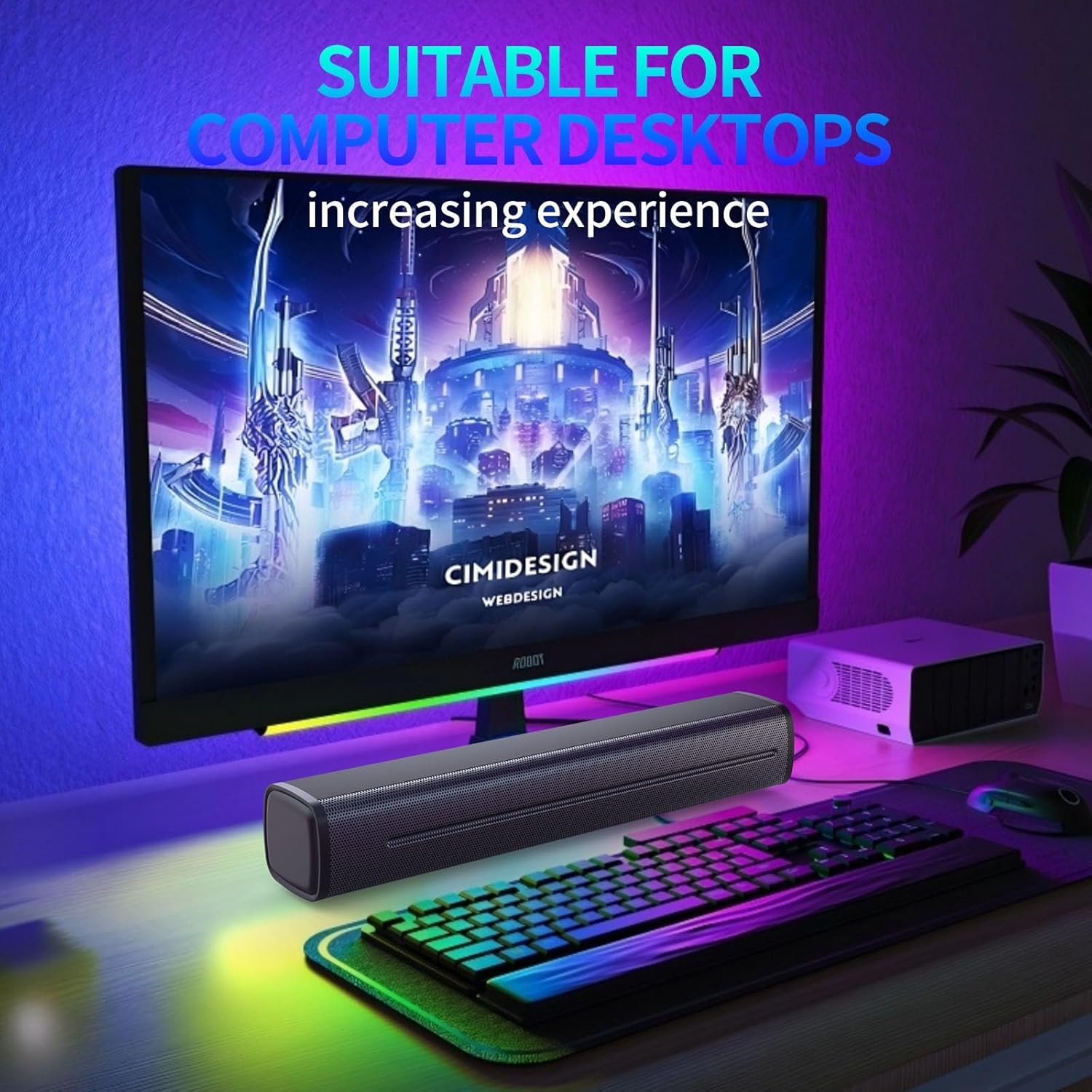
Image: The Jierben Sound Bar J-SS03 positioned below a television, demonstrating its use in a home entertainment setup with sound waves emanating.
Power Connection
- Connect the power adapter to the DC IN port on the back of the sound bar.
- Plug the other end of the power adapter into a wall outlet.
Connecting to Devices
The Jierben Sound Bar offers multiple connection options:
Image: An illustration of the Jierben Sound Bar J-SS03's multifunctional connection capabilities, showing compatibility with various devices via Bluetooth, ARC, Optical, and 3.5mm Aux.
Bluetooth Connection
- Power on the sound bar.
- Press the 'Mode' button on the sound bar or remote control to select Bluetooth mode. The indicator light will flash.
- On your device (smartphone, tablet, PC), enable Bluetooth and search for 'Jierben J-SS03'.
- Select the sound bar from the list to pair. Once connected, the indicator light will stop flashing.
Optical Connection
- Connect one end of the optical fiber cable to the OPTICAL OUT port on your TV or audio source.
- Connect the other end to the OPTICAL IN port on the sound bar.
- Press the 'Mode' button on the sound bar or remote control to select Optical mode.
- Ensure your TV's audio output settings are set to 'Optical' or 'PCM'.
AUX/RCA Connection
- Connect one end of the 3.5mm audio cable (or RCA cable, if applicable) to the AUX OUT port on your device.
- Connect the other end to the AUX IN port on the sound bar.
- Press the 'Mode' button on the sound bar or remote control to select AUX mode.
USB Connection
- Insert a USB drive containing audio files into the USB port on the sound bar.
- Press the 'Mode' button on the sound bar or remote control to select USB mode. The sound bar will automatically begin playing audio files.
4. Operating Instructions
Power On/Off
Press the power button on the sound bar or the remote control to turn the unit on or off.
Volume Control
Use the '+' and '-' buttons on the sound bar or remote control to adjust the volume.
Input Source Selection
Press the 'Mode' button on the sound bar or remote control to cycle through available input sources: Bluetooth, Optical, AUX, USB.
EQ Modes
The sound bar features three equalizer modes to optimize audio for different content types:
- Music Mode: Enhances musical clarity and bass.
- Movie Mode: Provides a more dynamic and immersive cinematic experience.
- News Mode: Optimizes dialogue for clear speech.
Press the 'EQ' button on the remote control to switch between these modes.

Image: The Jierben Sound Bar J-SS03 with visual representations of its three distinct EQ modes: Movie, Music, and News, indicating how sound is optimized for each content type.
5. Maintenance
Proper maintenance ensures the longevity and performance of your sound bar.
- Cleaning: Use a soft, dry cloth to clean the surface of the sound bar. Do not use liquid cleaners or abrasive materials.
- Storage: When not in use for extended periods, store the sound bar in a cool, dry place away from direct sunlight and extreme temperatures.
- Avoid Obstructions: Ensure the speaker grilles are not blocked to maintain optimal sound quality.
6. Troubleshooting
If you encounter issues with your Jierben Sound Bar, refer to the following common problems and solutions:
| Problem | Possible Cause | Solution |
|---|---|---|
| No sound | Power not connected; Incorrect input source; Volume too low; Cable not connected properly. | Check power connection; Select correct input mode; Increase volume; Reconnect audio cables securely. |
| Bluetooth not pairing | Sound bar not in pairing mode; Device Bluetooth off; Too far from sound bar. | Ensure sound bar is in Bluetooth pairing mode (flashing indicator); Turn on Bluetooth on your device; Move device closer to sound bar (within 10 meters). |
| Remote control not working | Batteries depleted; Obstruction between remote and sound bar; Remote not pointed correctly. | Replace remote control batteries; Remove any obstructions; Point remote directly at the sound bar's sensor. |
| Distorted sound | Volume too high; Poor audio source quality; Loose cable connection. | Reduce volume; Try a different audio source; Check and secure all cable connections. |
7. Specifications
Detailed technical specifications for the Jierben Sound Bar J-SS03:
| Feature | Specification |
|---|---|
| Brand | Jierben |
| Model Number | J-SS03 |
| Speaker Maximum Output Power | 50 Watts |
| Frequency Response | 20 Hz |
| Connectivity Technology | Auxiliary, Bluetooth, Optical, USB |
| Audio Output Mode | Stereo |
| Mounting Type | Tabletop Mount |
| Enclosure Material | Metal, EVA Cotton |
| Controller Type | Remote Control, Push Button |
| Bluetooth Range | 10 Meters |
| Item Dimensions (D x W x H) | 2.6"D x 15.75"W x 2.95"H |
| Input Voltage | 12 Volts |
| Number of Audio Channels | 2.0 |
| Impedance | 4 Ohms |
| Signal-to-Noise Ratio | 80 dB |
| Compatible Devices | Desktop, Home Theater, Projector, Smartphone, Television |
8. Warranty and Support
Warranty Information
The Jierben Sound Bar J-SS03 comes with a 12-month limited warranty from the date of purchase. This warranty covers manufacturing defects and workmanship under normal use. Additionally, a 60-day unconditional replacement policy is offered.
Please retain your proof of purchase for warranty claims.
Customer Support
For technical assistance, troubleshooting, or warranty inquiries, please contact Jierben customer support. Support is available to assist you within 24 hours.
Specific contact details (e.g., email, phone number) are typically provided on the product packaging or official website.