
Otterease VVB006
Otterease Vanity Desk with Mirror and Lights (Model VVB006) User Manual
Comprehensive instructions for assembly, operation, and maintenance.
1. Introduction
This manual provides detailed instructions for the assembly, operation, and maintenance of your Otterease Vanity Desk with Mirror and Lights, Model VVB006. Please read this manual thoroughly before assembly and use to ensure safe and correct operation.
The Otterease Vanity Desk is designed to provide a functional and organized space for personal grooming. It features a large mirror with adjustable lighting, multiple storage drawers, a spacious cabinet, and integrated power outlets.
2. Important Safety Information
WARNING: Failure to follow these safety instructions may result in electric shock, fire, or serious injury.
- Always unplug the vanity from the power outlet before assembly, disassembly, or cleaning.
- Exercise caution with sharp edges and glass surfaces during handling and assembly.
- Keep the vanity away from direct heat sources, open flames, and excessive moisture.
- Do not place excessively heavy objects on the glass mirror or desktop to prevent damage or breakage.
- Ensure the lighting is turned off and the unit is unplugged before touching or replacing bulbs (if applicable).
- This product is intended for indoor use only.
- Keep small parts and packaging materials away from children to prevent choking hazards.
3. Package Contents
Verify that all components listed below are present and undamaged before beginning assembly. If any parts are missing or damaged, please contact customer support.
- Vanity Desk Components (panels, drawers, cabinet parts)
- Mirror with Integrated Lights
- Crystal Handles
- Power Outlet Unit (AC outlets, USB ports)
- Hair Dryer Rack
- Assembly Hardware (screws, dowels, cam locks, etc.)
- Assembly Tools (e.g., Allen wrench)
- Instruction Manual
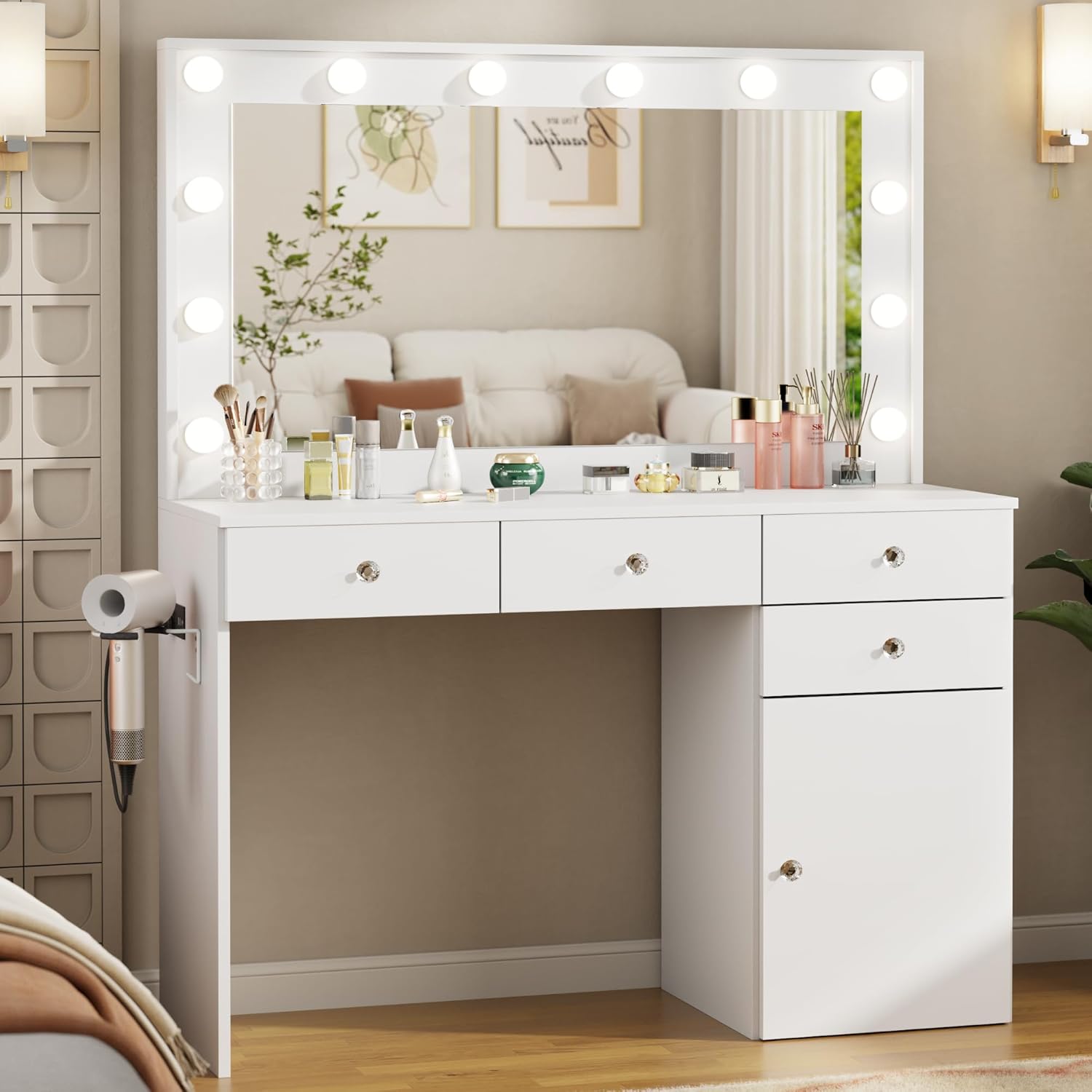
Image 1: Fully assembled Otterease Vanity Desk, Model VVB006, in white finish, showcasing the mirror with lights, drawers, and cabinet.
4. Assembly Instructions
Assembly is required for this product. Please follow the detailed step-by-step instructions provided in the included assembly guide. It is recommended to have two people for assembly.
4.1 Tools Required
- Phillips Head Screwdriver (not included)
- Hammer (optional, for dowels)
- Included Allen Wrench
4.2 Assembly Steps Overview
- Unpack all components and verify against the parts list.
- Assemble the main desk frame according to the diagrams.
- Install the drawer slides and assemble the drawers.
- Assemble the cabinet and install adjustable shelves.
- Attach the mirror unit to the desk.
- Install the crystal handles on drawers and cabinet doors.
- Mount the power outlet unit and hair dryer rack.
- Connect the mirror lights to the power outlet unit.

Image 2: Close-up of the vanity desk showing the crystal handles on the drawers and cabinet, highlighting the storage features.

Image 3: View of the side of the vanity desk, illustrating the built-in power outlet with AC and USB ports, and the attached hair dryer rack.
Video 1: Official product video demonstrating the features and assembly process of the Otterease Vanity Desk with Mirror and Lights.
5. Operating Instructions
5.1 Mirror Lighting
The integrated mirror lights offer three adjustable lighting modes and brightness levels.
- Power On/Off: Press the power button on the inline controller to turn the lights on or off.
- Adjust Brightness: Use the '+' and '-' buttons on the controller to increase or decrease the light intensity.
- Change Light Color: Press the mode button to cycle through the three color temperatures:
- Warm Yellow (3500K)
- Natural White (4500K)
- Cool White (6500K)

Image 4: Illustration of the three adjustable lighting modes (Warm Yellow, Natural White, Cool White) available on the vanity mirror.
5.2 Power Outlet Usage
The vanity desk includes a built-in charging station with two AC outlets (125V/12A) and two USB ports (5V/3A).
- Plug your electronic devices into the appropriate AC or USB ports for charging or power.
- Ensure the vanity is plugged into a functional wall outlet for the charging station to operate.
5.3 Storage Features
- Drawers: Utilize the four smooth-pull drawers for organizing smaller items.
- Cabinet: The large storage cabinet features adjustable partitions, allowing customization for items of various sizes.
- Hair Dryer Rack: Use the dedicated rack to store your hair dryer or other styling tools.

Image 5: Overview of the vanity desk highlighting its storage features, including the large desktop, four storage drawers, built-in charging station, hair dryer rack, and large cabinet with adjustable shelves.
6. Care and Maintenance
- Cleaning: Wipe surfaces with a soft, damp cloth. Avoid harsh chemicals or abrasive cleaners that may damage the finish.
- Mirror Care: Clean the mirror with a glass cleaner and a lint-free cloth. Do not spray cleaner directly onto the mirror frame or lights.
- Dusting: Regularly dust all surfaces to prevent buildup.
- Spills: Immediately wipe up any spills to prevent staining or damage to the wood finish.
- Hardware: Periodically check and tighten all screws and fasteners to ensure stability.
7. Troubleshooting
| Problem | Possible Cause | Solution |
|---|---|---|
| Lights do not turn on. |
|
|
| Drawers are stiff or do not slide smoothly. |
|
|
| Power outlets/USB ports not working. |
|
|
8. Product Specifications
| Feature | Detail |
|---|---|
| Model Number | VVB006 |
| Brand | Otterease |
| Overall Dimensions (L x W x H) | 41.4"D x 15.8"W x 55.1"H |
| Item Weight | 86 pounds |
| Material | Engineered Wood (E1 certified, scratch-resistant melamine) |
| Mirror Lighting | 3 Color Modes (Warm Yellow 3500K, Natural White 4500K, Cool White 6500K), Adjustable Brightness |
| Power Outlet | 2x AC 125V/12A, 2x USB 5V/3A |
| Storage | 4 Drawers, 1 Large Cabinet with Adjustable Partitions |
| Assembly Required | Yes |
| UPC | 850067401759 |

Image 6: Diagram illustrating the key dimensions of the Otterease Vanity Desk, including overall height, width, depth, and specific measurements for the mirror, desktop, and legroom.
9. Warranty Information
Otterease products are manufactured with quality and care. For specific warranty details regarding your Model VVB006 Vanity Desk, please refer to the warranty card included in your packaging or visit the official Otterease website.
Typical warranties cover manufacturing defects under normal use. Damage resulting from improper assembly, misuse, or accidents is generally not covered.
10. Customer Support
If you have any questions, require assistance with assembly, or encounter any issues with your Otterease Vanity Desk, please contact our customer service team.
- Online Support: Visit the Otterease Store on Amazon for FAQs and contact options.
- Email: Refer to your product packaging for direct email support.
- Please have your model number (VVB006) and purchase date ready when contacting support.
Ask a question about this manual
Ask about setup, troubleshooting, compatibility, parts, safety, or missing instructions. Manuals+ will review the question and use this page’s manual context to help answer it.