
Sunorshop B0FF4HR2SD
Sunorshop Fitness Tracker Smart Watch User Manual
Model: B0FF4HR2SD
1. Setup and Initial Use
1.1 What's in the Box
- Smart Watch (1 unit)
- Charging Cable (1 unit)
- User Manual (1 unit)
1.2 Initial Charging
Before first use, fully charge your Sunorshop Smart Watch. Connect the magnetic charging cable to the charging contacts on the back of the watch and plug the USB end into a standard USB power adapter (not included).

Image: The Sunorshop Smart Watch on its charging cable, indicating a full charge.
1.3 App Download and Pairing
- Download the Companion App: Scan the QR code provided in the quick start guide or search for the official Sunorshop app in your device's app store (compatible with Android 5.1+ and iOS 10.0+).
- Enable Bluetooth: Ensure Bluetooth is enabled on your smartphone.
- Pair the Device: Open the Sunorshop app, create an account if prompted, and follow the on-screen instructions to search for and connect to your Smart Watch via Bluetooth 5.0.

Image: The Sunorshop Smart Watch displaying its default watch face with time and activity data.
2. Operating Your Smart Watch
2.1 Display and Customization
The watch features a 1.72-inch full-color display. Swipe and tap to navigate through menus and features. You can customize your watch face from over 100+ options available through the companion app to match your personal style.
2.2 Bluetooth Calling and Voice Assistant
Once paired with your smartphone, the watch allows you to make and receive calls directly from your wrist. It also provides real-time notifications for messages and other app alerts. A built-in AI voice assistant offers convenient control for tasks like checking weather, playing music, or setting alarms.
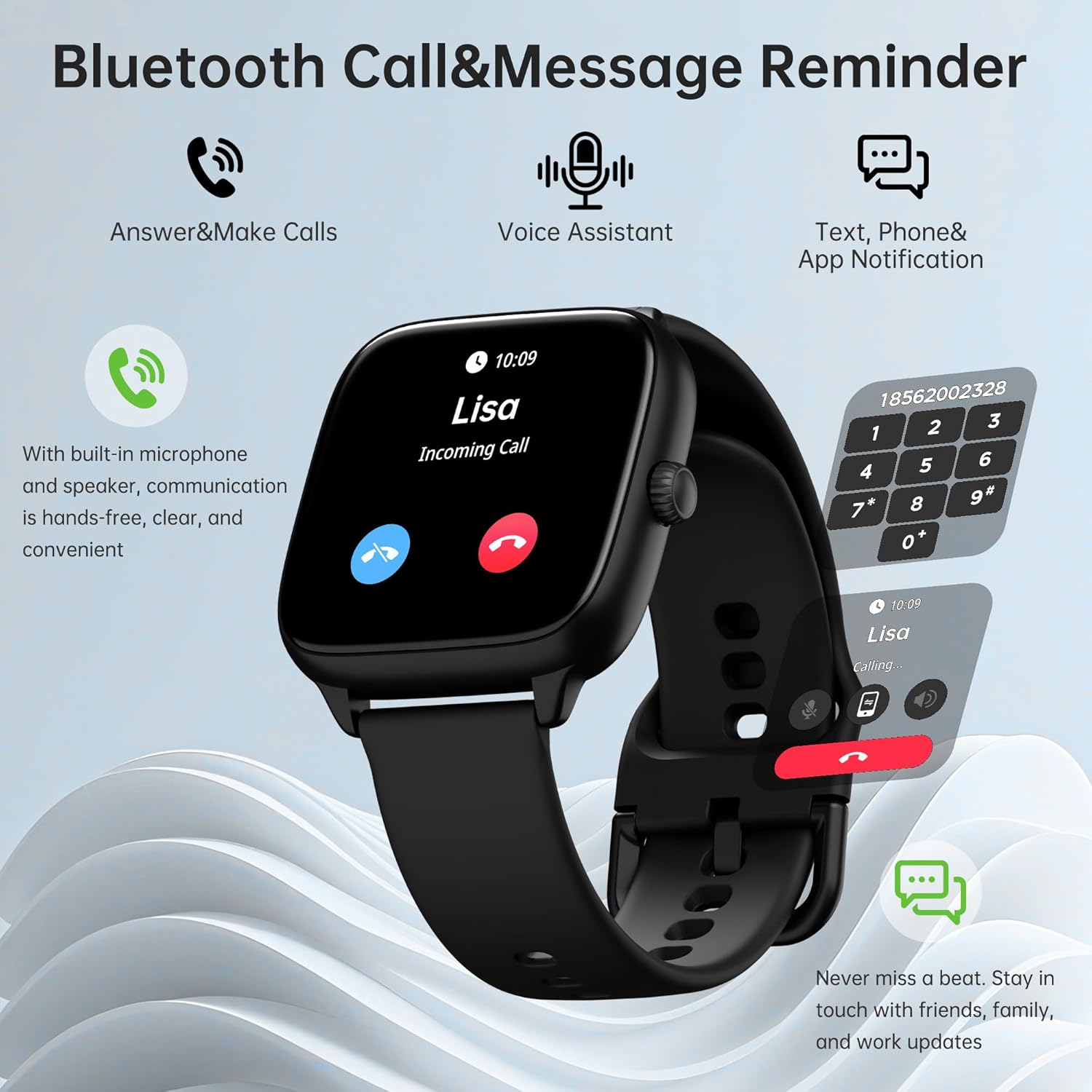
Image: The smartwatch displaying an incoming call, highlighting its communication features.
2.3 Health Tracking Features
The Sunorshop Smart Watch provides comprehensive health monitoring:
- Heart Rate Monitoring: Continuous 24/7 heart rate tracking.
- Blood Pressure & Blood Oxygen (SpO2): Monitor your blood pressure and blood oxygen levels.
- Stress Monitoring: Track your stress levels throughout the day.
- Sleep Tracking: Analyzes sleep stages (REM, light, deep, awake) to provide insights into sleep quality.
- Female Physiological Cycle Reminders: Provides reminders for menstrual cycles.
Important Note: Health tracking features are for general wellness reference only and are not intended for medical use or to diagnose, treat, cure, or prevent any disease.

Image: Detailed view of the smartwatch interface showing SpO2 and heart rate data.
2.4 Sport Modes and Activity Tracking
Choose from over 120 built-in sport modes to track your workouts. The watch monitors essential metrics such as steps, calories burned, heart rate, and distance in real-time. You can customize your experience by adding favorite sports to the watch. The device is IP68 waterproof, suitable for use during rain, sweating, and swimming.

Image: The smartwatch tracking a user's activity during an outdoor exercise.
2.5 Everyday Smart Features
The smartwatch includes various practical features:
- Always-on display
- Calculator
- Weather forecasts
- Music player control
- Flashlight
- Alarm clock
- Shutter control for phone camera
- Phone finder
- Timer and stopwatch
- Sedentary alerts
3. Maintenance
3.1 Cleaning Your Smart Watch
To maintain accuracy and hygiene, regularly clean your watch. Use a soft, lint-free cloth to wipe the screen and strap. For stubborn dirt, slightly dampen the cloth with water. Avoid using harsh chemicals or abrasive materials.
3.2 Water Resistance (IP68)
The Sunorshop Smart Watch has an IP68 waterproof rating, meaning it is resistant to dust and can withstand immersion in water up to 1.5 meters for up to 30 minutes. It is suitable for showering, swimming, and use in rainy conditions. However, it is not recommended for diving or high-pressure water activities.
3.3 Battery Life and Charging
The watch offers up to 7 days of battery life, depending on usage. To prolong battery life, consider adjusting screen brightness, limiting notifications, and disabling continuous heart rate monitoring if not needed. Recharge the watch using the provided magnetic charging cable when the battery is low.
4. Troubleshooting
4.1 Common Issues and Solutions
- Watch not turning on: Ensure the watch is fully charged. Connect it to the charger for at least 30 minutes.
- Cannot pair with phone:
- Ensure Bluetooth is enabled on your phone and the watch.
- Make sure the watch is within Bluetooth range of your phone.
- Restart both your phone and the watch.
- Clear the Bluetooth cache on your phone (if applicable) and try pairing again.
- Inaccurate health readings:
- Ensure the watch is worn snugly on your wrist, about one finger's width above the wrist bone.
- Keep the sensor clean and free from dirt or sweat.
- Avoid excessive movement during measurements.
- Notifications not appearing:
- Check app permissions on your phone to ensure the Sunorshop app has access to notifications.
- Verify that notification settings are enabled within the Sunorshop app.
- Ensure the watch is connected via Bluetooth.
If you encounter issues not listed here, refer to the support section or the companion app's help resources.
5. Specifications
| Feature | Specification |
|---|---|
| Model | B0FF4HR2SD |
| Screen Size | 1.72 Inches |
| Operating System | Android Wear 2.9 (Compatible with Android 5.1+ and iOS 10.0+) |
| Connectivity Technology | Bluetooth 5.0 |
| Battery Capacity | 300 Milliamp Hours |
| Battery Life | Up to 7 days (usage-dependent) |
| Water Resistance | IP68 |
| Item Weight | 60 Grams (2.12 ounces) |
| Package Dimensions | 10.59 x 3.78 x 0.79 inches |
| Special Features | Always On Display, Answer & Make Calls, Music Player, Voice Control |
6. Warranty Information
For detailed warranty information regarding your Sunorshop Fitness Tracker Smart Watch, please refer to the warranty card included in your product packaging or contact the seller/manufacturer directly. Warranty terms and conditions may vary based on region and purchase date.
7. Customer Support
If you require further assistance, have questions about your device, or need technical support, please contact Sunorshop customer service through the contact information provided in your product documentation or via the official Sunorshop website. You may also find additional help and FAQs within the companion app.
Ask a question about this manual
Ask about setup, troubleshooting, compatibility, parts, safety, or missing instructions. Manuals+ will review the question and use this page’s manual context to help answer it.