1. Introduction
Thank you for purchasing the Austepax KC-718 Portable Bluetooth CD Player. This device offers a versatile audio experience, combining traditional CD playback with modern connectivity options like Bluetooth 5.1, USB, TF card, and AUX input, alongside an integrated FM radio. This manual provides detailed instructions to help you set up, operate, and maintain your new CD player, ensuring optimal performance and enjoyment.
The Austepax KC-718 is designed for various environments, including home, office, and educational settings, offering both entertainment and practical features like a sleep/wake timer. Please read this manual thoroughly before use and retain it for future reference.

Image 1.1: The Austepax KC-718 CD Player shown in diverse settings, including a home gym, a social gathering, a child's study area, and an outdoor lounge, highlighting its adaptability for different user needs and environments.
2. Package Contents
Please check the box for the following items:
- CD player x 1
- Remote control x 1
- 5V-2A USB adaptor x 1
- User Manual x 1
- 3.5mm male-to-male audio cable x 1
- 2.3m dedicated power cord x 1
3. Product Overview
The Austepax KC-718 is a compact and versatile audio device. It features a sleek design with an LED display and intuitive controls. Key components include the CD tray with a dust cover, integrated speakers, and various ports for external connectivity.

Image 3.1: Front view of the Austepax KC-718 Portable Bluetooth CD Player, showcasing its minimalist design and the included remote control for convenient operation.
3.1 Component Identification

Image 3.2: Diagram illustrating the various components and ports of the Austepax KC-718 CD Player, including the CD dust cover, loudspeaker, mode switch, volume controls, DC-5V IN power input, USB Port, AUX Port, and LED Display.
- CD Dust Cover: Protects the CD tray.
- CD Lid: Opens to insert or remove CDs.
- Loudspeaker: Integrated stereo speakers for audio output.
- Mode Switch: Button to cycle through different playback modes (CD, Bluetooth, TF, FM, AUX, USB).
- Volume - / Volume +: Buttons to decrease or increase audio volume.
- Previous / Next: Buttons for track navigation or FM station tuning.
- DC-5V IN: Power input port.
- USB Port: For USB flash drive playback.
- AUX Port: 3.5mm audio input for external devices.
- LED Display: Shows current mode, track number, time, or FM frequency.
4. Setup Instructions
4.1 Power Connection
- Connect the provided 2.3m power cord to the 5V-2A USB adaptor.
- Insert the small end of the power cord into the DC-5V IN port on the back or side of the CD player.
- Plug the USB adaptor into a standard wall outlet.
4.2 Initial Power On
Once connected to power, the device will typically power on automatically or can be turned on by pressing the power button (often integrated with the mode button) on the unit or the remote control.
4.3 Remote Control Setup
The remote control requires batteries (not specified in package contents, typically 2x AAA or 1x CR2025 coin cell). Open the battery compartment on the back of the remote, insert the batteries with correct polarity, and close the compartment.
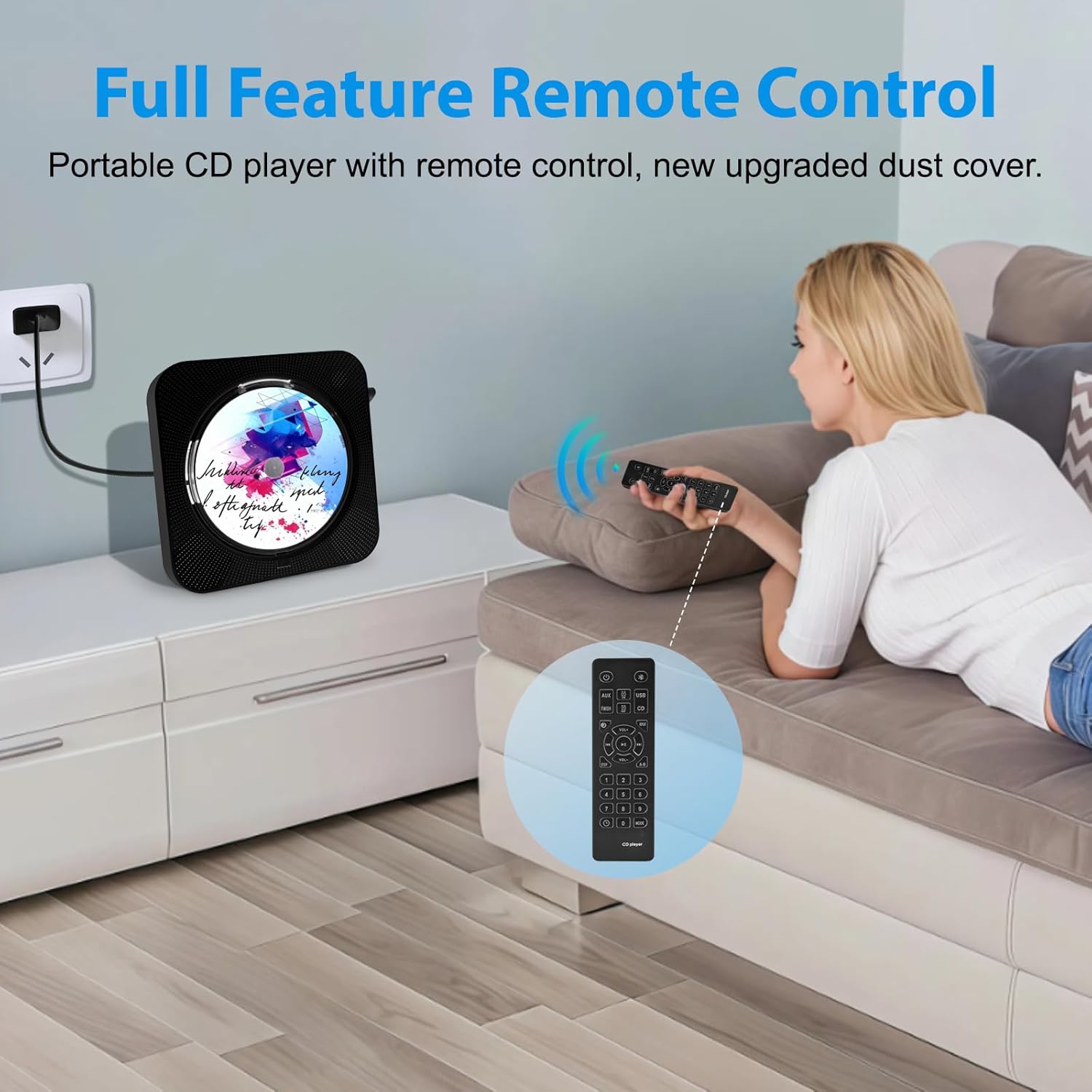
Image 4.1: A user comfortably operating the Austepax KC-718 CD Player using its full-feature remote control, demonstrating ease of use from a distance.
5. Operating Instructions
5.1 Power On/Off
- To power on, press the Power button on the unit or the remote control.
- To power off, press and hold the Power button for a few seconds, or briefly press it if the unit is in standby.
5.2 Mode Selection
Press the MODE button on the unit or the remote control to cycle through the available playback modes:
- CD Mode: For playing audio CDs.
- Bluetooth Mode: For wireless audio streaming.
- TF Mode: For playing music from a TF (MicroSD) card.
- FM Mode: For listening to FM radio stations.
- AUX Mode: For connecting external audio devices via a 3.5mm cable.
- USB Mode: For playing music from a USB flash drive.
5.3 CD Playback
- Open the CD lid.
- Carefully place an audio CD (CD, CD-R, CD-RW, MP3, WMA formats supported) onto the spindle with the label side facing up.
- Close the CD lid. The player will automatically detect the CD and begin playback in CD Mode.
- Use the Play/Pause, Previous, and Next buttons on the unit or remote to control playback.
5.4 Bluetooth Mode
The Austepax KC-718 supports Bluetooth 5.1 and can function as both a Bluetooth transmitter and receiver.

Image 5.1: An illustration demonstrating the Bluetooth 5.1 capabilities of the Austepax KC-718 CD Player, showing its ability to connect to mobile phones, MP3 players, laptops, and tablets as a receiver, and to Bluetooth headphones and speakers as a transmitter.
5.4.1 As a Bluetooth Receiver (Playing audio from your phone/tablet)
- Switch the CD player to Bluetooth Mode. The LED display will show "BLUE" and the device will enter pairing mode.
- On your mobile device (phone, tablet, etc.), enable Bluetooth and search for available devices.
- Select "KC-718" (or similar name) from the list to pair.
- Once paired, you can play audio from your mobile device through the CD player's speakers.
5.4.2 As a Bluetooth Transmitter (Playing CD/USB/TF audio to Bluetooth headphones/speakers)
- Ensure your Bluetooth headphones or speaker are in pairing mode.
- Start playing audio from a CD, USB, or TF card on the KC-718.
- Press and hold the Bluetooth button on the unit or remote (if available) to initiate transmission pairing. The CD player will search for nearby Bluetooth audio devices.
- Once connected, audio will be transmitted wirelessly to your Bluetooth headphones or speaker.
5.5 FM Radio
- Switch the CD player to FM Mode. The LED display will show the current FM frequency.
- Use the Previous and Next buttons to manually tune to desired stations (frequency range: 76MHz-108MHz).
- To auto-scan and save stations, press and hold the Play/Pause button. The player will scan and store available stations.

Image 5.2: A couple enjoying music from the Austepax KC-718 CD Player, highlighting its FM radio functionality with a broad frequency range of 76MHz-108MHz for accessing various broadcasts.
5.6 USB/TF Card Playback
- Insert a USB flash drive into the USB Port or a TF (MicroSD) card into the TF Card Slot.
- Switch the CD player to USB Mode or TF Mode. The player will automatically detect and begin playing compatible audio files.
- Use the Play/Pause, Previous, and Next buttons to control playback.
5.7 AUX Input
- Connect one end of the provided 3.5mm audio cable to the AUX Port on the CD player.
- Connect the other end of the cable to the headphone jack or audio output of your external device (e.g., smartphone, MP3 player).
- Switch the CD player to AUX Mode. Audio from your external device will now play through the CD player's speakers.
5.8 Timer Function (Sleep/Wake)
The KC-718 includes a timer function for both sleep and wake-up.

Image 5.3: A person sleeping with the Austepax KC-718 CD Player on a bedside table, illustrating the convenience of its sleep timer feature for falling asleep to music and the wake-up timer for starting the day.
5.8.1 Setting Sleep Timer
- While playing music, press the TIMER button on the remote control.
- Repeatedly press the TIMER button to cycle through preset sleep times (e.g., 15, 30, 60, 90 minutes).
- The player will automatically turn off after the selected duration.
5.8.2 Setting Wake-Up Timer
- In standby mode, press the TIMER button on the remote control.
- Use the Previous and Next buttons to set the desired wake-up time.
- Press the TIMER button again to confirm.
- The player will power on and begin playing your last selected audio source at the set time.
6. Troubleshooting
If you encounter any issues with your Austepax KC-718 CD Player, please refer to the following common problems and solutions:
| Problem | Possible Cause | Solution |
|---|---|---|
| No power | Power cord not connected; outlet not working. | Ensure power cord is securely connected to the player and a working power outlet. |
| CD skipping or not playing | CD is dirty, scratched, or inserted incorrectly; unsupported CD format. | Clean the CD with a soft cloth; try a different CD; ensure CD is placed correctly; verify CD format compatibility. |
| No sound | Volume too low; incorrect mode selected; headphones connected. | Increase volume; ensure correct mode (e.g., CD, Bluetooth); disconnect headphones if using speakers. |
| Bluetooth not connecting | Device not in pairing mode; too far from player; interference. | Ensure both devices are in pairing mode; reduce distance; minimize interference from other wireless devices. |
| Remote control not working | Batteries are dead or inserted incorrectly; obstruction between remote and player. | Replace batteries; check polarity; remove any obstructions; ensure line of sight. |
| FM radio static | Weak signal; antenna not extended. | Adjust the player's position; extend the FM antenna fully for better reception. |
If the problem persists after trying these solutions, please contact Austepax customer support for further assistance.
7. Specifications
| Feature | Detail |
|---|---|
| Brand | Austepax |
| Model Number | KC-718 |
| Product Dimensions | 7.44 x 7.44 x 2.8 inches |
| Item Weight | 1.6 pounds |
| Connectivity Technology | USB, Bluetooth 5.1, AUX |
| Supported Disc Formats | CD, CD-R, CD-RW, MP3, WMA |
| FM Radio Frequency | 76MHz - 108MHz |
| Included Components | CD player, Remote control, 5V-2A USB adaptor, User Manual, 3.5mm audio cable, Power cord |
| Number of Discs | 1 |
8. Safety Information
- Do not expose the device to rain, moisture, or extreme temperatures.
- Avoid placing the device near heat sources or in direct sunlight.
- Do not disassemble or attempt to repair the device yourself. Refer all servicing to qualified personnel.
- Keep the device away from strong magnetic fields.
- Use only the provided power adapter and cables.
- Clean the device with a soft, dry cloth. Do not use liquid cleaners.
9. Warranty and Support
Your Austepax KC-718 Portable Bluetooth CD Player comes with a standard manufacturer's warranty. Please refer to the warranty card included in your package for specific terms and conditions.
For technical support, troubleshooting assistance, or warranty claims, please contact Austepax customer service through the retailer where you purchased the product or visit the official Austepax website for contact information.


