
Introduction
The SVBONY SVGo2 is a versatile 4K30FPS action camera designed for capturing high-quality video and photos in various environments, including underwater. Featuring EIS 2.0 stabilization, dual touch-screens, and a robust waterproof housing, it is suitable for extreme sports, travel, and vlogging. This manual provides essential information for setting up, operating, maintaining, and troubleshooting your SVGo2 camera.
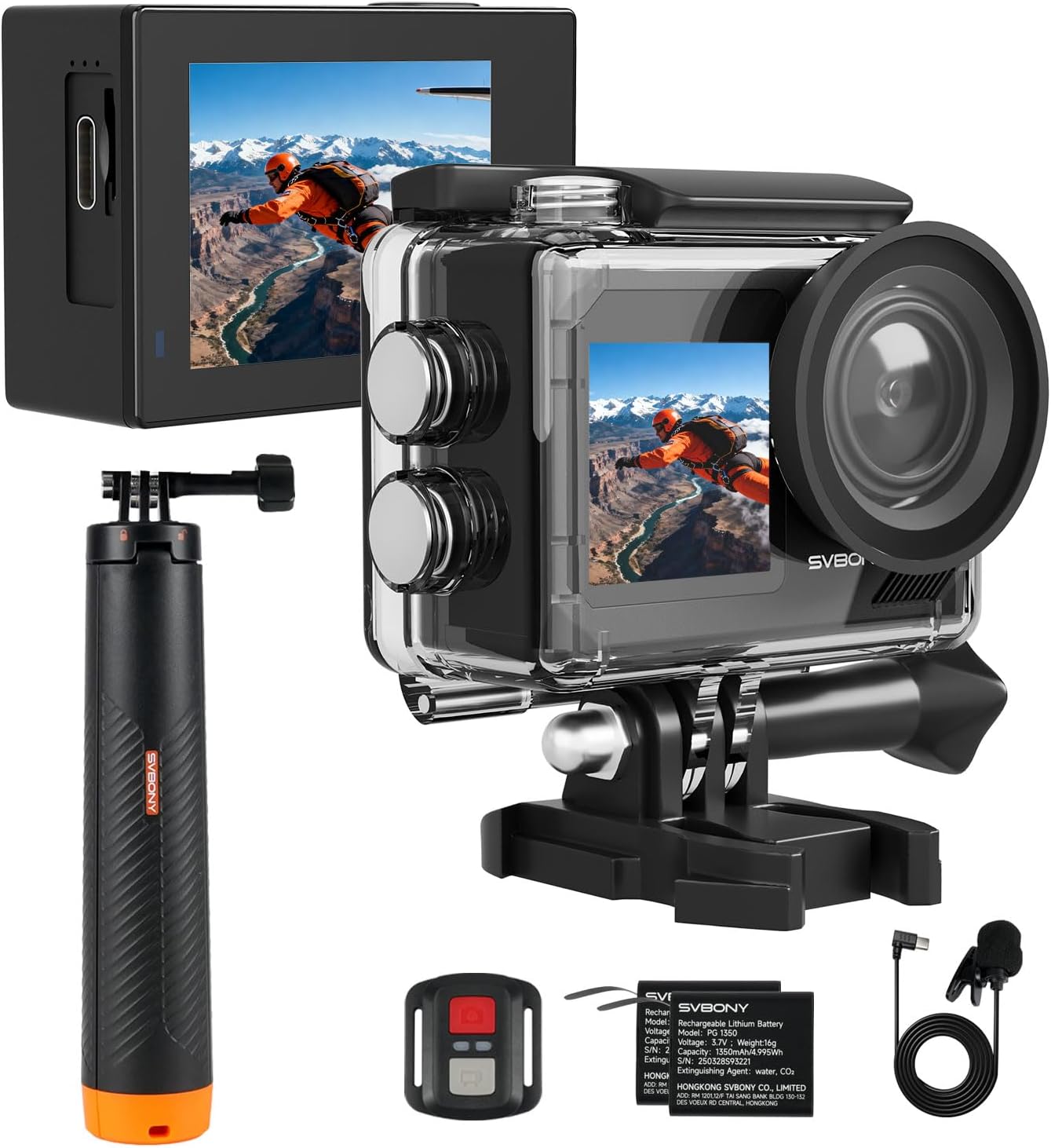
Figure 1: SVBONY SVGo2 Action Camera with included accessories.
What's in the Box
Please check the package contents to ensure all items are present:
- User Manual
- BASIC SPORTS CAMERA x1
- Standard Batteries x2
- Dual Charger x1
- Wired Microphone x1
- Remote Control (with Remote Control Wrist Strap) x1
- Rabbit Cage x1
- Waterproof Case x1
- Cycling Bracket x1
- Back Clip x1
- Universal Tie Down Strap x2
- Universal Nylon Rolling Strap x4
- Bracket x6
- Stand x2
- Spare Film for Stand x2
- Cleaning Wipes x1
- Datacable x1

Figure 2: All accessories included with the SVBONY SVGo2 Action Camera.
Setup
1. Battery Installation and Charging
The camera comes with two 1350mAh rechargeable batteries. Ensure batteries are fully charged before first use.
- Open the battery compartment cover on the bottom of the camera.
- Insert a charged battery, ensuring correct orientation.
- Close the battery compartment cover securely.
- To charge, use the provided USB-C cable and dual charger. The convenient USB-C port also allows for emergency charging directly to the camera.
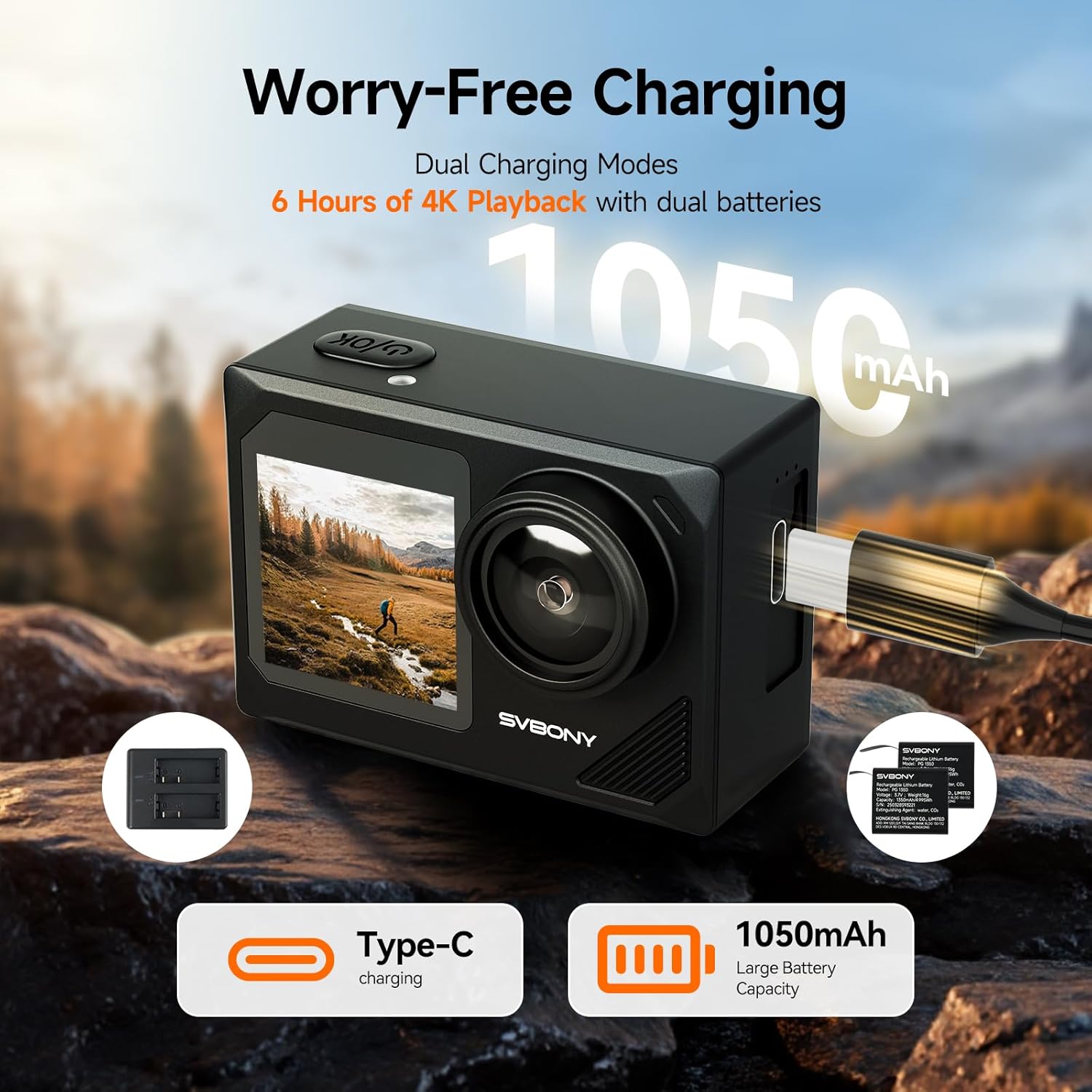
Figure 3: Battery charging setup for the SVGo2 camera.
2. Micro SD Card Installation
A Micro SD card (not included) is required to store recordings. The camera supports up to 256GB Micro SD cards.
- Locate the Micro SD card slot on the side of the camera.
- Insert the Micro SD card with the contacts facing the front of the camera until it clicks into place.
- To remove, gently push the card until it springs out.
3. Waterproof Case Usage
The included IPX8 waterproof housing allows the camera to dive down to 98 ft (30m). Ensure the camera is securely placed inside the housing and all latches are closed before submerging.

Figure 4: SVGo2 camera in waterproof housing for underwater use.
4. Mounting Accessories
The SVGo2 comes with a variety of mounts for different activities:
- Floating Selfie Stick: This 4-in-1 tool can be used as a buoyancy stick, telescopic selfie stick, tripod, or handle. It includes an anti-loss wrist strap.
- Handlebar Mount: Attach the camera to bicycle handlebars for cycling adventures.
- Back Clip: Use the back clip for attaching the camera to straps or clothing.
- Adhesive Mounts: For attaching to helmets, surfboards, or other flat surfaces.

Figure 5: Versatile floating selfie stick in use.
Video 1: Demonstration of attaching the back clip to the camera.
Video 2: Instructions for setting up the camera for surfboard use.
Operating the Camera
1. Power On/Off
Press and hold the Power/Mode button to turn the camera on or off.
2. Dual Screen Control
The SVGo2 features a 2.0-inch touchscreen on the back for easy operation and a 1.4-inch front color screen for convenient selfie framing.
- Rear Touchscreen: Navigate menus, change settings, and preview footage with intuitive touch gestures.
- Front Screen: Ideal for vlogging and selfies, allowing you to frame yourself perfectly.

Figure 6: Dual-screen functionality for versatile shooting.
3. Switching Modes
The camera offers multiple modes to suit various scenarios:
- Video: Record in 4K at 30fps, 2.7K, or 1080p60fps.
- Photo: Capture 50MP still images.
- Loop Recording: Continuously record video, overwriting older footage.
- Time-Lapse: Create time-lapse videos of changing scenes.
- Slow Motion: Capture high-speed action in slow motion.
- Burst Mode: Take multiple photos in quick succession.

Figure 7: Creative modes available on the SVGo2 camera.
4. Electronic Image Stabilization (EIS 2.0)
The built-in EIS 2.0 Stabilization ensures smooth, clear footage, even during dynamic activities like cycling or skiing.

Figure 8: EIS 2.0 Stabilization for steady footage.
5. 5X Zoom
Utilize the 5x zoom feature to capture distant subjects with clarity.
6. Remote Control
The included 2.4G remote control has a 30ft range, allowing for easy control of the camera for group photos or hard-to-reach shots.
7. Wi-Fi Connectivity
Connect the camera to your iOS or Android device via 2.4G Wi-Fi to control settings, preview live footage, and download videos and photos for instant sharing.
8. External Microphone
The wired microphone can be connected to capture high-quality audio, ideal for vlogs and interviews.
Video 3: Overview of the features of the SVBONY SvGo2 Action Camera, including screen control and mode selection.
Maintenance
1. Cleaning
- Use the provided cleaning wipes or a soft, lint-free cloth to clean the camera lens and screens.
- After underwater use, rinse the camera (if not in waterproof case) and waterproof housing with fresh water and allow to air dry completely.
2. Battery Care
- Store batteries in a cool, dry place when not in use.
- Avoid fully discharging batteries for extended periods.
3. Storage
Store the camera and accessories in a dry, dust-free environment away from direct sunlight and extreme temperatures.
Troubleshooting
- Camera not turning on: Ensure batteries are fully charged and correctly inserted.
- Recording issues: Check if the Micro SD card is inserted, has sufficient space, and is formatted correctly.
- Water leakage: Ensure the waterproof housing is properly sealed and free from debris before submerging.
- Wi-Fi connection problems: Ensure the camera's Wi-Fi is enabled and your mobile device is within range.
Specifications
| Feature | Specification |
|---|---|
| Brand | SVBONY |
| Model Number | SVGo2 |
| Video Capture Resolution | 4K (30fps), 2.7K, 1080p (60fps) |
| Photo Resolution | 50MP |
| Stabilization | EIS 2.0 |
| Waterproof Depth | 98 ft (30m) with IPX8 housing |
| Screens | 2.0-inch Touchscreen (rear), 1.4-inch Color Screen (front) |
| Zoom | 5X Digital Zoom |
| Connectivity | Wi-Fi, USB-C |
| Storage Type | Micro SD (up to 256GB) |
| Batteries | 2 x 1350mAh Rechargeable Batteries |
| Item Weight | 2.16 ounces |
| Product Dimensions | 1.17 x 2.3 x 1.6 inches |
Warranty and Support
For warranty information, technical support, or any inquiries regarding your SVBONY SVGo2 camera, please contact SVBONY customer service directly. Refer to the contact details provided in the packaging or on the official SVBONY website.