Introduction
This manual provides instructions for the setup, operation, and maintenance of your Shark Matrix Plus 2-in-1 Robot Vacuum & Sonic Mop, Model UR2650WS. Please read this manual thoroughly before using the appliance to ensure proper function and safety.
What's Included
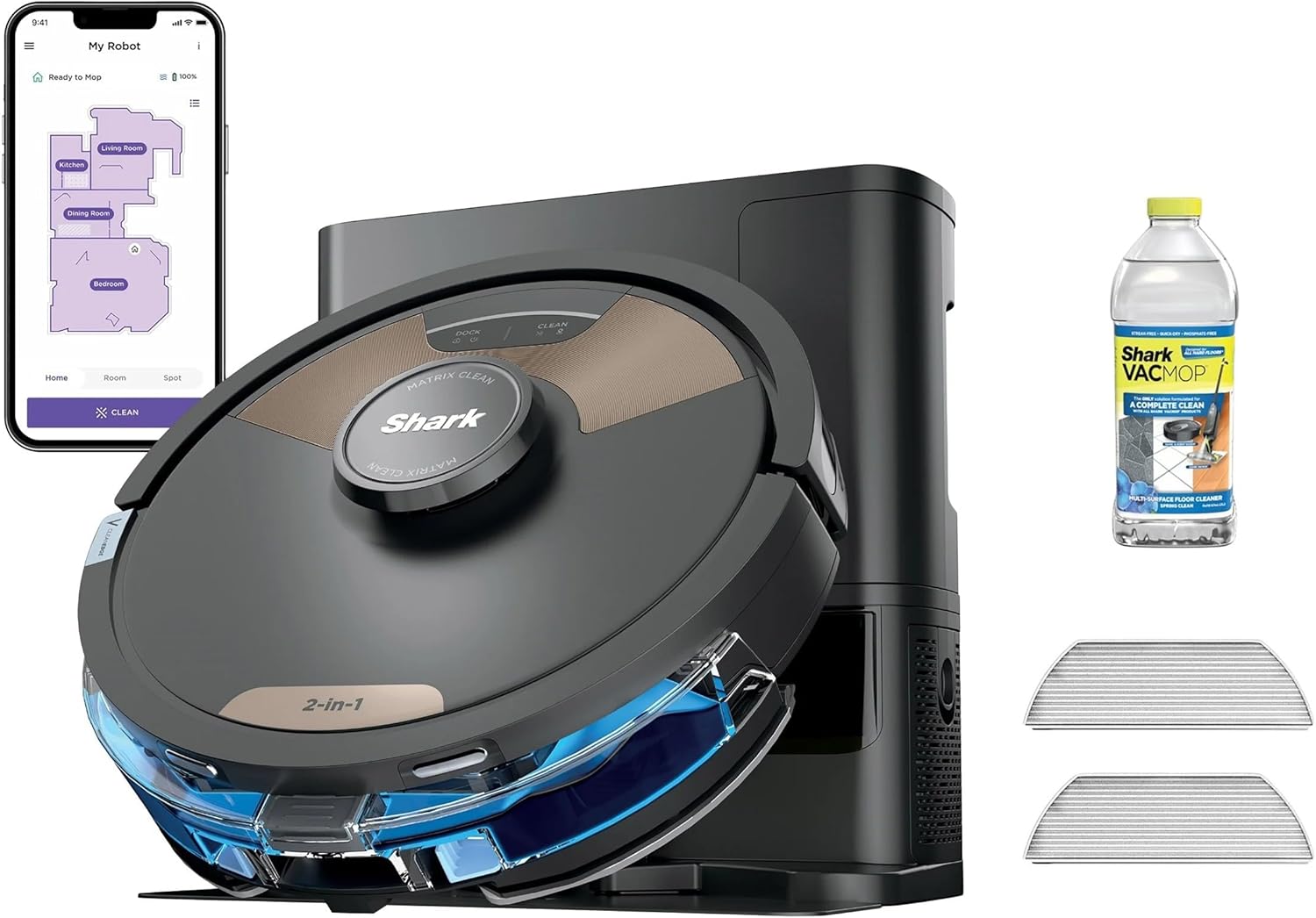
Verify that all components are present in your package:
- Shark Matrix Plus 2-in-1 Robot
- HEPA Self-Empty Base
- 1 Filter
- 1 Side Brush
- 2 Microfiber Reusable Mopping Pads
- Sample-Size VACMOP Cleaning Solution
Setup
- Unpacking: Carefully remove all components from the packaging. Retain packaging materials for future transport if needed.
- Base Placement: Place the HEPA Self-Empty Base against a wall in an open area, ensuring at least 3 feet of clear space on either side and 5 feet in front. Plug the base into a power outlet.
- Initial Charge: Place the robot onto the charging base. Ensure the charging contacts align. Allow the robot to fully charge before its first use. The indicator lights on the robot will confirm charging status.
- App Installation: Download the SharkClean app from your device's app store. Follow the in-app instructions to connect your robot to your home Wi-Fi network and complete the initial setup, including home mapping.

Operating Instructions
Home Mapping
The robot utilizes 360° LiDAR vision to create an accurate map of your home. During the first few cleaning cycles, the robot will focus on mapping. Ensure all areas are accessible for optimal map creation. The map can be viewed and customized within the SharkClean app.
Vacuuming Function
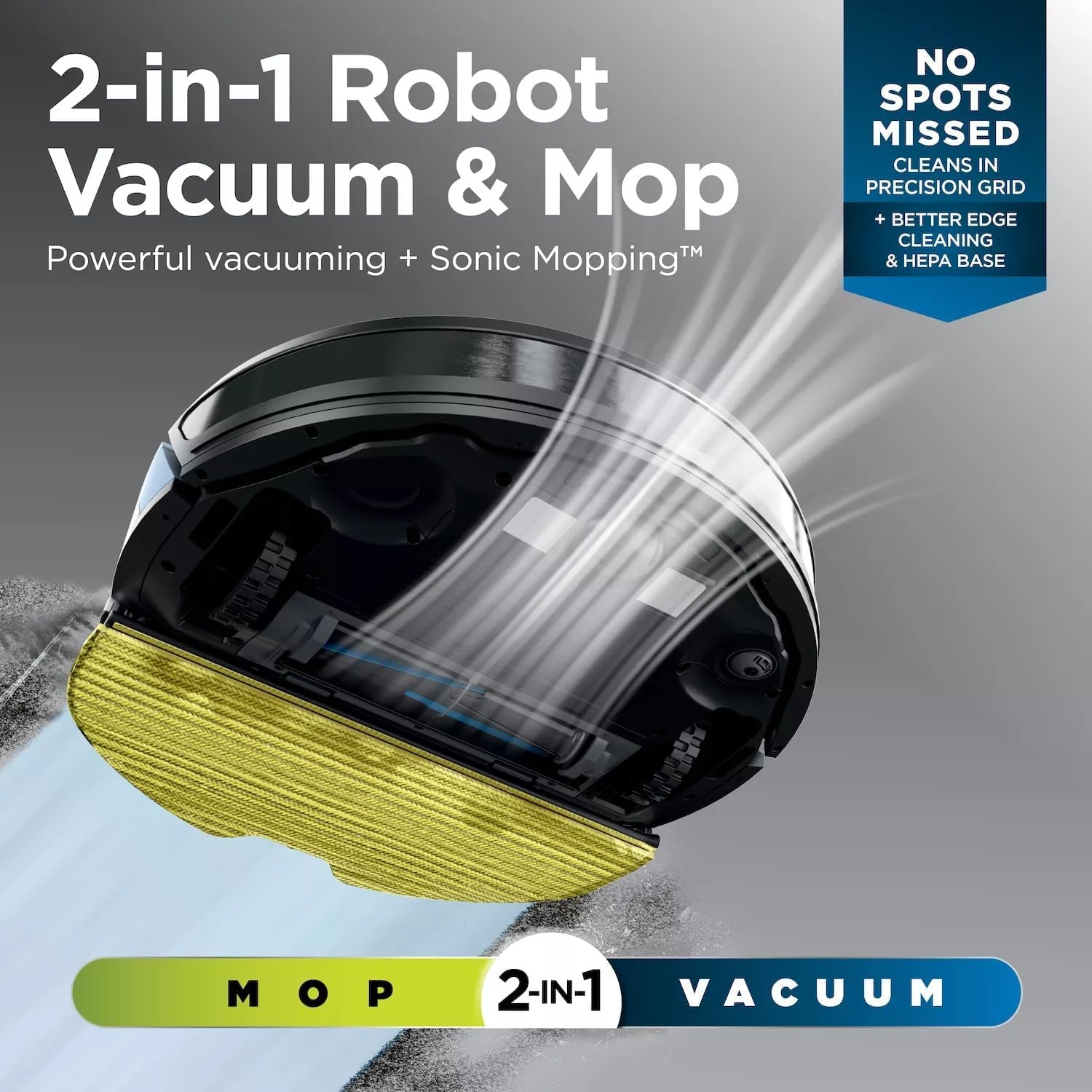
The robot provides powerful suction for both carpets and hard floors. It employs Matrix Clean technology, cleaning in a precision grid pattern to ensure thorough coverage and reduce missed spots. The self-cleaning brushroll is designed to pick up debris and hair effectively.


Sonic Mopping Function
For hard floors, the robot can perform sonic mopping, scrubbing 100 times per minute to address stuck-on stains. Ensure the water tank is filled with the recommended cleaning solution and a mopping pad is attached. The CleanEdge Detect feature uses air blasts to pull debris from edges and corners into the cleaning path before mopping.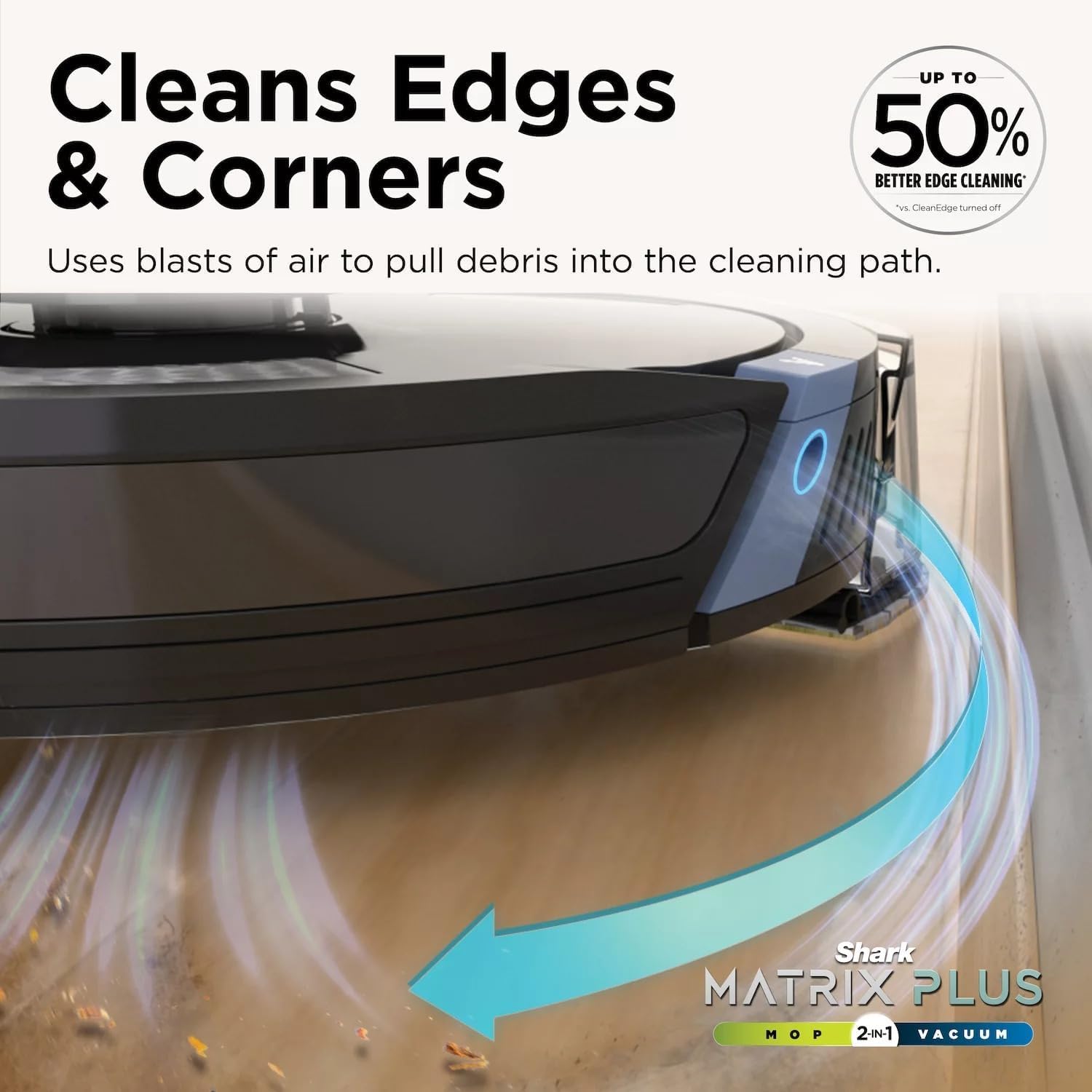

Using the SharkClean App
The SharkClean app allows you to:
- Start, pause, or stop cleaning cycles.
- Schedule cleaning times.
- View and edit your home map, including setting no-go zones.
- Select specific rooms or areas for cleaning.
- Initiate Matrix Mop for targeted deep cleaning in specific zones.
- Monitor battery level and cleaning history.
Maintenance
Regular maintenance ensures optimal performance of your robot vacuum and mop.
HEPA Self-Empty Base
The bagless self-empty base has a capacity of up to 30 days of dirt and debris. Periodically check the dustbin level and empty it as needed. The HEPA filtration system captures 99.97% of dust and allergens.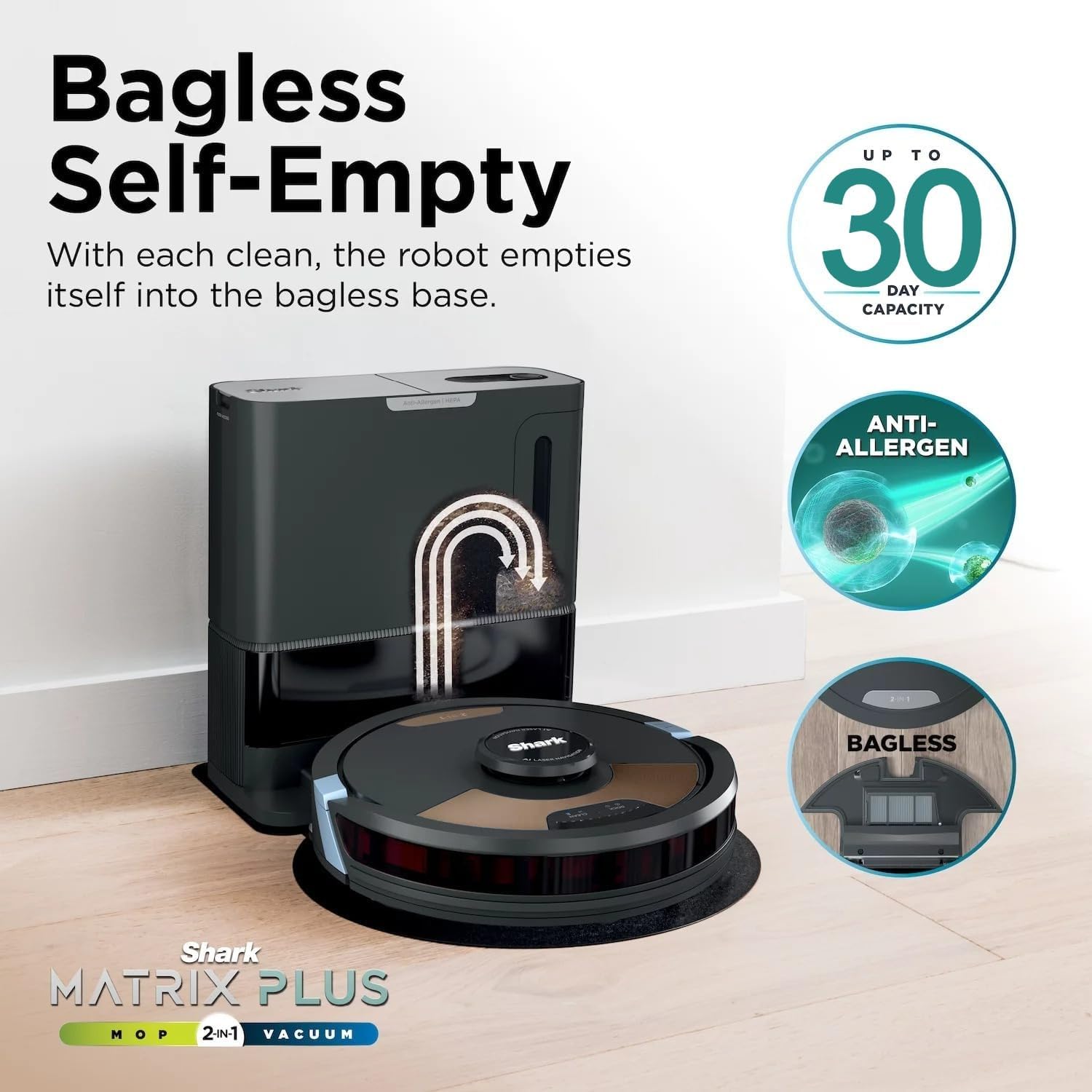
Filters
The robot includes a foam filter. Refer to the SharkClean app or the product's support website for recommended cleaning and replacement schedules for the filter.
Side Brush
Inspect the side brush regularly for tangled hair or debris. Remove and clean as necessary. Replace if bristles are worn or damaged.
Microfiber Mopping Pads
After each mopping cycle, remove and clean the microfiber mopping pads. They are reusable and can be hand-washed or machine-washed according to care instructions.
Troubleshooting
| Problem | Possible Cause | Solution |
|---|---|---|
| Robot not charging | Charging contacts not aligned; Base not powered; Battery issue. | Ensure robot is properly docked; Check power connection to base; Contact support if issue persists. |
| Robot gets stuck frequently | Obstacles in cleaning path; No-go zones not set; Sensor obstruction. | Clear clutter from floor; Use app to define no-go zones; Clean robot sensors. |
| Poor vacuuming performance | Full dustbin; Clogged filter; Tangled brushroll. | Empty dustbin; Clean or replace filter; Clear brushroll of debris. |
| Poor mopping performance | Empty water tank; Dirty mopping pad; Incorrect solution. | Refill water tank; Clean or replace mopping pad; Use only recommended cleaning solution. |
| Robot not connecting to Wi-Fi | Incorrect Wi-Fi password; Router too far; Network issues. | Verify password; Move robot closer to router; Restart router and robot. |
Specifications
- Model: UR2650WS
- Brand: Shark
- Type: 2-in-1 Robot Vacuum & Sonic Mop
- Filter Type: Foam, HEPA filtration in base
- Battery Life: Approximately 60 minutes (runtime may vary based on usage)
- Power Source: Battery Powered
- Form Factor: Round
- Product Dimensions: 13.2 x 11.8 x 19.5 inches
- Item Weight: 7.91 pounds
- Self-Empty Base Capacity: Up to 30 days of debris
- Connectivity: Wi-Fi, Works with Alexa
Safety Information
Always follow basic safety precautions when using any electrical appliance to reduce the risk of fire, electric shock, or injury:
- Do not use the appliance outdoors or on wet surfaces.
- Do not allow to be used as a toy. Close attention is necessary when used by or near children.
- Use only as described in this manual. Use only manufacturer's recommended attachments.
- Do not handle plug or appliance with wet hands.
- Do not put any object into openings. Do not use with any opening blocked; keep free of dust, lint, hair, and anything that may reduce airflow.
- Keep hair, loose clothing, fingers, and all parts of body away from openings and moving parts.
- Do not pick up anything that is burning or smoking, such as cigarettes, matches, or hot ashes.
- Do not use to pick up flammable or combustible liquids, such as gasoline, or use in areas where they may be present.
- Do not use without dust cup and/or filters in place.
- Prevent unintentional starting. Ensure the switch is in the off-position before connecting to battery pack, picking up or carrying the appliance.
Warranty and Support
For warranty information, technical support, or to order replacement parts, please visit the official Shark website or contact customer service. Keep your purchase receipt as proof of purchase.
Online Support: www.sharkclean.com
Customer Service: Refer to your product packaging or the SharkClean app for regional contact information.


