
1. Introduction
The NDLT Zenbowl is a portable electronic Tibetan singing bowl designed to provide an authentic meditation and sound healing experience. It replicates the serene atmospheres of traditional singing bowls without the need for physical instruments, offering a convenient solution for modern spiritual seekers. This device is ideal for meditation practitioners, yoga enthusiasts, and anyone seeking relaxation and mindfulness.

Figure 1: The NDLT Zenbowl offers a modern alternative to traditional Tibetan singing bowls.
2. What's in the Box
- NDLT Zenbowl Main Unit
- Storage Bag
- USB-C Charging Cable
- User Manual
3. Setup
3.1 Initial Charging
Before first use, fully charge your Zenbowl. Connect the provided USB-C charging cable to the device's charging port and a compatible USB power adapter (not included). The indicator light will glow red during charging and turn off when fully charged. A full charge takes approximately 90 minutes.
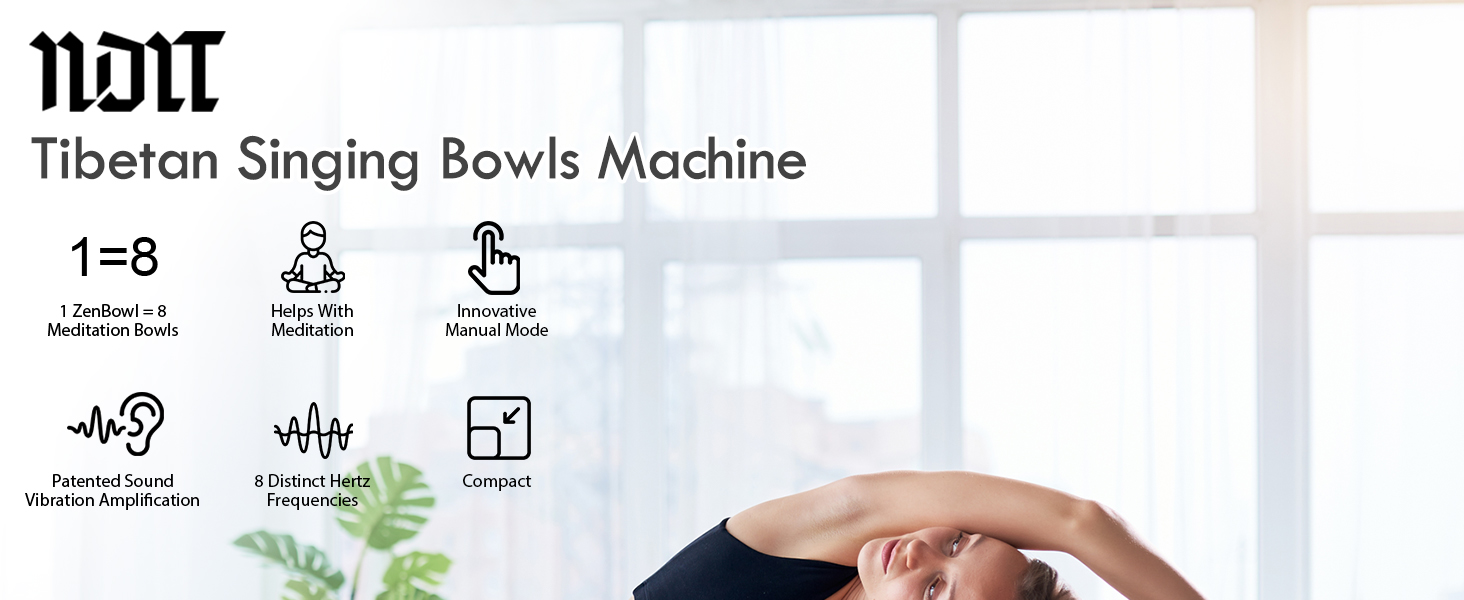
Figure 2: Connect the USB-C cable to the charging port. The indicator light shows charging status.
3.2 Power On/Off
To power on the device, press and hold the power button (located on the bottom) for 3 seconds. The mode indicator light will illuminate. To power off, press and hold the power button for 5 seconds. All indicator lights will turn off, confirming a successful shutdown.
4. Operating Instructions
4.1 Mode Selection (Manual / Automatic)
The Zenbowl offers two meditation modes: Manual (M) and Automatic (A). Use the 'M' button on the bottom of the device to switch between modes. The indicator light will display the current mode (A for automatic, M for manual).
4.2 Manual Mode (Ritual Interaction)
In Manual Mode, gently slide your finger in circles on the top surface of the device to produce continuous sound and vibration. The sound and vibration will pause when your finger is lifted, mimicking traditional singing bowl techniques. This tactile control can deepen focus during meditation.

Figure 3: Engage with the Zenbowl by gently circling the top surface in Manual Mode.
4.3 Automatic Mode (Guided Sound Journey)
In Automatic Mode, your selected frequency plays continuously. Lightly tap the top surface to instantly change tracks. LED indicators will display the active sound therapy. To cycle through all 8 chakra frequencies automatically, press and hold the 'M' button on the bottom until the 'A' indicator light blinks.

Figure 4: The Zenbowl can play selected frequencies continuously in Automatic Mode.
4.4 8 Healing Frequencies
The Zenbowl features 8 scientifically tuned frequencies (396Hz-963Hz), each targeting specific needs:
- 396Hz: Release fear
- 417Hz: Clear negativity
- 432Hz: Natural harmony
- 528Hz: Repair & miracles
- 639Hz: Heart connections
- 741Hz: Awaken intuition
- 852Hz: Spiritual clarity
- 963Hz: Cosmic unity
Lightly tap the top surface to switch between these frequencies in Automatic Mode.

Figure 5: The Zenbowl offers 8 distinct healing frequencies for various meditation goals.
4.5 Timer Function
Set an automatic shut-off time for your meditation session using the timer button on the bottom of the device. Available durations are 15, 30, 45, and 60 minutes. The device will automatically power off at the set time.
4.6 Volume and Vibration Control
Adjust the volume and vibration intensity using the '+' and '-' buttons located on the bottom of the device.
4.7 Headphone Jack
For private listening or in environments where sound output is restricted, connect standard 3.5mm headphones to the headphone jack on the side of the device.
5. Key Features
- Digital Tibetan Singing Bowl Experience: Replicates sacred Tibetan singing bowl sounds without physical bowls.
- Dual Meditation Modes: Choose between Auto-Play for continuous sound or Manual Mode for interactive sound and vibration.
- 8 Healing Frequencies: Scientifically tuned frequencies (396Hz-963Hz) for various benefits, with one-tap switching.
- Vibration: Multi-sensory immersion with authentic sound wave vibrations.
- Timer: Automatic shut-off function (15/30/45/60 minutes).
- Rapid Charging: USB-C fast charging (full power in 90 minutes).
- Long Battery Life: Up to 8 hours of continuous use.
- Portable Design: Compact and FAA-compliant for travel.

Figure 6: Patented sound vibration amplification technology enhances the immersive experience.
6. Battery Information
The Zenbowl is equipped with a rechargeable battery that provides up to 8 hours of use on a full charge (depending on volume settings). It supports USB-C rapid charging, reaching full capacity in approximately 90 minutes.
6.1 Low Battery Indicator
When the battery level drops below 10%, a "Low battery" voice prompt will play, indicating that the device needs to be recharged soon.
7. Usage Scenarios
The NDLT Zenbowl is versatile and can be used in various settings to enhance relaxation and focus:
- Yoga Studios: Create a serene atmosphere for yoga practice.
- Therapy Sessions: Aid in PTSD or sleep therapy.
- Offices: Boost focus and reduce stress during work.
- Travel: Portable and FAA-compliant for on-the-go mindfulness.
- Classrooms: Enhance student concentration.
- Home: Deepen sleep meditation routines and promote general relaxation.

Figure 7: The Zenbowl is suitable for diverse environments, from personal meditation to professional therapy.
8. Specifications
| Brand | NDLT |
| Model Name | Zenbowl |
| Model Number | B2 |
| Color | Black |
| Material | Plastic |
| Item Weight | 0.42 Kilograms |
| Connector Type | USB Type C |
| Battery Life | Up to 8 hours |
| Charging Time | 90 minutes (full charge) |
9. Maintenance
- Wipe the device with a soft, dry cloth.
- Avoid using abrasive cleaners or solvents.
- Keep the device away from water and excessive moisture.
- Store in the provided storage bag when not in use to protect it from dust and scratches.
10. Troubleshooting
10.1 No Sound/Vibration
- Ensure the device is powered on.
- Check the volume level using the '+' button.
- If in Manual Mode, ensure your finger is making continuous contact with the top surface.
- Ensure the device is charged.
10.2 Device Not Charging
- Verify the USB-C cable is securely connected to both the device and the power adapter.
- Try a different USB-C cable or power adapter.
- Ensure the power outlet is functional.
10.3 Inconsistent Manual Mode Response
- Ensure your finger is clean and dry.
- Apply consistent, gentle pressure while circling the top surface.
11. Warranty & Support
The NDLT Zenbowl comes with a 2-year warranty. For any issues or support inquiries, please refer to the contact information provided in your product packaging or visit the official NDLT website.
Video 1: Official NDLT Zenbowl demonstration, showcasing its features and operation.