
Introduction
Welcome to the user manual for your new GOBOULT W60 True Wireless Earbuds. These earbuds are designed to provide a superior audio experience with features like extended playtime, environmental noise cancellation, and ultra-low latency. This manual will guide you through the setup, operation, and maintenance of your device to ensure optimal performance.

Image: GOBOULT W60 True Wireless Earbuds in their green charging case, showcasing the product's design.
What's in the Box
Your GOBOULT W60 package includes the following items:
- GOBOULT W60 True Wireless Earbuds
- Wireless Charging Case
- Extra Pair of Eartips (for customized fit)
- Type-C Fast Charging Cable
- User Manual (this document)
- Warranty Card
Product Features
The GOBOULT W60 earbuds are equipped with advanced features for an enhanced audio experience:
- 60 Hours Playtime: Enjoy extended listening sessions with the combined battery life of the earbuds and charging case.
- Quad Mic ENC: Environmental Noise Cancellation with four microphones ensures crystal-clear calls by filtering out ambient noise.
- Bluetooth 5.4: Provides faster pairing, stable connectivity, and energy-efficient performance.
- 50ms Ultra-Low Latency: Ideal for gaming and video streaming, ensuring audio and video synchronization.
- Voice Assistant Enabled: Supports Google Assistant and Siri for hands-free control.
- Type-C Fast Charging: Quick charging capability to get you back to your music faster.
- Compact & Pocket-Friendly Design: Lightweight and easy to carry for daily use and travel.
- IPX5 Water Resistant: Sweatproof and splashproof design for durability during workouts or light rain.
- 10mm Dynamic Drivers: Deliver punchy bass and immersive sound.

Image: An overview of key features of the GOBOULT W60 earbuds, highlighting 60 hours playtime, ZEN Quad Mic ENC, Lightning Fast Charging, Pocket Friendly design, Made in India, Bluetooth 5.4, and 50ms Ultra Low Latency.

Image: Demonstrates the IPX5 water resistance, indicating sweatproof and splashproof capabilities, and the voice assistant integration with examples for Google Assistant and Siri.
Specifications
| Feature | Detail |
|---|---|
| Model Name | W60 (AirBass) |
| Connectivity Technology | Bluetooth 5.4, Wireless |
| Bluetooth Range | 10 Metres |
| Audio Driver Size | 10 Millimetres |
| Audio Latency | 45 Milliseconds (Ultra-low latency mode: 50ms) |
| Noise Control | Passive Noise Cancellation, Quad Mic ENC |
| Playtime (Total) | Up to 60 Hours (with charging case) |
| Charging Time (Case) | 10 Minutes for significant playtime |
| Headphones Jack | Type-C Fast Charging Jack |
| Water Resistance Level | IPX5 (Water Resistant, Sweatproof, Splashproof) |
| Control Type | Touch Controls, Google Assistant, Siri |
| Item Weight | 52 Grams |
| Product Dimensions | 6 x 2.7 x 5.3 cm |
| Battery Type | Lithium Polymer (included) |
| Country of Origin | India |
Setup
1. Charging the Earbuds and Case
Before first use, ensure both the earbuds and the charging case are fully charged.
- Connect the provided Type-C charging cable to the charging port on the case.
- Connect the other end of the cable to a USB power adapter (not included) or a computer's USB port.
- The LED indicator on the case will show charging status. Once fully charged, the indicator will change or turn off.
- Place the earbuds into the charging case. They will automatically begin charging.
Note: A 10-minute charge can provide several hours of playtime.
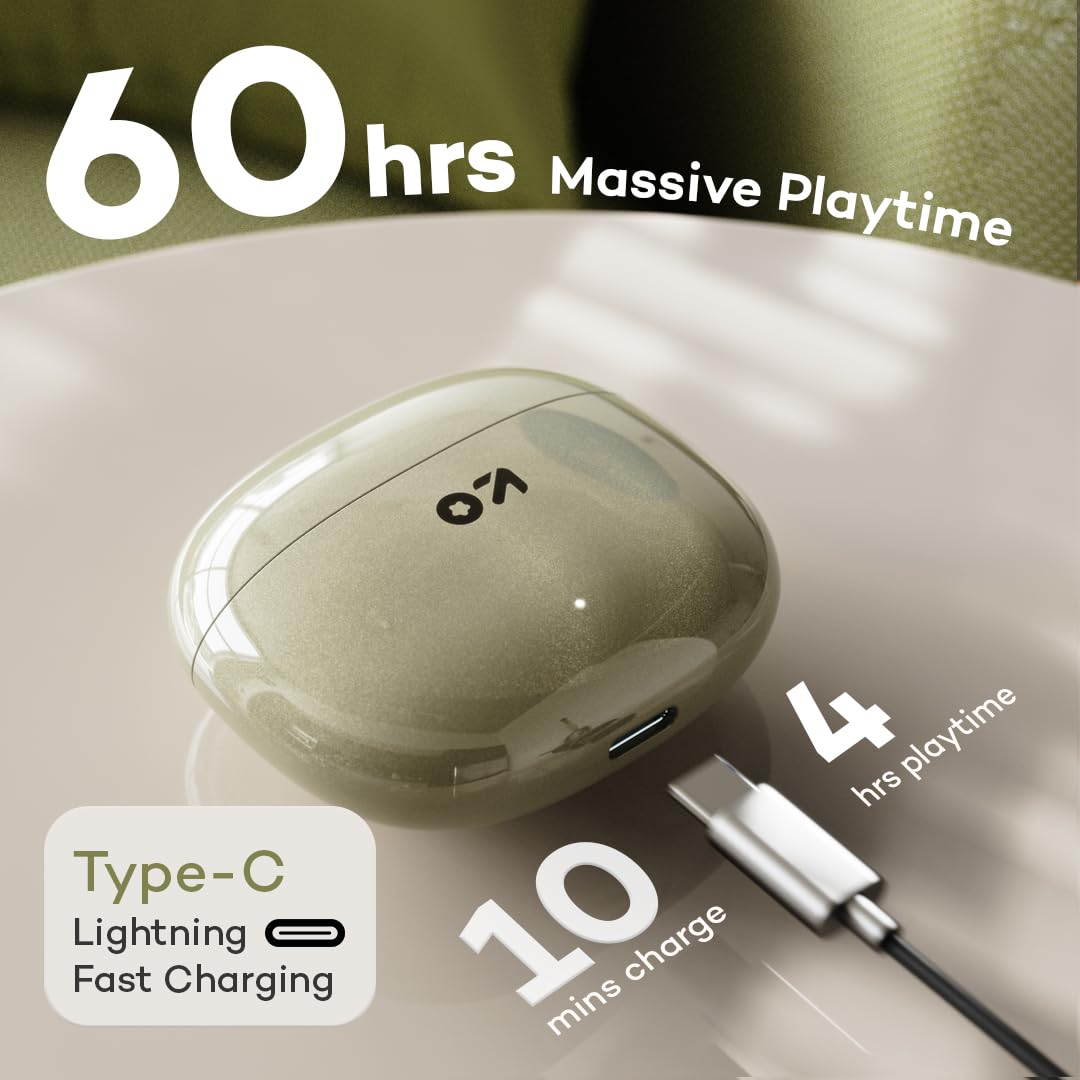
Image: Illustrates the Type-C fast charging port on the case and highlights the 60 hours of massive playtime, with a note that 10 minutes of charge provides 4 hours of playtime.
2. Pairing with Your Device
- Open the charging case. The earbuds will automatically enter pairing mode (indicated by flashing LED lights on the earbuds).
- On your smartphone or Bluetooth-enabled device, go to Bluetooth settings.
- Search for available devices and select "GOBOULT W60" from the list.
- Once connected, the LED indicators on the earbuds will stop flashing or turn off.
- The earbuds will automatically reconnect to the last paired device when taken out of the case, if Bluetooth is enabled on the device.
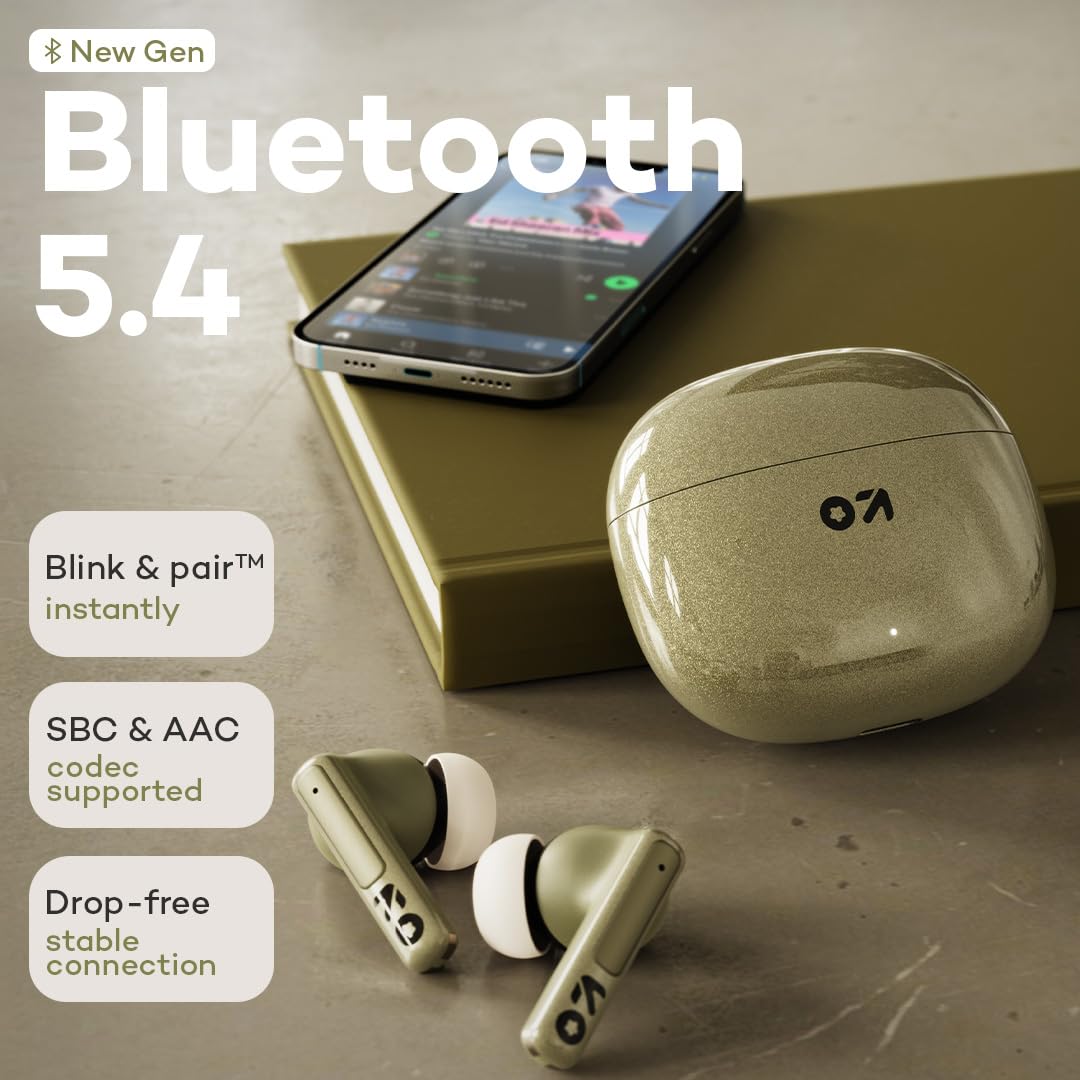
Image: Highlights the new generation Bluetooth 5.4 technology, emphasizing instant "Blink & pair" functionality, support for SBC & AAC codecs, and a drop-free stable connection.
Operating Instructions
Touch Controls
The GOBOULT W60 earbuds feature intuitive touch controls for easy management of music, calls, and voice assistant:
| Action | Left Earbud (L) | Right Earbud (R) |
|---|---|---|
| Play/Pause Music | Single Tap | Single Tap |
| Next Track | Double Tap | Double Tap |
| Previous Track | Triple Tap | Triple Tap |
| Answer/End Call | Single Tap | Single Tap |
| Reject Call | Long Press (2 seconds) | Long Press (2 seconds) |
| Activate Voice Assistant | Long Press (3 seconds) | Long Press (3 seconds) |
| Toggle Gaming Mode | Quad Tap | Quad Tap |

Image: Illustrates the "Tap to Command" feature, highlighting user-friendly touch controls and seamless multitasking capabilities of the earbuds.
Calling
The Quad Mic ENC system ensures clear communication during calls:
- Answering/Ending Calls: Single tap either earbud.
- Rejecting Calls: Long press either earbud for 2 seconds.
- The Environmental Noise Cancellation (ENC) actively reduces background noise for both you and the person on the other end.

Image: Focuses on the ZEN Quad Mic ENC technology, showing the four microphones designed to filter noise for crystal clear calling.
Gaming Mode (Ultra-Low Latency)
Activate gaming mode for a synchronized audio-visual experience during gaming or video playback:
- Activation: Quad tap either earbud to toggle gaming mode on/off.
- This mode reduces audio latency to 50ms, minimizing delay between on-screen action and sound.

Image: Illustrates the 50ms Ultra Low Latency feature, showing its benefit for smooth, lag-free play and precision-tuned audio for intense combat zones in gaming.
Maintenance
Cleaning
- Regularly clean the earbuds and charging case with a soft, dry, lint-free cloth.
- Remove eartips and clean them with mild soap and water if necessary, ensuring they are completely dry before reattaching.
- Use a cotton swab or a small, soft brush to gently clean the charging contacts on both the earbuds and the case.
- Avoid using abrasive materials, alcohol, or chemical cleaners.
Storage
- When not in use, always store the earbuds in their charging case to protect them and keep them charged.
- Store the device in a cool, dry place, away from extreme temperatures and direct sunlight.
Troubleshooting
If you encounter any issues with your GOBOULT W60 earbuds, refer to the following common solutions:
| Problem | Possible Solution |
|---|---|
| Earbuds not pairing |
|
| Only one earbud working |
|
| Low volume or poor sound quality |
|
| Charging issues |
|
| Voice Assistant not responding |
|
Warranty and Support
Your GOBOULT W60 True Wireless Earbuds come with a warranty. Please refer to the included Warranty Card for detailed terms and conditions, including warranty period and coverage.
For technical support, service, or further inquiries, please contact Boult customer service through the contact information provided on your Warranty Card or the official Boult website.
Manufacturer: Boult Audio, Exotic Mile Private Limited
Country of Origin: India
Additional Information
The GOBOULT W60 earbuds are available in multiple colors: Green, Black, and White. Choose the color that best matches your personal style.

Image: Displays the GOBOULT W60 earbuds and their charging cases in three available colors: Green, Black, and White.


