Introduction
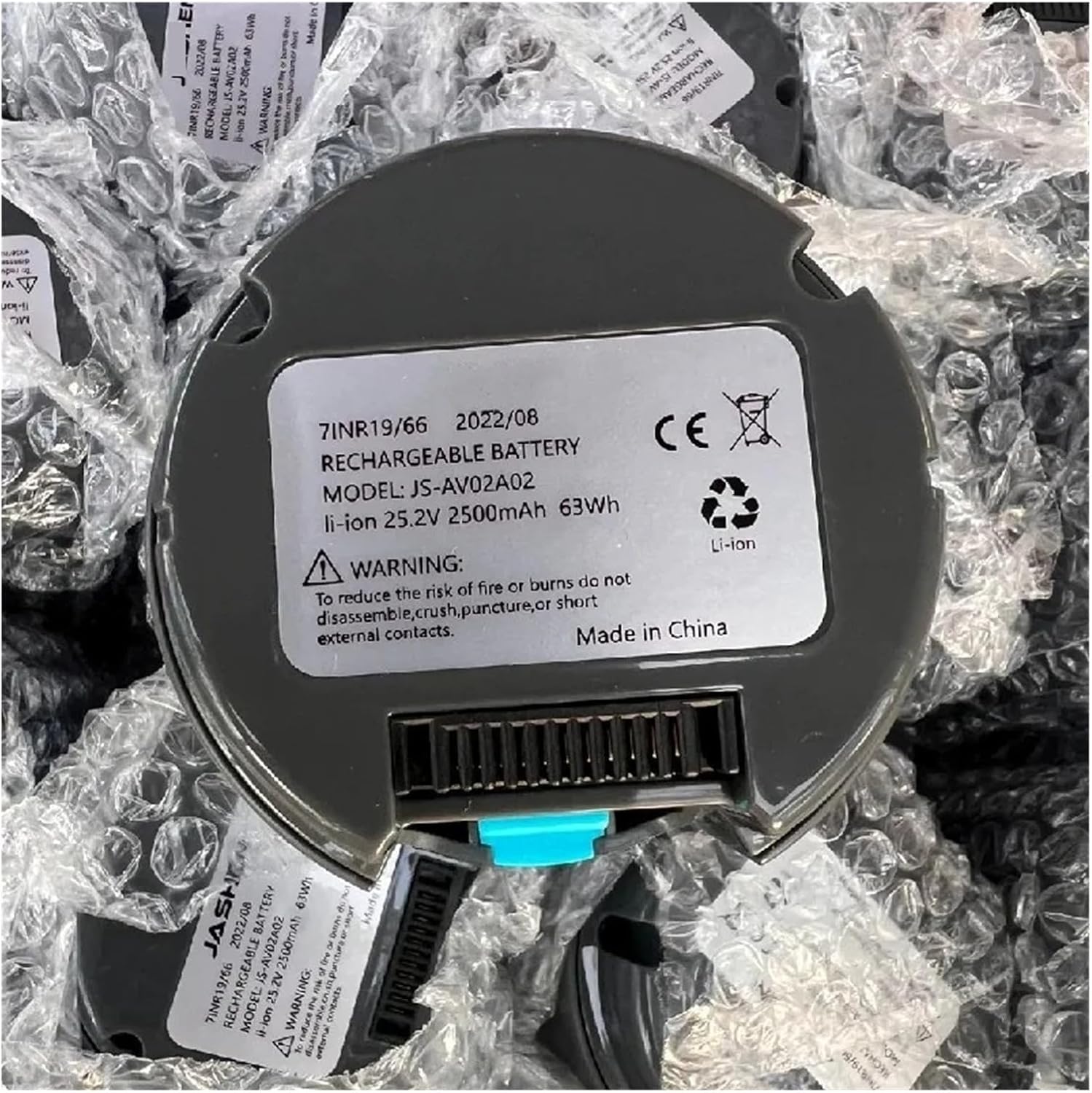
This manual provides essential instructions for the safe and effective use, maintenance, and troubleshooting of your CIBPXMDVL 25.2V removable lithium-ion battery. This battery is specifically designed for compatibility with the JASHEN JS-AV02A02 handheld vacuum cleaner. Please read this manual thoroughly before using the product to ensure optimal performance and longevity.
Important Safety Instructions
Failure to follow these safety instructions may result in fire, electric shock, or injury.
- Read all instructions before using the battery.
- Do not disassemble, crush, puncture, or short circuit the battery.
- Do not expose the battery to high temperatures (above 60°C / 140°F) or direct sunlight.
- Do not expose the battery to water or other liquids.
- Use only the charger specified by the manufacturer for this battery.
- Keep the battery out of reach of children.
- Dispose of used batteries properly according to local regulations. Do not dispose of in household waste.
- If the battery shows signs of damage, leakage, or overheating, discontinue use immediately.
Product Overview
The CIBPXMDVL 25.2V removable lithium-ion battery is a high-performance power source designed to provide reliable operation for your JASHEN JS-AV02A02 handheld vacuum cleaner. Its removable design allows for convenient charging and replacement.


The battery features a lightweight and compact design, contributing to the overall comfort of using the vacuum cleaner, especially during extended cleaning sessions.
Setup and Installation
Follow these steps to install or remove the battery from your JASHEN JS-AV02A02 handheld vacuum cleaner.
- Ensure the vacuum cleaner is turned off and disconnected from any power source before handling the battery.
- Locate the battery compartment on your JASHEN JS-AV02A02 handheld vacuum cleaner.
- To remove the battery: Press the release button or tab (often blue, as shown in Figure 3) and slide the battery out of its compartment.
- To install the battery: Align the battery with the compartment and slide it in until it clicks securely into place. Ensure it is firmly seated to prevent accidental dislodgement during operation.

Operating Instructions
Charging the Battery
The CIBPXMDVL battery can be charged either while installed in the vacuum cleaner or separately. Separate charging allows for continuous use of the vacuum with a spare battery.
- Connect the charger (not included, typically supplied with the vacuum cleaner) to a power outlet and to the battery's charging port.
- Allow the battery to charge fully before first use and after each use for optimal performance.
- Some batteries may feature a separate power display device to indicate the remaining charge, allowing for timely replacement or recharging.
Using the Battery with the Vacuum Cleaner
Once installed and charged, the battery powers your JASHEN JS-AV02A02 vacuum cleaner. Refer to your vacuum cleaner's manual for specific operating instructions.
Maintenance and Storage
- Regular Charging: To maintain battery health, avoid completely draining the battery frequently. Charge it regularly, even if not fully depleted.
- Storage: If storing the battery for an extended period, charge it to approximately 50-60% and store it in a cool, dry place away from direct sunlight and extreme temperatures. Recharge every 3-6 months to prevent deep discharge.
- Cleaning: Keep the battery contacts clean and free from dust or debris. Use a dry cloth to wipe them if necessary.
- Avoid Impact: Protect the battery from physical shocks or drops, which can damage internal components.
Troubleshooting
If you encounter issues with your battery, refer to the following common problems and solutions:
| Problem | Possible Cause | Solution |
|---|---|---|
| Battery not charging |
|
|
| Short operating time |
|
|
| Battery overheating |
|
|
If the problem persists after trying these solutions, please contact customer support.
Specifications
| Feature | Detail |
|---|---|
| Model Number | JS-AV02A02 |
| Battery Type | Li-Ion (Lithium Ion) |
| Nominal Voltage | 25.2V |
| Nominal Capacity | 2500mAh |
| Energy | 63Wh |
| Weight | Approximately 0.4kg (1.76 ounces) |
| Cycle Life | 500-1000 cycles (typical for Li-Ion) |
| Compatibility | JASHEN JS-AV02A02 Handheld Vacuum Cleaner |

Warranty and Support
For warranty information or technical support regarding your CIBPXMDVL 25.2V removable battery, please refer to the documentation provided with your original purchase or contact the seller directly. Ensure you have your purchase details and the battery's model number (JS-AV02A02) ready when contacting support.
Manufacturer: CIBPXMDVL