
1. Introduction
Welcome to the user manual for your ORIGIMAGIC A1 Mini PC. This compact yet powerful desktop computer is designed for a wide range of applications, from home and office tasks to gaming and multimedia. Featuring an AMD Ryzen 7 7840HS processor, Radeon 780M integrated graphics, 32GB DDR5 RAM, and a 1TB PCIe 4.0 SSD, the A1 Mini PC delivers high performance in a small form factor. This manual provides essential information for setting up, operating, maintaining, and troubleshooting your device.
2. What's in the Box
Please check the contents of your package. If any items are missing or damaged, contact customer support.
- 1 × Origimagic A1 Gaming Mini PC
- 1 × Power adapter
- 1 × VESA mount with screws
- 1 × HDMI cable
- 1 × User manual

Image: Contents of the ORIGIMAGIC A1 Mini PC package, including the mini PC, power adapter, VESA mount, HDMI cable, and user manual.
3. Product Overview
The ORIGIMAGIC A1 Mini PC is designed for efficient performance and versatile connectivity. Below is an overview of its external features and internal components.
3.1 External Features
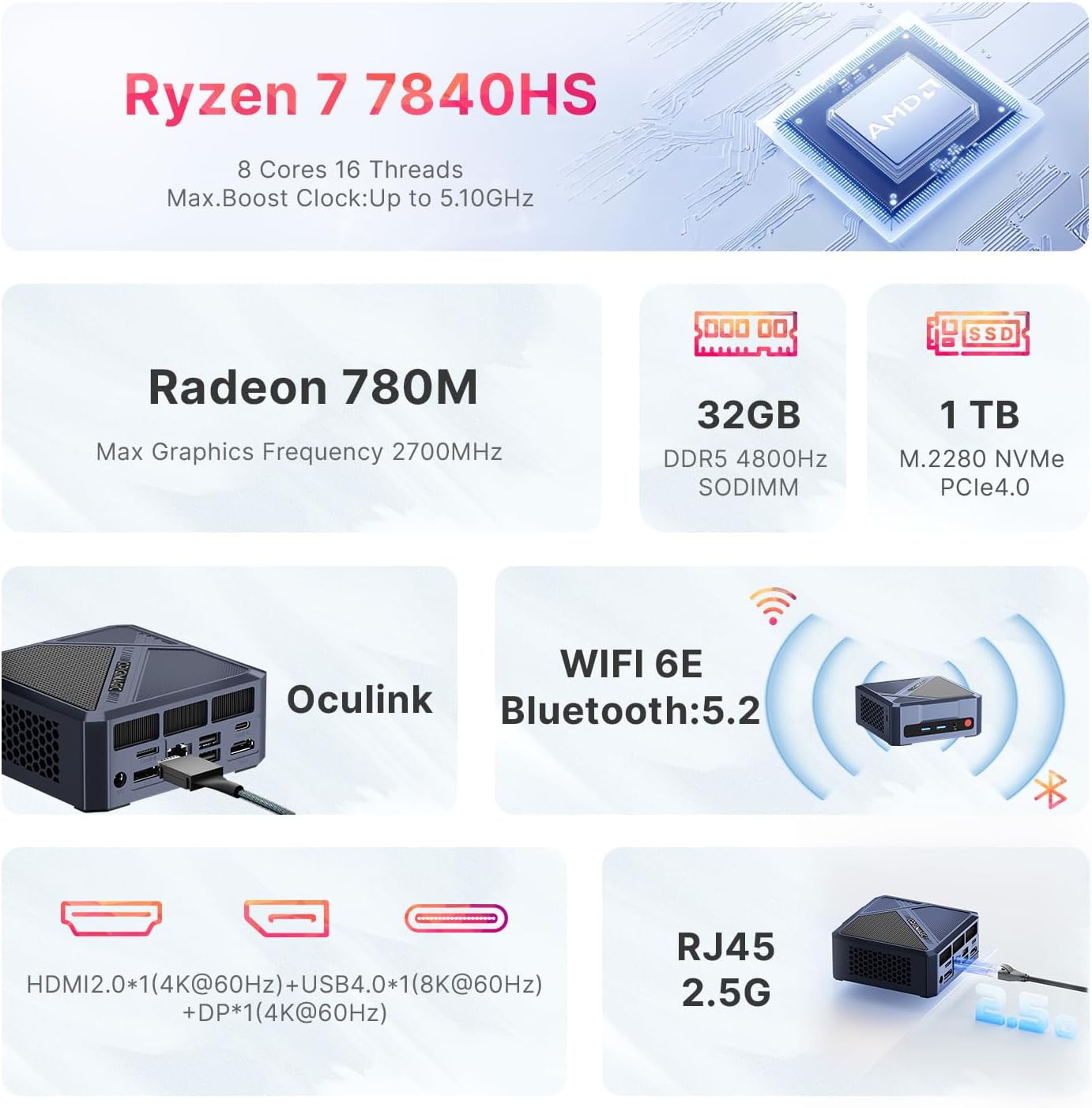
Image: Front and side view of the ORIGIMAGIC A1 Mini PC, showing USB ports and power button.

Image: Detailed view of the rear ports on the ORIGIMAGIC A1 Mini PC, including DC power, Oculink, DP, LAN, USB, and USB-C ports.
3.2 Internal Components
The A1 Mini PC features a powerful AMD Ryzen 7 7840HS processor and Radeon 780M graphics, complemented by high-speed DDR5 RAM and PCIe 4.0 SSD storage.

Image: Diagram illustrating the AMD Ryzen 7 7840HS processor with 8 cores, 16 threads, 5.1GHz max boost clock, and 54W default TDP.

Image: Internal view of the Mini PC highlighting the 32GB DDR5 4800MHz SODIMM RAM and 1TB M.2 2280 NVMe PCIe 4.0 SSD.
3.3 Connectivity

Image: Visual representation of WiFi 6E and Bluetooth 5.2 connectivity, emphasizing faster and more stable wireless connections.

Image: Close-up of the 2.5G RJ45 LAN port, illustrating its high-speed network capabilities.
4. Setup
4.1 Initial Connection
- Connect your monitor(s) to the HDMI, DisplayPort (DP), or USB4 (Type-C) ports.
- Connect your keyboard and mouse to the available USB ports.
- Connect the power adapter to the DC-in port on the Mini PC and then to a power outlet.
- Press the power button on the front of the Mini PC to turn it on.

Image: Instructions for VESA mounting the ORIGIMAGIC A1 Mini PC to the back of a monitor for space-saving installation.
4.2 BIOS Settings
To access BIOS settings, press the designated key (usually Delete or F2) during startup. The BIOS allows configuration of various system parameters.
Video: This video demonstrates how to navigate and adjust various settings within the BIOS menu of the ORIGIMAGIC Mini Gaming PC.
4.3 Power-on Wake-up Setting
You can configure the Mini PC to automatically power on. This setting is typically found in the BIOS under 'Advanced' or 'Power Management' options.
Video: This video provides a step-by-step guide on how to enable or disable the Power-on Wake-up feature in the BIOS settings of the ORIGIMAGIC Mini Gaming PC.
5. Operating Instructions
5.1 Triple Display Support
The A1 Mini PC supports up to three displays simultaneously, offering flexible options for multitasking, design, and entertainment. Connect your displays using the HDMI, DisplayPort, and USB4 ports.
Video: This video demonstrates the triple screen display capabilities of the ORIGIMAGIC Mini Gaming PC, showcasing its use for various tasks.
5.2 Oculink eGPU Boost
For enhanced graphics performance, the exclusive Oculink port allows connection to an external GPU (eGPU). This is ideal for demanding applications like video editing or high-end gaming.

Image: Illustration of the Oculink port and its connection to an external GPU, emphasizing performance enhancement. Note: Hot swapping is prohibited to prevent device damage.
6. Maintenance
6.1 Efficient Heat Dissipation
The A1 Mini PC is equipped with an upgraded axial-tech fan and VC heat spreader to ensure optimal cooling and quiet operation. This design helps maintain stable performance during intensive tasks and prolongs the lifespan of internal components.

Image: Diagram showing the VC heat dissipation system with an axial-tech fan, illustrating how heat is efficiently managed within the Mini PC.
6.2 Upgrading Memory and Storage
The Mini PC supports upgrades for both RAM and SSD. It features dual-channel DDR5 SODIMM slots (expandable to 64GB) and a second M.2 NVMe PCIe 4.0 2242 slot (up to 8TB total storage).
Video: This video provides a detailed guide on how to replace or upgrade the memory (RAM) and hard drive (SSD) in the ORIGIMAGIC 7840HS Mini Gaming PC.
Video: An internal structure overview of the ORIGIMAGIC A1 7840HS Mini Gaming PC, showing the layout of components for maintenance and upgrades.
7. Troubleshooting
If you encounter any issues with your ORIGIMAGIC A1 Mini PC, please refer to the following common troubleshooting steps. For more complex problems, contact customer support.
7.1 No Display Output
- Ensure all display cables (HDMI, DP, USB4) are securely connected to both the Mini PC and the monitor.
- Verify that the monitor is powered on and set to the correct input source.
- Try connecting to a different display port or using a different cable.
7.2 Network Connectivity Issues
- For wired connections, ensure the Ethernet cable is properly connected to the 2.5G LAN port and your router/modem.
- For Wi-Fi, check if Wi-Fi 6E is enabled in your operating system settings and that you are connected to the correct network.
- Restart your router/modem and the Mini PC.
7.3 System Performance Issues
- Ensure the Mini PC has adequate ventilation and is not obstructed.
- Close unnecessary background applications to free up RAM and CPU resources.
- Check for and install any available operating system updates or driver updates.
8. Specifications
| Feature | Specification |
|---|---|
| Processor | AMD Ryzen 7 7840HS (8 cores/16 threads, up to 5.1GHz) |
| Graphics Coprocessor | Radeon 780M (Max Graphics Frequency 2700 MHz) |
| RAM | 32GB DDR5 4800MHz SODIMM (Dual Channel, expandable to 64GB) |
| Hard Drive | 1TB M.2 PCIe 4.0 NVMe SSD (Expandable with second M.2 NVMe PCIe 4.0 2242 slot up to 8TB total) |
| Display Output | HDMI 4K@60Hz, DP 4K@60Hz, USB4 8K@60Hz (Triple Display Support) |
| Wireless Connectivity | WiFi 6E (2.4GHz/5GHz/6GHz), Bluetooth 5.2 |
| LAN | 2.5G LAN port |
| Operating System | Windows 11 Pro |
| Dimensions (LxWxH) | 4.37 x 4.37 x 1.57 inches |
| Item Weight | 2.64 pounds |
| Special Features | Oculink port for eGPU, VC Heat Spreader, Axial-tech fan |
9. Warranty and Support
All ORIGIMAGIC mini PCs come with a 2-year limited warranty. For any usage or technical issues, please visit the ORIGIMAGIC official website's technical support page or contact customer support directly. Your satisfaction is our priority.
9.1 Contact Information
- Amazon Support: Log in to your Amazon account, go to 'Your Orders', and select 'Ask Product Question'.
- After-Sales Support: Send an email to support@origimagic.com for 24/7 customer support.

Image: Illustration of the ORIGIMAGIC support team and services, including replacement, maintenance, and quality support.