
Introduction
Thank you for choosing the JELENS JS01 Stair Stepper. This compact and folding cardio exercise climber is designed for a full-body workout, simulating natural climbing movements to engage multiple muscle groups. This manual provides essential information for the safe assembly, operation, maintenance, and troubleshooting of your new fitness equipment. Please read it thoroughly before use and retain it for future reference.
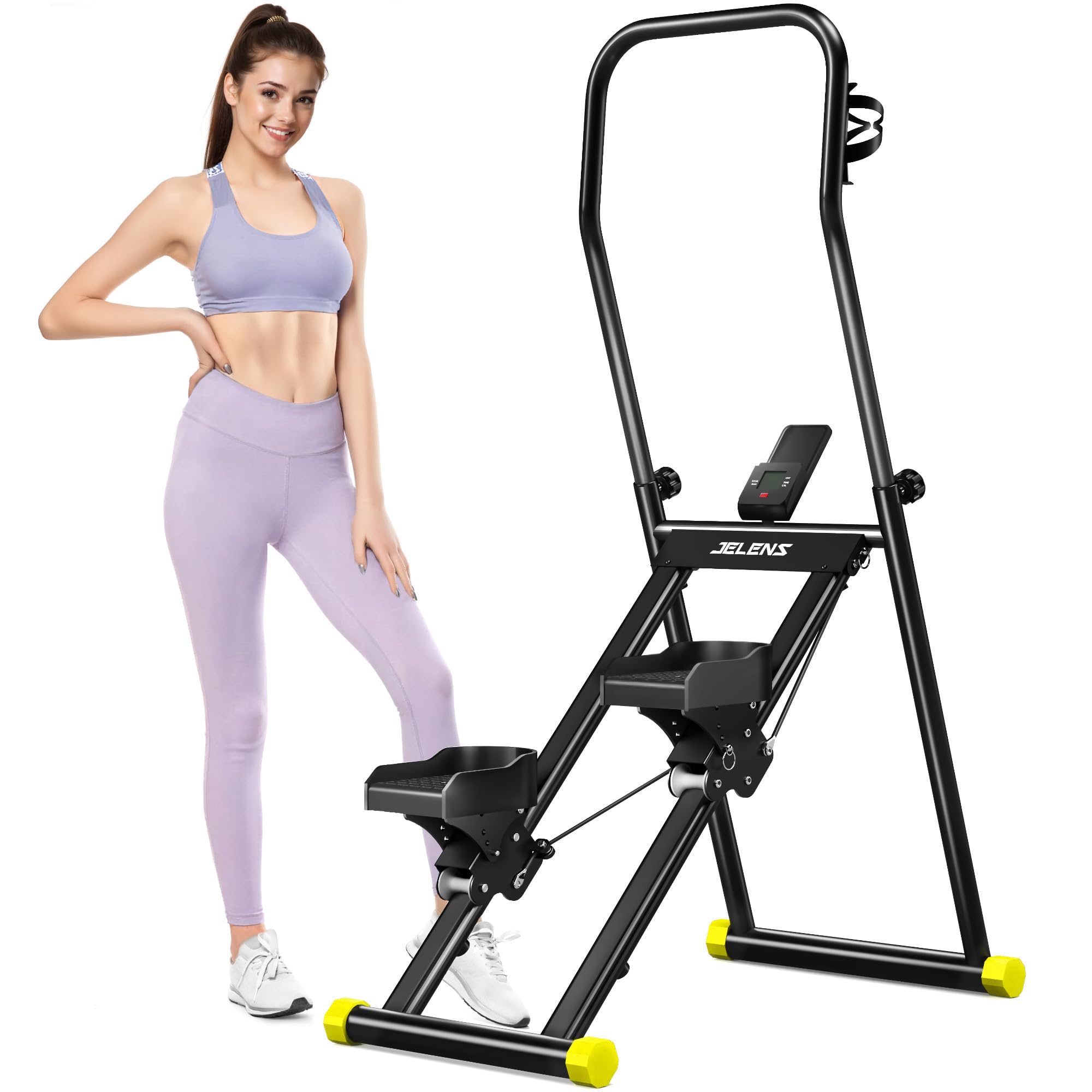
Image: The JELENS JS01 Stair Stepper, a compact vertical climber designed for home use.
Safety Information
Before beginning any exercise program, consult with your physician. It is crucial to follow these safety guidelines to prevent injury and ensure the longevity of your equipment.
- Read all instructions in this manual before using the equipment.
- Keep children and pets away from the equipment during use.
- Place the stepper on a flat, stable surface with adequate clearance around it.
- Wear appropriate exercise attire and athletic shoes. Do not use the equipment barefoot or in socks.
- Inspect the equipment for loose or worn parts before each use. Do not use if any components are damaged.
- Do not exceed the maximum weight capacity of 330 pounds (150 kg).
- Stop exercising immediately if you feel faint, dizzy, or experience pain.
- Ensure all bolts and nuts are securely tightened before and after assembly.
- Use the safety handles for balance and support during your workout.
Setup and Assembly
The JELENS JS01 Stair Stepper is designed for straightforward assembly. Follow these steps to set up your equipment.
- Unpack Components: Carefully remove all parts from the packaging. Lay them out on a clean, flat surface.
- Unfold the Frame: Gently unfold the main frame of the stepper. Ensure the locking mechanisms engage securely to hold the frame in its upright, operational position.
- Attach Handlebars: Insert the adjustable handlebars into their designated slots on the main frame. Secure them with the provided bolts and knobs. Adjust the height to a comfortable position where your arms are slightly bent when holding them.
- Connect Pedals: Ensure the pedals are correctly attached and move freely. The stepper features 4-level pedal angles for customization. Adjust these as desired by following the instructions for the pedal mechanism.
- Install LCD Monitor: Mount the LCD monitor onto its bracket. Connect the sensor cable from the stepper to the monitor.
- Final Check: Before first use, double-check all connections, bolts, and moving parts to ensure they are secure and functioning correctly.

Image: The JELENS JS01 Stair Stepper with adjustable handlebars and pedal angles, demonstrating user-friendly design.
Operating Instructions
The JELENS JS01 Stair Stepper provides an effective full-body workout. Follow these instructions for optimal use.
Starting Your Workout
- Step On: Carefully step onto the pedals, one foot at a time, while holding onto the handlebars for balance.
- Maintain Posture: Stand upright with a slight bend in your knees. Keep your core engaged and your back straight.
- Begin Stepping: Start a rhythmic stepping motion, pushing down with one foot while the other rises. The stepper's 45° tilt motion is designed for maximum muscle engagement with minimal knee pressure.
- Engage Upper Body: As you step, use the handlebars to engage your upper body, simulating a climbing motion. This helps achieve a full-body workout targeting hips, waist, legs, and abdominal muscles.

Image: A user performing a full-body workout on the stepper, illustrating the engagement of abdominal, gluteal, and leg muscles.
Using the LCD Monitor
The integrated LCD monitor tracks your workout data to help you monitor progress.
- Data Display: The monitor cyclically displays various metrics including steps (Reps/Min), scan, count, time, and calories burned.
- Scan Function: The 'SCAN' mode automatically cycles through all metrics, showing each for a few seconds.
- Clear Data: To reset all data, press and hold the button on the monitor for a few seconds.

Image: The LED Smart Display showing real-time data tracking for steps, time, and calories.
Adjustments for Customization
- Handlebar Height: Adjust the armrest height to suit your stature and preferred exercise mode. Loosen the adjustment knob, slide the handlebars to the desired height, and re-tighten securely.
- Pedal Angle: The stepper offers 4-level pedal angles. Refer to the specific mechanism on your unit to adjust the pedal resistance or angle for a more personalized workout intensity.
Maintenance
Regular maintenance ensures the longevity and safe operation of your JELENS JS01 Stair Stepper.
- Cleaning: Wipe down the equipment with a damp cloth after each use to remove sweat and dust. Avoid abrasive cleaners or solvents.
- Check Connections: Periodically inspect all bolts, nuts, and moving parts for tightness. Re-tighten any loose components.
- Lubrication: If any moving parts begin to squeak or feel stiff, apply a small amount of silicone-based lubricant to the pivot points.
- Storage: When not in use, the stepper can be folded for compact storage. Ensure it is folded correctly and stored in a dry, safe place away from direct sunlight and extreme temperatures.

Image: The JELENS JS01 Stair Stepper folded for easy storage, highlighting its space-saving design.
Troubleshooting
If you encounter issues with your JELENS JS01 Stair Stepper, refer to the following common problems and solutions.
| Problem | Possible Cause | Solution |
|---|---|---|
| LCD Monitor not displaying data | Battery drained or sensor cable disconnected. | Replace the battery in the monitor. Check that the sensor cable is securely connected to both the monitor and the stepper frame. |
| Squeaking or grinding noise during use | Loose bolts or lack of lubrication on moving parts. | Check and tighten all bolts and nuts. Apply silicone-based lubricant to pivot points and joints. |
| Pedals feel uneven or unstable | Improper assembly or worn components. | Review assembly instructions for pedal attachment. Ensure the stepper is on a level surface. If components are worn, contact customer service. |
| Stepper feels wobbly | Loose frame connections or uneven floor. | Ensure all frame bolts are securely tightened. Move the stepper to a flat, stable surface. |
Specifications
Key specifications for the JELENS JS01 Stair Stepper:
- Brand: JELENS
- Model Number: JS01
- Material: Alloy Steel
- Color: Black
- Maximum Weight Capacity: 330 Pounds (150 kg)
- Product Dimensions (L x W x H): 84.99 x 55.88 x 132.08 cm (approximately 33.46 x 22 x 52 inches)
- Included Components: User manual (this document)

Image: The JELENS JS01 Stair Stepper with its dimensions and maximum weight capacity of 330 lbs (150 kg) indicated.
Warranty and Customer Support
JELENS is committed to customer satisfaction. Your JS01 Stair Stepper comes with a 1-year warranty.
For any questions, concerns, or assistance with your product, please contact JELENS customer service. Our team is dedicated to resolving any issues within 24 hours.
Please refer to your purchase documentation for specific contact details or visit the official JELENS website for support information.


