
Introduction
Thank you for choosing the BNZ G1 High Precision Golf Rangefinder. This device is engineered to provide accurate distance measurements, enhancing your golf game with features like slope compensation, flagpole locking, and a long-range capability of up to 1200 yards. This manual will guide you through the proper use and care of your rangefinder to ensure optimal performance and longevity.
Package Contents
Upon unboxing, please verify that all items listed below are present and in good condition.

Image: Contents of the BNZ G1 Golf Rangefinder package, including the rangefinder, lens cleaning cloth, user manual, hand strap, USB Type-C cable, and protective pouch.
- BNZ G1 Laser Rangefinder
- Lens Cleaning Cloth
- User Manual (this document)
- Hand Strap
- USB Type-C Charging Cable
- Protective Pouch
Setup
1. Charging the Device
The BNZ G1 rangefinder is equipped with a rechargeable battery. Before first use, fully charge the device.
- Locate the USB Type-C charging port on the side of the rangefinder.
- Connect the provided USB Type-C cable to the rangefinder and the other end to a compatible 5V/2A USB power adapter (not included).
- The charging indicator light will show the charging status. It typically turns green when fully charged.
- A full charge provides approximately 20,000 measurements.
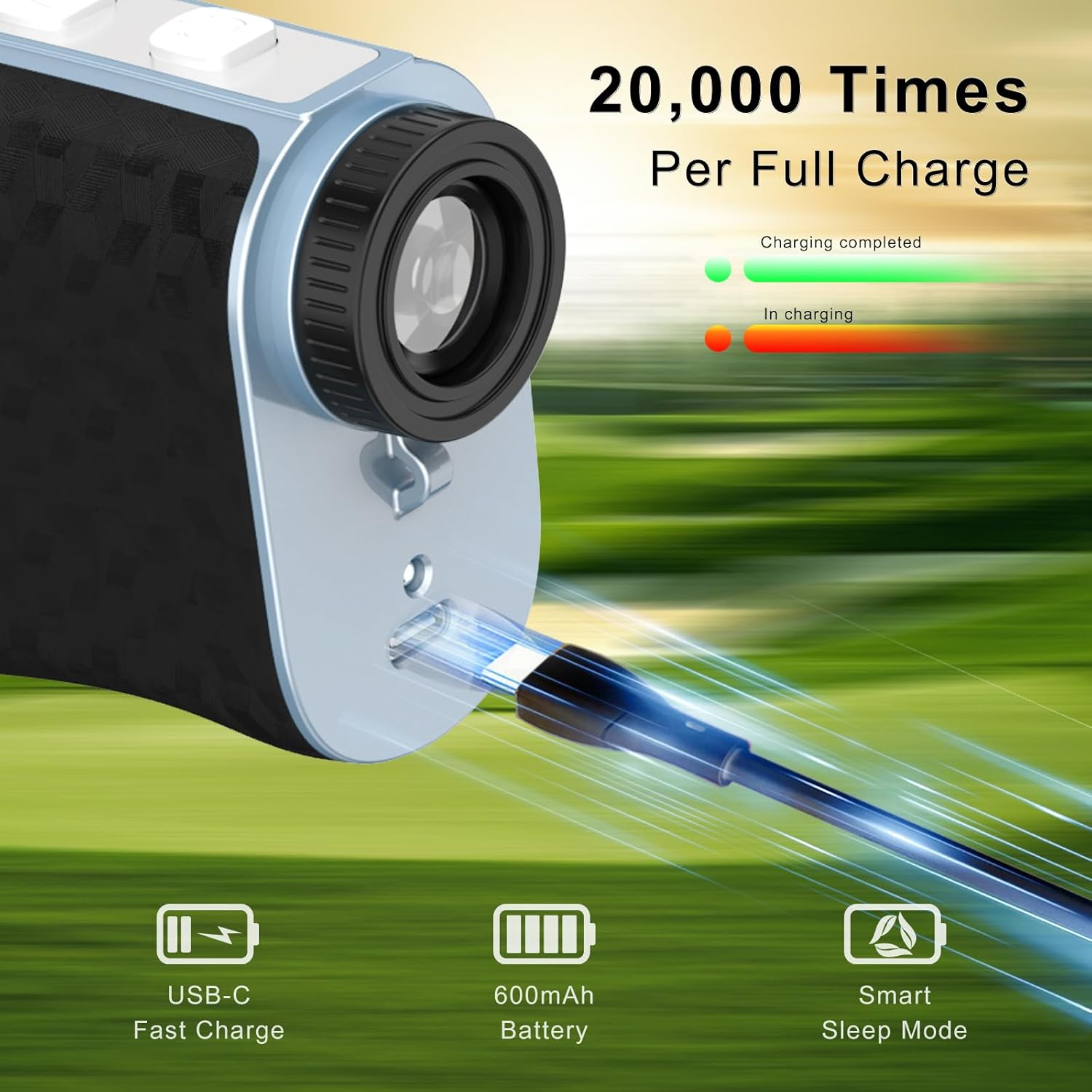
Image: Close-up view of the BNZ G1 rangefinder showing the USB-C charging port with a cable connected, indicating the charging process and battery capacity.
2. Initial Power-On and Focus Adjustment
To power on the device, press the Power/Measurement button. To adjust the focus for a clear view, rotate the eyepiece until the display and target appear sharp.
Operating Instructions
1. Basic Measurement
- Look through the eyepiece and aim the crosshairs at your desired target.
- Press the Power/Measurement button once to activate the laser and obtain a distance reading. The measurement will appear on the display within 0.2 seconds.

Image: A golfer swinging on a course, with an inset showing the rangefinder's display indicating a distance measurement to a flag, demonstrating long-distance accuracy.
2. Mode Switching
The G1 rangefinder offers different measurement modes. Short press the Mode button to cycle through available modes (e.g., Golf mode, Hunting mode if applicable).
3. Slope Compensation
The slope compensation feature calculates the adjusted distance based on elevation changes, providing a more accurate "play as" distance. This feature can be toggled on or off using the dedicated slope switch on the side of the device.
- Slope ON: Provides compensated distance for uphill/downhill shots. Useful for practice and improving game.
- Slope OFF: Provides direct line-of-sight distance. Required for tournament play.

Image: A golfer on a sloped terrain, with a diagram illustrating how slope compensation adjusts the measured distance for accurate target hitting, and a close-up of the rangefinder's slope switch.
4. Flagpole Locking with Vibration
In Golf mode, the flagpole locking feature helps to accurately target the flagstick, even with background objects. When the rangefinder locks onto the flagpole (up to 300 yards), it will vibrate to confirm the target acquisition.
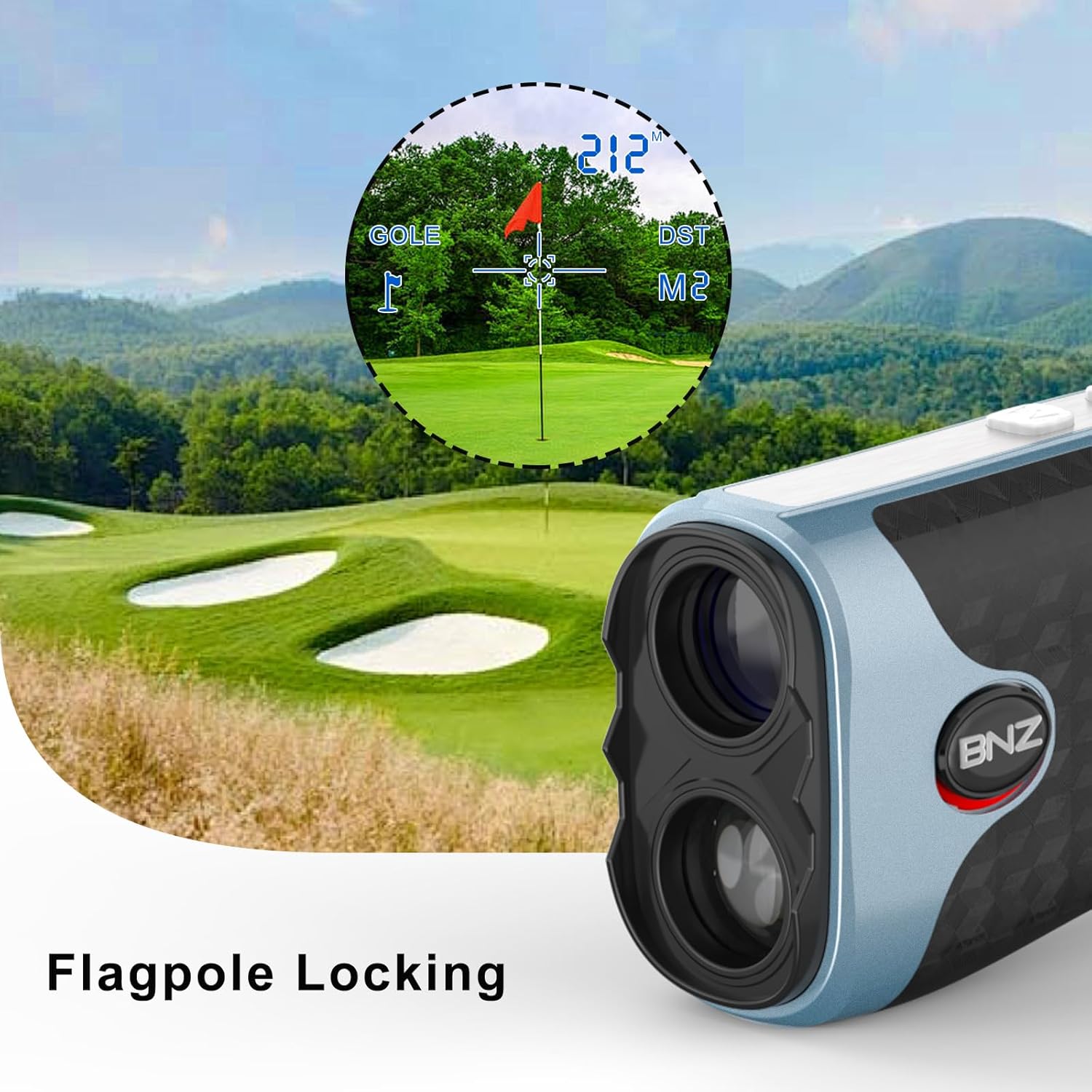
Image: A golf course scene with an inset showing the rangefinder's view focused on a flag, highlighting the flagpole locking feature.
5. 7X Magnification and Display Clarity
The G1 rangefinder features 7x magnification and a transflective display for clear and sharp readings, even in varying light conditions. This helps in distinguishing targets and obtaining steady measurements.

Image: A comparison showing "Wobbly Readings" versus "Steady Focus & Sharp Readings" through the rangefinder's 7X HD display, illustrating improved clarity.
Maintenance
1. Cleaning
- Use the provided lens cleaning cloth to gently wipe the lenses. Avoid using abrasive materials or harsh chemicals.
- For the body of the device, use a soft, damp cloth.
2. Storage
- Store the rangefinder in its protective pouch when not in use.
- Keep the device in a cool, dry place, away from direct sunlight and extreme temperatures.
- The BNZ G1 is IPX4 waterproof, offering protection against splashes, but it should not be submerged in water.

Image: A collage demonstrating the BNZ G1 rangefinder's compact size, its magnetic attachment to a golf cart, and its IPX4 waterproof rating with water droplets on the device.
Troubleshooting
| Problem | Possible Cause | Solution |
|---|---|---|
| Device does not power on. | Low battery. | Charge the device using the provided USB Type-C cable. |
| Inaccurate readings. | Unstable aiming; dirty lens; environmental factors (fog, heavy rain). | Ensure a steady aim. Clean the lenses with the provided cloth. Avoid use in extreme weather conditions. |
| Cannot focus clearly. | Eyepiece not adjusted. | Rotate the eyepiece to adjust the focus until the display and target are sharp. |
| Flagpole locking not working. | Target too far; not in Golf mode; background interference. | Ensure the flagpole is within 300 yards. Verify the device is in Golf mode. Try aiming at the base of the flag. |
Specifications
- Model: G1
- Brand: BNZ
- Measurement Range: 5-1200 yards
- Accuracy: ±0.5 yards
- Measurement Speed: 0.2 seconds
- Magnification: 7X
- Display: Transflective
- Features: Slope Switch, Flag Pole Locking Vibration, Magnetic Stripe
- Battery: Rechargeable (USB-C charging, 5V/2A output)
- Battery Life: Approximately 20,000 measurements per full charge
- Water Resistance: IPX4 (splash-proof)
- Material: Plastic
- Dimensions: 4.3"L x 2.8"W x 2.8"H
- Item Weight: 6.5 Ounces
- UPC: 774882503798
Warranty and Support
BNZ provides a 2-year unconditional warranty and lifetime technical support for the G1 Golf Rangefinder. If you encounter any issues or require assistance, please contact our after-sale support team.
For support, please refer to the contact information provided on the BNZ official website or your purchase documentation.