
HIENA PRO HYN-246
HIENA PRO Professional Hair Clipper User Manual
Model: HYN-246
1. Introduction
Thank you for choosing the HIENA PRO Professional Hair Clipper. This cordless hair cutting tool is designed for precision and ease of use, featuring an adjustable blade, powerful motor, and smart LED display. Please read this manual thoroughly before first use to ensure proper operation and maintenance.
2. Product Components
The HIENA PRO Professional Hair Clipper package includes the following items:
- HIENA PRO Professional Hair Clipper (Gold)
- Four Limit Combs: 1.5mm, 3mm, 4.5mm, 6mm
- Cleaning Brush
- USB Charging Cable
- Charging Base

Image: Contents of the HIENA PRO Professional Hair Clipper package, including the clipper, four guide combs, cleaning brush, and USB charging cable.
3. Key Features
- Excellent Adjustable Blade: Upgraded stainless steel blade, sharp and durable. Blade length can be freely adjusted with the taper adjustment lever.
- Powerful & Quiet Motor: Equipped with a powerful and durable motor for efficient hair cutting, maintaining low noise levels during operation.
- Smart LED Display: Easy-to-read screen displays battery capacity, oil reminder, and charge reminder.
- 1500mAh Large Capacity Battery: Provides long usage time after a 2-hour charge. Universal USB charging cable and base for convenient recharging.

Image: Detail of the clipper's sharp blade, designed for precise cutting without pulling hair or hurting the skin.

Image: An illustration highlighting the powerful and low-noise motor, ensuring smooth and efficient operation.
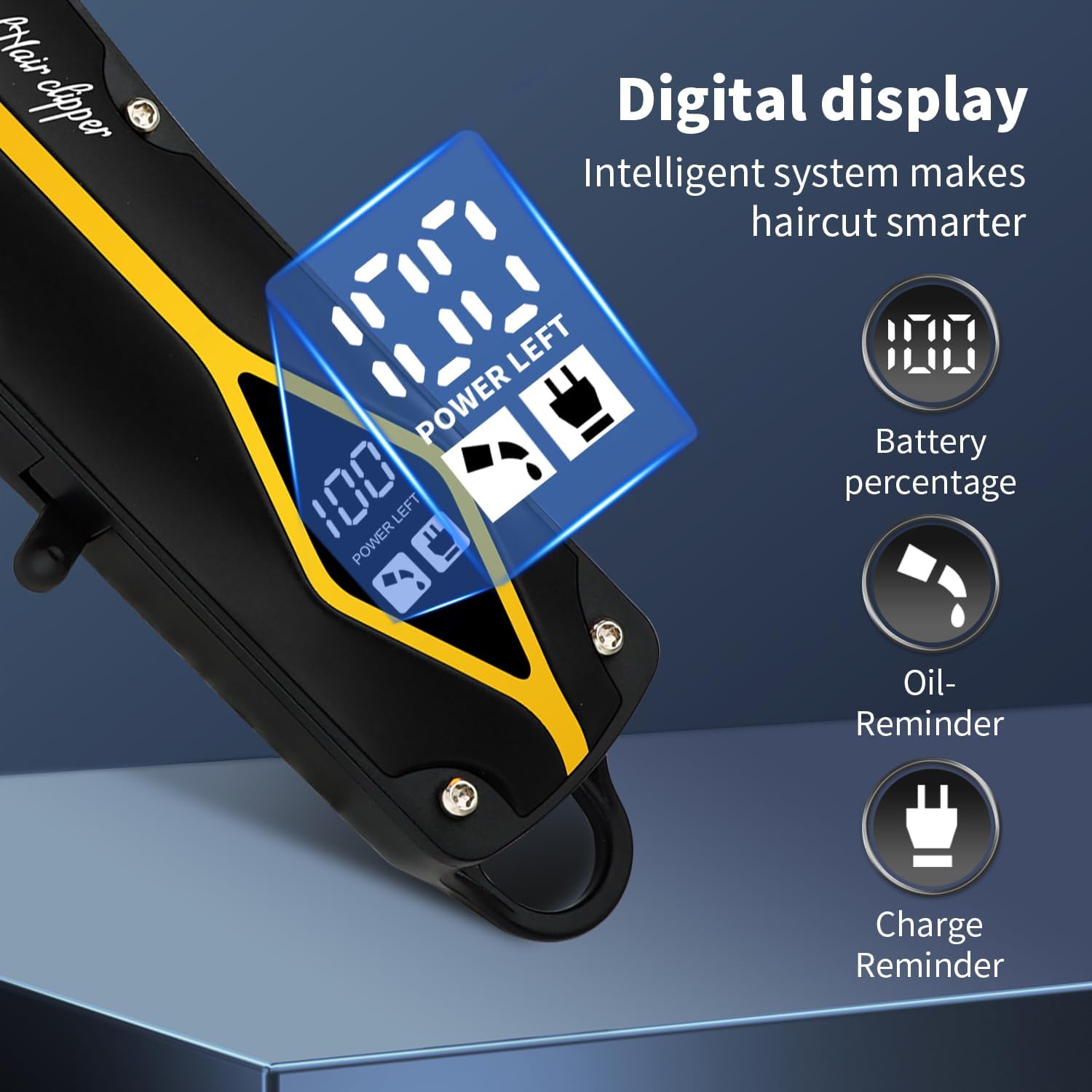
Image: The smart LED display showing battery percentage, oil reminder, and charging reminder icons.
4. Charging the Device
Before first use, fully charge the hair clipper. The LED display will indicate charging progress.
- Connect the USB charging cable to the charging base or directly to the clipper.
- Plug the USB cable into a compatible USB power source (e.g., computer, car charger, mobile power adapter, wall adapter).
- A full charge takes approximately 2 hours and provides up to 180 minutes of usage time.
- The LED display will show the battery percentage, indicating when charging is complete.
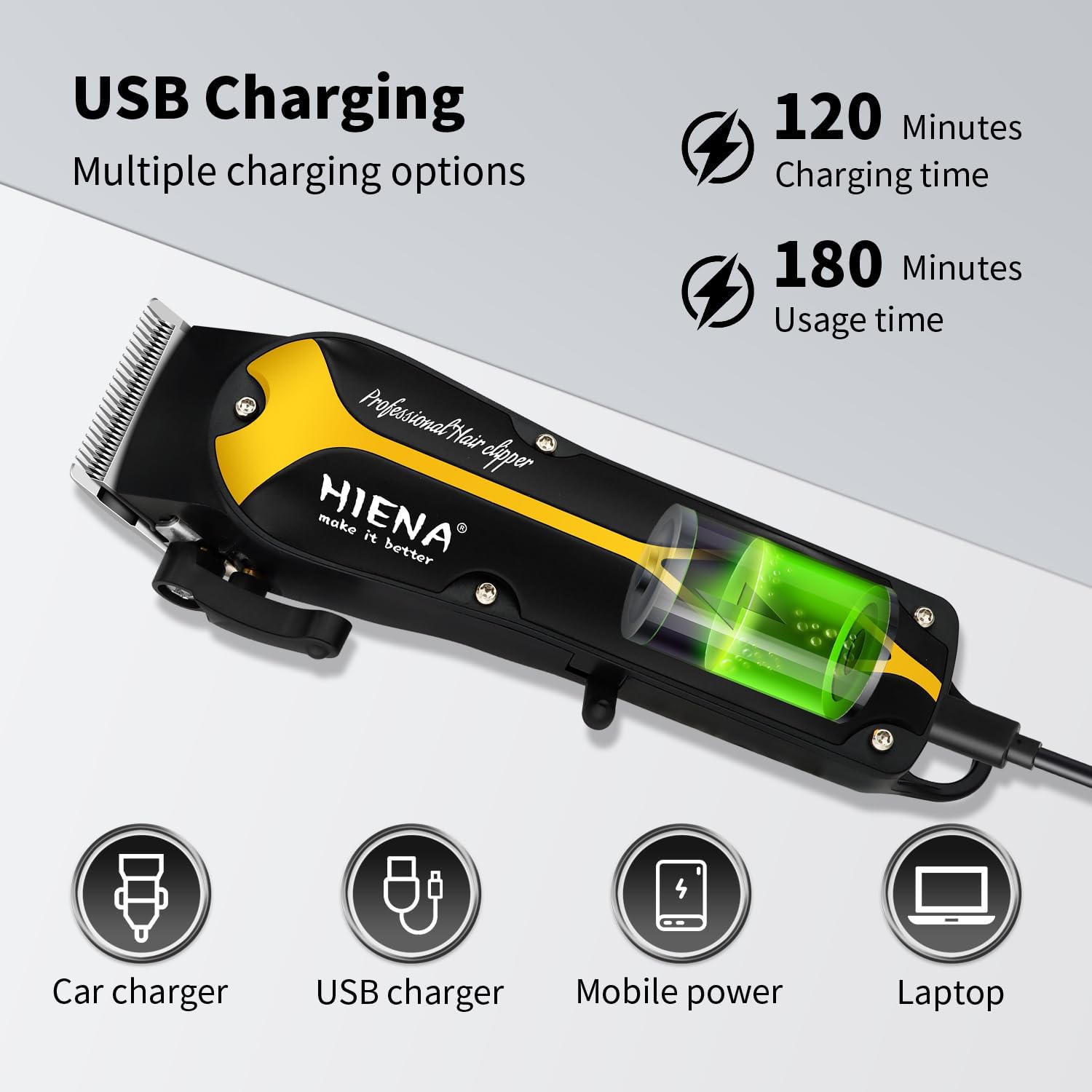
Image: The hair clipper being charged via USB, showing compatibility with car chargers, USB chargers, mobile power banks, and laptops.
5. Operating Instructions
5.1 Attaching Guide Combs
To achieve desired hair length, select one of the four provided limit combs (1.5mm, 3mm, 4.5mm, 6mm). Align the comb with the clipper blade and push firmly until it clicks into place.
5.2 Adjusting Blade Length (Taper Lever)
The taper adjustment lever on the side of the clipper allows for fine-tuning of the blade length without changing guide combs. Move the lever up or down to adjust the cutting length.
5.3 Powering On/Off
Press the power button to turn the clipper on or off. The LED display will illuminate when the device is active.
5.4 Hair Cutting Technique
For best results, ensure hair is clean and dry. Hold the clipper with the blade flat against the head and move it slowly against the direction of hair growth. Use overlapping strokes to ensure an even cut.
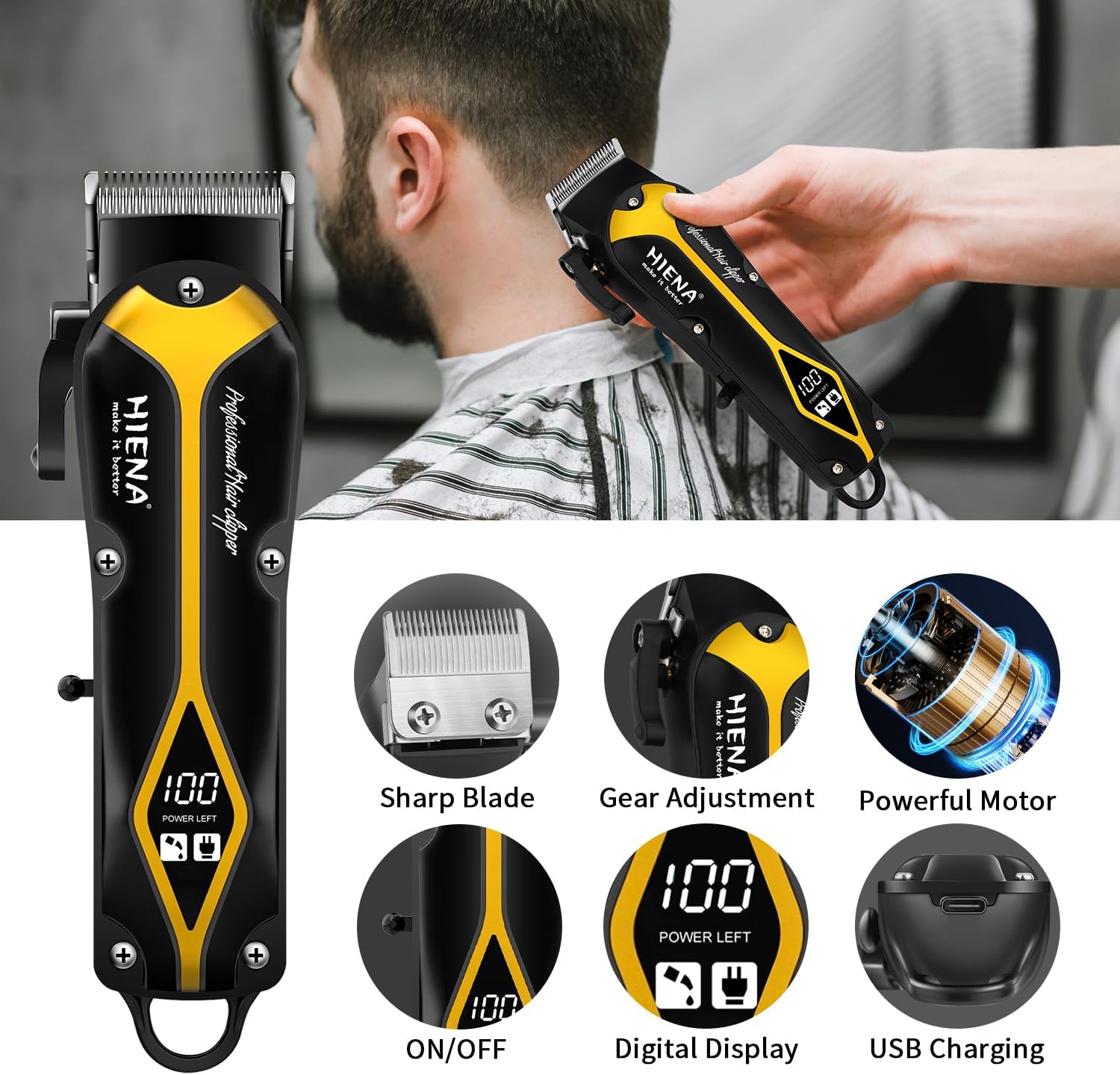
Image: A person demonstrating the use of the hair clipper, alongside close-ups of its sharp blade, gear adjustment, powerful motor, ON/OFF switch, digital display, and USB charging port.
6. Cleaning and Maintenance
Regular cleaning and maintenance will prolong the life of your hair clipper and ensure optimal performance.
- After each use, turn off the clipper and remove any attached guide combs.
- Use the provided cleaning brush to remove loose hair from the blades and the clipper body.
- If the LED display shows an "oil reminder" icon, apply a small amount of clipper oil (not included) to the blades. Turn the clipper on for a few seconds to distribute the oil.
- Store the clipper in a dry place, away from direct sunlight and moisture.
7. Troubleshooting
| Problem | Possible Cause | Solution |
|---|---|---|
| Clipper does not turn on. | Battery is depleted. | Charge the clipper fully. |
| Poor cutting performance. | Blades are dull or clogged with hair. | Clean blades thoroughly. Apply clipper oil. Consider professional sharpening if blades are dull. |
| Clipper makes unusual noise. | Blades need lubrication or are misaligned. | Apply clipper oil. Ensure blades are properly aligned. |
8. Specifications
- Model Number: HYN-246
- Product Dimensions: 7.28 x 1.77 x 1.38 inches
- Item Weight: 6.1 ounces (173 Grams)
- Power Source: Battery Powered
- Battery Type: 1 x 12V battery (included)
- Charging Time: Approximately 2 hours
- Usage Time: Up to 180 minutes
- Color: Gold
- Recommended Uses: Beard, Head
- Manufacturer: HIENA PRO
9. Warranty and Support
This product is manufactured by HIENA PRO. For any issues or support inquiries, please contact the seller or manufacturer directly. Standard return policy allows for refund/replacement within 30 days of purchase.
Legal Disclaimer: Statements regarding dietary supplements have not been evaluated by the FDA and are not intended to diagnose, treat, cure, or prevent any disease or health condition. This product is a hair clipper and not a dietary supplement.