
1. Product Overview
The Generic Bladeless Neck Fan is a portable, hands-free cooling device designed for personal comfort. Its innovative bladeless design ensures safety, especially for users with long hair, children, and the elderly. Featuring multiple speed adjustments and a long-lasting battery, this fan is ideal for various indoor and outdoor activities.
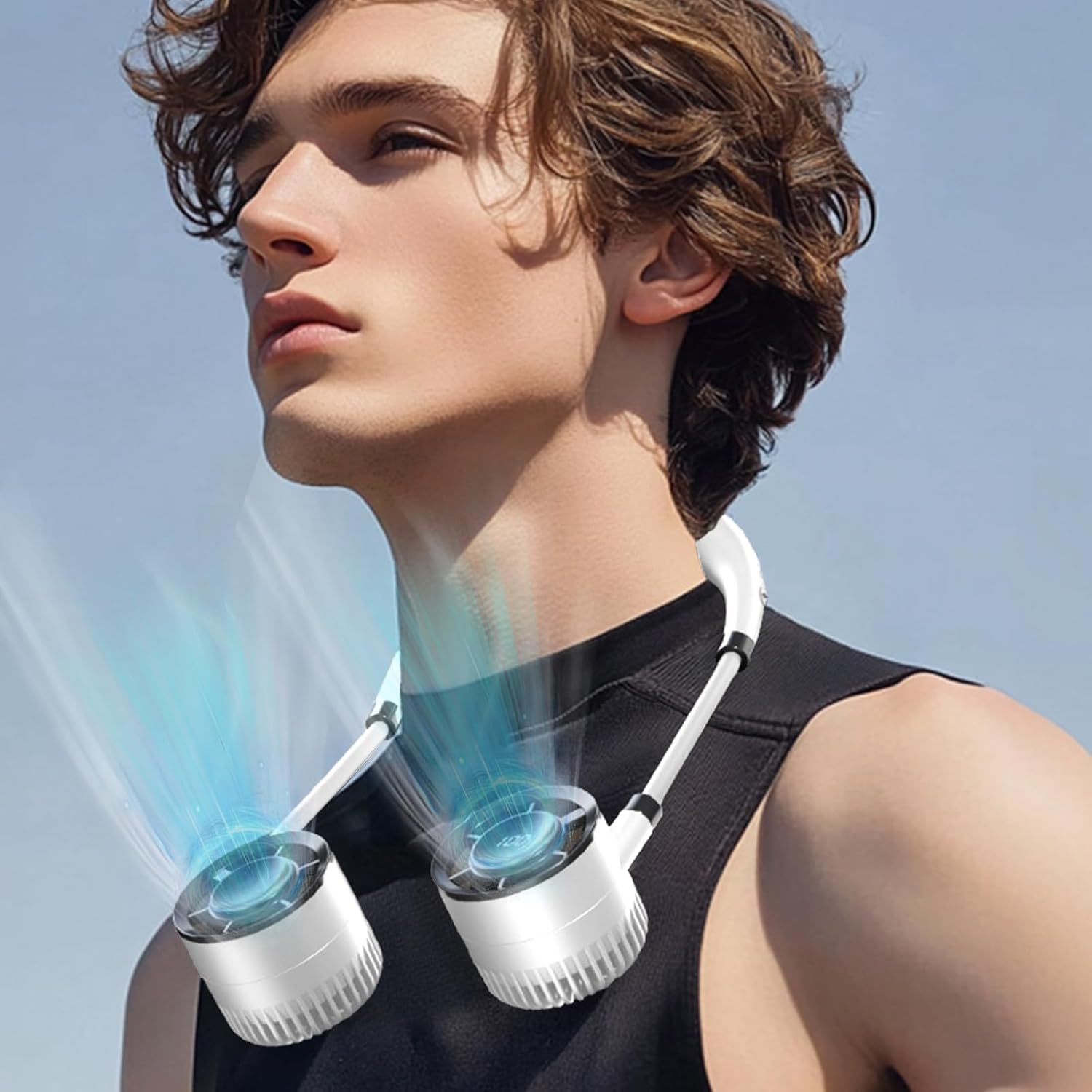
This image displays the bladeless neck fan in use, worn comfortably around the neck. The design allows for hands-free cooling, making it ideal for various activities.
2. Package Contents
Please check the package for the following items:
- 1 x Bladeless Hanging Neck Fan
- 1 x USB Charging Cable
3. Specifications
| Feature | Detail |
|---|---|
| Color | White |
| Material | Acrylonitrile Butadiene Styrene |
| Net Weight | 326 g / 0.71 lbs |
| Gross Weight | 380 g / 0.83 lbs |
| Product Size | 32 x 3.2 x 1.6 cm / 12.6 x 1.26 x 0.63 in |
| Wind Speed Gear | 3rd Gear Adjustment |
| Battery Capacity | 1500mAh |
| Duration of Use | 2-10 Hours (depending on speed setting) |
| Rated Voltage | 3.7V 1A |
| Power | 3W |

This diagram provides the key dimensions of the neck fan, illustrating its compact and wearable size for easy portability and comfortable use.

This image highlights the fan's intuitive display, which clearly shows the battery level and current wind power. Below, the convenient USB Type-C charging port is visible, allowing for easy and fast recharging.
4. Setup
4.1 Initial Charging
Before first use, fully charge the neck fan. Connect the provided USB charging cable to the fan's Type-C charging port and plug the other end into a compatible USB power source (e.g., computer USB port, wall adapter). The display will indicate charging status. A full charge typically takes 2-3 hours.
5. Operating Instructions
5.1 Power On/Off
- To power on: Press and hold the power button (usually located on one of the fan units) for 2-3 seconds. The display will light up.
- To power off: Press and hold the power button again for 2-3 seconds until the display turns off.
5.2 Adjusting Wind Speed
Once powered on, short press the power button to cycle through the available wind speed gears. The fan supports 3 gear adjustments. The digital display will show the current wind power level (e.g., '100' as a maximum level indicator, not necessarily 100 distinct speeds).

The fan features a digital display that shows the current wind power level, indicated here as '100'. The device supports multiple gear adjustments for customized airflow.

An internal view of the fan illustrates its powerful motor and efficient airflow design, engineered to provide strong wind with minimal noise output.
6. Maintenance
6.1 Cleaning
- Ensure the fan is powered off before cleaning.
- Wipe the exterior of the fan with a soft, dry cloth.
- Do not use abrasive cleaners, solvents, or immerse the fan in water.
- For dust accumulation in the air inlets/outlets, use a soft brush or compressed air to gently clear.
6.2 Storage
When not in use for extended periods, store the fan in a cool, dry place away from direct sunlight and extreme temperatures. It is recommended to charge the fan at least once every three months to maintain battery health.
7. Troubleshooting
7.1 Fan Not Turning On
- Check battery level: Ensure the fan is sufficiently charged. Connect it to a power source and try again.
- Power button: Ensure you are pressing and holding the power button for the required 2-3 seconds.
7.2 Weak Airflow
- Battery level: A low battery can result in reduced performance. Charge the fan fully.
- Obstructions: Check if the air inlets or outlets are blocked by dust or debris. Clean as per maintenance instructions.
- Speed setting: Ensure the fan is set to a higher speed gear.
7.3 Not Charging
- Cable connection: Ensure the USB cable is securely connected to both the fan and the power source.
- Power source: Try a different USB port or wall adapter to rule out a faulty power source.
- Cable integrity: Inspect the USB cable for any damage. Try a different compatible USB-C cable if available.
8. Safety Information
- Do not disassemble, repair, or modify the fan yourself. Contact qualified personnel for service.
- Keep the fan away from water, moisture, and high humidity. Do not operate with wet hands.
- Avoid exposing the fan to direct sunlight or high temperatures for prolonged periods.
- Keep out of reach of small children and pets.
- Use only the provided or a certified compatible USB charging cable.
- Do not insert any objects into the fan's openings.
- The bladeless design minimizes hair entanglement, but caution should still be exercised.
9. Warranty and Support
For warranty information and customer support, please refer to the documentation provided at the time of purchase or contact the seller directly. Keep your purchase receipt as proof of purchase.