
Introduction
Thank you for choosing Aokitsink Mobile Trolley Casters. These casters are designed for replacement on mobile TV carts and similar applications, providing smooth mobility and stability. Please read this manual carefully before installation and use to ensure proper function and longevity of your product.
Safety Information
- Always ensure the casters are securely installed before placing any load on the equipment.
- Do not exceed the maximum load capacity of 150 pounds per caster. Exceeding this limit can lead to product failure and potential injury.
- Regularly inspect casters for wear, damage, or loose components. Replace damaged casters immediately.
- Use caution when moving equipment, especially on uneven surfaces or inclines.
- Engage the locking mechanism on casters when the equipment needs to remain stationary to prevent unintended movement.
Package Contents
Verify that all components are present before beginning installation.
- Aokitsink Mobile Trolley Caster(s) (Quantity as purchased)
- Mounting hardware (if applicable, typically integrated with stem mount)
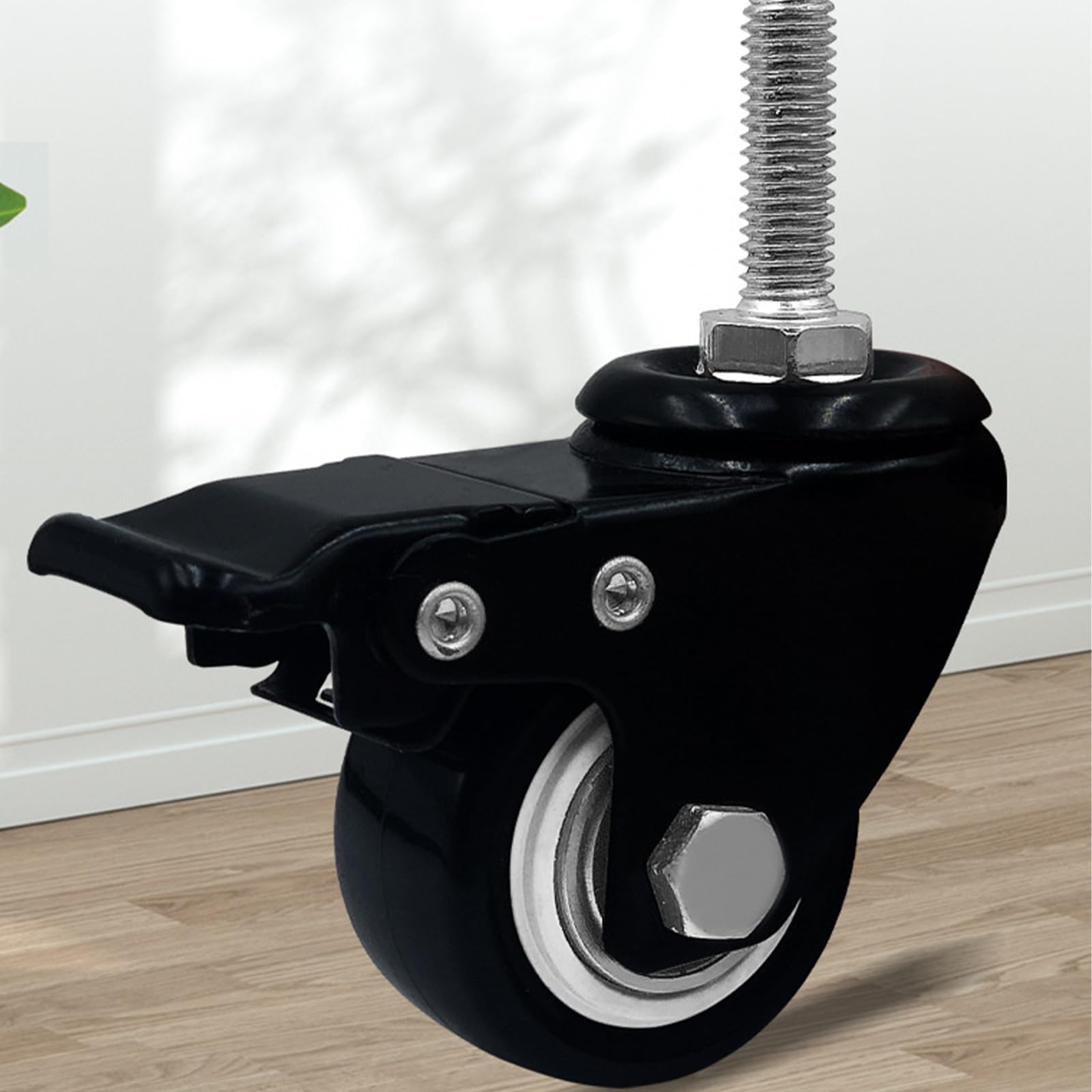
Image: A single Aokitsink Mobile Trolley Caster, black metal construction with a stem mount and a wheel. This image illustrates the typical appearance of the product.
Setup and Installation
These casters feature a stem mount design, intended for insertion into compatible sockets on your equipment. Ensure the receiving sockets are clean and free of debris.
- Prepare the Equipment: Turn off and unplug the mobile TV cart or equipment. Carefully tilt or invert the equipment to access the mounting points for the casters.
- Remove Old Casters (if applicable): If replacing existing casters, remove them by pulling them out of their sockets. Some may require a wrench or pliers to loosen.
- Insert New Casters: Align the stem of the Aokitsink caster with the receiving socket on the equipment. Push the stem firmly into the socket until it is fully seated. You may need to apply moderate force or gently tap with a rubber mallet to ensure a snug fit.
- Verify Security: Once all casters are installed, gently pull on each caster to ensure it is securely seated and does not wobble.
- Return to Upright Position: Carefully return the equipment to its upright position.
Operating Instructions
The Aokitsink Mobile Trolley Casters are designed for ease of movement and secure positioning.
- Movement: To move the equipment, ensure all caster locks are disengaged. Gently push or pull the equipment in the desired direction. The casters will swivel to facilitate movement.
- Locking Mechanism: Each caster is equipped with a locking mechanism to prevent unintended movement. To engage the lock, press down on the lever or pedal located on the caster wheel. To disengage, lift the lever or pedal. Always engage the locks when the equipment is stationary to ensure stability and safety.
Maintenance
Regular maintenance will extend the life and performance of your casters.
- Cleaning: Periodically clean the wheels and swivel mechanisms to remove dust, dirt, hair, and other debris that can impede movement. Use a damp cloth and mild soap if necessary. Avoid harsh chemicals.
- Lubrication: If the swivel action becomes stiff, apply a small amount of silicone-based lubricant to the swivel bearings. Avoid over-lubricating, as this can attract more dirt.
- Inspection: Regularly check for signs of wear, cracks in the wheel material, bent stems, or loose components. Ensure the locking mechanism engages and disengages properly.
- Replacement: Replace any caster that shows significant wear, damage, or malfunction to maintain safe operation.
Troubleshooting
| Problem | Possible Cause | Solution |
|---|---|---|
| Caster does not swivel freely. | Debris caught in swivel mechanism; lack of lubrication. | Clean debris from the swivel. Apply silicone lubricant. |
| Caster wheel does not roll smoothly. | Debris caught in wheel axle; damaged wheel. | Remove debris. Inspect wheel for damage; replace if necessary. |
| Caster stem feels loose in socket. | Improper installation; worn socket. | Re-seat the caster stem firmly. If the socket is worn, consider a different mounting solution or equipment repair. |
| Locking mechanism does not engage/disengage. | Debris in mechanism; bent lever; worn parts. | Clean the mechanism. Inspect for physical damage. If damaged, replace the caster. |
Specifications
| Brand | Aokitsink |
| Model Number | CTYDDSZJ01-LZ |
| Material | Metal |
| Colour | Black |
| Mounting Type | Stem Mount |
| Caster Type | Stem |
| Load Capacity | 150 Pounds (per caster) |
| Item Weight | 1 Pound (per caster) |
| Parcel Dimensions | 7.62 x 5.08 x 2.54 cm; 453.59 g (package) |
Warranty Information
Aokitsink products are manufactured to high-quality standards. For specific warranty details, please refer to the warranty card included with your purchase or contact Aokitsink customer support. This warranty typically covers manufacturing defects under normal use conditions.
Customer Support
If you have any questions, require assistance with installation, or need to report a problem, please contact Aokitsink customer support. Contact information can typically be found on the product packaging or the official Aokitsink website.