
Introduction
This manual provides essential information for the proper setup, operation, and maintenance of your SHIMANO DEORE XT Shift Switch (Di2 Specification) SW-M8250-R. This electronic shift switch is designed for precise and reliable gear changes on compatible bicycle drivetrains. Please read this manual thoroughly before use to ensure optimal performance and safety.
The SW-M8250-R features an ergonomic design with multi-axis adjustment for a natural feel, wireless communication for ultra-fast shifting, and customizable functions via the E-TUBE PROJECT app. It includes a short stroke paddle, 2-step double shift/hold down multi-shift capabilities, and a rubber traction pad for enhanced grip.
Product Overview
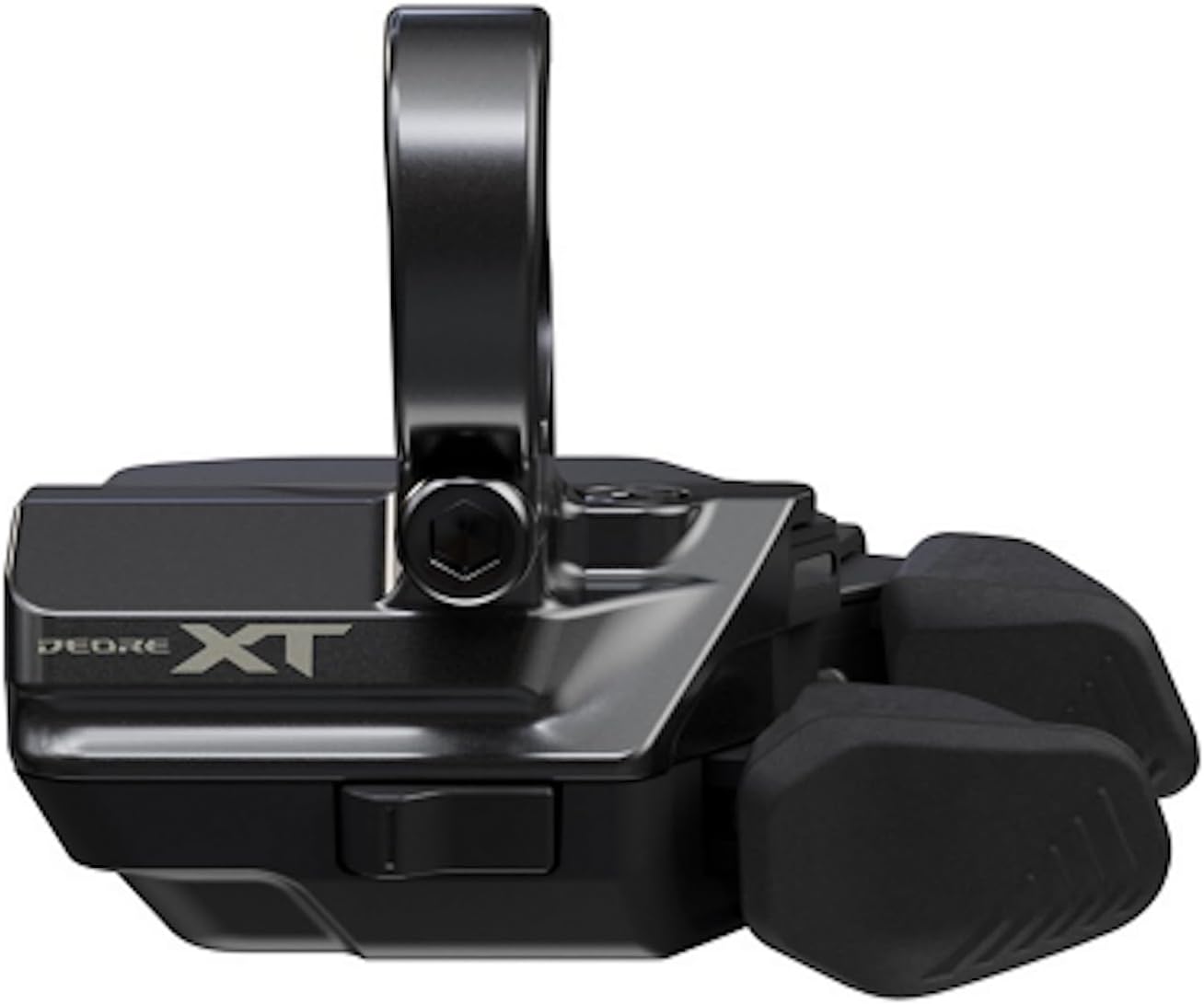
Figure 1: Front view of the Shimano DEORE XT Shift Switch (SW-M8250-R). This image shows the main body of the shift switch with the DEORE XT branding and the integrated clamp for handlebar mounting. The shift paddles are visible on the right side.

Figure 2: Rear view of the Shimano DEORE XT Shift Switch. This perspective highlights the smooth, ergonomic casing and the attachment point for the handlebar clamp. The design is optimized for comfortable hand placement.

Figure 3: Top-down view of the Shimano DEORE XT Shift Switch, showing the two primary shift paddles and their textured surfaces for improved grip. The mounting bolt for the clamp is also visible.
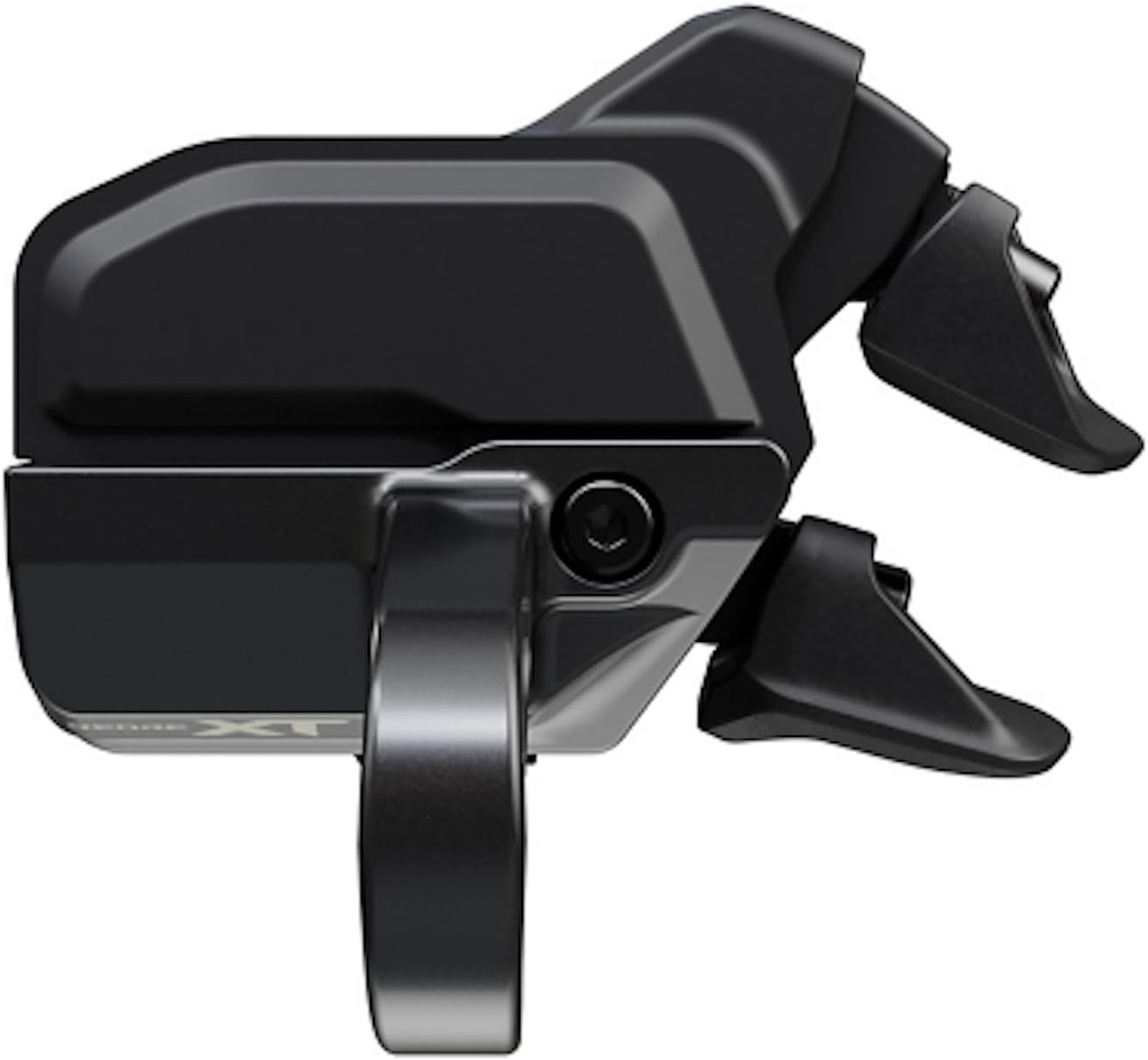
Figure 4: Side profile of the Shimano DEORE XT Shift Switch. This view illustrates the compact form factor and the angle of the shift paddles, designed for intuitive access and operation.
Setup and Installation
Proper installation is crucial for the performance and longevity of your Di2 shift switch. It is recommended that installation be performed by a qualified bicycle mechanic.
Tools Required:
- Hex key set (appropriate size for clamp bolt)
- Torque wrench (recommended for precise tightening)
- Di2 compatible wiring/cables (if not already installed)
Installation Steps:
- Handlebar Mounting: Loosen the clamp bolt on the shift switch. Position the switch on your handlebar in a location that allows for comfortable and easy access to the shift paddles. Ensure the switch does not interfere with braking or other controls.
- Lever Position Adjustment: The SW-M8250-R allows for adjustable lever position. Experiment with different angles and positions to find the most natural and ergonomic fit for your hand.
- Tightening: Once the desired position is found, tighten the clamp bolt securely. Refer to SHIMANO's official documentation or a qualified mechanic for specific torque specifications to prevent damage to the handlebar or switch.
- Di2 Connection: Connect the shift switch to your existing Di2 system using compatible E-TUBE wires. Ensure all connections are secure and properly seated.
- System Initialization: After physical installation, the Di2 system may require initialization or firmware updates using the SHIMANO E-TUBE PROJECT software. This software allows for customization of shift functions and button assignments.
Operating Instructions
The SHIMANO DEORE XT Di2 Shift Switch offers intuitive and precise control over your electronic drivetrain.
Basic Shifting:
- Up-shifting: Press the designated paddle for shifting to a higher gear (smaller cog/larger chainring).
- Down-shifting: Press the designated paddle for shifting to a lower gear (larger cog/smaller chainring).
- The shift action is characterized by a satisfying click, providing tactile feedback for each gear change.
Advanced Functions:
- Holddown Multi-Shift: Press and hold a shift paddle to continuously shift multiple gears. The number of gears shifted can be customized via the E-TUBE PROJECT app.
- 2-Step Multi-Shift: This function allows for a rapid two-gear shift with a single, distinct press.
- Programmable Third Button: The SW-M8250-R features a programmable third button. This button can be assigned various functions using the E-TUBE PROJECT app, such as controlling suspension, a dropper post, or other E-BIKE features.
For detailed customization and advanced settings, connect your Di2 system to a computer or compatible device running the SHIMANO E-TUBE PROJECT software. This software allows you to fine-tune shift speed, button assignments, and other system parameters.
Maintenance
Regular maintenance ensures the longevity and optimal performance of your SHIMANO DEORE XT Shift Switch.
- Cleaning: Wipe the shift switch clean with a soft, damp cloth after rides, especially in dirty or wet conditions. Avoid using harsh chemicals or abrasive cleaners.
- Inspection: Periodically inspect the shift switch for any signs of damage, loose connections, or wear. Check the clamp bolt for proper tightness.
- Di2 System Check: Ensure all Di2 wires are securely connected and free from kinks or damage. If you experience inconsistent shifting, check the battery level of your Di2 system.
- Firmware Updates: Regularly check for firmware updates via the SHIMANO E-TUBE PROJECT software. Updates can improve performance, add new features, or resolve issues.
Troubleshooting
If you encounter issues with your SHIMANO DEORE XT Shift Switch, refer to the following common troubleshooting steps:
| Problem | Possible Cause | Solution |
|---|---|---|
| No shifting response | Low Di2 battery, loose wire connection, system error. | Charge Di2 battery. Check all E-TUBE wire connections. Perform a system reset via the junction box or E-TUBE PROJECT. |
| Inconsistent shifting | Loose wire connection, derailleur adjustment needed, outdated firmware. | Verify wire connections. Check derailleur limit screws and B-tension. Update firmware using E-TUBE PROJECT. |
| Buttons not responding as expected | Incorrect button assignment, system error. | Connect to E-TUBE PROJECT to verify and reconfigure button assignments. Perform a system reset. |
| Physical damage to switch | Impact or excessive force. | Inspect for cracks or breaks. If severely damaged, replacement may be necessary. Contact SHIMANO support or a certified dealer. |
For more complex issues or if the above steps do not resolve the problem, consult a certified SHIMANO dealer or refer to the comprehensive troubleshooting guides available on the official SHIMANO website.
Specifications
| Attribute | Detail |
|---|---|
| Brand | SHIMANO |
| Model Number | ISWM8250RA |
| Product Dimensions | 3.94"L x 0.79"W |
| Item Weight | 7.4 ounces |
| Material | Aluminum Plastic |
| Color | Series Colors |
| Included Components | Fixed Bolt |
| Batteries Required | Yes (for Di2 system, not included with switch) |
Warranty and Support
Warranty information for SHIMANO products is typically provided with the product packaging or available on the official SHIMANO website. Please retain your proof of purchase for warranty claims.
For technical support, service, or warranty inquiries, please contact your authorized SHIMANO dealer or visit the official SHIMANO website. You can also visit the SHIMANO Store on Amazon for more product information.


