
VATOS BB6801A
VATOS Smart Shooting Target Set BB6801A Instruction Manual
Model: BB6801A
1. Introduction
This manual provides detailed instructions for the setup, operation, and maintenance of your VATOS Smart Shooting Target Set, Model BB6801A. This set includes a smart sensor target machine and a rechargeable toy gun, designed for interactive shooting practice with electronic auto-scoring and real-time voice feedback. It features 2.4GHz pairing technology and offers four distinct game modes.
Please read this manual thoroughly before using the product to ensure proper function and safety.
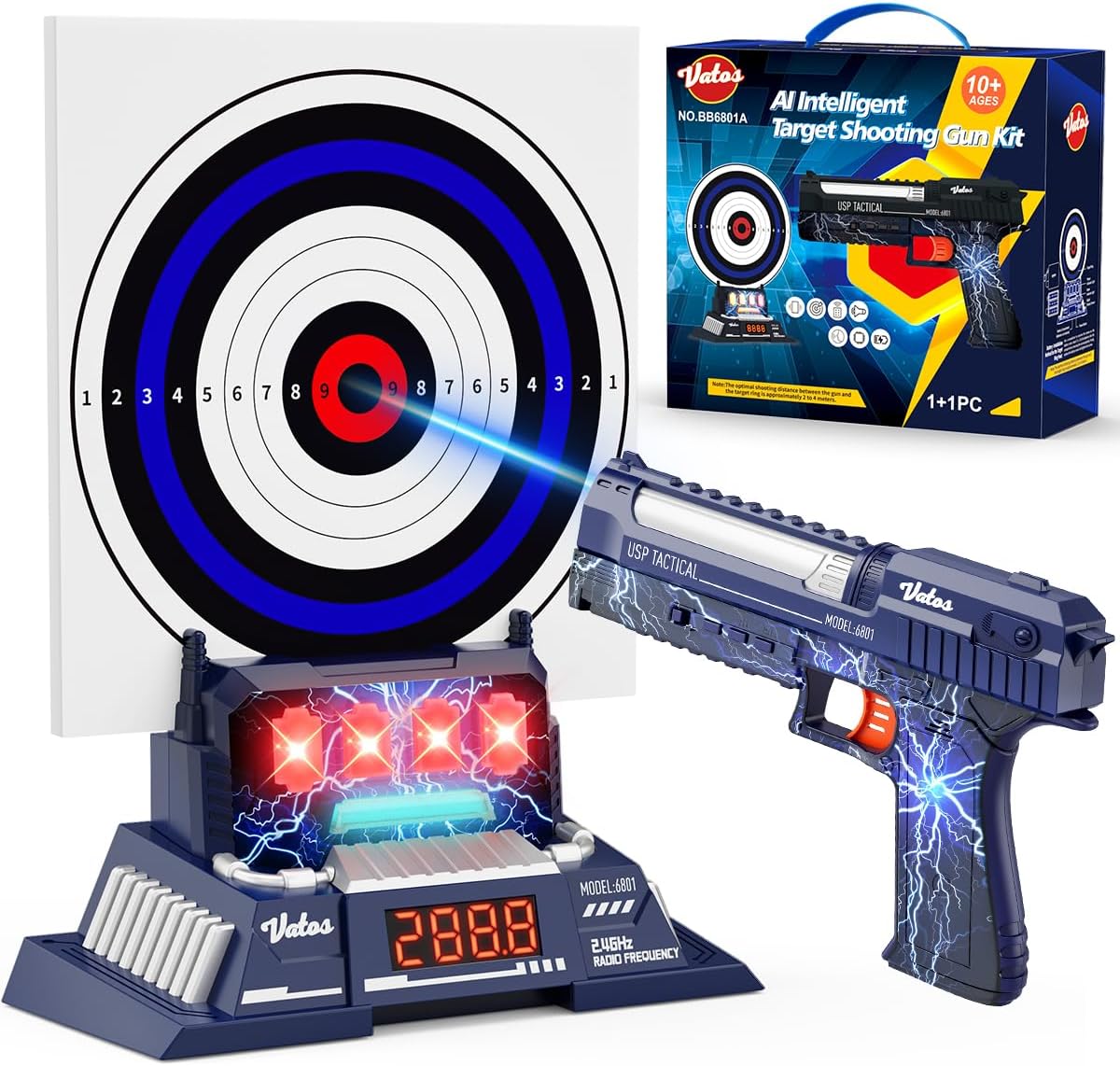
Image 1.1: Overview of the VATOS Smart Shooting Target Set, showing the toy gun, electronic target, and product box.
2. Package Contents
Verify that all items listed below are included in your package:
- Toy gun x 1
- Electronic target machine x 1
- Target paper x 1
- USB charging cable x 1
- User manual x 1
3. Safety Information
WARNING: Toy inside. Not suitable for children under 3 years old due to small parts which may present a choking hazard.
- Always use the product under adult supervision.
- Do not aim at eyes or face.
- Do not modify the toy gun or target in any way.
- Ensure the play area is clear of obstacles and other people before use.
- Keep away from water and excessive moisture.
4. Setup Instructions
4.1. Electronic Target Machine Battery Installation
- Locate the battery compartment on the back or bottom of the electronic target machine.
- Using a screwdriver, unscrew the battery compartment cover.
- Insert 3 x 1.5V AA batteries (not included) into the compartment, ensuring correct polarity (+/-).
- Replace the cover and tighten the screw.

Image 4.1: Electronic target machine with battery compartment and digital display labeled.
4.2. Toy Gun Charging
The toy gun is rechargeable. Use the provided USB charging cable.
- Connect the USB charging cable to the charging port on the toy gun.
- Connect the other end of the USB cable to a DC 5V USB charger (not included).
- The indicator light on the gun will illuminate during charging. It will turn off when fully charged.
- A full charge typically takes approximately 2 hours.

Image 4.2: Toy gun being charged via USB cable. A DC 5V USB charger is required (not included).
5. Operating Instructions
5.1. Powering On/Off
- Toy Gun: Press the On/Off button located on the side of the gun to power it on or off.
- Electronic Target: Press the On/Off button on the target machine to power it on or off.
5.2. Pairing and Connection
The toy gun and electronic target use 2.4GHz radio frequency technology for automatic pairing. Simply power on both devices, and they should connect automatically within a few seconds.
5.3. Optimal Shooting Distance and Aiming
For best performance and accurate scoring, maintain a shooting distance of 2 to 4 meters (approximately 6.5 to 13 feet) from the target.
The toy gun features a three-dot one-line aiming system. To aim accurately, align the aiming point on the target with the front sight and rear notch of the toy gun in a straight line.

Image 5.1: Illustration of optimal shooting distance (2-4 meters) and proper aiming technique using the gun's sights.
5.4. Game Modes
The VATOS Smart Shooting Target Set offers four progressive game modes to enhance your shooting experience:
- Practice Mode: Ideal for beginners to get accustomed to aiming and shooting.
- PK Mode: Engage in competitive battles, supporting up to 4 players.
- Challenge Mode: Test your skills with various shooting challenges.
- Time-limited PK Mode: A fast-paced competitive mode with a time constraint.
Use the 'Mode Button' on the toy gun to cycle through the available game modes. Press the 'Confirm Button' to select a mode. A long press on the 'Confirm Button' acts as a 'Return Button' to go back.
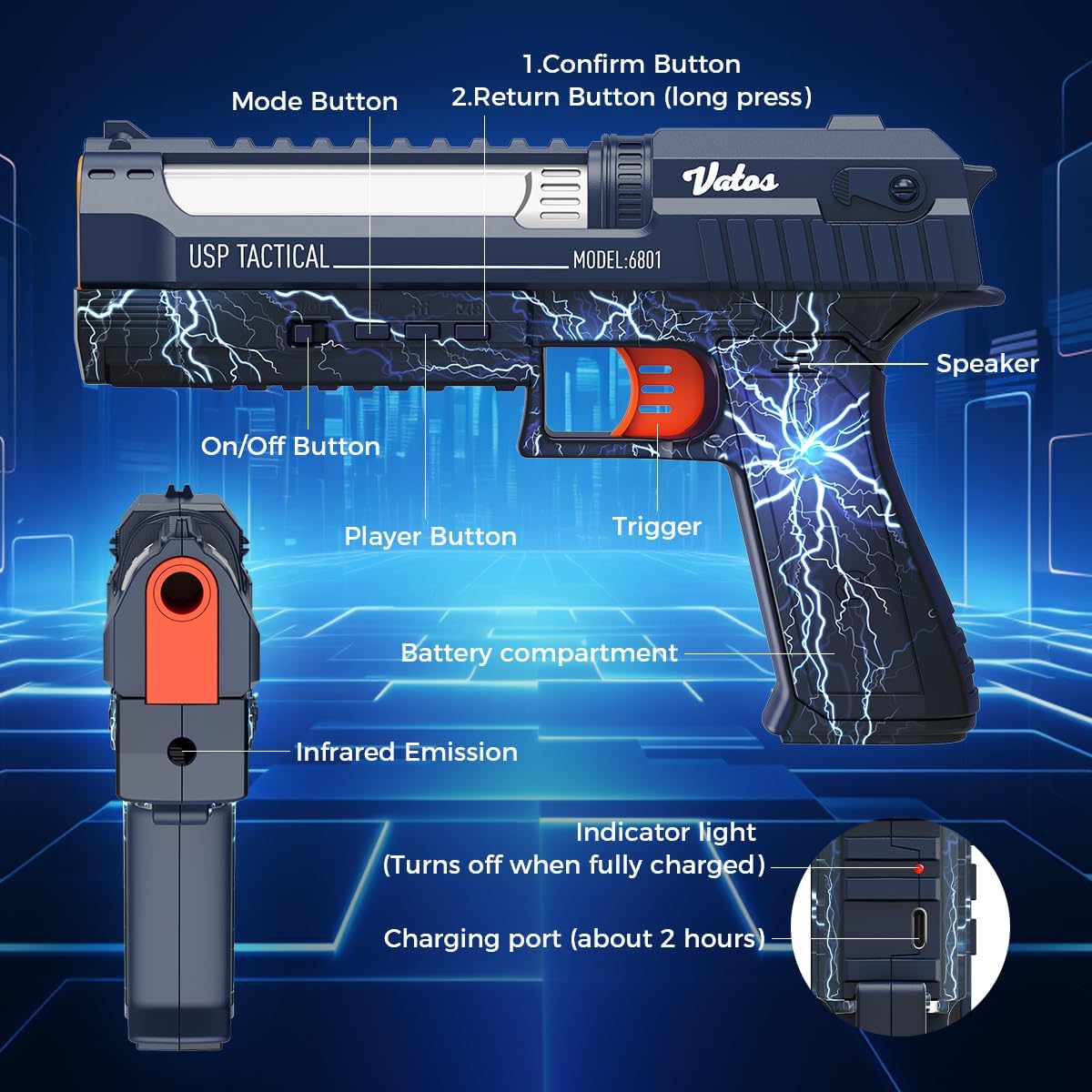
Image 5.2: Labeled diagram of the toy gun's components and controls.
5.5. Electronic Auto-Scoring and Voice Feedback
The smart target machine features a 0.1-ring ultra-high-precision sensing technology, supporting up to 10.9-ring professional scoring standards. Upon hitting the target, the system provides real-time voice feedback, announcing scores like "10.9 rings" or indicating a "miss the target." The digital display screen on the target will show the current score.
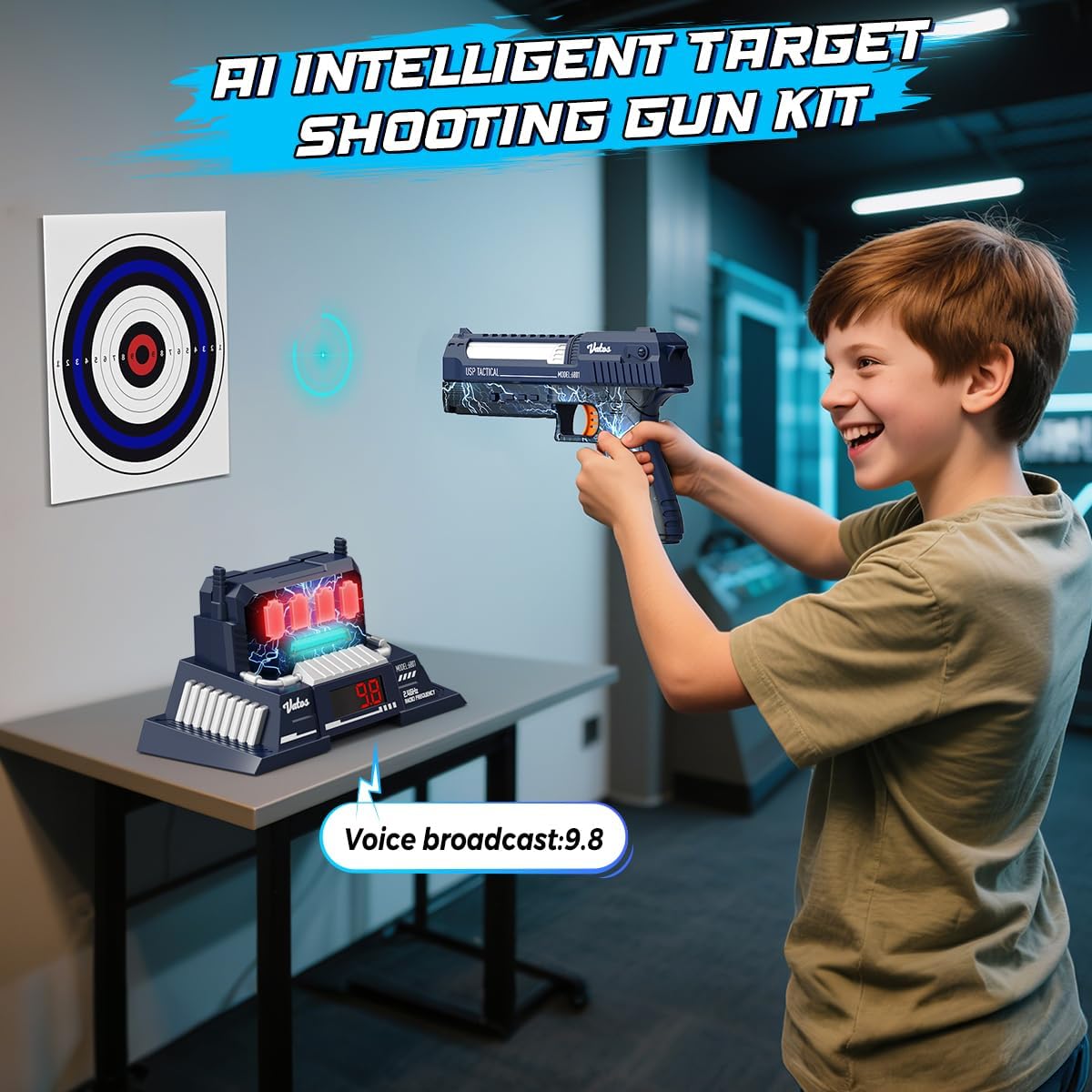
Image 5.3: A child engaging with the target set, demonstrating the voice broadcast feature for scores.
5.6. Target Reset Function
The intelligent target machine includes a reset function to ensure continuous gameplay. After a round or when needed, the target will automatically reset for the next shot or game.
6. Maintenance
- Cleaning: Wipe the toy gun and target machine with a soft, dry cloth. Do not use harsh chemicals or abrasive cleaners.
- Storage: Store the product in a cool, dry place away from direct sunlight when not in use.
- Battery Care: Remove AA batteries from the target machine if it will not be used for an extended period to prevent leakage. Ensure the toy gun is fully charged before long-term storage.
7. Troubleshooting
- Device not powering on: Check batteries in the target machine (ensure they are new and correctly inserted). For the toy gun, ensure it is fully charged.
- No scoring or voice feedback: Ensure both the toy gun and target machine are powered on and within the optimal shooting distance (2-4 meters). Check for any obstructions between the gun and target.
- Inaccurate scoring: Verify the shooting distance is within the recommended range. Ensure the target paper is correctly positioned.
- Gun not charging: Ensure the USB cable is securely connected to both the gun and a functional DC 5V USB charger. Check if the charging indicator light is on.
8. Specifications
| Feature | Detail |
|---|---|
| Model Number | BB6801A |
| Product Dimensions | 9.06 x 1.5 x 6.18 inches |
| Item Weight | 1.87 pounds |
| Manufacturer Recommended Age | 10 years and up |
| Target Machine Batteries | 3 x AA batteries (not included) |
| Toy Gun Battery | 1 x CR5 battery (included, rechargeable via USB-C) |
| Charging Time (Toy Gun) | Approximately 2 hours |
| Optimal Shooting Distance | 2-4 meters |
| Wireless Technology | 2.4GHz Radio Frequency |

Image 8.1: Product dimensions for the target, toy gun, and packaging.
9. Warranty and Support
For warranty information or technical support, please refer to the contact details provided on the product packaging or visit the official VATOS website. Keep your purchase receipt as proof of purchase.
Related Documents - BB6801A
 |
Vatos Laser Tag Gun BB8933F Instruction Manual Comprehensive instruction manual for the Vatos Laser Tag Gun BB8933F, covering setup, operation, safety, and maintenance. Learn how to play and care for your laser tag set. |
 |
Vatos Rechargeable Infrared Laser Tag Gun - Instruction Manual Official instruction manual for the Vatos Rechargeable Infrared Laser Tag Gun set (Model NO.BB8933F). Learn how to set up, operate, and maintain your laser tag game for exciting battles. |
 |
VATOS YD-218 3.5CH Remote Control Helicopter Instruction Manual Comprehensive instruction manual for the VATOS YD-218 3.5CH remote control helicopter, covering parts identification, battery installation and charging, operating instructions, and safety precautions. Suitable for ages 14 and up. |
 |
Vatos Urban Kitchen & Bar Drinks Menu Explore the extensive drinks menu from Vatos Urban Kitchen & Bar, featuring a wide selection of beers, cocktails, wines, tequilas, mezcals, whiskies, bourbons, cognacs, rums, and other spirits. |