
Daewoo 40DM65QV
Daewoo 40DM65QV 40-inch QLED Full HD Smart TV User Manual
Model: 40DM65QV
1. Introduction
This manual provides essential information for the safe and efficient operation of your Daewoo 40DM65QV 40-inch QLED Full HD Smart TV. Please read these instructions thoroughly before using the product and retain them for future reference.
The Daewoo 40DM65QV features a 40-inch QLED Full HD display (1920 x 1080), HDR10 and HLG compatibility for enhanced visuals, the intuitive VIDAA Smart TV operating system, and immersive Dolby Audio. It offers versatile connectivity with HDMI, USB, and Wi-Fi, and is compatible with voice assistants like Alexa.
2. Safety Information
Important Safety Instructions:
- Read all instructions before operating the TV.
- Keep the TV away from heat sources, direct sunlight, and moisture.
- Ensure proper ventilation around the TV. Do not block ventilation openings.
- Use only attachments/accessories specified by the manufacturer.
- Unplug the TV during lightning storms or when unused for long periods.
- Refer all servicing to qualified service personnel.
- Do not expose the TV to dripping or splashing liquids.
- Do not place objects filled with liquids, such as vases, on the TV.
- Do not place naked flame sources, such as lit candles, on the TV.
- Dispose of batteries safely and responsibly.
3. What's in the Box
Upon unpacking, please ensure all the following items are present:
- Daewoo 40DM65QV 40-inch QLED Full HD Smart TV
- Remote Control
- Batteries for Remote Control
- User Manual (this document)
- Power Cable
- Table Stand (if applicable, for assembly)
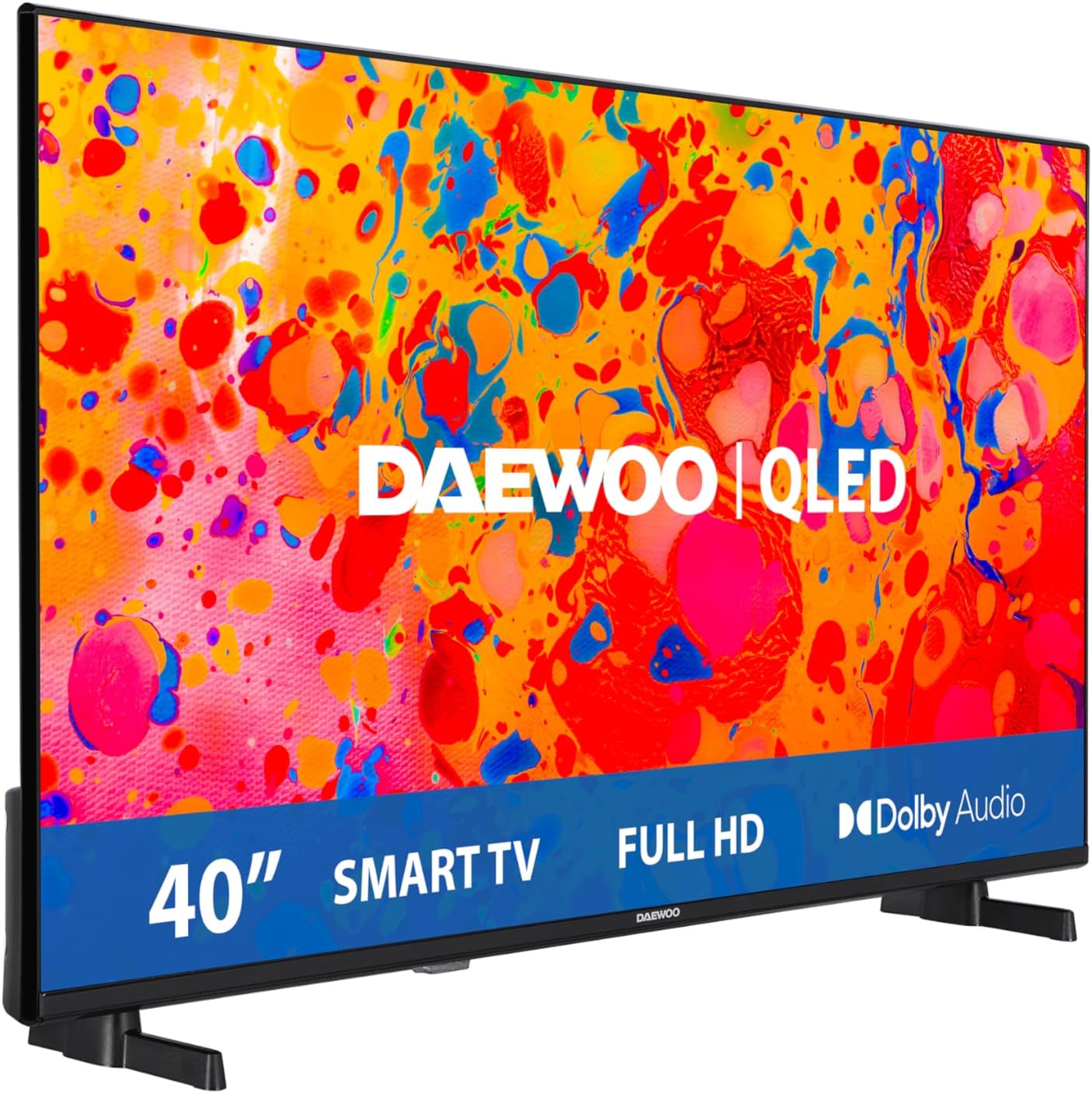
Image: Front view of the Daewoo 40DM65QV Smart TV.
4. Setup
4.1. Stand Assembly (Optional)
If you are not wall-mounting the TV, attach the included stand according to the diagrams provided in the separate quick start guide. Ensure all screws are securely fastened.
VESA Mounting: This TV supports VESA mounting standard 100 x 100 mm. Use appropriate wall mount hardware (not included) and follow the wall mount manufacturer's instructions.
4.2. Connecting Peripherals
Your TV offers various connection ports:
- HDMI Ports (x2): Connect Blu-ray players, game consoles, or set-top boxes.
- USB Port (x1): Connect USB storage devices for media playback.
- Ethernet Port: For wired internet connection.
- Wi-Fi: For wireless internet connection.
- Optical Audio Output: For connecting to external audio systems.
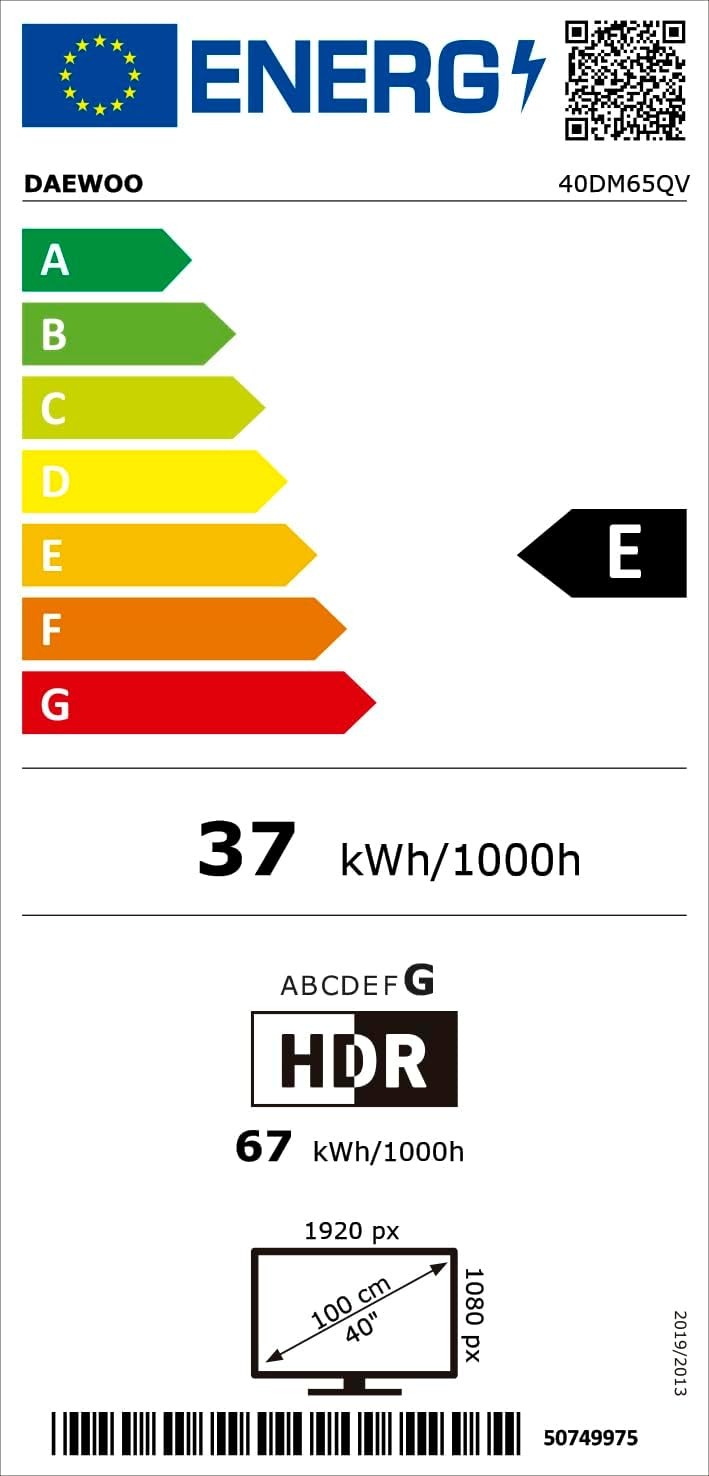
Image: Rear view of the TV illustrating connectivity options.
4.3. Power Connection
Connect the power cable to the TV's power input and then to a suitable wall outlet (100-240 VAC, 50-60 Hz).
4.4. Initial Setup Wizard
Upon first power-on, the TV will guide you through the initial setup process, including language selection, network connection (Wi-Fi or Ethernet), and channel scanning.
5. Operating Instructions
5.1. Remote Control Functions
Insert the provided batteries into the remote control. The remote allows you to navigate menus, change channels, adjust volume, and access smart features.
5.2. VIDAA Smart TV System
The Daewoo 40DM65QV operates on the VIDAA Smart TV system, providing quick access to popular streaming services and applications such as Apple TV, Disney Plus, Netflix, Prime Video, and YouTube. Navigate using the remote control's directional buttons and OK button.
5.3. Picture and Sound Settings
Access the TV's settings menu to customize picture (brightness, contrast, color, sharpness) and sound (equalizer, sound mode) preferences. The TV supports HDR10 and HLG for enhanced dynamic range and Dolby Audio for clear, immersive sound.
5.4. Voice Assistant Compatibility
This TV is compatible with voice assistants like Alexa. Follow the on-screen instructions during initial setup or refer to the TV's smart features menu to enable and configure voice control.
6. Maintenance
6.1. Cleaning the TV
- Always unplug the TV before cleaning.
- Use a soft, dry cloth to wipe the screen and cabinet.
- For stubborn marks, lightly dampen the cloth with water or a mild, non-abrasive screen cleaner.
- Never spray cleaner directly onto the screen.
6.2. Software Updates
The VIDAA operating system may receive periodic software updates. Ensure your TV is connected to the internet to receive these updates, which can improve performance and add new features. You can usually check for updates in the TV's settings menu.
7. Troubleshooting
If you encounter issues with your TV, refer to the following common solutions:
| Problem | Possible Solution |
|---|---|
| No power | Check if the power cable is securely connected to both the TV and the wall outlet. Ensure the outlet has power. |
| No picture, but sound is present | Check the input source. Ensure external devices are powered on and connected correctly. |
| No sound, but picture is present | Check the volume level and mute settings. Verify audio cable connections for external devices. |
| Remote control not working | Replace the batteries. Ensure there are no obstructions between the remote and the TV's IR sensor. |
| Cannot connect to Wi-Fi | Ensure your Wi-Fi router is on and within range. Re-enter the Wi-Fi password carefully. Try restarting both the TV and the router. |
| Smart TV apps not loading | Check your internet connection. Try restarting the TV. Ensure the app is updated to the latest version. |
If the problem persists after trying these solutions, please contact customer support.
8. Specifications
Detailed technical specifications for the Daewoo 40DM65QV Smart TV:
| Feature | Detail |
|---|---|
| Model Number | 40DM65QV |
| Brand | Daewoo |
| Screen Size | 40 Inches |
| Display Technology | QLED, LED Backlight |
| Resolution | Full HD (1920 x 1080p) |
| Refresh Rate | 120 Hz (Motion Enhancement) / 50 Hz (Native) |
| Aspect Ratio | 16:9 |
| Contrast Ratio | 3000:1 |
| Viewing Angle | 178 Degrees |
| HDR Compatibility | HDR10, HLG |
| Operating System | VIDAA |
| Internet Applications | Apple TV, Disney Plus, Netflix, Prime Video, YouTube |
| Audio Technology | Dolby Audio, DTS, Dolby Digital Plus |
| Speaker Description | Integrated speakers |
| HDMI Ports | 2 |
| USB Ports | 1 |
| Connectivity | Ethernet, Wi-Fi |
| VESA Mounting Standard | 100 x 100 mm |
| Product Dimensions (W x D x H) | 90.2 x 16.7 x 55.3 cm (with stand) |
| Product Weight | 8.55 kg |
| Power Supply | 100-240 VAC, 50-60 Hz |
| Energy Efficiency Class | E |
| Country of Origin | Turkey |
For more detailed energy information, please refer to the official EU EPREL database:
EPREL Product Information Sheet

Image: Detailed product information sheet for the Daewoo 40DM65QV.

Image: EU Energy Label for the Daewoo 40DM65QV.
9. Warranty Information
The Daewoo 40DM65QV Smart TV comes with a three-year manufacturer's warranty. This warranty covers defects in materials and workmanship under normal use. Please retain your proof of purchase for warranty claims. The warranty does not cover damage caused by misuse, accidents, unauthorized modifications, or normal wear and tear.
For specific terms and conditions, please refer to the warranty card included with your product or contact Daewoo customer support.
10. Customer Support
If you require further assistance or have questions not covered in this manual, please contact Daewoo customer support. Contact details can typically be found on the official Daewoo website or on your product's packaging.
You can also visit the Daewoo Brand Store on Amazon for additional product information and resources.
Related documents40DM65QV


Ask a question about this manual
Ask about setup, troubleshooting, compatibility, parts, safety, or missing instructions. Manuals+ will review the question and use this page’s manual context to help answer it.