Introduction
This manual provides detailed instructions for the installation, maintenance, and replacement of the Lubluelu L15 Vacuum Replacement Parts Set. This set includes a main roller brush, side brushes, filters, and mop cloths, designed to maintain the optimal performance of your Lubluelu L15 robot vacuum cleaner.

Image: Overview of the Lubluelu L15 Replacement Parts Set. This image displays all components included in the kit: one main roller brush, six side brushes, six filters, and six mop cloths.
Installation Instructions
Before installing any replacement parts, ensure your Lubluelu L15 robot vacuum cleaner is powered off and disconnected from its charging base. Refer to your vacuum's original user manual for specific compartment access instructions.
1. Main Roller Brush Installation
- Turn the robot vacuum upside down.
- Locate the brush guard cover, usually secured by latches or screws. Open or remove it.
- Remove the old main roller brush.
- Insert the new main roller brush into its designated slot, ensuring the ends align with the gears/slots.
- Close the brush guard cover securely.
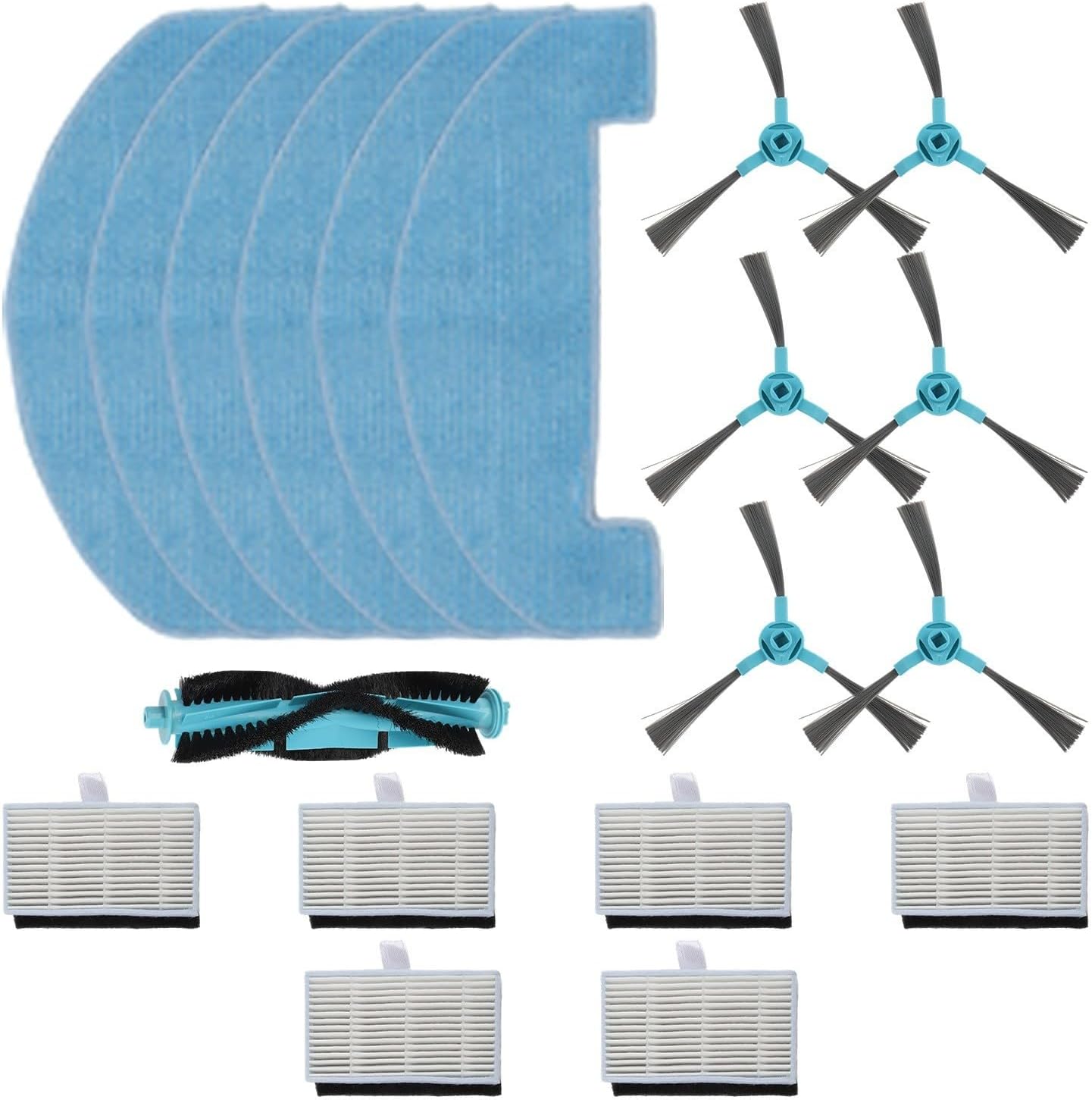
Image: Components for installation. This image shows the main roller brush, side brushes, filters, and mop cloths, ready for replacement in the vacuum cleaner.
2. Side Brush Installation
- Turn the robot vacuum upside down.
- Locate the side brushes. They are typically held in place by a screw.
- Unscrew and remove the old side brush.
- Place the new side brush onto the post and secure it with the screw. Ensure it is firmly attached but can rotate freely.
3. Filter Installation
- Open the dustbin compartment of your robot vacuum.
- Remove the dustbin.
- Locate the filter assembly within the dustbin. Remove the old filter.
- Insert the new filter into the dustbin, ensuring it fits snugly to prevent dust leakage.
- Reinstall the dustbin into the vacuum cleaner.
4. Mop Cloth Installation
- Locate the mop cloth attachment or water tank on your robot vacuum.
- Remove the old mop cloth, typically attached with hook-and-loop fasteners or by sliding it off.
- Attach the new mop cloth, ensuring it is flat and securely fastened.
Maintenance and Replacement Guidelines
Regular maintenance of these replacement parts is crucial for the longevity and efficiency of your Lubluelu L15 robot vacuum cleaner.
Main Roller Brush
- Cleaning: Remove hair and debris tangled around the brush ends and bristles regularly (e.g., weekly). Use the cleaning tool provided with your vacuum, if available.
- Replacement: Replace every 3-6 months, or when bristles show significant wear or damage.
Side Brushes
- Cleaning: Remove any hair or debris tangled around the brushes weekly.
- Replacement: Replace every 3-6 months, or if bristles are bent, broken, or excessively worn, affecting cleaning performance.
Filters
- Cleaning: Tap the filter gently over a trash can to remove accumulated dust after each cleaning cycle. Do not wash filters with water unless specified by the vacuum's original manual, as this can damage them.
- Replacement: Replace every 1-3 months, depending on usage frequency and household environment (e.g., pets, allergies). A clogged filter reduces suction power.
Mop Cloths
- Cleaning: Remove and wash the mop cloth after each use. Hand wash with mild detergent and air dry.
- Replacement: Replace every 1-3 months, or when the cloth shows signs of wear, reduced absorbency, or is no longer effectively cleaning.
Troubleshooting
If you experience issues after replacing parts, consider the following:
- Reduced Cleaning Performance:
- Ensure the main roller brush and side brushes are free of tangles and debris.
- Check if the filter is clean and not clogged.
- Verify that the mop cloth is clean and properly attached.
- Confirm all parts are installed correctly and securely.
- Unusual Noises:
- Inspect the main roller brush for any foreign objects or hair caught in its mechanism.
- Ensure side brushes are not bent or obstructed.
- Verify all covers and compartments are closed properly.
- Parts Not Fitting:
- Double-check that you have the correct replacement parts for the Lubluelu L15 model.
- Ensure parts are oriented correctly during installation.
Specifications
| Product Name | Vacuum Cleaner Replacement Parts Kit |
| Compatibility | Lubluelu L15 Robot Vacuum Cleaner |
| Materials | ABS+nylon, Plastic + Filter Paper, Non-woven fabric |
| Included Components (Full Set) |
|
| Approximate Dimensions (Package) | 13.78 x 9.84 x 1.97 inches |
| Approximate Item Weight | 7.1 ounces |
Warranty and Support
For warranty information or product support, please contact the seller or manufacturer directly. Keep your purchase receipt as proof of purchase.


