
Introduction
Thank you for choosing the KALPADIVES Pagani Design PD-1664 Quartz Chronograph Watch. This manual provides detailed instructions for the proper setup, operation, and maintenance of your watch. Please read it carefully to ensure optimal performance and longevity of your timepiece.
Components Identification
Familiarize yourself with the main components of your PD-1664 watch:
- Crown (A): Used for setting time and date. Located on the right side of the watch case.
- Pusher (B): Upper pusher, typically used to start and stop the chronograph. Located above the crown.
- Pusher (C): Lower pusher, typically used to reset the chronograph. Located below the crown.
- Hour, Minute, Second Hands: Main time display.
- Chronograph Second Hand: The large central second hand, used for chronograph timing.
- Chronograph Minute Sub-dial: Measures elapsed minutes (typically at 9 o'clock position).
- 24-Hour Sub-dial: Displays time in a 24-hour format (typically at 3 o'clock position).
- Small Second Sub-dial: Displays the continuous running seconds of the watch (typically at 6 o'clock position).
- Date Window: Displays the current date (typically at 4:30 position).

Image: Front view of the PD-1664 watch, highlighting the dial, crown, and pushers for component identification.
Setup
Setting the Time
- Pull the crown (A) out to the second click position. The small second hand (at 6 o'clock) will stop.
- Rotate the crown (A) to set the hour and minute hands to the desired time. Pay attention to the 24-hour sub-dial to distinguish AM/PM if setting the date.
- Once the time is set, push the crown (A) back into the normal position. The small second hand will resume movement.
Setting the Date
- Pull the crown (A) out to the first click position.
- Rotate the crown (A) clockwise or counter-clockwise (depending on the movement) to set the date. Avoid setting the date between 9 PM and 3 AM, as this can damage the movement. If the current time falls within this period, first set the time outside this range, then set the date, and finally reset the time.
- Once the date is set, push the crown (A) back into the normal position.
Operating the Chronograph
Your PD-1664 watch features a chronograph function for measuring elapsed time.
- Start: Press pusher (B) once to start the chronograph second hand.
- Stop: Press pusher (B) again to stop the chronograph. The elapsed time can be read from the chronograph second hand and the chronograph minute sub-dial.
- Reset: After stopping the chronograph, press pusher (C) to reset all chronograph hands (chronograph second hand and minute sub-dial) back to their zero positions.
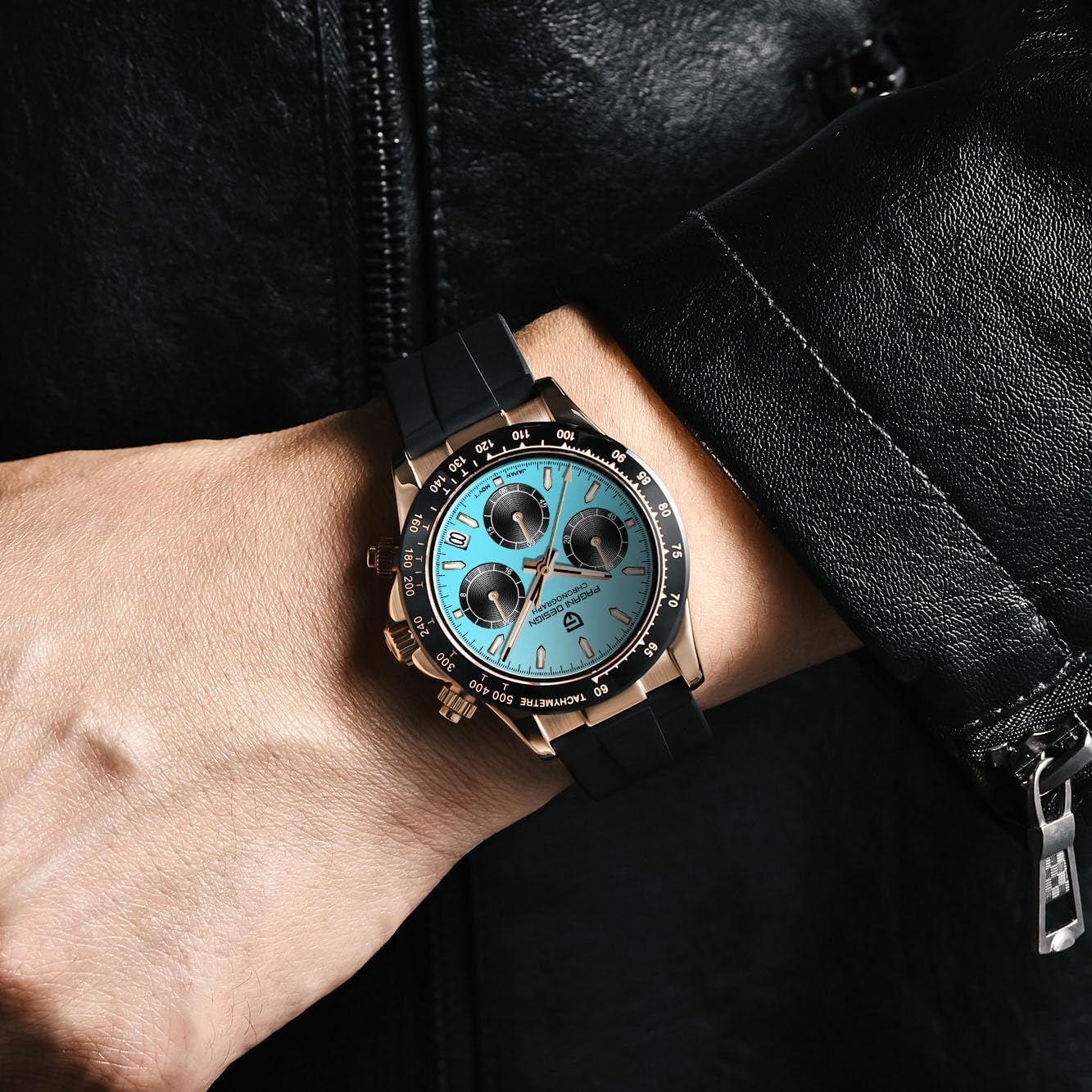
Image: The PD-1664 watch worn on a wrist, demonstrating its sporty appearance and chronograph layout.
Maintenance
Cleaning
To maintain the appearance of your watch, wipe the case and strap regularly with a soft, dry cloth. For the silicone strap, a damp cloth with mild soap can be used, followed by thorough drying.
Water Resistance
This watch is rated for 30 meters (3 ATM) water resistance, which means it is suitable for splashes or brief immersion in water. It is not suitable for swimming, showering, or diving. Avoid operating the crown or pushers when the watch is wet to prevent water intrusion.
Battery Replacement
The watch is powered by a quartz battery. When the watch stops or the second hand begins to jump erratically (indicating a low battery), it is time for a battery replacement. We recommend having the battery replaced by a qualified watch technician to ensure proper sealing and function.
Troubleshooting
- Watch not running:
- Ensure the crown is fully pushed in to the normal position.
- The battery may be depleted. Refer to the "Battery Replacement" section.
- Chronograph hands not resetting to zero:
- Pull the crown (A) out to the second click position.
- Press pusher (B) to advance the chronograph second hand.
- Press pusher (C) to advance the chronograph minute sub-dial hand.
- Adjust until all chronograph hands are aligned to the 12 o'clock (zero) position.
- Once aligned, push the crown (A) back into the normal position.
- Date not changing:
- Ensure the time is set correctly, distinguishing between AM and PM. The date typically changes around midnight.
- Refer to the "Setting the Date" section for proper adjustment.
Specifications
| Feature | Detail |
|---|---|
| Model Number | PD-1664 (1664AIQL) |
| Movement | Japanese TMI VK63 Quartz (Mecha-quartz) |
| Case Material | Stainless Steel |
| Dial Window Material | Synthetic Sapphire |
| Case Diameter | 40 mm |
| Case Thickness | 12 mm |
| Lug-to-Lug Length | 46 mm |
| Band Material | Silicone / Rubber |
| Band Width | 20 mm |
| Band Length | 250 mm |
| Weight | 95 g |
| Water Resistance | 30 Meters (Splash Resistant) |
| Clasp Type | Buckle |
| Display Type | Analog |
| Additional Features | Chronograph, Date Display, 24-Hour Sub-dial |
Warranty Information
This KALPADIVES Pagani Design watch is covered by a manufacturer's warranty against defects in materials and workmanship. The specific terms and duration of the warranty may vary. Please retain your proof of purchase for warranty claims. For detailed warranty information, please refer to the documentation provided at the time of purchase or contact customer support.
Customer Support
If you have any questions, require assistance with your watch, or need to make a warranty claim, please contact the seller or manufacturer directly through the platform where the purchase was made. Provide your model number (PD-1664) and purchase details for efficient service.