
1. Introduction
The YIHUA 982D SE is a high-performance 200W micro soldering station designed for precision soldering tasks. It features a C245 precision soldering iron with rapid heating capabilities, automatic temperature calibration, and a user-friendly interface. This manual provides essential information for the safe and efficient operation, setup, and maintenance of your soldering station.
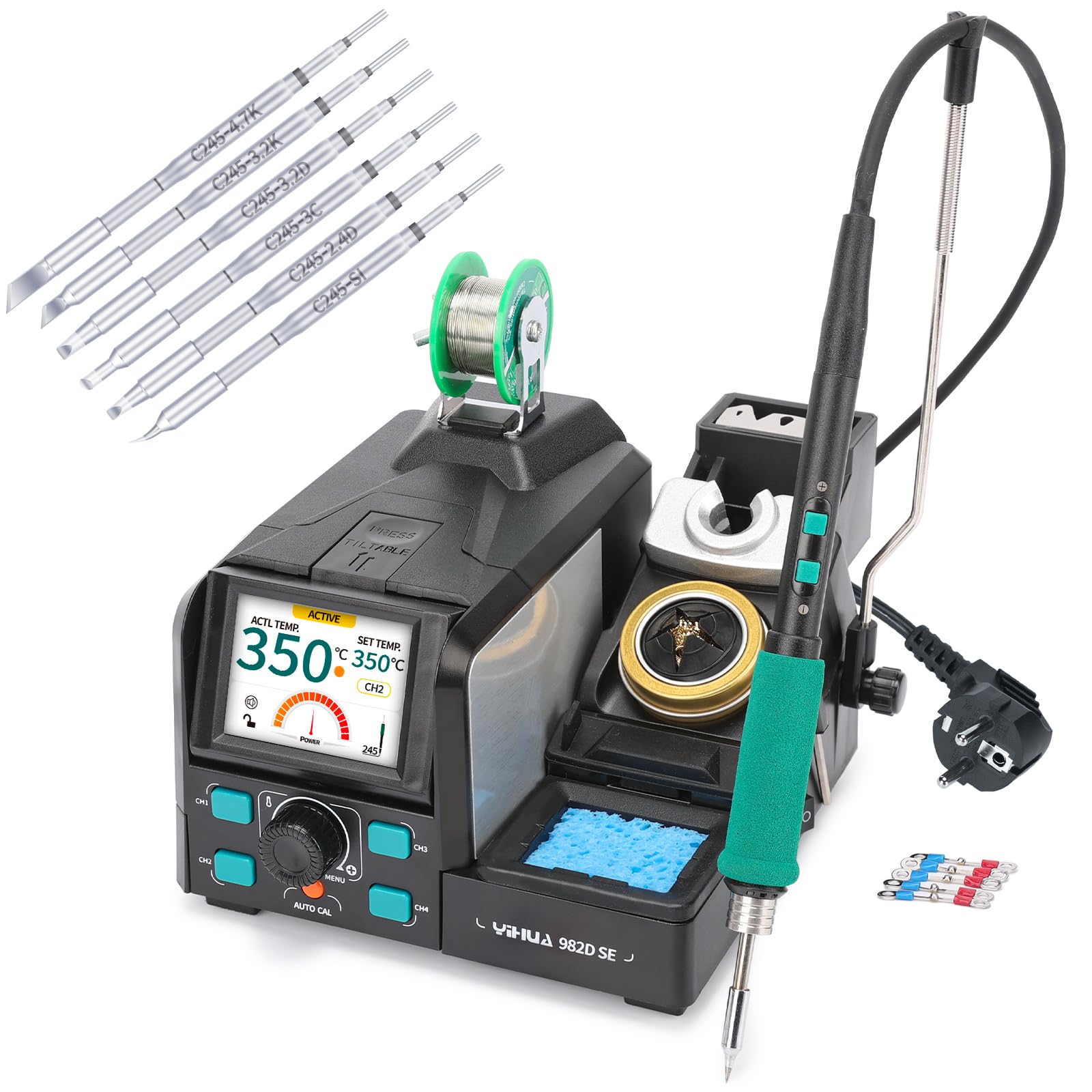
Figure 1: YIHUA 982D SE Micro Soldering Station in operation.
2. Package Contents
Please verify that all items listed below are included in your package. If any items are missing or damaged, contact customer support.
- YIHUA 982D SE Main Unit (1x)
- Power Cord (1x)
- Cable Guide (1x)
- C245 General Soldering Handpiece (1x)
- C245 Cartridge Soldering Tips (7x: I/SI/2.4D/3.2D/3C/3.2K/4.7K)
- Lead-Free Solder Wire (1x)
- Thermocouples (6x, 1 pre-installed)
- Soldering Iron Holder with Cleaning Tools
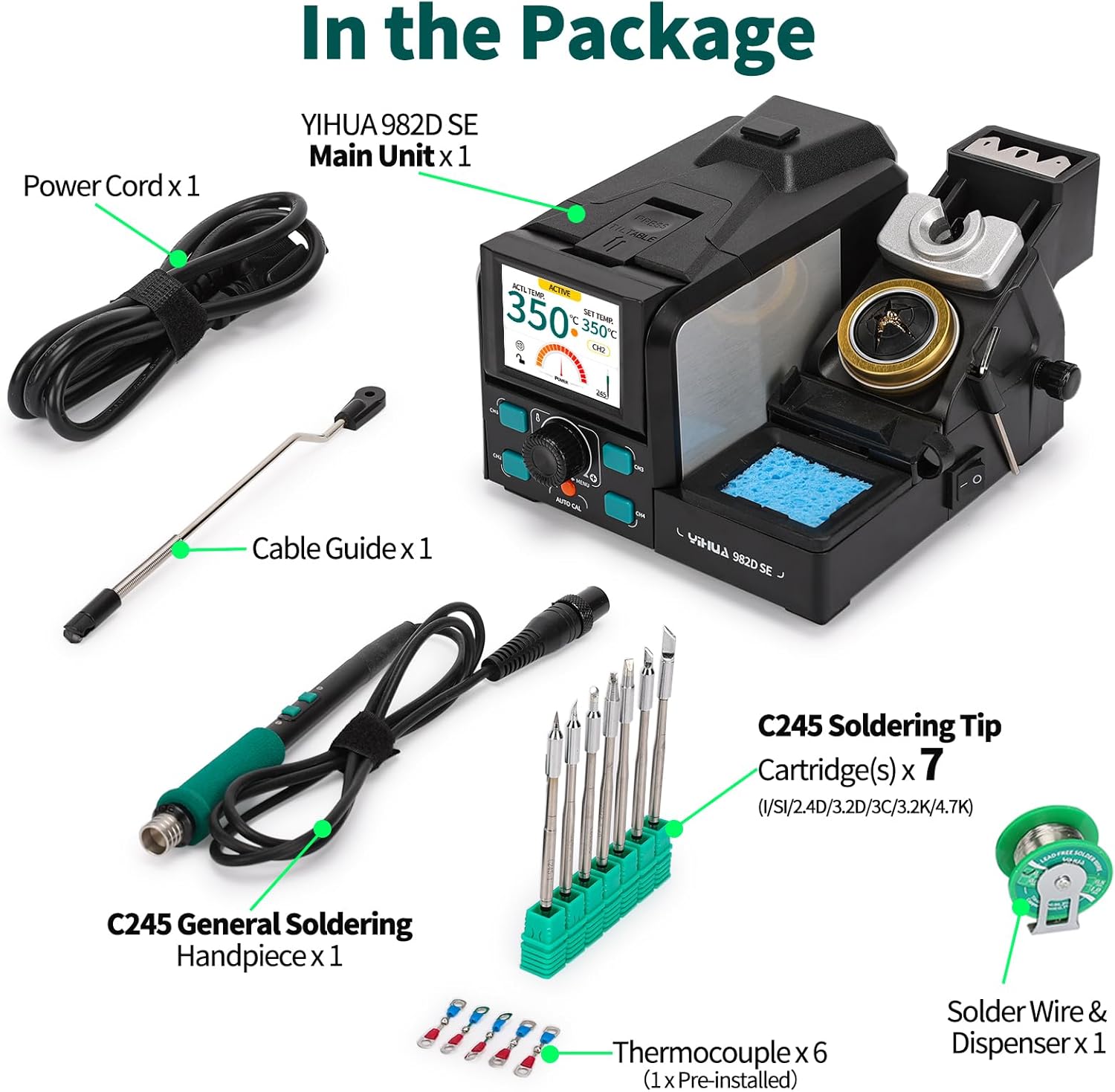
Figure 2: Contents of the YIHUA 982D SE package.
3. Product Features Overview
The YIHUA 982D SE soldering station is equipped with advanced features for efficient and precise soldering:
- 200W High Performance: Provides rapid heating, melting solder in as little as 2 seconds.
- C245 Precision Soldering Iron: Compatible with C245 cartridge tips for versatile applications.
- PID Temperature Control: Adjustable temperature range from 90°C to 450°C for stable and accurate heating.
- Automatic Temperature Calibration: Built-in thermometer for quick and accurate calibration when changing tips.
- Customizable Preset Channels: Four programmable temperature channels for frequently used settings.
- Safety Features: Includes sleep mode, standby mode, and ESD safe design.
- User-Friendly Display: Tiltable color LCD screen for clear visibility of actual temperature, set temperature, power meter, and function status.
- Integrated Cleaning Tools: Metallic soldering iron holder with a shock-absorbing cleaning sponge and an anti-splash tip cleaner.

Figure 3: High-performance features of the YIHUA 982D SE.

Figure 4: Detailed view of the YIHUA 982D SE main unit with labeled components.
4. Setup Instructions
- Unpack the Unit: Carefully remove all components from the packaging.
- Place the Station: Position the main unit on a stable, heat-resistant surface. Ensure adequate ventilation.
- Connect the Handpiece: Plug the C245 soldering handpiece into the receptacle on the main unit.
- Install a Soldering Tip: Select the desired C245 cartridge tip and insert it firmly into the handpiece.
- Connect Power: Plug the power cord into the main unit and then into a compatible 230V AC power outlet (EU plug type F).
- Power On: Flip the power switch to the 'ON' position. The display will illuminate.
5. Operating Instructions
This section details the operational aspects of your YIHUA 982D SE soldering station.
5.1 General Operation and Features Demonstration
Video 1: Demonstration of YIHUA 982D SE features and operation.
This video demonstrates the key features and operation of the YIHUA 982D SE soldering station, including ultra-fast heating, customizable temperature presets, integrated cleaning tools, tip replacement, and safety modes like sleep and standby.
5.2 Temperature Adjustment
- Rotary Knob: Use the main rotary knob to adjust the target temperature. The display will show both actual and set temperatures.
- Preset Channels (CH1-CH4): Press the CH1, CH2, CH3, or CH4 buttons to quickly switch between your pre-configured temperature settings. To set a preset, adjust the temperature using the rotary knob, then press and hold the desired channel button until it saves.
- Handpiece Shortcut Buttons: The soldering handpiece features '+' and '-' buttons for quick temperature adjustments during operation.
5.3 Display and Menu Functions
The color LCD display provides real-time information. Press the 'MENU' button to access settings such as:
- Buzzer Feedback: Toggle audible alerts ON/OFF.
- Temperature Unit: Switch between Celsius (°C) and Fahrenheit (°F).
- Function Lock: Enable/disable to prevent accidental changes to settings.
- Password: Set a password for enhanced security.
- Standby Timer: Adjust the duration before the unit enters standby mode.
5.4 Safety Modes
- Sleep Mode: When the iron is placed in its holder, the unit will automatically reduce the tip temperature to 200°C after a set period (adjustable via standby timer) to reduce unnecessary wear and prolong tip life.
- Standby Mode: If the iron remains in sleep mode for an extended period, the unit will enter standby mode, further reducing power consumption and preventing unsupervised operation for better user safety.
6. Maintenance
Regular maintenance ensures optimal performance and longevity of your soldering station.
6.1 Soldering Tip Care
- Cleaning: Regularly clean the soldering tip using the integrated cleaning sponge (dampened) or the tip cleaner (brass wool). This removes oxidation and old solder, ensuring efficient heat transfer.
- Tinning: Always tin the tip with a fresh layer of solder before and after use, and before placing it in the holder for sleep/standby. This prevents oxidation.
- Tip Replacement: To replace a tip, use the provided tip installation/removal tool. Carefully pull the old tip out and insert a new one. Ensure the unit is powered off or in sleep/standby mode before changing tips.
6.2 General Cleaning
- Wipe the main unit and handpiece with a soft, dry cloth.
- Do not use abrasive cleaners or solvents.
- Ensure no liquids enter the unit.
7. Troubleshooting
This section addresses common issues you might encounter with your YIHUA 982D SE soldering station.
- No Power: Check the power cord connection and ensure the power switch is ON. Verify the power outlet is functional.
- Iron Not Heating: Ensure the handpiece is securely connected. Check if the tip is properly installed. If the unit is in sleep or standby mode, pick up the iron to reactivate.
- Inaccurate Temperature Reading: Perform an automatic temperature calibration using the built-in thermometer. Ensure the tip is clean and tinned.
- Solder Not Melting: Increase the set temperature. Ensure the tip is clean and properly tinned. Verify the tip is making good contact with the component and solder.
- Error Messages: If an error code appears on the display, power off the unit, wait a few seconds, and power it back on. If the error persists, contact customer support.
8. Specifications
| Specification | Value |
|---|---|
| Manufacturer | Guangzhou Yihua Electronic Equipment Co., Ltd. |
| Model Number | YIHUA 982D SE C245 |
| Package Dimensions | 24.8 x 22.3 x 16 cm |
| Product Weight | 1.61 kg |
| Power Source | AC |
| Electrical Power | 200 Watts |
| Display Type | LCD |
| Temperature Stability | 90 degrees_celsius (This value seems incorrect for stability, likely a minimum temperature or a typo in source data. Assuming it refers to a range or a specific stability parameter, but keeping as is from source.) |
| Rated Upper Temperature | 450 Degrees Celsius |
9. Warranty and Support
The YIHUA 982D SE soldering station comes with a 12-month technical coverage for the EU. For any technical assistance, questions, or suggestions, professional technical support is available 24/7. Please refer to your purchase documentation for specific contact details or visit the official YIHUA store on Amazon.