
1. Introduction
This manual provides detailed instructions for the setup, operation, and maintenance of your GLEEMALL RBX-H60 Cellular Trail Camera. This device is designed for outdoor monitoring, featuring 4G cellular connectivity, solar power, 2K video resolution, and night vision capabilities. Please read this manual thoroughly before using the camera to ensure optimal performance and longevity.
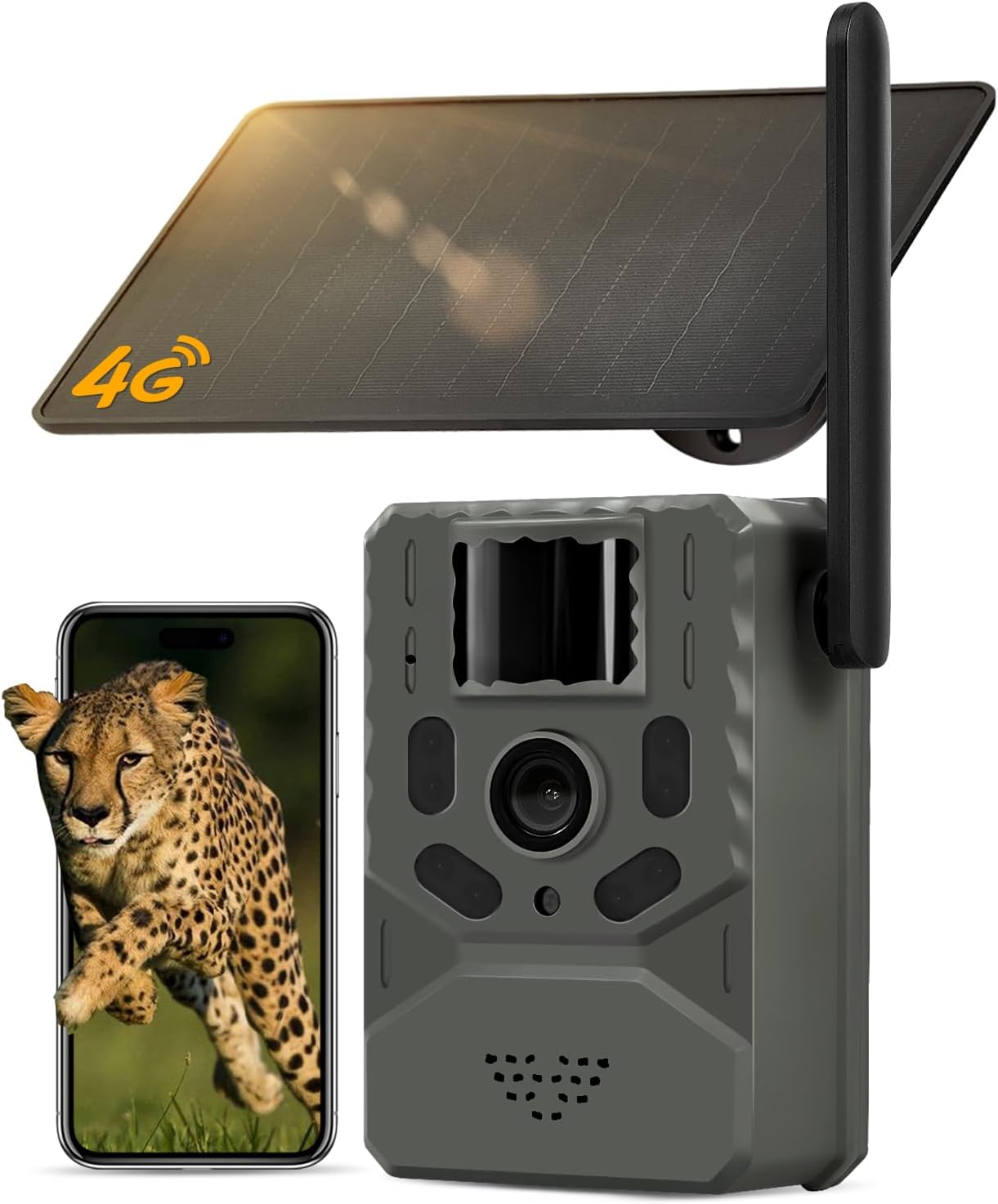
Figure 1.1: GLEEMALL RBX-H60 Cellular Trail Camera with integrated solar panel.
2. What's in the Box
Verify that all components are present upon unboxing:
- Cellular Trail Camera (RBX-H60)
- 4W Solar Panel (integrated or separate, depending on model variant)
- Mounting Strap/Bracket
- USB Charging Cable
- User Manual (this document)
3. Product Overview
The GLEEMALL RBX-H60 is a robust cellular trail camera designed for reliable outdoor surveillance. Key features include:
- 4G LTE Connectivity: Built-in SIM card for stable connection in remote areas (US only, compatible with Verizon, T-Mobile, AT&T).
- 2K HD Video & 16MP Photos: Captures clear images and videos of wildlife.
- Solar Powered: Integrated 4W solar panel and 7800mAh rechargeable battery for continuous operation.
- 0.2s Trigger Speed: Fast motion detection with a PIR sensor, covering up to 82 feet and a 95-degree angle.
- Night Vision: Clear imaging in low-light conditions without visible red light.
- Two-way Talk: Built-in speaker and microphone for remote communication via the Ucon app.
- IP66 Waterproof: Designed to withstand various weather conditions.
- Flexible Storage: Supports up to 128GB SD card (not included) and cloud storage options.

Figure 3.1: Key features of the GLEEMALL RBX-H60 camera.
4. Setup Instructions
4.1. SIM Card and Data Plan Activation
The camera includes a built-in, non-removable SIM card. It automatically connects to the strongest 4G LTE signal from Verizon, T-Mobile, or AT&T in the US. Upon first activation, a 7-day unlimited data trial is provided. After the trial, a data plan subscription is required via the Ucon app. Each camera requires its own data plan.

Figure 4.1: Information on the built-in SIM card and data plan options.
4.2. SD Card Installation
The camera supports up to a 128GB SD card for local storage. An SD card is not included. Before use, insert the SD card into the designated slot and format it via the Ucon app.
4.3. Initial Charging
Although solar-powered, it is recommended to fully charge the internal 7800mAh battery using the provided USB cable before first use. This ensures the camera has sufficient power for initial setup and operation, especially in low-light conditions.
4.4. Mounting the Camera
Mount the camera using the included strap or bracket. Ensure the solar panel is positioned to receive maximum direct sunlight throughout the day for optimal charging. The camera is designed for tree mounting.

Figure 4.2: Proper mounting and solar panel orientation for charging.
4.5. Ucon App Installation and Connection
Download the Ucon app from your device's app store (iOS & Android compatible). Follow the in-app instructions to add your camera. This typically involves scanning a QR code on the camera for quick connection.

Figure 4.3: Easy setup via QR code and app.
5. Operating Instructions
5.1. Live Streaming and Remote Viewing
Access the Ucon app on your smartphone to view live footage from your camera. This allows real-time monitoring of the camera's surroundings from any location with cellular service.
5.2. Motion Detection and Real-time Alerts
The camera features a sensitive PIR sensor with a 0.2-second trigger speed. When motion is detected within its 82-foot range and 95-degree angle, the camera will quickly capture photos or videos and send an alert notification to your Ucon app.

Figure 5.1: Real-time alerts delivered to your smartphone.

Figure 5.2: The camera's 0.2-second trigger speed captures rapid movements.
5.3. Night Vision
The camera utilizes advanced night vision technology that operates without emitting visible red light, preventing disturbance to wildlife. This ensures clear images and videos even in complete darkness.

Figure 5.3: Super night vision captures clear images in darkness.
5.4. Two-Way Talk
Utilize the built-in speaker and microphone through the Ucon app to engage in two-way communication. This feature allows you to hear sounds from the camera's location and speak through the camera, which can be useful for deterring unwanted visitors or communicating with individuals near the camera.

Figure 5.4: Two-way audio communication via the Ucon app.
5.5. Storage Options
The camera supports local storage on an SD card (up to 128GB, not included). Additionally, cloud storage is available with a 30-day free trial for new users, allowing access, download, and replay of footage anytime via the Ucon app.

Figure 5.5: Local and cloud storage solutions.
6. Maintenance
6.1. Solar Panel Care
Regularly inspect the solar panel for dirt, dust, or debris. Clean the surface gently with a soft, damp cloth to ensure maximum sunlight absorption and efficient charging. Avoid abrasive materials that could scratch the panel.
6.2. Battery Management
The camera's 7800mAh battery is designed for long-lasting power, supplemented by the solar panel. In periods of prolonged low sunlight or heavy usage, the battery level can be monitored via the Ucon app. If necessary, the camera can be charged directly using the USB cable.
6.3. Weather Resistance (IP66)
The camera has an IP66 waterproof rating, meaning it is protected against dust ingress and powerful water jets. It is designed to operate reliably in rain, snow, and varying temperatures (-22°F to 140°F / -30°C to 60°C). While robust, avoid submerging the camera in water or exposing it to extreme pressure washing.

Figure 6.1: The camera's IP66 rating ensures durability in diverse weather conditions.
7. Troubleshooting
- No Cellular Connection: Ensure the camera is in an area with 4G LTE coverage. Verify your data plan subscription is active via the Ucon app. The built-in SIM card is non-removable and only works in the US.
- Camera Not Recording: Check if an SD card is inserted and properly formatted through the Ucon app. Ensure the battery has sufficient charge. Verify motion detection settings in the app.
- Poor Image/Video Quality: Clean the camera lens. Ensure the camera is mounted securely to prevent shaking. Check app settings for resolution preferences.
- Solar Panel Not Charging: Ensure the solar panel is clean and positioned to receive direct sunlight. Check the connection cable between the solar panel and the camera.
- App Connection Issues: Ensure your smartphone has a stable internet connection. Restart the Ucon app and the camera. Re-pair the camera if necessary.
8. Specifications
| Feature | Specification |
|---|---|
| Model Name | RBX-H60 |
| Indoor/Outdoor Usage | Outdoor |
| Compatible Devices | iOS & Android |
| Power Source | Solar Powered & Battery Powered |
| Connectivity Protocol | Cellular (4G LTE) |
| Controller Type | UCon App |
| Mounting Type | Tree Mount |
| Video Capture Resolution | 2K |
| Night Vision Range | 82 Feet |
| Item Dimensions (L x W x H) | 3.35 x 2.72 x 4.53 inches |
| Water Resistance Level | IP66 Waterproof |
| Battery Capacity | 7800 mAh Lithium Polymer (included) |
| Video Encoding | H.265 |
| Video Capture Format | MP4 |
| Item Weight | 1.79 pounds |
| Special Features | 2-Way Audio, HD Resolution, Night Vision, Weather Proof |
9. Warranty and Support
9.1. Product Warranty
GLEEMALL products are manufactured to high-quality standards. For specific warranty details, please refer to the warranty information provided at the time of purchase or contact customer support. Extended protection plans may be available for purchase separately.
9.2. Customer Support
For technical assistance, troubleshooting, or any inquiries regarding your GLEEMALL Cellular Trail Camera, please contact our dedicated customer support team. Our expert service team is committed to resolving any issues and ensuring a seamless experience.

Hotline: +1 833 992 2552
Hours: 8:00 AM - 5:00 PM (Business Days)
Figure 9.1: GLEEMALL Customer Support contact information.