
1. Introduction
This manual provides detailed instructions for the installation, operation, and maintenance of your Enbrighten Adjustable Motion-Sensing LED Utility Light. This versatile light features adjustable panels, motion-sensing capabilities, and a power-failure backup function, making it suitable for various indoor and outdoor applications.
Please read this manual thoroughly before installation and use to ensure proper function and safety.
2. Safety Information
- WARNING: To avoid electric shock, ensure power is turned OFF at the circuit breaker or fuse box before installation or servicing.
- This product is designed for use with a standard E26 light bulb socket.
- Do not attempt to disassemble or modify the light fixture. There are no user-serviceable parts inside.
- Ensure the light is securely screwed into the socket to prevent accidental detachment.
- Do not expose the light to direct water spray or immersion. While rated for indoor/outdoor use, protect from extreme weather conditions.
- Keep away from flammable materials.
3. Package Contents
Verify that all components are present before beginning installation:
- Enbrighten Adjustable Motion-Sensing LED Utility Light
- E26 Socket Extender (for recessed fixtures)
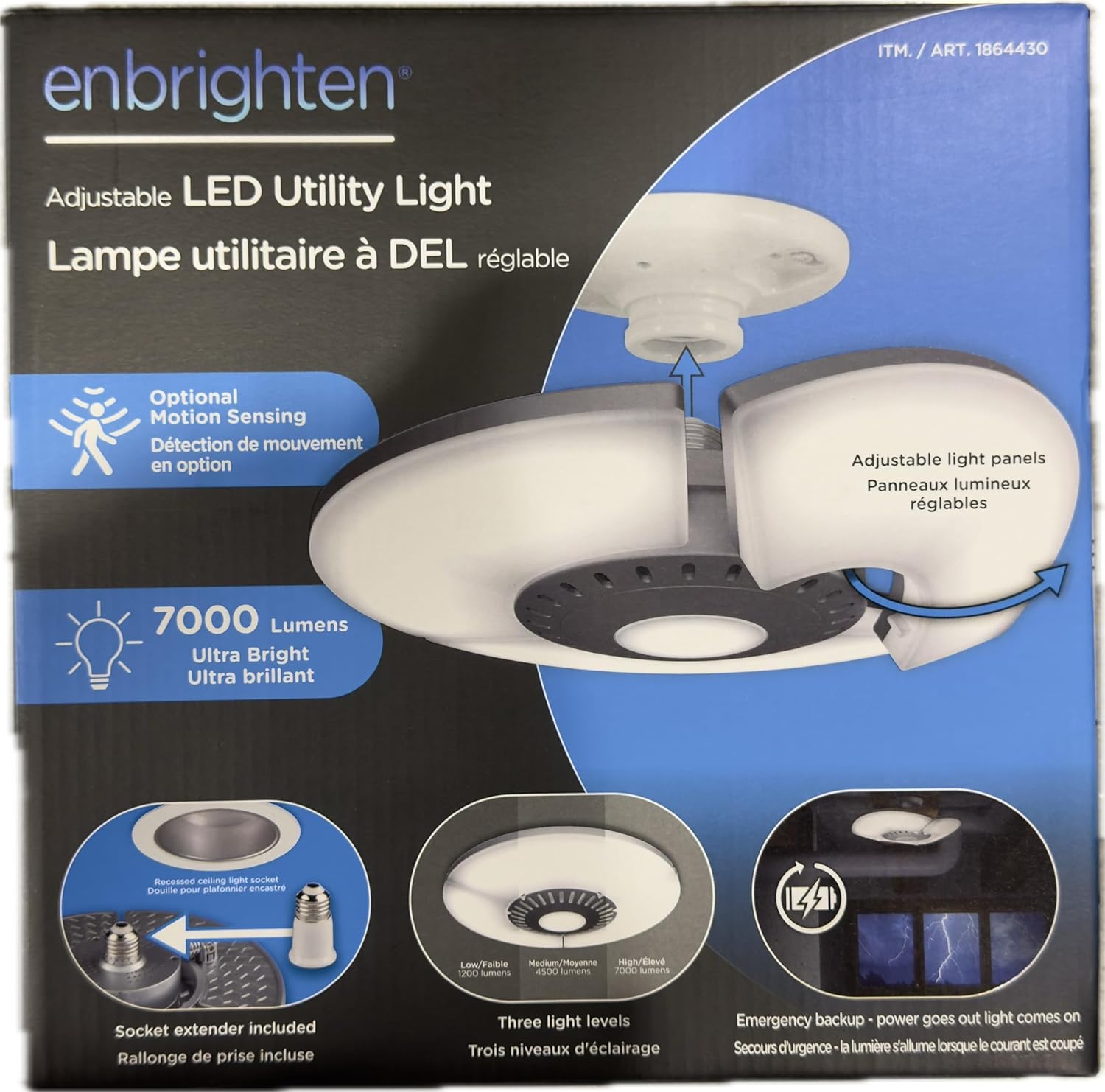
Front view of the Enbrighten Adjustable LED Utility Light product packaging, highlighting key features like 7000 lumens and optional motion sensing.
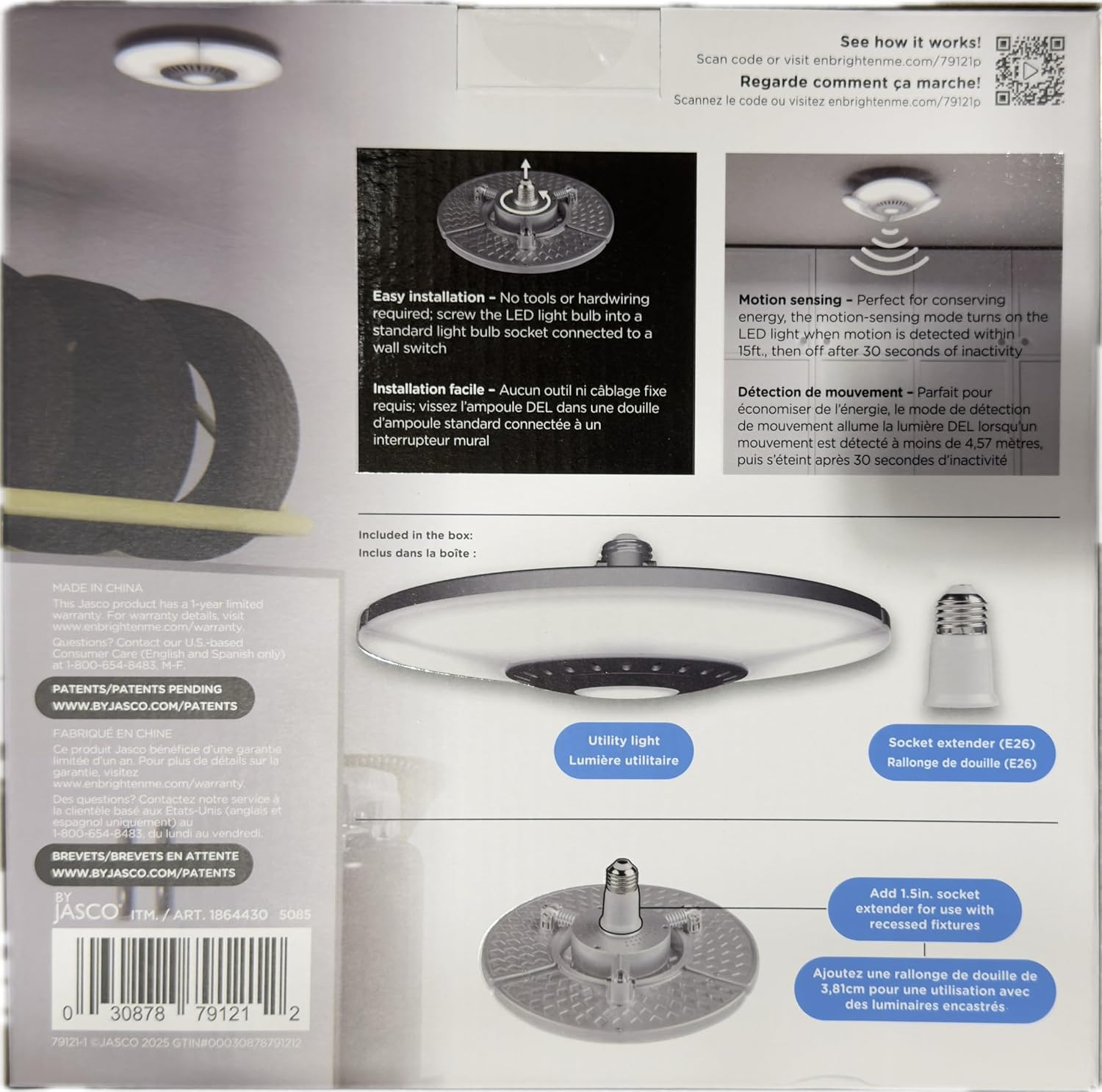
Back view of the Enbrighten LED Utility Light product packaging, showing easy installation, motion sensing details, and included socket extender.
4. Setup and Installation
- Turn Off Power: Before installation, ensure the power to the light fixture is OFF at the circuit breaker or wall switch.
- Screw into Socket: Carefully screw the Enbrighten LED Utility Light into a standard E26 light bulb socket. Ensure it is tightened securely.
- For Recessed Fixtures: If installing into a recessed ceiling light socket, first screw in the provided E26 socket extender, then screw the utility light into the extender.
- Adjust Panels: Once installed, you can manually adjust the three light panels to direct illumination where needed.
- Restore Power: Turn the power back ON at the circuit breaker or wall switch.
Note: No tools or hardwiring are required for installation. The light is designed to screw directly into an existing light bulb socket.
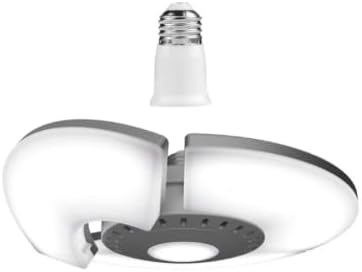
The Enbrighten Adjustable LED Utility Light with its screw-in base and two adjustable light panels.

The Enbrighten LED Utility Light installed in a ceiling, providing illumination in a hallway.
5. Operating Instructions
5.1. Power Control
The light is controlled by the wall switch connected to the socket it is installed in. Flip the wall switch to turn the light ON or OFF.
5.2. Adjusting Light Panels
The three LED panels can be manually angled up or down to direct light output. Gently push or pull the panels to achieve the desired illumination coverage.

Side view of the Enbrighten LED Utility Light, demonstrating the adjustable panels.
5.3. Light Settings
The utility light offers three distinct light levels: Low, Medium, and High. To cycle through these settings, quickly toggle the wall switch OFF and then ON. Each toggle will advance to the next light level.
- Low: Reduced brightness for ambient lighting.
- Medium: Moderate brightness for general tasks.
- High: Maximum brightness (7000 lumens) for demanding illumination needs.
5.4. Motion Sensing
The optional motion-sensing feature automatically turns the light ON when motion is detected within approximately 15 feet (4.57 meters). The light will turn OFF after approximately 30 seconds of inactivity. This feature is ideal for energy conservation in areas like closets, pantries, or garages.
5.5. Power-Failure Backup
In the event of a power outage, the utility light is designed to automatically activate, providing emergency illumination. This feature ensures continued visibility during unexpected power interruptions.
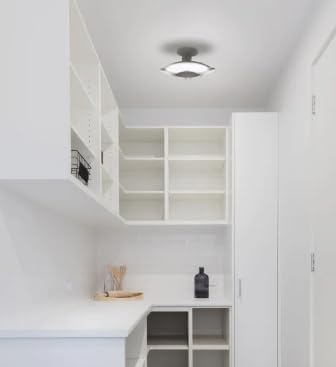
The Enbrighten LED Utility Light installed in a pantry, providing bright, even lighting.
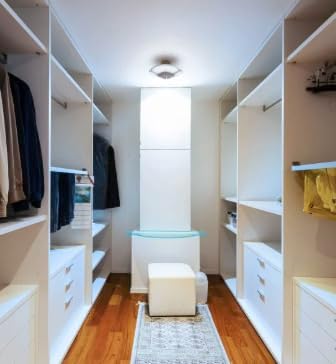
The Enbrighten LED Utility Light installed in a walk-in closet, illuminating the space.
6. Maintenance
The Enbrighten LED Utility Light requires minimal maintenance.
- Cleaning: To clean the light, ensure power is OFF. Use a soft, dry cloth to wipe the surfaces. Do not use abrasive cleaners or solvents.
- No User-Serviceable Parts: Do not attempt to open or repair the light fixture. Doing so will void the warranty and may cause damage or injury.
7. Troubleshooting
- Light does not turn ON:
- Ensure the wall switch is in the ON position.
- Check the circuit breaker or fuse for the fixture.
- Verify the light is securely screwed into the socket.
- Motion sensor not detecting motion:
- Ensure the light is in a mode where motion sensing is active (if applicable, some modes might override it).
- Check for obstructions blocking the sensor's view.
- Ensure motion is occurring within the 15-foot detection range.
- Light flickers or dims unexpectedly:
- Ensure the light is securely screwed into the socket.
- Verify stable power supply to the fixture.
8. Specifications
| Feature | Detail |
|---|---|
| Model Number | 79121-DK1-DI1 |
| Light Output | 7000 Lumens (High setting) |
| Light Source Type | LED |
| Number of Light Sources | 3 (adjustable panels) |
| Light Settings | Low, Medium, High |
| Motion Sensing Range | Up to 15 ft (4.57 m) |
| Motion Sensor Auto-Off | Approx. 30 seconds of inactivity |
| Power-Failure Backup | Yes |
| Installation Type | Semi Flush Mount (screws into E26 socket) |
| Indoor/Outdoor Usage | Indoor, Outdoor |
| Color | White |
| Product Dimensions | 20 x 20 x 20 cm |
| Product Weight | 600 g |
| Shade Material | Plastic or Glass |
| Finish Type | Brushed |
9. Warranty and Support
9.1. Limited Warranty
This Enbrighten product is backed by a 1-year limited warranty. For full warranty details, please visit enbrightenme.com/warranty.
9.2. Customer Support
For questions, technical support, or warranty claims, please contact our U.S.-based Consumer Care team:
- Phone: 1-800-654-8483 (Monday – Friday, 7 AM – 8 PM CST)
- Website: enbrightenme.com/79121p
Patents Pending: For patent information, visit www.byjasco.com/patents.