
ADORNEVE Nightstand with Charging Station and 4 Drawers
ADORNEVE Nightstand with Charging Station and 4 Drawers User Manual
Model: Nightstand with Charging Station and 4 Drawers
Introduction
Thank you for choosing the ADORNEVE Nightstand with Charging Station. This manual provides essential information for the safe assembly, operation, and maintenance of your new furniture. Please read it thoroughly before beginning assembly and retain it for future reference.

Image: The ADORNEVE Nightstand, a white furniture piece featuring a top shelf with an integrated charging station, an open hutch, and four spacious drawers below. A power cord extends from the back.
Safety Information
Please observe the following safety precautions:
- Ensure all parts are present and undamaged before assembly.
- Assemble on a soft, clean surface to prevent scratches.
- Do not overtighten screws during assembly.
- Keep small parts away from children.
- Do not exceed the weight capacity of the shelves or drawers.
- The charging station is designed for standard electronic devices. Do not use with damaged cables or in wet conditions.
- Always unplug the nightstand from the power outlet before cleaning or if not in use for extended periods.
Package Contents
Verify that all components listed below are included in your package:
- Nightstand panels (various sizes)
- 4 Drawer components
- Charging station unit (pre-installed or separate)
- Hardware pack (screws, dowels, cam locks, drawer slides, handles)
- Assembly instructions
Specifications
| Feature | Detail |
|---|---|
| Brand | ADORNEVE |
| Model | Nightstand with Charging Station and 4 Drawers |
| Color | White |
| Product Dimensions (D x W x H) | 13.8"D x 17.7"W x 31.9"H |
| Material | Engineered Wood |
| Weight | 33.1 Pounds |
| Charging Station | 2 AC Outlets, 1 USB Port, 1 USB C Port |
| AC Outlet Rating | 125V / 12A |
| USB Port Rating | 5V / 2A |
| USB C Port Rating | 5V / 3A |
| Drawers | 4, with metal slide rails |

Image: Diagram showing the dimensions of the nightstand: 17.7 inches wide, 13.8 inches deep, and 31.9 inches high.

Image: Close-up of the nightstand's charging station, highlighting its features: two 125V/12A AC outlets, one 5V/2A USB-A port, and one 5V/3A USB-C port.
Setup and Assembly
Assembly is required for this nightstand. Please follow the detailed instructions provided in your package. A general overview of the steps is provided below:
- Unpack and Identify Parts: Carefully remove all components from the packaging. Lay them out on a clean, soft surface. Refer to the parts list in your separate assembly guide to identify each piece.
- Assemble the Main Frame: Connect the side panels, back panel, and top/bottom panels using the provided hardware (dowels, screws, cam locks). Ensure all connections are secure.
- Install Drawer Slides: Attach the metal drawer slides to the interior side panels of the nightstand frame according to the instructions.
- Assemble Drawers: Construct each of the four drawers. Attach the drawer slides to the assembled drawers.
- Insert Drawers: Carefully slide the assembled drawers into the installed drawer slides on the main frame.
- Install Charging Station: If not pre-installed, secure the charging station unit into its designated slot on the top hutch.
- Attach Handles: Fasten the drawer handles to the front of each drawer.
- Final Placement: Position the nightstand in its desired location. Ensure it is stable and level.
Note: For detailed, step-by-step instructions with diagrams, please refer to the separate assembly manual included in your product packaging.
Operating Instructions
Using the Charging Station
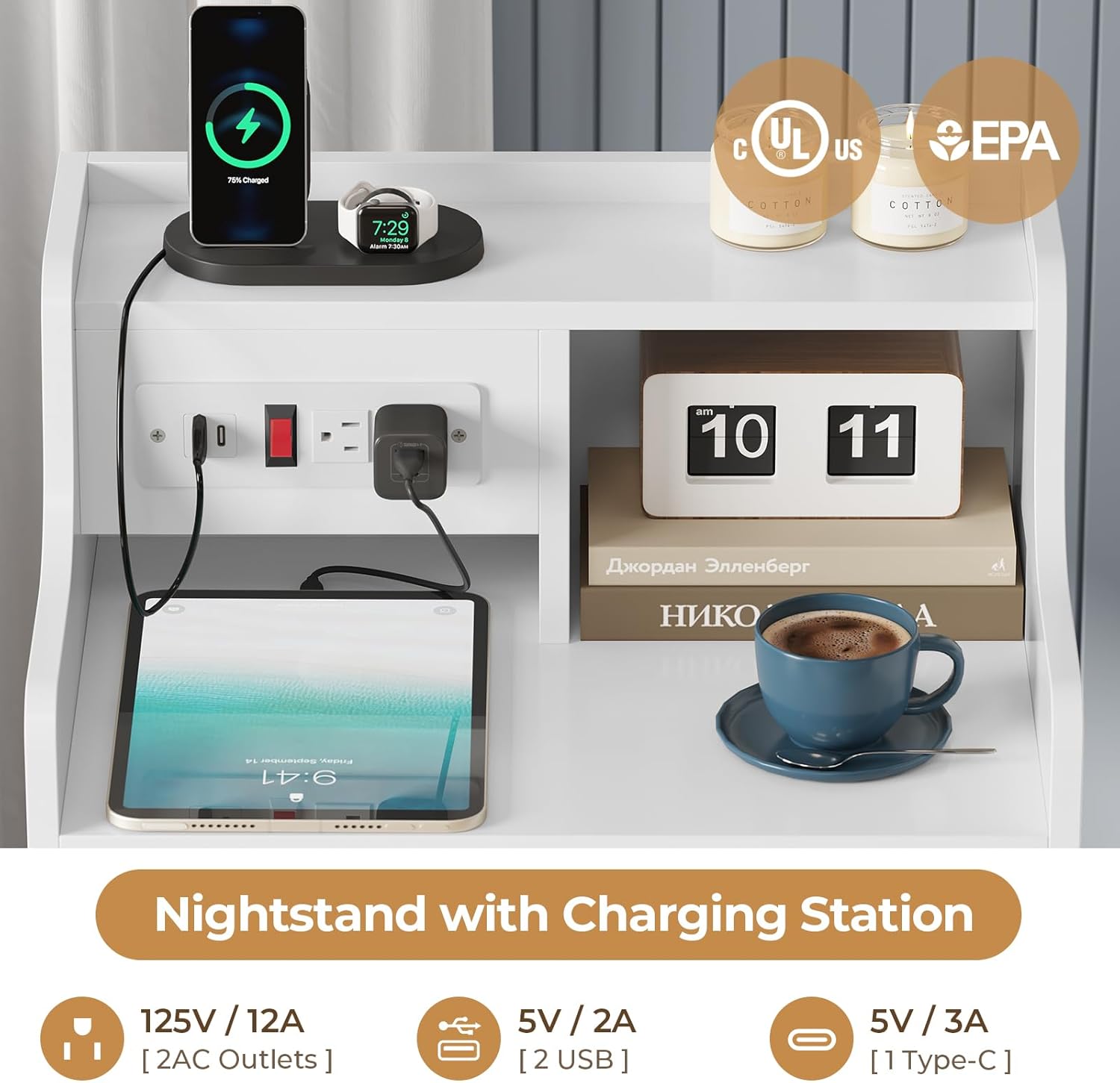
Image: A detailed view of the integrated charging station on the nightstand, showing two AC outlets, one USB-A port, and one USB-C port, with various electronic devices plugged in and charging.
- Connect to Power: Plug the nightstand's power cord into a standard 120V AC wall outlet.
- Power On: Locate the power switch on the charging station. Flip it to the "ON" position (usually indicated by a red light or "I" symbol).
- Charge Devices:
- For AC devices: Plug your device's power adapter into one of the two AC outlets.
- For USB-A devices: Connect your USB-A cable to the USB-A port and your device.
- For USB-C devices: Connect your USB-C cable to the USB-C port and your device.
- Power Off: When not in use, or to conserve energy, flip the power switch to the "OFF" position (usually indicated by "O" symbol).
Important: Do not overload the charging station. Ensure total power draw does not exceed the specified limits (12A for AC, 2A for USB-A, 3A for USB-C). Use only with compatible devices and cables.
Using the Storage Drawers

Image: The white nightstand with all four drawers partially open, revealing their storage capacity for various items.
The nightstand features four smooth-gliding drawers for organized storage. To open, gently pull the handle. To close, push the drawer firmly until it is fully seated. Avoid forcing drawers if they encounter resistance. The hutch above the tabletop provides additional open storage or display space.
Multi-Scene Applications
The versatile design of the ADORNEVE Nightstand allows it to function effectively in various settings beyond the bedroom.

Image: A composite image showing the ADORNEVE Nightstand used in three different scenarios: as a bedside table in a bedroom, as an end table in a living room, and as a general storage cabinet, demonstrating its adaptability.
- Bedroom: Ideal as a traditional nightstand, providing bedside storage and convenient charging for electronics.
- Living Room: Functions as a stylish end table next to a sofa or armchair, offering storage for remotes, books, and charging capabilities.
- Office/Study: Can serve as a compact storage cabinet for office supplies, with the charging station useful for laptops, tablets, or desk lamps.
Care and Maintenance
- Cleaning: Wipe surfaces with a soft, damp cloth. Avoid harsh chemicals or abrasive cleaners, which can damage the finish.
- Spills: Immediately wipe up any spills to prevent staining or damage to the engineered wood.
- Drawer Slides: Periodically check drawer slides for smooth operation. If they become stiff, a small amount of silicone lubricant can be applied.
- Hardware: Occasionally check all screws and fasteners to ensure they remain tight. Retighten if necessary.
- Sunlight Exposure: Avoid prolonged exposure to direct sunlight to prevent fading or discoloration.
- Heat and Moisture: Keep the nightstand away from direct heat sources and excessive moisture.
Troubleshooting
| Problem | Possible Cause | Solution |
|---|---|---|
| Charging station not working |
|
|
| Drawers stick or don't close smoothly |
|
|
| Nightstand is wobbly |
|
|
Warranty and Support
ADORNEVE products are designed for quality and durability. For specific warranty information, please refer to the documentation included with your purchase or visit the official ADORNEVE website. If you encounter any issues or require assistance with assembly or operation, please contact ADORNEVE customer support:
- Customer Service: Refer to your purchase receipt or the ADORNEVE brand store for contact details.
- Online Resources: Visit the ADORNEVE Store on Amazon for product information and support.
When contacting support, please have your product model name (ADORNEVE Nightstand with Charging Station and 4 Drawers) and purchase information readily available.
Related Documents - Nightstand with Charging Station and 4 Drawers
 |
ADORNEVE DJ503613 59-inch Computer Desk Assembly Guide Detailed assembly instructions for the ADORNEVE DJ503613 59-inch computer desk, including part identification, step-by-step guidance, and fastening system details for home office setup. |
 |
Assembly Instruction for ADORNEVE BDC-2406QF Bed Frame Detailed assembly instructions for the ADORNEVE BDC-2406QF bed frame, including parts list, hardware, and step-by-step guidance for assembly and LED light installation. |
 |
ADORNEVE YLS 862 Q/F Platform Bed Frame with LED Headboard - Assembly Instructions Comprehensive assembly instructions for the ADORNEVE YLS 862 Q/F platform bed frame. This guide provides a detailed parts list, hardware inventory, and step-by-step instructions for assembling the bed frame and its LED-lit headboard, ensuring a smooth and correct setup. |
 |
dnbss Bedside Table with LED Lights - Assembly Manual and User Guide Comprehensive assembly instructions and user guide for the dnbss bedside table featuring LED lights, a 360° laptop tray, and an intelligent controller. Includes parts list and operational details. |
 |
Furologee CTET-011-C Nightstand with Power Outlets User Manual Comprehensive user manual for the Furologee CTET-011-C nightstand with power outlets, detailing assembly instructions, parts list, and customer support information. |
 |
Gurexl Nightstand Assembly Instructions and User Guide Detailed assembly instructions and user guide for the Gurexl Nightstand, including a guide for the intelligent controller with charging station, LED lighting, and induction features. |
Ask a question about this manual
Ask about setup, troubleshooting, compatibility, parts, safety, or missing instructions. Manuals+ will review the question and use this page’s manual context to help answer it.