
Introduction
Thank you for choosing the Siwi Bluetooth Neckband Earphones, model Gionee F11. These earphones are designed to provide a high-definition sound experience with wireless convenience. This manual will guide you through the setup, operation, and maintenance of your new earphones, ensuring optimal performance and longevity.
Package Contents
Please check the box for the following items:
- 1 x Siwi Bluetooth Neckband Earphone
Product Overview
The Siwi Gionee F11 earphones feature a comfortable neckband design and in-ear earbuds for a secure fit during various activities. The inline control panel allows for easy management of music and calls.
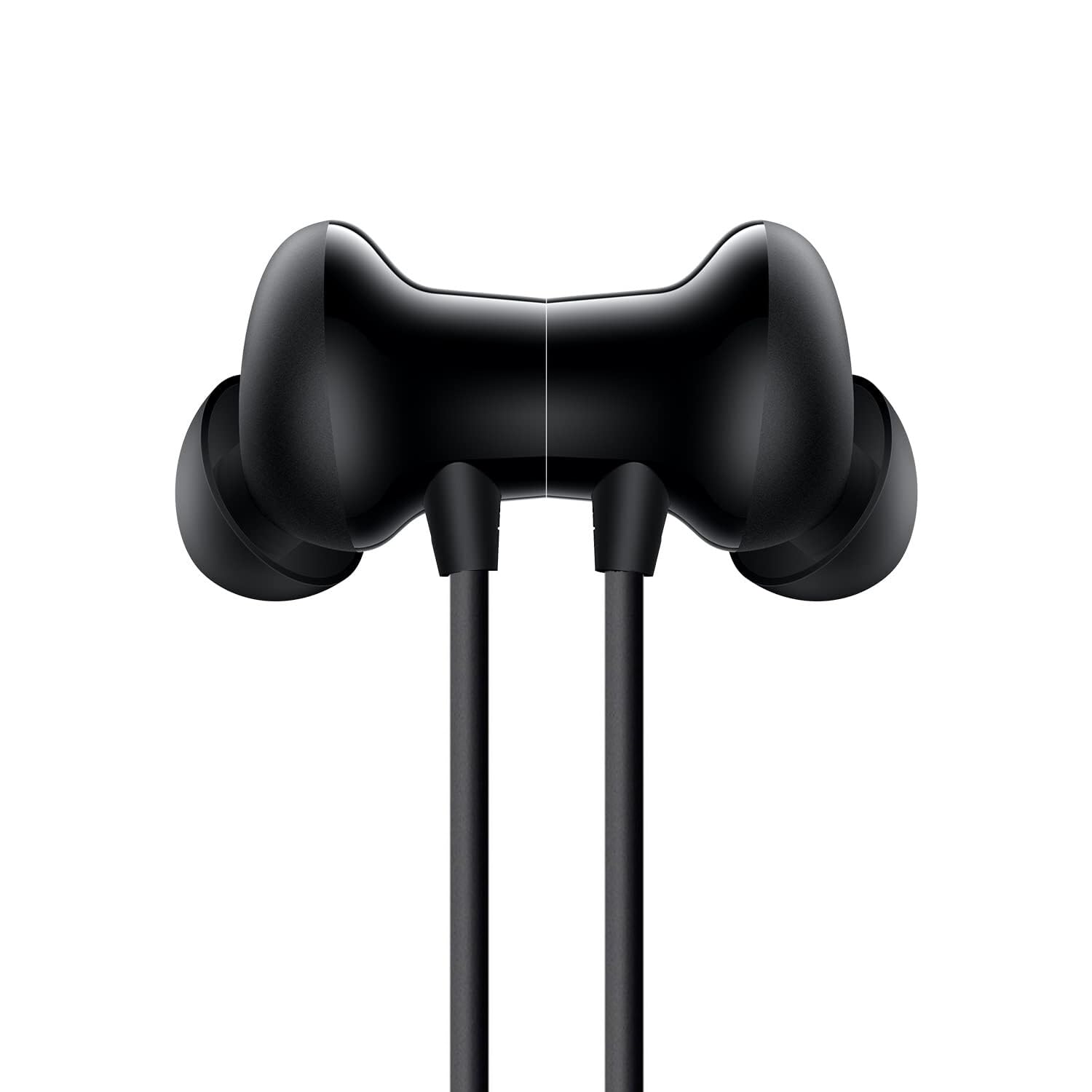
Image: Front view of the Siwi Gionee F11 neckband earphones, highlighting the ergonomic neckband design.
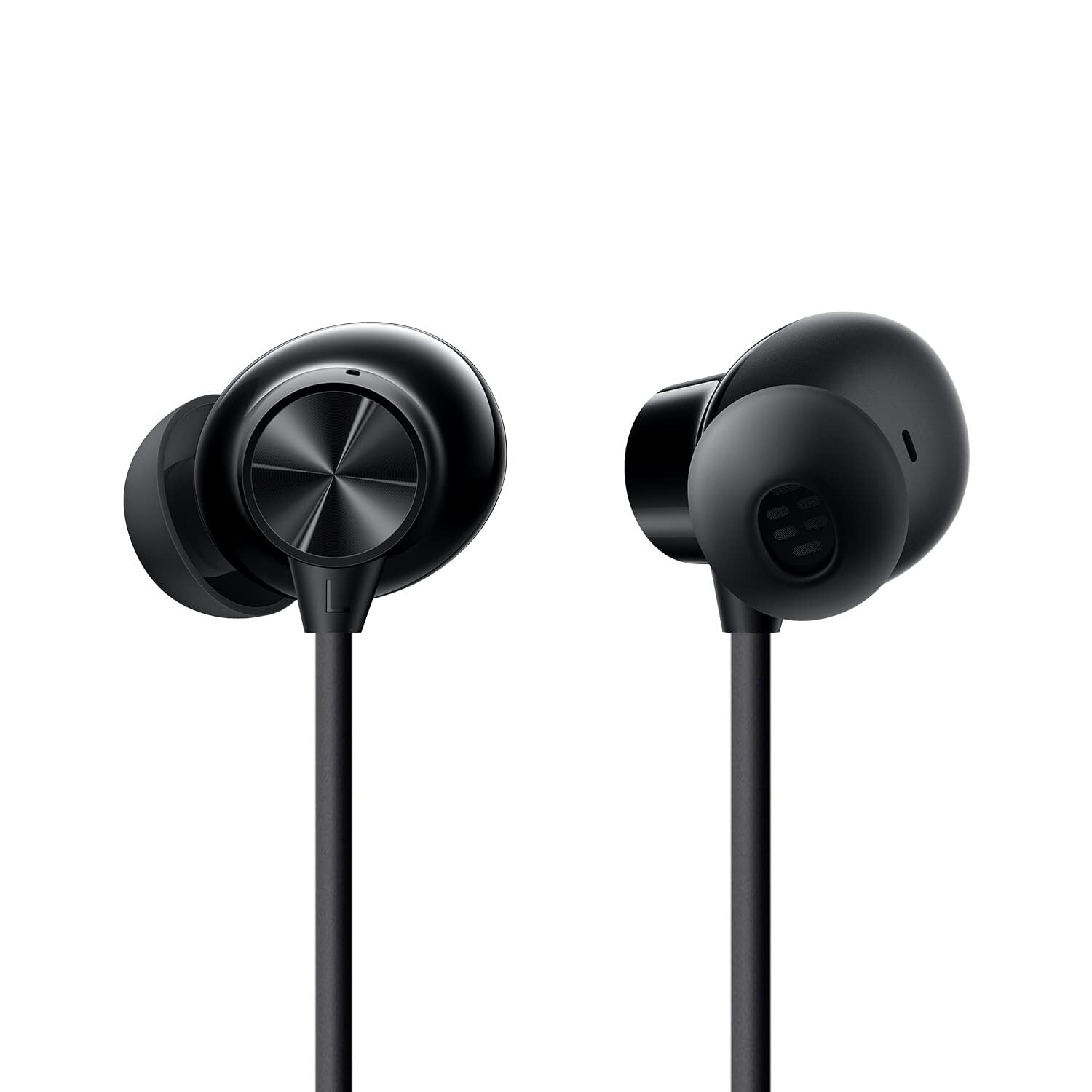
Image: Close-up view of the in-ear earbuds, showing the acoustic design and comfortable fit.
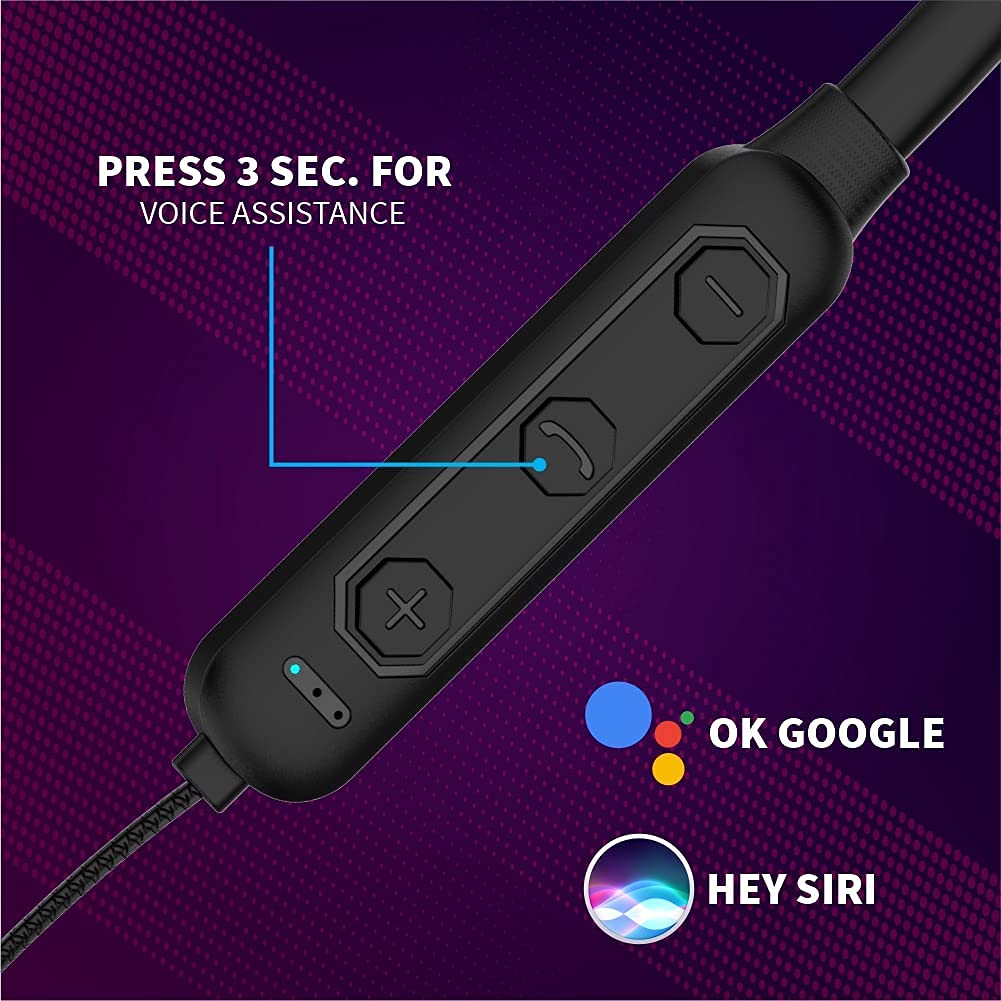
Image: Detailed view of the inline control panel, featuring buttons for volume, call management, and voice assistant activation.

Image: Exploded view illustrating the internal components of an earbud, highlighting the 13mm dynamic driver for rich sound.

Image: A person wearing the Siwi Gionee F11 earphones, demonstrating the comfortable and secure fit of the neckband design.
Setup
1. Charging the Earphones
Before first use, fully charge your earphones. Connect the charging cable (not included) to the charging port on the control panel and to a USB power source. The LED indicator will show charging status, typically red during charging and blue when fully charged.
2. Bluetooth Pairing
- Ensure the earphones are turned off.
- Press and hold the Multi-function button (usually the power button) for approximately 5-7 seconds until the LED indicator flashes red and blue alternately, indicating pairing mode.
- On your device (smartphone, tablet, etc.), enable Bluetooth and search for available devices.
- Select "Gionee F11" or "Siwi JO28" from the list of found devices.
- Once connected, the LED indicator will flash blue slowly or turn solid blue, and you may hear an audible confirmation.
Operating Instructions
Power On/Off
- Power On: Press and hold the Multi-function button for approximately 3 seconds until the LED indicator flashes blue.
- Power Off: Press and hold the Multi-function button for approximately 5 seconds until the LED indicator flashes red and then turns off.
Music Playback
- Play/Pause: Press the Multi-function button once.
- Next Track: Press and hold the Volume Up (+) button.
- Previous Track: Press and hold the Volume Down (-) button.
- Volume Up: Press the Volume Up (+) button briefly.
- Volume Down: Press the Volume Down (-) button briefly.
Call Management
- Answer Call: Press the Multi-function button once.
- End Call: Press the Multi-function button once during a call.
- Reject Call: Press and hold the Multi-function button for 2 seconds.
- Redial Last Number: Double-press the Multi-function button.
Voice Assistant
- Activate Voice Assistant (e.g., Google Assistant, Siri): Press and hold the dedicated voice assistant button (often marked with a microphone icon or similar, as shown in the control panel image) for 3 seconds.
Maintenance
- Cleaning: Gently wipe the earphones with a soft, dry cloth. Do not use abrasive cleaners or immerse in water.
- Storage: When not in use, store the earphones in a cool, dry place, away from direct sunlight and extreme temperatures.
- Battery Care: To prolong battery life, avoid fully discharging the earphones frequently. Charge them regularly and avoid leaving them uncharged for extended periods.
Troubleshooting
No Power
- Ensure the earphones are fully charged. Connect to a power source and check the charging indicator.
Cannot Pair
- Ensure the earphones are in pairing mode (LED flashing red and blue).
- Make sure Bluetooth is enabled on your device.
- Move the earphones closer to your device.
- Turn off and on both the earphones and your device, then try pairing again.
- Clear previous Bluetooth connections on your device if necessary.
No Sound
- Check if the earphones are properly connected to your device.
- Adjust the volume on both the earphones and your device.
- Ensure the audio source is playing.
Poor Sound Quality
- Ensure there are no obstructions between the earphones and your device.
- Move away from sources of interference (e.g., Wi-Fi routers, other Bluetooth devices).
- Check if the ear tips are properly sealed in your ear canal.
Specifications
| Feature | Detail |
|---|---|
| Brand | Siwi |
| Model | Gionee F11 |
| Product Dimensions | 17 x 12 x 2 cm |
| Item Weight | 30 g |
| Special Features | Foldable, Microphone Included, Sweatproof |
| Amplifier Type | Magnetic |
| Microphone Format | Built-In |
| Headphones Form Factor | In Ear |
| Connector Type | Wireless (Bluetooth) |
| Material | Plastic, Rubber |
| Cable Feature | Tangle Free |
| Battery Life (Music Playtime) | 6-7 Hours (approx.) |
| Battery Life (Talk Time) | 3 Hours (approx.) |
| Standby Time | 100 Hours (approx.) |
Safety Information
- Do not expose the earphones to extreme temperatures or humidity.
- Avoid dropping or subjecting the earphones to strong impacts.
- Do not disassemble or attempt to repair the earphones yourself. This will void any warranty.
- Keep out of reach of children and pets to prevent accidental ingestion or damage.
- Use caution when using earphones in situations requiring awareness of your surroundings, such as driving or walking in traffic.
- Prolonged listening at high volume levels may cause hearing damage. Adjust volume to a safe level.