
Introduction
Thank you for purchasing the Siwi Bluetooth Neckband Earphones JO29. This manual provides essential information for setting up, operating, and maintaining your earphones. Please read it carefully to ensure optimal performance and longevity of your device.
Product Overview
The Siwi JO29 earphones are designed for wireless audio, featuring a neckband style for comfortable wear and integrated controls.

Figure 1: Overall view of the Siwi Bluetooth Neckband Earphones JO29. This image displays the full neckband design with earbuds attached.
Components:
- Neckband: Flexible band that rests around the neck.
- Earbuds: In-ear design for audio delivery.
- Control Panel: Integrated buttons for various functions.
- Microphone: Built-in for hands-free calling.
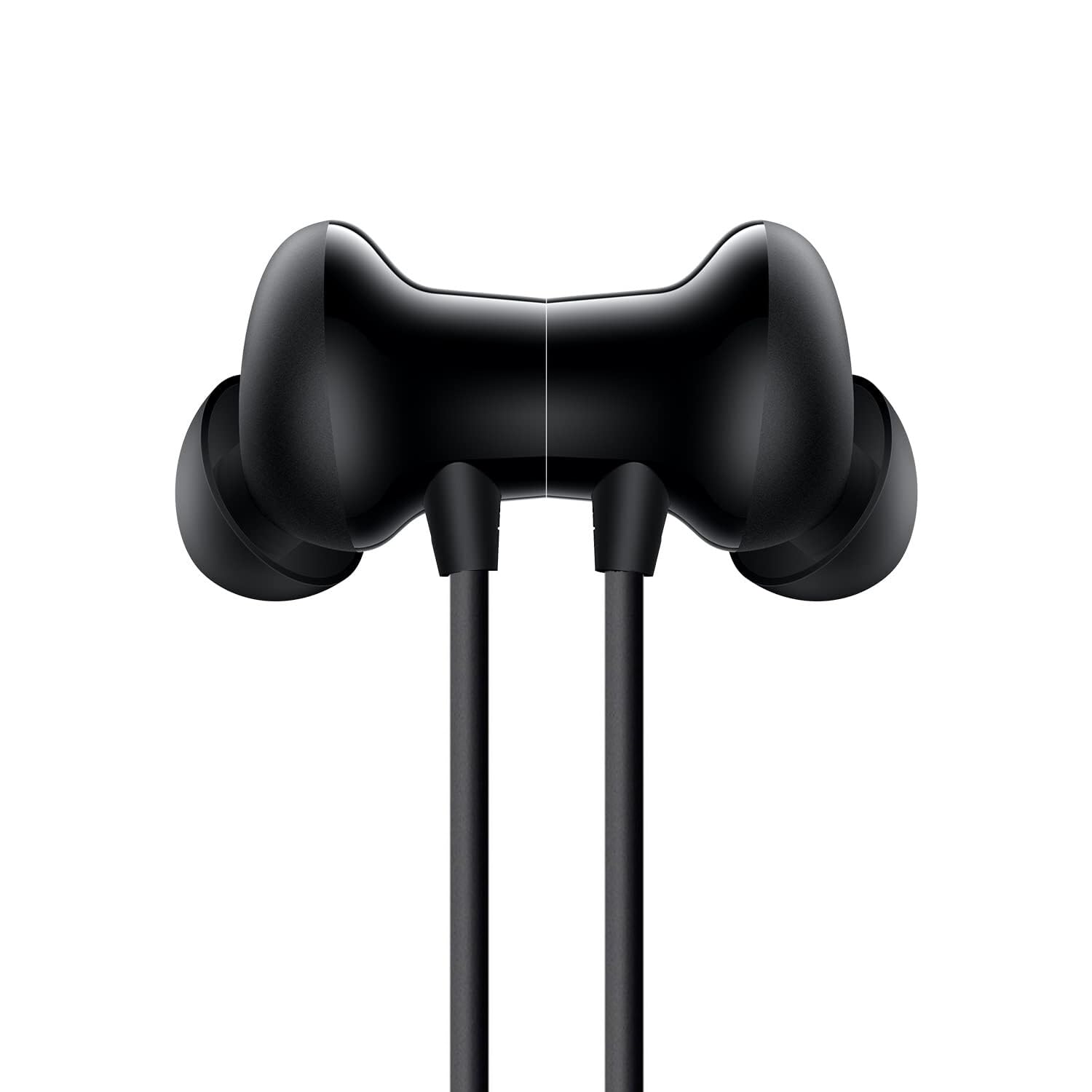
Figure 2: Close-up view of an earbud, showing the in-ear design.

Figure 3: Internal diagram illustrating the 13mm dynamic driver, responsible for rich sound output.

Figure 4: Example of the neckband design being worn, highlighting its comfortable and secure fit for active use.
Key Features:
- Functional Design: Designed to fit securely in the ear, suitable for sports activities like running and jogging.
- Extended Playtime: Offers approximately 6-7 hours of music playback and 3 hours of talk time, with up to 100 hours of standby time.
- High Fidelity Sound: Delivers clear audio with powerful highs and lows, powered by a 13mm dynamic driver. Features noise-cancelling technology for crisp, skip-free stereo sound.
- Sweat and Splash Proof: Built for sports use, resistant to sweat and splashes.
- Hands-Free Calling: Includes a one-touch function for receiving incoming calls from up to 30 feet away. Features song selection, play/pause, and call receiving controls.
- Voice Assistant: Supports voice assistance activation by pressing a button for 3 seconds.
Setup and Pairing
Follow these steps to pair your Siwi JO29 earphones with your Bluetooth-enabled device.
- Charge the Earphones: Ensure the earphones are fully charged before first use. Connect the charging cable to the charging port on the neckband and a power source. The LED indicator will show charging status.
- Power On and Enter Pairing Mode: Press and hold the multi-function button (often the center button on the control panel) until the LED indicator flashes, typically alternating blue and red, indicating pairing mode.
- Activate Bluetooth: On your smartphone or other device, go to the Bluetooth settings and turn Bluetooth on.
- Search for Devices: Your device will scan for available Bluetooth devices.
- Select "JO29": From the list of found devices, select "JO29" (or a similar name like "Siwi JO29") to connect.
- Confirmation: Once paired, the LED indicator on the earphones will typically flash blue slowly, and you may hear an audio prompt confirming the connection.
If pairing fails, turn off the earphones and your device's Bluetooth, then repeat the steps.
Operating Instructions
Music Playback:
- Play/Pause: Press the multi-function button once.
- Next Track: Press and hold the Volume Up button.
- Previous Track: Press and hold the Volume Down button.
- Volume Up: Short press the Volume Up button.
- Volume Down: Short press the Volume Down button.
Call Management:
- Answer/End Call: Press the multi-function button once.
- Reject Call: Press and hold the multi-function button for approximately 2 seconds.
- Redial Last Number: Double-press the multi-function button.
Voice Assistant:
- Activate Voice Assistant: Press and hold the dedicated voice assistant button (often the multi-function button or a separate button, as indicated in Figure 5) for 3 seconds. This will activate your device's voice assistant (e.g., Google Assistant, Siri).
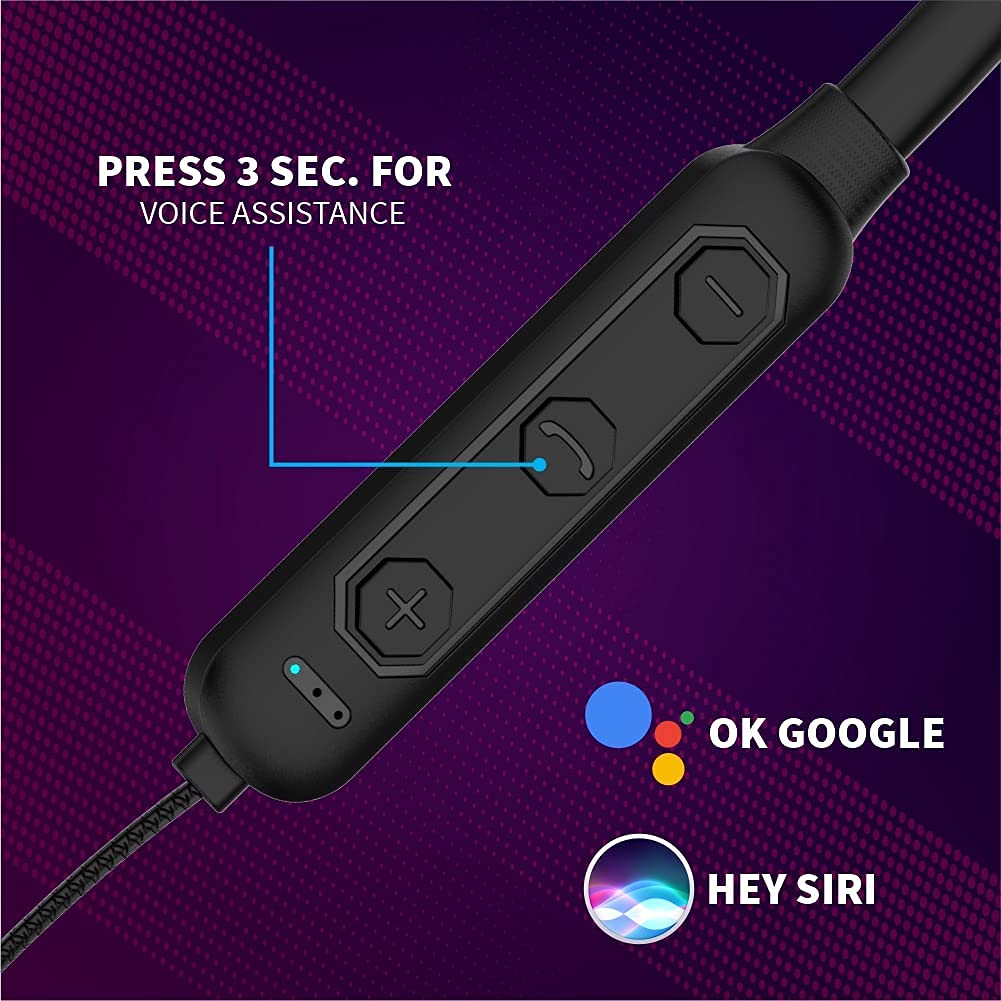
Figure 5: The control panel highlighting the button for voice assistant activation. Press and hold this button for 3 seconds to engage your device's voice assistant.
Maintenance and Care
- Cleaning: Use a soft, dry cloth to clean the earphones. Do not use abrasive cleaners or solvents.
- Storage: Store the earphones in a cool, dry place away from direct sunlight and extreme temperatures.
- Water Exposure: While sweat and splash-proof, avoid submerging the earphones in water. Dry them thoroughly if they get wet.
- Charging: Use only the provided charging cable or a certified equivalent. Do not overcharge.
- Avoid Damage: Do not bend or twist the neckband excessively. Keep away from sharp objects.
Troubleshooting
| Problem | Solution |
|---|---|
| Earphones do not power on. | Ensure the earphones are fully charged. Connect to a power source and check the charging indicator. |
| Cannot pair with device. |
|
| No sound or low volume. |
|
| Call quality is poor. |
|
Specifications
| Feature | Detail |
|---|---|
| Brand | Siwi |
| Model | JO29 (Compatible with iQOO Z8) |
| Product Dimensions | 17 x 12 x 2 cm |
| Item Weight | 30 g |
| Special Features | Foldable, Microphone Included, Sweatproof |
| Headphones Form Factor | In Ear |
| Microphone Format | Built-In |
| Connector Type | Wireless (Bluetooth) |
| Material | Plastic, Rubber |
| Battery Life (Music Play) | 6-7 Hours (Approx.) |
| Battery Life (Talk Time) | 3 Hours (Approx.) |
| Standby Time | 100 Hours (Approx.) |
Safety Information
- Do not use the earphones at excessively high volumes for prolonged periods to prevent hearing damage.
- Do not use the earphones in situations where inability to hear ambient sounds could be dangerous (e.g., driving, cycling, walking in traffic).
- Keep the device away from children and pets.
- Avoid exposing the earphones to extreme temperatures, humidity, or corrosive environments.
- Do not attempt to disassemble or modify the earphones. This will void the warranty and may cause damage.
- Dispose of the earphones and their components responsibly according to local regulations.
Warranty and Support
For warranty information or technical support, please contact the manufacturer, Siwi India. Refer to your purchase documentation for specific warranty terms and contact details.
Manufacturer: Siwi India