
1. Introduction
This manual provides detailed instructions for the assembly, operation, and maintenance of your HolliWill 70 Inch Fireplace TV Stand. This versatile entertainment center features a 23-inch electric fireplace insert, ample storage, and a stylish design to enhance your living space. Please read all instructions carefully before assembly and use.
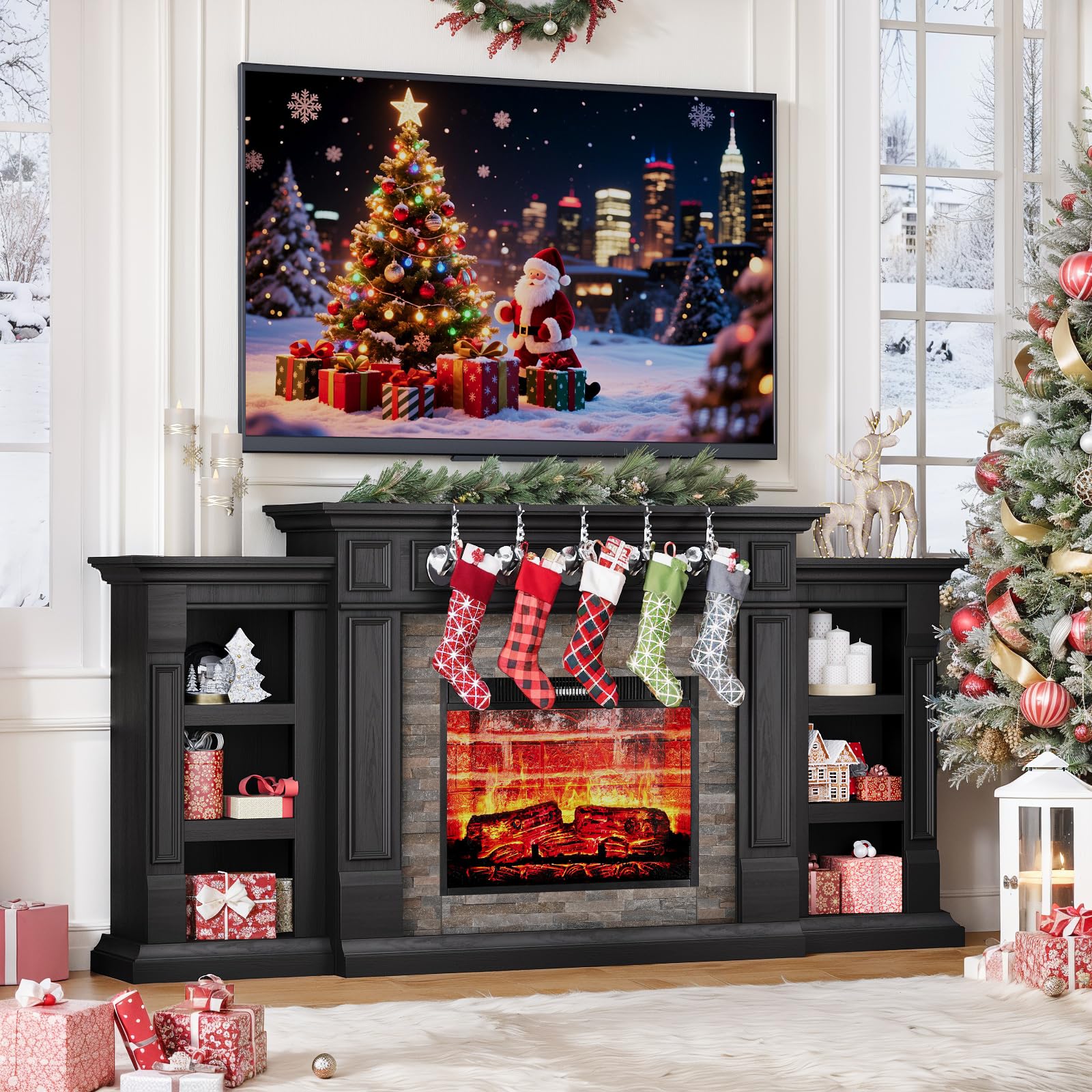
Figure 1: HolliWill 70 Inch Fireplace TV Stand in a living room setting.
2. Safety Information
For your safety and to prevent damage to the product, please adhere to the following guidelines:
- Always assemble with care, keeping sharp edges away from children.
- Keep small parts out of reach of young children to prevent choking hazards.
- Ensure the unit is placed on a stable, level surface to prevent tipping.
- Do not overload shelves or the top surface. Refer to specifications for weight limits.
- Keep flammable materials at least 3 feet (0.9 meters) away from the front of the fireplace heater.
- Do not operate the fireplace if the power cord is damaged or if the unit malfunctions.
- Unplug the unit from the power outlet before performing any maintenance or cleaning.
3. Package Contents
Your HolliWill Fireplace TV Stand is shipped in three separate packages to ensure safe delivery and easier handling. Please verify that all components are present before beginning assembly.

Figure 2: The three packages your TV stand will arrive in.
Each package is securely packed to prevent damage during transit. Refer to the included assembly instructions for a detailed list of parts and hardware.
4. Setup and Assembly
Assembly of the HolliWill Fireplace TV Stand requires careful attention to detail. While the process is straightforward with clear instructions, it is recommended to have two people for certain steps due to the size and weight of the components. All necessary hardware is included.
- Unpack all components and lay them out on a soft, clean surface to prevent scratches.
- Identify each part using the labels and diagrams in the separate assembly guide.
- Follow the step-by-step instructions provided in the assembly manual.
- Ensure all screws and fasteners are tightened securely, but do not overtighten.
- Once assembled, carefully move the unit to its desired location.

Figure 3: Product dimensions and packaging details for assembly reference.
5. Operating Instructions - Electric Fireplace
Your electric fireplace offers both aesthetic flame effects and functional heating. It can be controlled via the included remote control or the user-friendly touch panel on the unit.
5.1. Powering On/Off
- Press the power button on the remote or touch panel to turn the fireplace on or off.
5.2. Adjusting Flame Effects
The fireplace features 3-level flame brightness and a 3D flame effect for a realistic appearance. You can adjust the flame intensity to suit your preference.

Figure 4: Fireplace control panel showing temperature and flame settings.
5.3. Heating Function
The 1400W heater provides 5,000 BTU heating power, capable of warming spaces up to 400 square feet. The temperature can be adjusted from 62°F to 82°F.
- Press the heat button on the remote or touch panel to activate the heater.
- Use the temperature up/down buttons to set your desired room temperature.
- The heater can be used independently of the flame effect, allowing for ambiance without added heat.
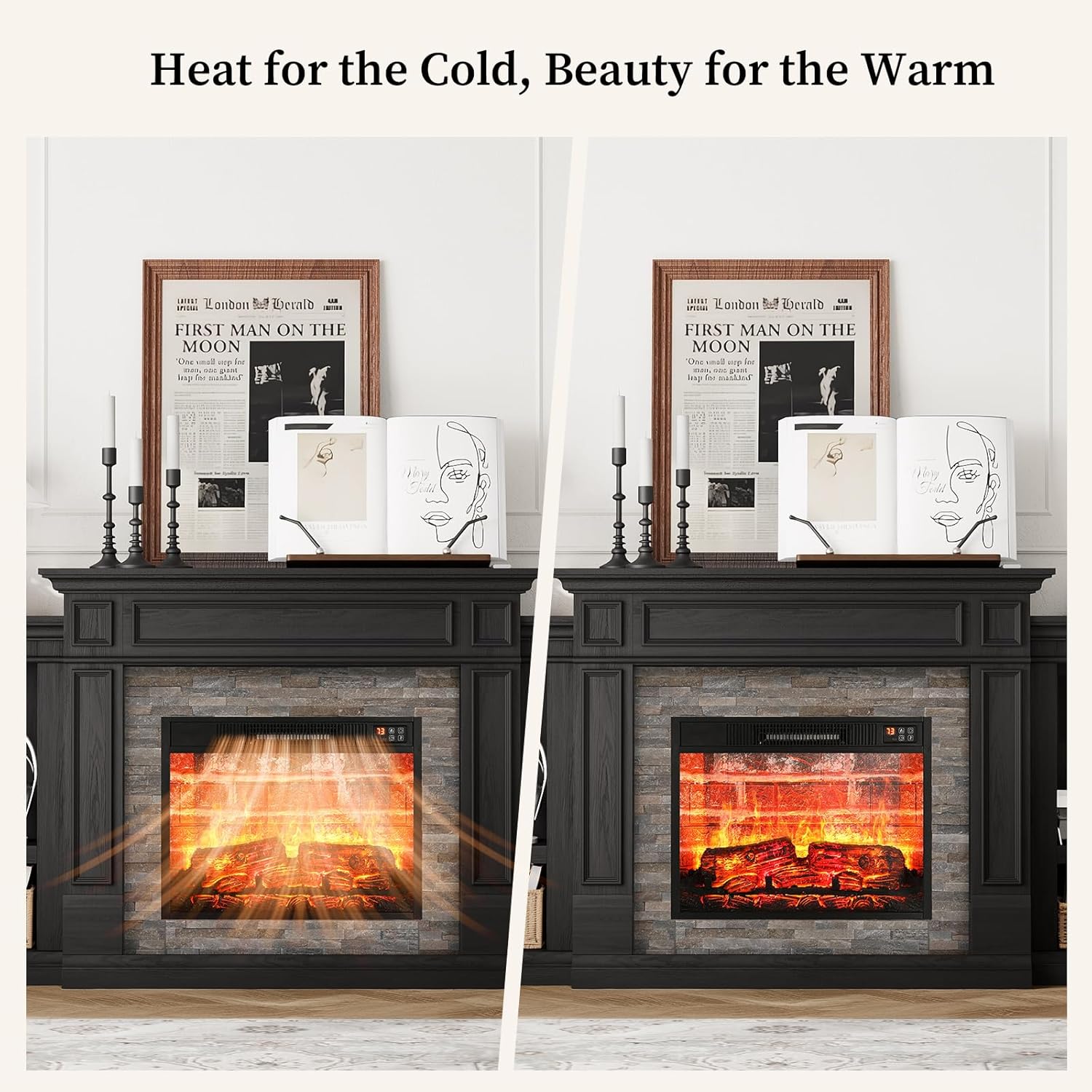
Figure 5: Fireplace operating with heat for cold and without heat for ambiance.
5.4. Timer Function
Set a timer for the fireplace to automatically shut off after a specified duration (1-6 hours).
- Press the timer button on the remote or touch panel to cycle through the available timer settings.
5.5. Remote Control
The included remote control has a range of 26 feet, allowing convenient operation from anywhere in the room. It provides full control over power, flame brightness, heat, and timer settings.
Video 1: Overview of the fireplace features and operation.
Video 2: Demonstration of touch and remote controls for the electric fireplace.
Video 3: Detailed look at the electric fireplace's functions and controls.
Video 4: Illustrates the ambient glow and heating capabilities of the fireplace.
6. Product Features
- Spacious & Stylish Design: Measuring 72" W x 36.4" H x 13.6" D, this unit accommodates TVs up to 80 inches. The 23"W fireplace insert provides warmth and ambiance.
- Powerful 1400W Heater: Delivers 5,000 BTU heating power, suitable for warming areas up to 400 square feet. Energy-efficient operation with the option to use flame effects without heat.
- Rustic Stacked Stone Surround: Features a realistic stacked stone design with handcrafted edges and a textured finish, adding farmhouse charm and traditional elegance.
- 6 Open Shelves for Storage: Convenient side shelves are ideal for books, decor, remotes, or gaming accessories, helping to keep your living area organized.

Figure 6: The TV stand with a television, showcasing its design and functionality.
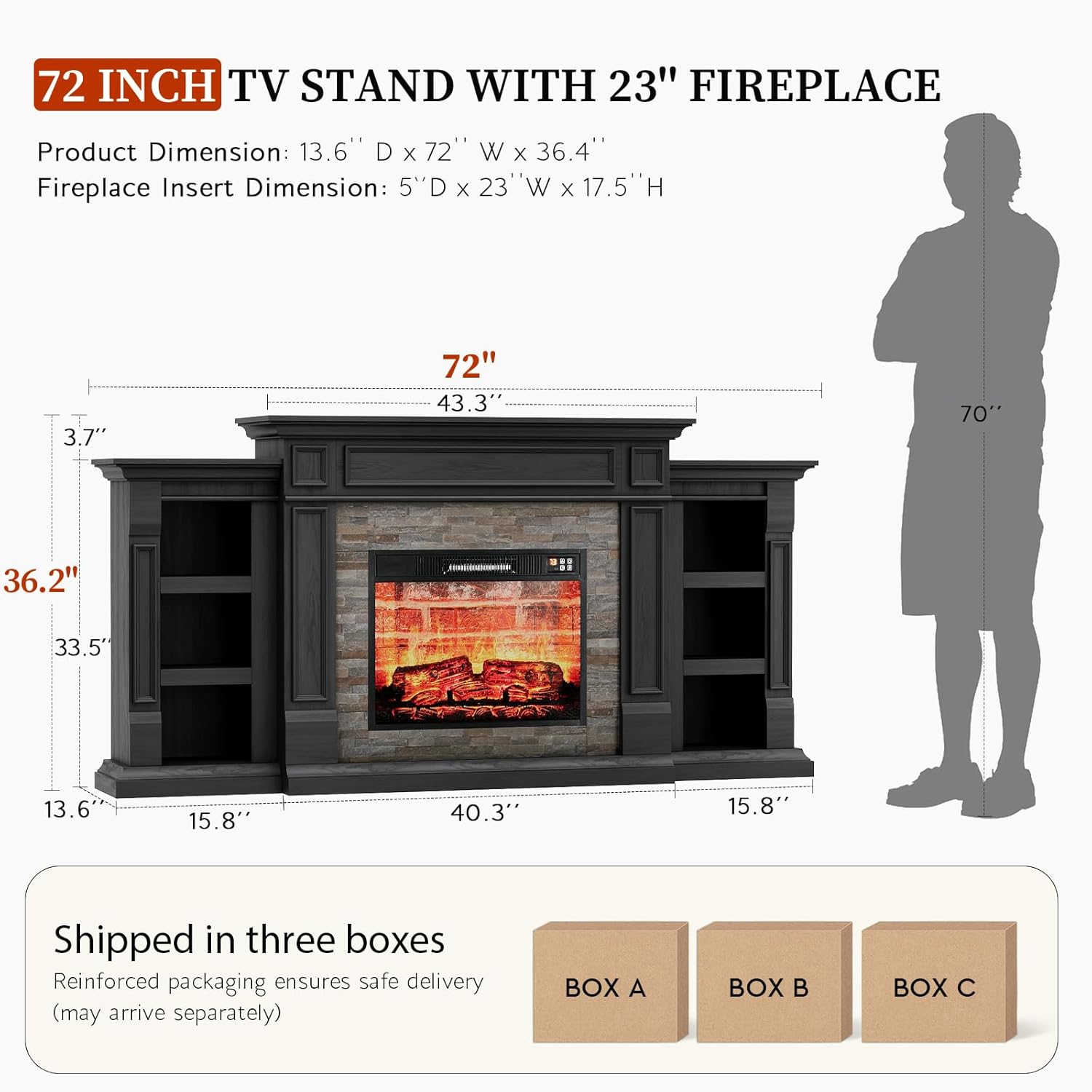
Figure 7: Adjustable and removable shelves provide flexible storage options.

Figure 8: The fireplace operates quietly and includes a 1-6 hour timer.
7. Specifications
| Feature | Detail |
|---|---|
| Brand | HolliWill |
| Model Name | 72 Inch Fireplace TV Stand |
| Product Dimensions | 13.6"D x 72"W x 36.4"H |
| Material | Engineered Wood |
| Color | Black |
| Power Source | Corded Electric |
| Heat Output | 1400 Watts (5,000 BTU) |
| Heating Area | Up to 400 sq. ft. |
| Special Feature | Adjustable Flame, Timer, Remote Control |
| Installation Type | Freestanding |
| Item Weight | 123.5 Pounds |
8. Maintenance
Regular maintenance will ensure the longevity and optimal performance of your Fireplace TV Stand.
- Cleaning: Dust the unit regularly with a soft, dry cloth. For the electric fireplace insert, ensure it is unplugged and cool before wiping the glass with a damp cloth. Do not use abrasive cleaners.
- Inspection: Periodically check all screws and fasteners to ensure they remain tight. Inspect the power cord for any signs of damage.
- Storage: If storing the unit, ensure it is clean, dry, and protected from extreme temperatures and moisture.
9. Troubleshooting
If you encounter any issues with your Fireplace TV Stand, please refer to the following common troubleshooting steps:
- Fireplace Not Turning On: Ensure the unit is properly plugged into a working electrical outlet. Check if the power button on the unit or remote is pressed.
- No Heat Output: Verify that the heating function is activated and the temperature setting is higher than the current room temperature. Check for any obstructions to the heater's air vents.
- Remote Control Not Working: Replace the batteries in the remote control. Ensure there are no obstructions between the remote and the fireplace sensor.
- Unusual Noises: If you hear unusual noises, immediately turn off and unplug the unit. Contact customer support for assistance.
10. Warranty and Support
HolliWill is committed to providing quality products. For specific warranty details, please refer to the warranty card included with your purchase or contact HolliWill customer support. If you require assistance with assembly, operation, or troubleshooting that is not covered in this manual, please reach out to our customer service team.
Customer Support: For inquiries, please visit the HolliWill Store on Amazon or refer to the contact information provided in your product packaging.