
ONCLOUD OC-G58000626-1
ONCLOUD Hammock Chair Stand User Manual
Model: OC-G58000626-1
Product Overview
This manual provides instructions for the ONCLOUD Hammock Chair Stand, model OC-G58000626-1. This stand is designed for both indoor and outdoor use, offering a stable and comfortable base for various hammock chairs.
Key features include:
- Sturdy & Rust-Resistant Frame: Engineered with a powder-coated steel frame that offers rust-resistant properties while supporting up to 660 lbs for long-lasting durability.
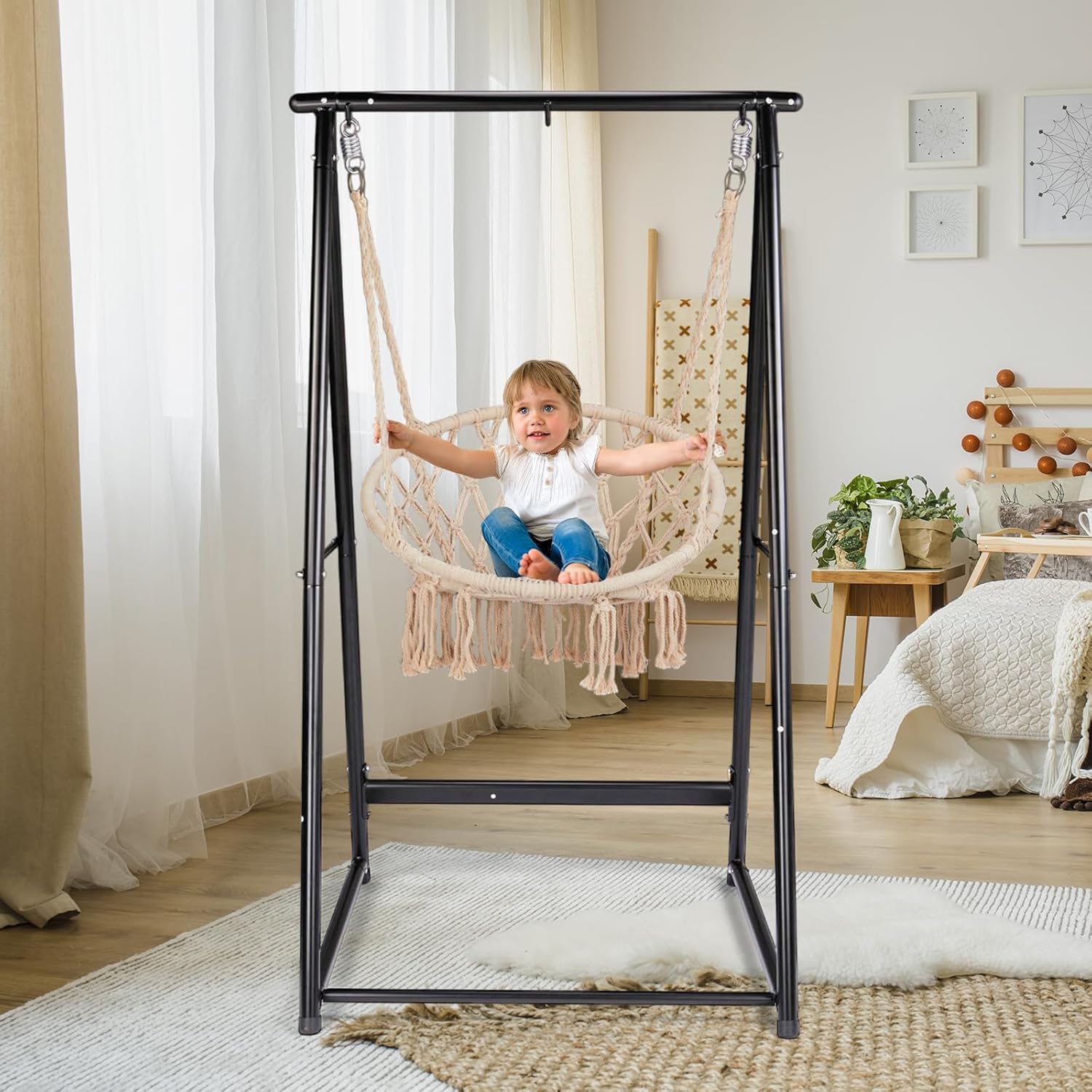
- Universal Hammock Compatibility: Features a 3-Hook Design to fit various hammocks and is compatible with swing chairs, providing versatile seating options.
- Lightweight & Easy to Move: Designed for portability, this lightweight stand is easy to set up and relocate, suitable for balconies, patios, or indoor relaxation.
- Quick & Easy Assembly: Enjoy easy assembly with no tools required—just unfold, adjust, and attach your hammock for instant comfortable lounging.
- Premium Comfort & Stability: The sturdy yet comfortable design ensures a secure, wobble-free experience.

Safety Information
Please read and understand all safety warnings and instructions before assembling and using the hammock chair stand. Failure to follow these instructions may result in serious injury or property damage.
- Do not exceed the maximum weight capacity of 660 lbs (approximately 300 kg).
- Ensure all connections are securely fastened before use.
- Place the stand on a flat, stable, and level surface to prevent tipping.
- Keep children and pets away from the stand during assembly.
- Regularly inspect the stand for any signs of wear, damage, or corrosion. Discontinue use if any damage is found.
- Do not swing excessively or use the stand for purposes other than supporting a hammock chair.
- Avoid exposing the stand to extreme weather conditions for prolonged periods to prevent accelerated wear.
Setup and Assembly
The ONCLOUD Hammock Chair Stand is designed for quick and easy assembly without the need for additional tools. Assembly typically takes 10-15 minutes.
- Unpack Components: Carefully remove all parts from the packaging. Verify that all components are present according to the packing list (not provided in this manual, refer to product packaging).
- Unfold the Frame: The main frame components are designed to unfold. Gently extend the A-frame sections.
- Connect Crossbars: Insert the horizontal crossbars into the designated slots on the A-frame sections. Ensure they click into place or are secured with the provided pins/screws (if applicable, refer to physical product instructions).
- Secure Top Bar: Connect the top horizontal bar that will hold the hammock chair. Ensure the hooks are facing downwards.
- Final Check: Before attaching your hammock chair, gently shake the stand to ensure all connections are secure and the stand is stable.


Operating Instructions
Once assembled, the ONCLOUD Hammock Chair Stand is ready for use. Follow these guidelines for optimal performance and safety:
- Attaching a Hammock Chair: Use the integrated hooks at the top of the stand to securely attach your hammock chair. Ensure the chair's hanging mechanism is compatible and properly engaged with the stand's hooks.
- Weight Distribution: When sitting in the hammock chair, distribute your weight evenly. Avoid sudden movements or excessive swinging that could destabilize the stand.
- Placement: Position the stand on a flat, stable surface. For outdoor use, consider placing it in a shaded area to protect both the stand and yourself from direct sunlight.
- Indoor/Outdoor Use: The stand is suitable for both indoor and outdoor environments. When using outdoors, be mindful of weather conditions.

Maintenance and Care
Proper maintenance will extend the life of your ONCLOUD Hammock Chair Stand:
- Cleaning: Wipe down the frame with a damp cloth and mild soap as needed. Avoid abrasive cleaners or harsh chemicals that could damage the powder coating.
- Rust Prevention: Although the frame is rust-resistant, prolonged exposure to moisture can lead to corrosion. If used outdoors, consider covering the stand during heavy rain or storing it indoors during off-seasons.
- Inspection: Periodically check all bolts, screws, and connections to ensure they remain tight. Inspect the steel frame for any signs of rust, cracks, or bending.
- Storage: When not in use for extended periods, disassemble the stand (if desired for compact storage) and store it in a dry, protected area away from extreme temperatures.
Troubleshooting
If you encounter issues with your ONCLOUD Hammock Chair Stand, refer to the following common problems and solutions:
| Problem | Possible Cause | Solution |
|---|---|---|
| Stand feels wobbly or unstable. | Loose connections; uneven surface. | Ensure all assembly connections are tight. Move the stand to a flat, level surface. |
| Difficulty assembling parts. | Parts misaligned; debris in connection points. | Check alignment of parts. Clear any debris from connection points. Refer to assembly steps. |
| Rust spots appearing on frame. | Prolonged exposure to moisture; damaged coating. | Clean and dry the affected area. Apply a rust-inhibiting paint if necessary. Store indoors or cover during wet weather. |
| Hammock chair not fitting hooks. | Incompatible hammock chair; incorrect attachment. | Ensure your hammock chair's hanging mechanism is compatible with the stand's hooks. Adjust the chair's hanging ropes/chains if possible. |
Specifications
| Feature | Detail |
|---|---|
| Model Number | OC-G58000626-1 |
| Brand | ONCLOUD |
| Material | Powder-coated Steel |
| Maximum Weight Capacity | 660 lbs (approximately 300 kg) |
| Product Dimensions (L x W x H) | 39.37 x 37.4 x 70.86 inches |
| Item Weight | 33 pounds |
| Country of Origin | China |


Warranty and Support
For warranty information or technical support, please contact ONCLOUD customer service. Details are typically provided with your product packaging or on the official ONCLOUD website.
Please retain your proof of purchase for warranty claims.
Ask a question about this manual
Ask about setup, troubleshooting, compatibility, parts, safety, or missing instructions. Manuals+ will review the question and use this page’s manual context to help answer it.