
AVUXOR AVUXOR
AVUXOR 20-Inch Oscillating Pedestal Fan User Manual
Model: AVUXOR
1. Introduction
Thank you for choosing the AVUXOR 20-inch Oscillating Pedestal Fan. This heavy-duty industrial fan is designed for powerful and efficient air circulation in various settings, including patios, garages, commercial spaces, and warehouses. Featuring an all-sealed brushless DC motor, it offers quiet operation, energy efficiency, and durability with IP54 waterproof and dustproof ratings. This manual provides essential information for safe operation, assembly, maintenance, and troubleshooting.

Figure 1.1: AVUXOR 20-inch Oscillating Pedestal Fan providing powerful airflow.
2. Safety Instructions
Please read all safety instructions carefully before using the fan. Failure to follow these instructions may result in electric shock, fire, or serious injury.
- Always unplug the fan from the power outlet before cleaning, servicing, or moving.
- Do not operate the fan with a damaged cord or plug. If the cord or plug is damaged, contact qualified service personnel.
- Keep children and pets away from the fan during operation.
- Do not insert fingers or any other objects through the grille when the fan is operating.
- Ensure the fan is placed on a stable, level surface to prevent tipping.
- This fan is designed with an IP54 waterproof and dustproof motor, making it suitable for outdoor use. However, do not submerge the fan in water or expose it to direct high-pressure water jets.
- Do not use the fan near open flames, heat sources, or flammable liquids.
- Always use the fan with the safety grilles properly installed.
3. Package Contents
Carefully unpack the box and ensure all components are present and undamaged. If any parts are missing or damaged, do not attempt to assemble or operate the fan. Contact customer support immediately.
- Fan Head Assembly (Motor, Blades, Grilles)
- Adjustable Height Pole
- Base Plate
- 4 x Swivel Caster Wheels with Locking Mechanisms (Optional installation)
- Assembly Hardware (Screws, Nuts, Washers)
- Hand Tool (Wrench/Screwdriver)
- User Manual

Figure 3.1: Overview of fan components for assembly.
4. Setup and Assembly
Assembly is required for this pedestal fan. Follow these steps carefully:
- Attach Wheels to Base (Optional): If desired, secure the four swivel caster wheels to the underside of the base plate using the provided screws and tools. Ensure they are tightened securely.
- Assemble Pole to Base: Insert the bottom end of the adjustable height pole into the designated slot on the base plate. Secure it firmly with the provided hardware (e.g., large screw and washer) from the underside of the base.
- Attach Fan Head to Pole: Place the fan head assembly onto the top end of the adjustable pole. Align the holes and secure it using the locking knob or screw provided on the pole.
- Adjust Height: Loosen the height adjustment knob on the pole, extend or retract the pole to your desired height (50-70 inches for 20-inch model), and then firmly tighten the knob to lock it in place.
- Connect Power: Plug the fan's power cord into a standard electrical outlet.
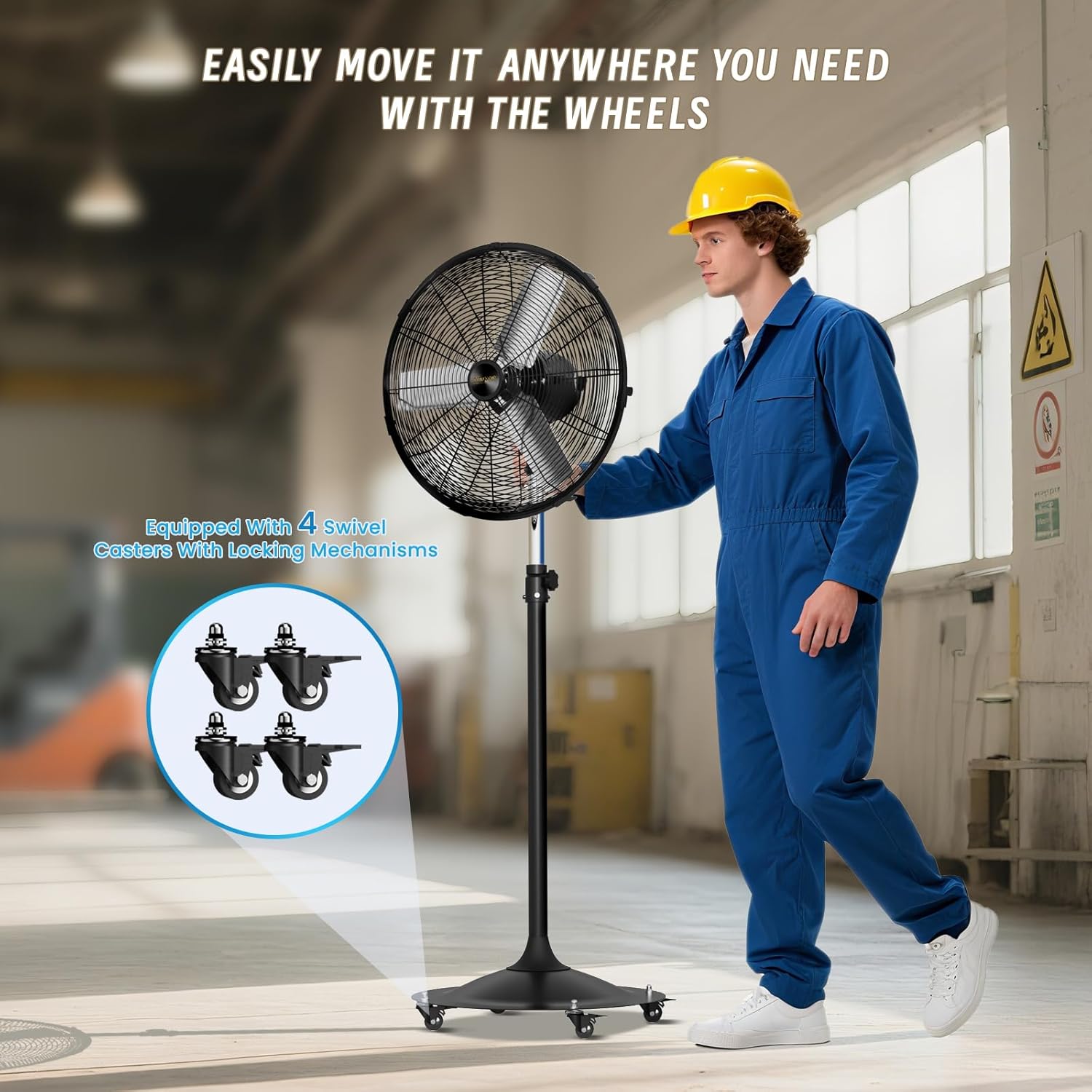
Figure 4.1: The fan base with optional wheels for easy mobility.
5. Operating Instructions
Your AVUXOR fan is designed for ease of use with intuitive controls.
5.1 Power and Speed Control
The fan features a rotary knob on the motor housing for power and speed selection.
- Rotate the knob clockwise to turn the fan ON and select from 4 adjustable wind speeds: 0 (OFF), 1 (Low), 2 (Medium), 3 (High), 4 (Max).
- Rotate the knob counter-clockwise to decrease speed or turn the fan OFF.
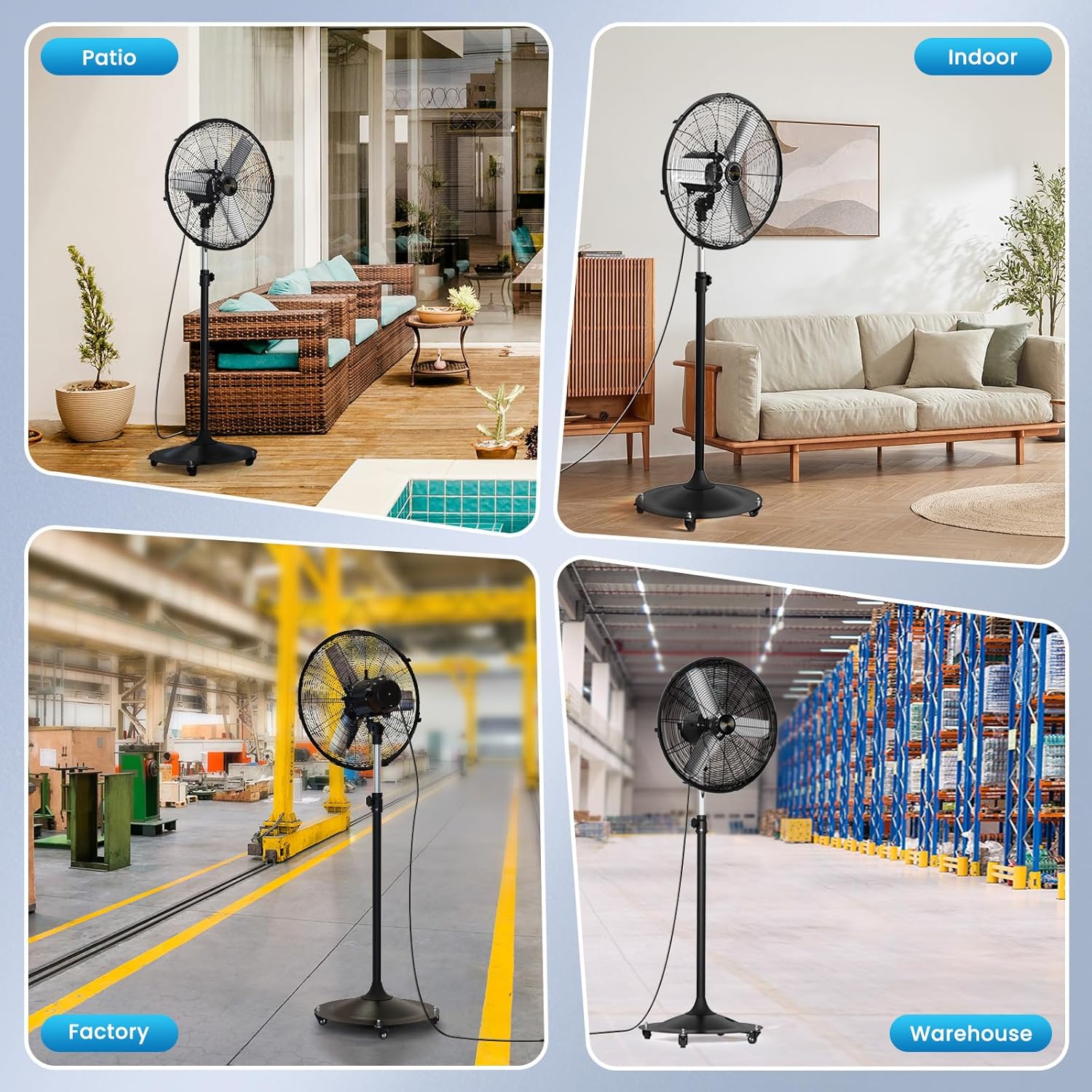
Figure 5.1: Four adjustable wind speed settings and their approximate airflow (CFM).
5.2 Oscillation Function
The fan offers a 90° motorized oscillation to distribute airflow across a wider area.
- Locate the oscillation button/switch on the top of the motor housing.
- Press the button or flip the switch to engage oscillation. The fan head will begin to sweep from side to side.
- Press the button or flip the switch again to stop oscillation and fix the fan in a stationary position.
5.3 Manual Tilt Adjustment
The fan head can be manually tilted up or down by 25° to direct airflow precisely where needed.
- Gently grasp the fan head (ensure the fan is off or on a low speed for safety).
- Tilt the fan head to the desired angle. It will hold its position.

Figure 5.2: Manual tilt and motorized oscillation capabilities.
6. Maintenance
Regular maintenance ensures optimal performance and extends the lifespan of your fan.
6.1 Cleaning
- Always unplug the fan before cleaning.
- Use a soft, damp cloth to wipe down the exterior surfaces of the fan. Do not use abrasive cleaners or solvents.
- For the fan grilles, use a vacuum cleaner with a brush attachment or a soft cloth to remove dust and debris.
- The BLDC motor is sealed (IP54 rated) and does not require internal cleaning or lubrication. Avoid direct rinsing or soaking of the motor housing.
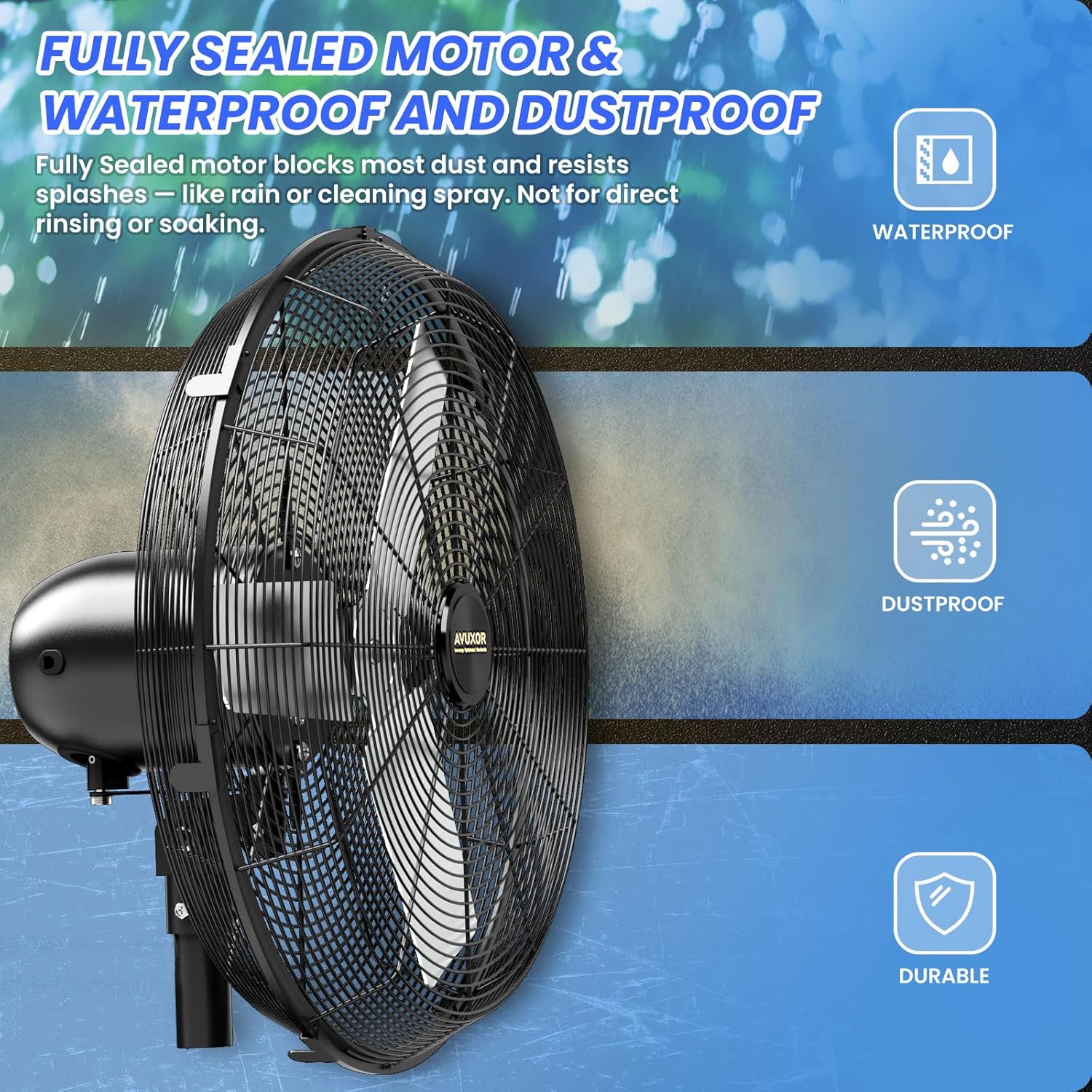
Figure 6.1: The fully sealed, waterproof, and dustproof BLDC motor.
6.2 Storage
When not in use for extended periods, store the fan in a cool, dry place, preferably in its original packaging, to protect it from dust and damage.
7. Troubleshooting
If you encounter issues with your fan, refer to the following common problems and solutions:
| Problem | Possible Cause | Solution |
|---|---|---|
| Fan does not turn on | No power supply Power knob is OFF | Check if the fan is plugged into a working outlet. Ensure the power knob is turned to a speed setting (1-4). |
| Weak airflow | Low speed setting Grilles are obstructed/dirty | Increase the speed setting. Clean the front and rear grilles to remove dust and debris. |
| Fan is noisy | Loose parts Fan not on a level surface High speed setting (normal at max speed) | Check all assembly screws and ensure they are tight. Place the fan on a stable, level surface. Noise is expected to increase at higher speed settings due to powerful airflow. |
| Oscillation not working | Oscillation button/switch is OFF | Press or flip the oscillation button/switch to engage the function. |
If the problem persists after attempting these solutions, please contact AVUXOR customer support for assistance.
8. Specifications
| Feature | Specification |
|---|---|
| Brand | AVUXOR |
| Model Number | AVUXOR |
| Product Dimensions | 55.88 x 55.88 x 139.7 cm (20-inch model) |
| Item Weight | 14.97 kg (20-inch model) |
| Power/Wattage | 63 watts |
| Motor Type | All-sealed Brushless DC Motor (BLDC) |
| IP Rating | IP54 (Waterproof & Dustproof) |
| Speed Settings | 4 Speeds |
| Oscillation | 90° Motorized Oscillation |
| Tilt Adjustment | 25° Manual Tilt |
| Material | Stainless Steel (Grille/Components) |
| Special Features | Adjustable Height, Adjustable Tilt, Dust Resistant, Oscillating, Waterproof |

Figure 8.1: Energy efficiency comparison of different fan types.
9. Warranty and Support
For warranty information and customer support, please refer to the warranty card included with your purchase or visit the official AVUXOR website. Keep your purchase receipt as proof of purchase for any warranty claims.
Customer Service Contact: Please refer to the contact information provided in your product packaging or on the manufacturer's official website.
Ask a question about this manual
Ask about setup, troubleshooting, compatibility, parts, safety, or missing instructions. Manuals+ will review the question and use this page’s manual context to help answer it.