1. Introduction
This manual provides detailed instructions for the installation, operation, and maintenance of your electrosmart 9.7-inch car radio. Please read this manual thoroughly before use to ensure proper functionality and safety.
2. Applicable Models
This car radio is specifically designed for the following vehicle models:
- Lexus GX470 (2002-2009)
- Toyota Prado (2002-2009)
Note: This car stereo does not support vehicles equipped with Manual A/C systems. Please verify your vehicle's compatibility, including the shape of the center console, before purchasing and installation.
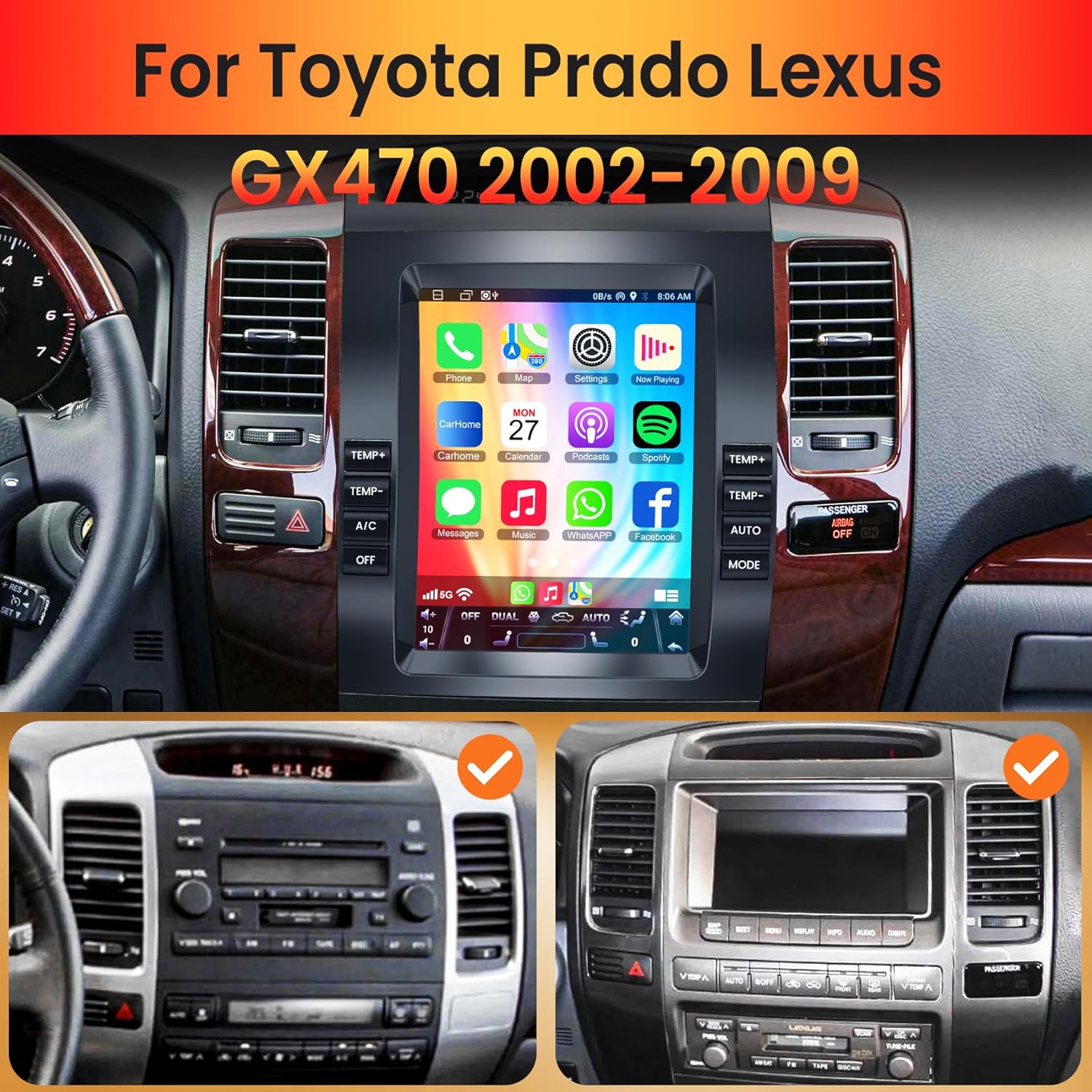
Image: The electrosmart 9.7 Inch Car Radio seamlessly integrated into a Lexus GX470 dashboard, demonstrating its fit and appearance within the compatible vehicle models.
3. Product Features
The electrosmart 9.7 Inch Car Radio offers a range of advanced features to enhance your driving experience:
- Wireless Apple CarPlay & Android Auto: Seamless smartphone integration for navigation, music, and communication.
- GPS Navigation & WiFi Connectivity: Built-in offline maps for North America and online map support via WiFi.
- Steering Wheel Control Integration: Compatible with original steering wheel controls for safe operation.
- Backup Camera Support: Includes a 170° wide-angle, night vision, waterproof backup camera for enhanced safety.
- HD Touch Screen & Split-Screen Mode: 1024*600 IPS display with high sensitivity and multi-tasking capabilities.
- Bluetooth 5.2 & FM Radio: Hands-free calling, music streaming, and access to FM radio stations.
- DSP/EQ Setting: Digital Sound Processor with Equalizer settings for customized audio output.
4. Setup and Installation
The electrosmart 9.7 Inch Car Radio is designed for plug-and-play installation. It comes equipped with a Canbus system to support original steering wheel controls and is compatible with original car JBL audio systems.
4.1. What's in the Box
Please ensure all components are present before beginning installation:
- 9.7 Inch Car Radio Unit
- Radio Adapter
- USB Cable (x2)
- RCA Cable
- Reversing Input Cable
- Camera Cable
- Backup Camera
- Microphone
- GPS Antenna
- User Manual

Image: A visual representation of all components included with the electrosmart 9.7 Inch Car Radio, along with a basic wiring diagram for installation.
4.2. Wiring Diagram
Refer to the provided wiring diagram for correct connections. Ensure all cables are securely connected to their respective ports.
- Power Cable: Connects to the vehicle's power supply.
- RCA Line: For audio/video input/output.
- USB Cable: For data transfer and charging.
- Radio Antenna: Connects to the vehicle's radio antenna.
- GPS Cable: Connects to the GPS antenna.
- Reversing Line: Connects to the backup camera system.

Image: A comprehensive diagram showing the rear wiring connections for the car radio, indicating where each cable (Power, RCA, USB, Radio Antenna, GPS, Reversing Line) should be connected.
5. Operating Instructions
5.1. Wireless Apple CarPlay & Android Auto
To use Wireless CarPlay or Android Auto:
- Ensure Bluetooth is enabled on your smartphone and the car radio.
- Pair your smartphone with the car radio via Bluetooth.
- On your car radio, navigate to Car Settings > Android Settings > Network & Internet > Hotspot & tethering > WiFi hotspot and turn it ON.
- Follow the on-screen prompts on your phone to connect to CarPlay or Android Auto.
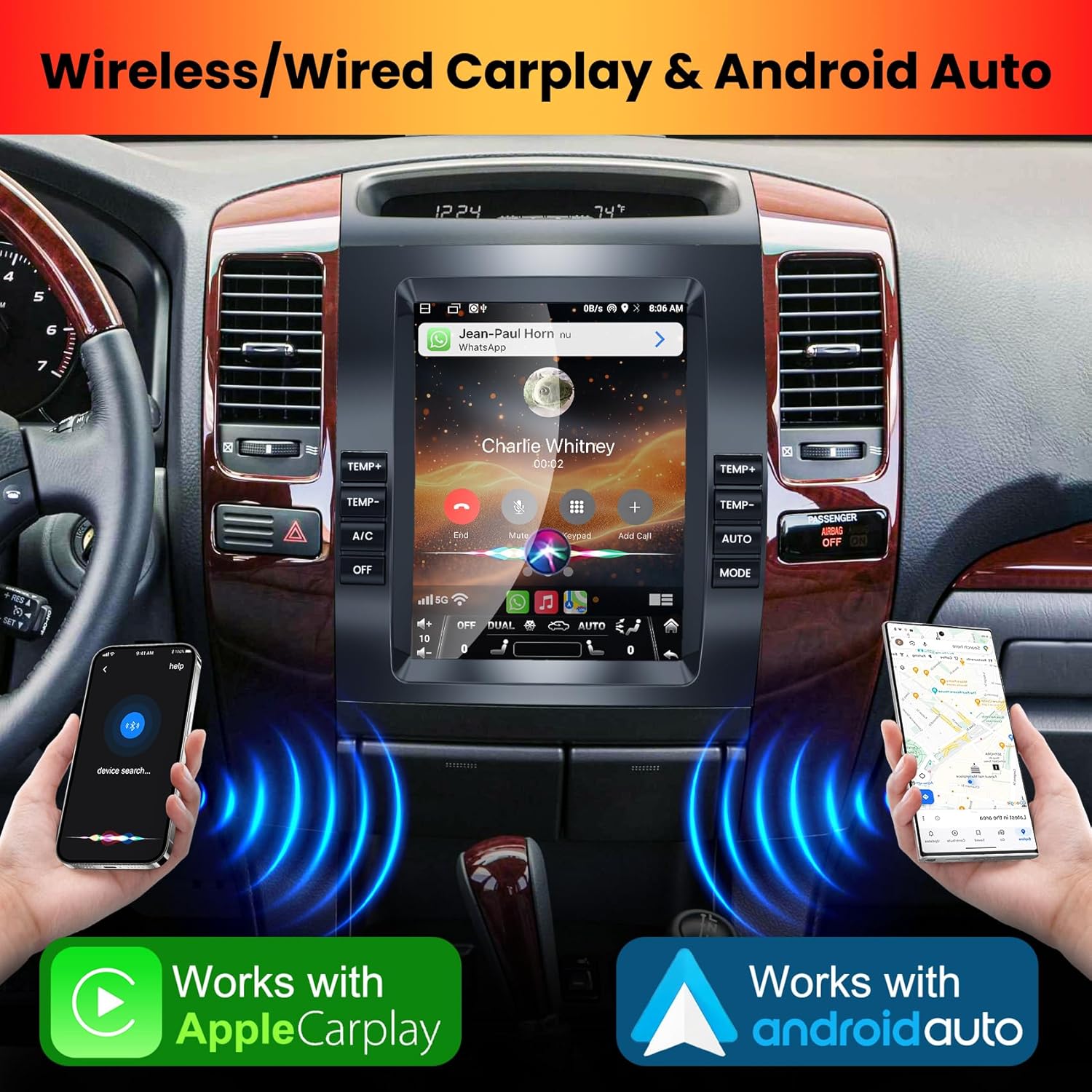
Image: The car radio display showcasing the Apple CarPlay and Android Auto interfaces, demonstrating wireless connectivity with smartphones.
5.2. GPS Navigation & WiFi Connect
The unit comes with a built-in offline map of North America. For online navigation and app downloads:
- Connect the car radio to a WiFi network (e.g., your phone's hotspot).
- Once connected, you can use online navigation applications and download/delete Android apps from the Application Store, similar to a smartphone.

Image: The car radio screen displaying GPS navigation with popular map applications, alongside an illustration of the WiFi connection process.
5.3. Steering Wheel Control
The car radio seamlessly integrates with your vehicle's original steering wheel controls, allowing you to manage audio functions safely without taking your hands off the wheel. Configuration may be required in the system settings.

Image: The car radio screen displaying media playback, with an emphasis on the vehicle's steering wheel controls, indicating integrated functionality.
5.4. Backup Camera
The included backup camera provides a 170° viewing angle with night vision capabilities. When the vehicle is shifted into reverse, the display automatically switches to the camera feed, offering clear visibility and assisting in eliminating blind spots.

Image: The car radio screen displaying the backup camera feed with parking assist lines, emphasizing its waterproof, night vision, and wide-angle features.
5.5. HD Touch Screen & Split-Screen Mode
The 1024*600 IPS HD Touch Screen offers high sensitivity and a full viewing angle. The split-screen mode allows you to run two applications side-by-side, such as navigation and music, for enhanced convenience.
5.6. Bluetooth 5.2 & FM Radio
Utilize Bluetooth 5.2 for hands-free calling and wireless music playback. The unit includes a built-in microphone and supports an external microphone for clear communication. The integrated FM radio function allows you to tune into your favorite stations.

Image: The car radio screen displaying both Bluetooth music streaming and the FM radio interface, illustrating connectivity and audio options.
5.7. DSP/EQ Setting
The Digital Sound Processor (DSP) and Equalizer (EQ) settings allow you to fine-tune the audio output to your preference, optimizing sound quality within your vehicle.

Image: The car radio's interface for Digital Sound Processor (DSP) and Equalizer (EQ) settings, allowing users to customize audio output.
6. Maintenance
To ensure the longevity and optimal performance of your electrosmart car radio, follow these maintenance guidelines:
- Cleaning: Use a soft, dry cloth to clean the screen and unit. Avoid abrasive cleaners or solvents.
- Software Updates: Periodically check for and install available software updates to ensure the system runs efficiently and has the latest features.
- Temperature: Avoid exposing the unit to extreme temperatures.
7. Troubleshooting
If you encounter issues with your car radio, refer to the following common troubleshooting steps:
- No Power: Check all power connections and the vehicle's fuse box. Ensure the unit is properly installed.
- No Sound: Verify speaker connections, volume levels, and audio source selection. Check DSP/EQ settings.
- GPS Signal Issues: Ensure the GPS antenna is correctly installed and has a clear view of the sky.
- Bluetooth/WiFi Connectivity Problems: Restart both the car radio and your smartphone. Ensure Bluetooth/WiFi is enabled on both devices and try re-pairing.
- Touch Screen Unresponsive: Try restarting the unit. If the issue persists, contact customer support.
For persistent issues not resolved by these steps, please contact electrosmart customer support.
8. Specifications
| Display Size | 9.7 Inches |
| Display Type | LCD, LED |
| Touch Screen Type | Capacitive |
| Memory Storage Capacity | 64 GB |
| Connectivity Technology | Bluetooth 5.2, WiFi |
| Map Type | North America (Offline) |
| Special Features | Wireless CarPlay, Android Auto, GPS, Bluetooth, Touchscreen, Steering Wheel Control, Backup Camera |
| Item Weight | 4.55 pounds |
| Package Dimensions | 16.18 x 12.76 x 5.75 inches |
| Manufacturer | electrosmart |
9. Warranty and Support
This electrosmart car radio comes with a 1-Year Warranty from the date of purchase. This warranty covers manufacturing defects and malfunctions under normal use.
For warranty claims, technical support, or any questions regarding your product, please contact electrosmart customer service through the platform where you purchased the item or refer to the contact information provided in the product packaging.