
1. Introduction
Thank you for choosing the VEVOR MD1200 Automatic Sliding Gate Opener. This system is designed to provide convenient and secure access control for residential, farm, or commercial sliding gates. Featuring a powerful 1200W motor, infrared safety sensors, and remote control operation, it offers reliable performance for gates up to 65.6 feet (20 meters) wide and weighing up to 5732 pounds (2600 kg).
This manual contains essential information for the proper installation, operation, and maintenance of your gate opener. Please read it thoroughly before beginning installation or use to ensure safe and efficient operation.
2. Safety Information
Your safety and the safety of others are paramount. Please observe the following safety precautions:
- Read All Instructions: Before installation and use, carefully read and understand all instructions provided in this manual.
- Qualified Personnel: Installation and wiring should only be performed by qualified personnel to prevent injury or damage.
- Clear Area: Ensure the gate area is clear of people, pets, and obstructions before and during gate operation.
- Infrared Sensors: The system is equipped with infrared sensors. If an obstacle (person, vehicle, or pet) is detected while the gate is closing, the gate will automatically reverse to prevent accidental collisions. Regularly check these sensors for proper function and cleanliness.
- Emergency Release: Familiarize yourself with the manual emergency release mechanism in case of power failure or malfunction.
- Children and Pets: Keep children and pets away from the gate and its operating mechanisms at all times. Do not allow children to play with remote controls.
- Power Disconnection: Always disconnect power to the gate opener before performing any maintenance, adjustments, or repairs.
- Proper Grounding: Ensure the gate opener is properly grounded according to local electrical codes.
Failure to follow these safety instructions could result in serious injury or property damage.
3. Package Contents
Upon unpacking, please verify that all items listed below are present and undamaged:
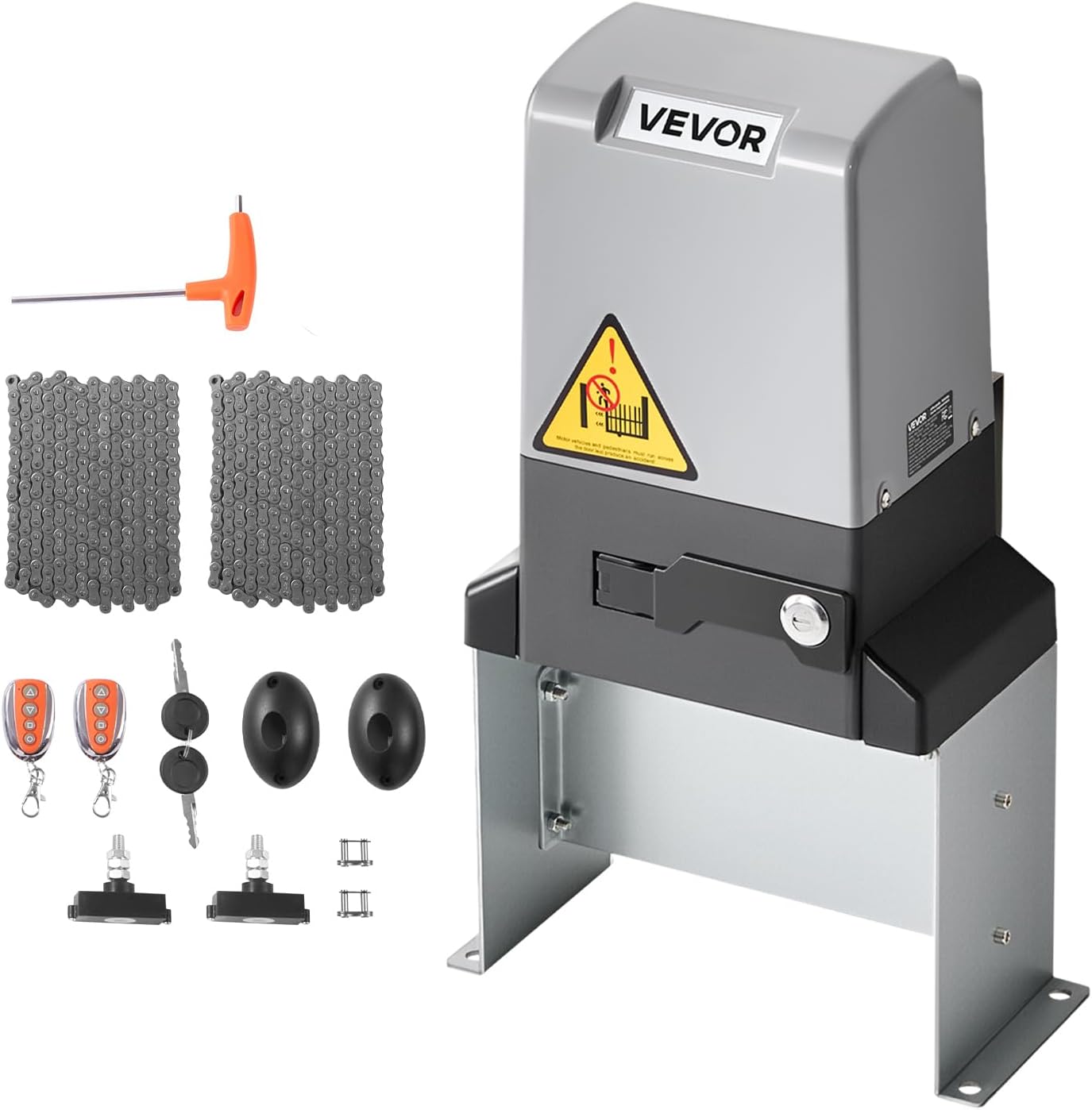
- 1 x Main Motor Unit (VEVOR MD1200 Automatic Sliding Gate Opener)
- 2 x Remote Controls
- 2 x Infrared Sensors (Transmitter and Receiver)
- 1 x Metal Chain (6 meters / 19.7 feet)
- 2 x Emergency Release Keys
- Mounting Hardware (bolts, nuts, washers, etc.)
- Installation Tool (e.g., Allen wrench)
- User Manual (this document)
4. Specifications
The VEVOR MD1200 Automatic Sliding Gate Opener features the following technical specifications:
| Feature | Specification |
|---|---|
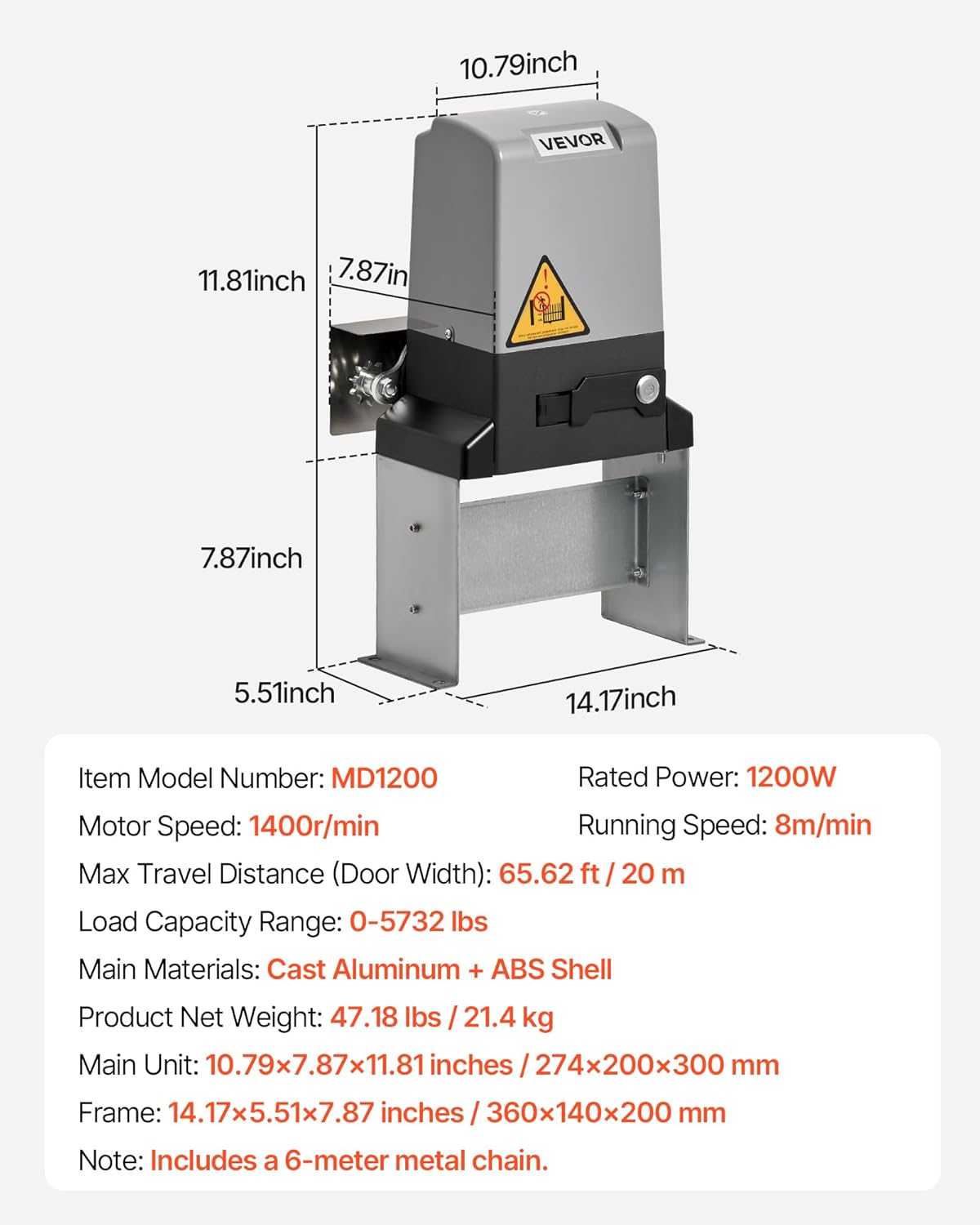
| Item Model Number | MD1200 |
| Rated Power | 1200W |
| Motor Speed | 1400 r/min |
| Running Speed | 8 m/min |
| Max Travel Distance (Door Width) | 65.62 ft / 20 m |
| Load Capacity Range | 0 - 5732 lbs / 0 - 2600 kg |
| Main Materials | Cast Aluminum + ABS Shell |
| Product Net Weight | 47.18 lbs / 21.4 kg |
| Main Unit Dimensions | 10.79 x 7.87 x 11.81 inches / 274 x 200 x 300 mm |
| Frame Dimensions | 14.17 x 5.51 x 7.87 inches / 360 x 140 x 200 mm |
| Remote Control Range | Up to 164.04 ft / 50 m |
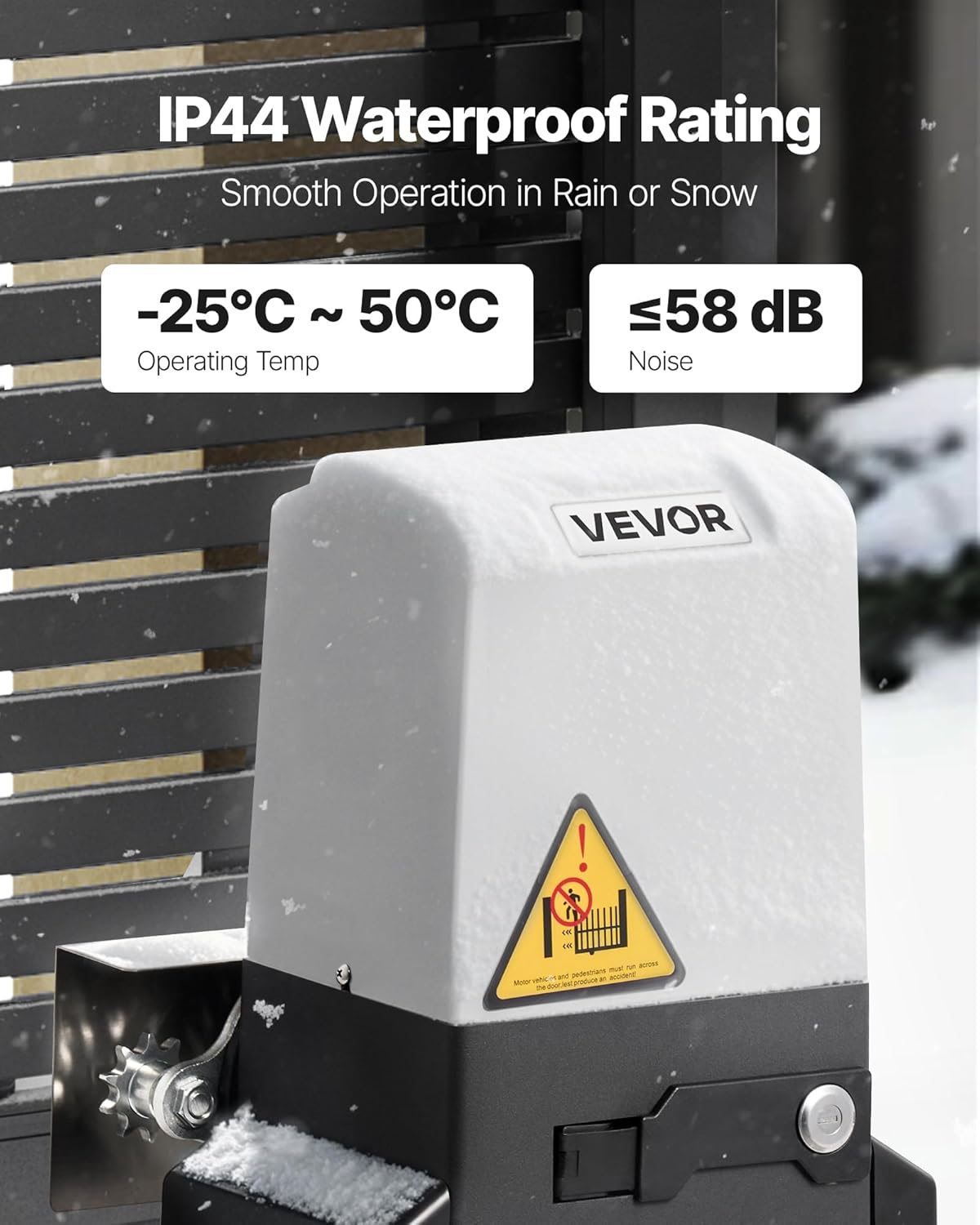
| Operating Temperature | -25°C to 50°C |
| Noise Level | ≤ 58 dB |
| Waterproof Rating | IP44 |
Note: Includes a 6-meter metal chain.


5. Setup & Installation
Proper installation is crucial for the safe and efficient operation of your gate opener. It is recommended that installation be performed by a qualified professional.
5.1 Pre-Installation Checklist
- Ensure the gate slides smoothly and freely without binding.
- Verify the gate structure is sound and capable of supporting the opener's forces.
- Confirm access to a suitable power supply (110V AC).
- Mark the desired location for the opener unit and infrared sensors.
5.2 Mounting the Opener Unit
- Prepare a stable, level concrete pad or foundation for the opener unit.
- Securely bolt the opener's base plate to the foundation using the provided mounting hardware. Ensure the unit is level and aligned with the gate's travel path.
5.3 Installing the Chain
- Attach the metal chain securely to both ends of the sliding gate.
- Route the chain through the opener's sprocket, ensuring proper tension. The chain should be taut but not overly tight, allowing for smooth movement.
- Adjust the chain length as necessary.
5.4 Wiring and Electrical Connections
- Connect the power supply to the opener unit according to the wiring diagram in the full PDF manual. Ensure all connections are secure and insulated.
- Connect the infrared sensors to the designated terminals on the control board.
- Ensure proper grounding of the unit.
5.5 Installing Infrared Sensors
- Mount the infrared transmitter and receiver units on opposite sides of the gate opening, ensuring they are aligned and facing each other.
- Position them at a height that will detect potential obstacles (e.g., children, pets, vehicles).
- Connect the sensor wiring to the main unit as per the wiring diagram.

6. Operating Instructions
Once installed and powered, your VEVOR MD1200 gate opener is ready for operation.
6.1 Remote Control Operation
- Opening the Gate: Press the designated 'Open' button on your remote control. The gate will begin to slide open.
- Closing the Gate: Press the designated 'Close' button on your remote control. The gate will begin to slide closed.
- Stopping the Gate: Press the 'Stop' button (or the 'Open'/'Close' button again) to halt the gate's movement at any point.
The remote controls have an effective range of up to 164.04 feet (50 meters), allowing convenient operation from your vehicle or property.

6.2 Automatic Safety Features
- Infrared Sensor Activation: If the infrared beam is broken by an obstacle during the closing cycle, the gate will automatically stop and reverse to its fully open position.
- Overload Protection: The motor is designed with overload protection to prevent damage in case of excessive resistance during operation.
6.3 Manual Release
In the event of a power outage or system malfunction, the gate can be operated manually:
- Locate the manual release lock on the side of the opener unit.
- Insert the emergency release key and turn it to disengage the motor.
- The gate can now be pushed open or closed by hand.
- To re-engage, turn the key back to the locked position and remove it.
7. Maintenance
Regular maintenance ensures the longevity and reliable operation of your VEVOR MD1200 gate opener.
7.1 Routine Checks (Monthly)
- Gate Movement: Manually check that the gate slides freely and smoothly without excessive friction. Lubricate gate rollers and tracks if necessary.
- Chain Tension: Verify the chain tension. It should be taut but not excessively tight. Adjust if needed.
- Infrared Sensors: Clean the lenses of the infrared sensors with a soft, dry cloth. Test their functionality by obstructing the beam during a closing cycle.
- Mounting Hardware: Check all bolts and fasteners for tightness. Tighten any loose connections.
- Electrical Connections: Inspect all wiring for signs of wear, damage, or corrosion. Ensure connections are secure.
7.2 Annual Maintenance
- Motor Housing: Inspect the motor housing for any cracks or damage. Ensure the IP44 rating is maintained.
- Sprocket and Chain: Inspect the sprocket for wear. Lubricate the chain with appropriate chain lubricant.
- Limit Switches: Verify the proper functioning of the gate's open and close limit switches.

8. Troubleshooting
This section addresses common issues you might encounter with your VEVOR MD1200 gate opener. For problems not listed here, please contact customer support.
| Problem | Possible Cause | Solution |
|---|---|---|
| Gate does not respond to remote control. |
|
|
| Gate opens but does not close, or reverses immediately. |
|
|
| Gate operates slowly or with difficulty. |
|
|
| Motor runs but gate does not move. |
|
|
9. Warranty & Support
VEVOR products are designed for durability and performance. For specific warranty details regarding your MD1200 Automatic Sliding Gate Opener, please refer to the warranty card included with your product or visit the official VEVOR website.
If you require technical assistance, have questions about installation, or need to report a problem, please contact VEVOR customer support. Our team is available to provide expert guidance and solutions.
For more information and to explore other VEVOR products, please visit the VEVOR Store.