
AOSRAU I63
AOSRAU I63 Wireless Earbuds User Manual
Model: I63
1. Product Overview
The AOSRAU I63 Wireless Earbuds offer a high-fidelity audio experience with advanced features such as Bluetooth 5.4 connectivity, Environmental Noise Cancelling (ENC) microphones, and an IP7 waterproof rating. This manual will guide you through the proper use and care of your earbuds.

Image 1.1: AOSRAU I63 Wireless Earbuds in their charging case, displaying battery levels.
What's in the Box
- i63 Earbuds (Left and Right)
- Charging Case
- User Manual
- Type-C Charging Cable
- Eartips (Small, Medium, Large sizes)

Image 1.2: Diagram showing the contents included in the product packaging: earbuds, charging case, user manual, Type-C cable, and various eartip sizes.
2. Setup and First Use
2.1 Charging the Earbuds and Case
Before first use, fully charge the earbuds and charging case. Use the provided Type-C charging cable.
- Charging Case: Connect the Type-C cable to the charging port on the case and a USB power source. The LED display on the case will show the charging progress. A full charge for the case takes approximately 1 hour.
- Earbuds: Place the earbuds into the charging case. They will automatically begin charging. The LED display on the case will show individual earbud battery levels. A full charge for the earbuds takes approximately 1.5 hours.
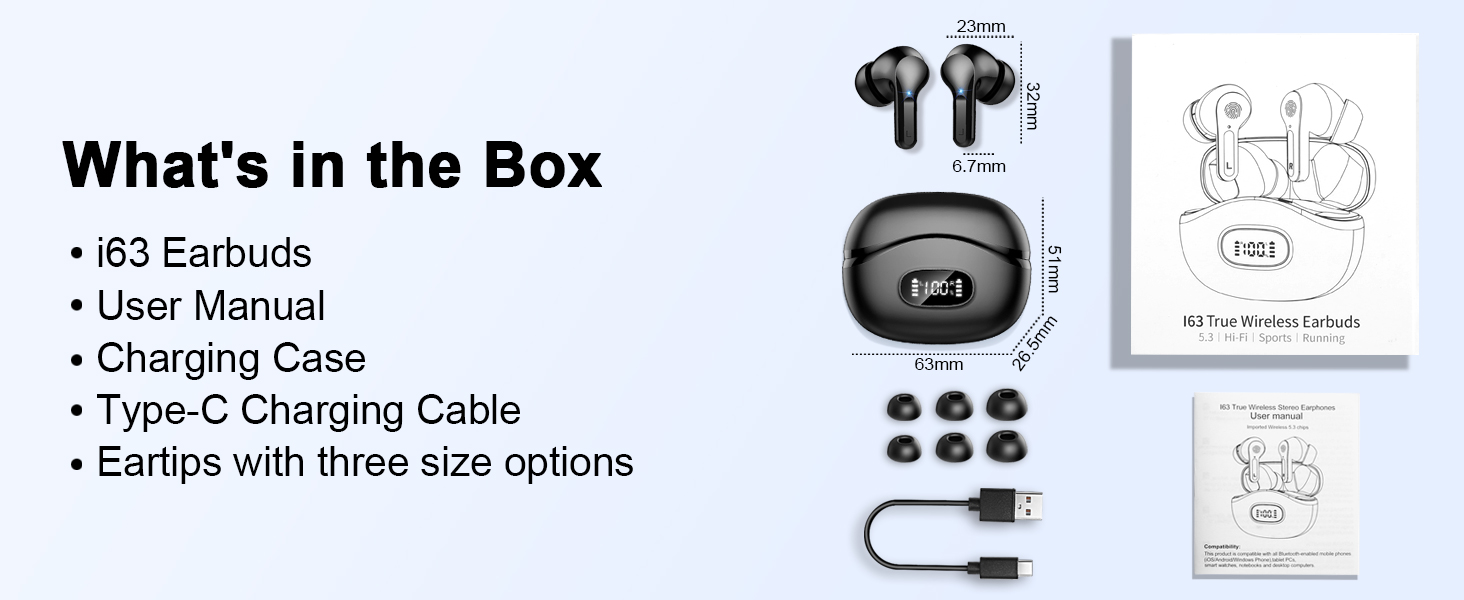
Image 2.1: Illustration of the USB-C fast charging process for the earbuds and their case, showing charging times.
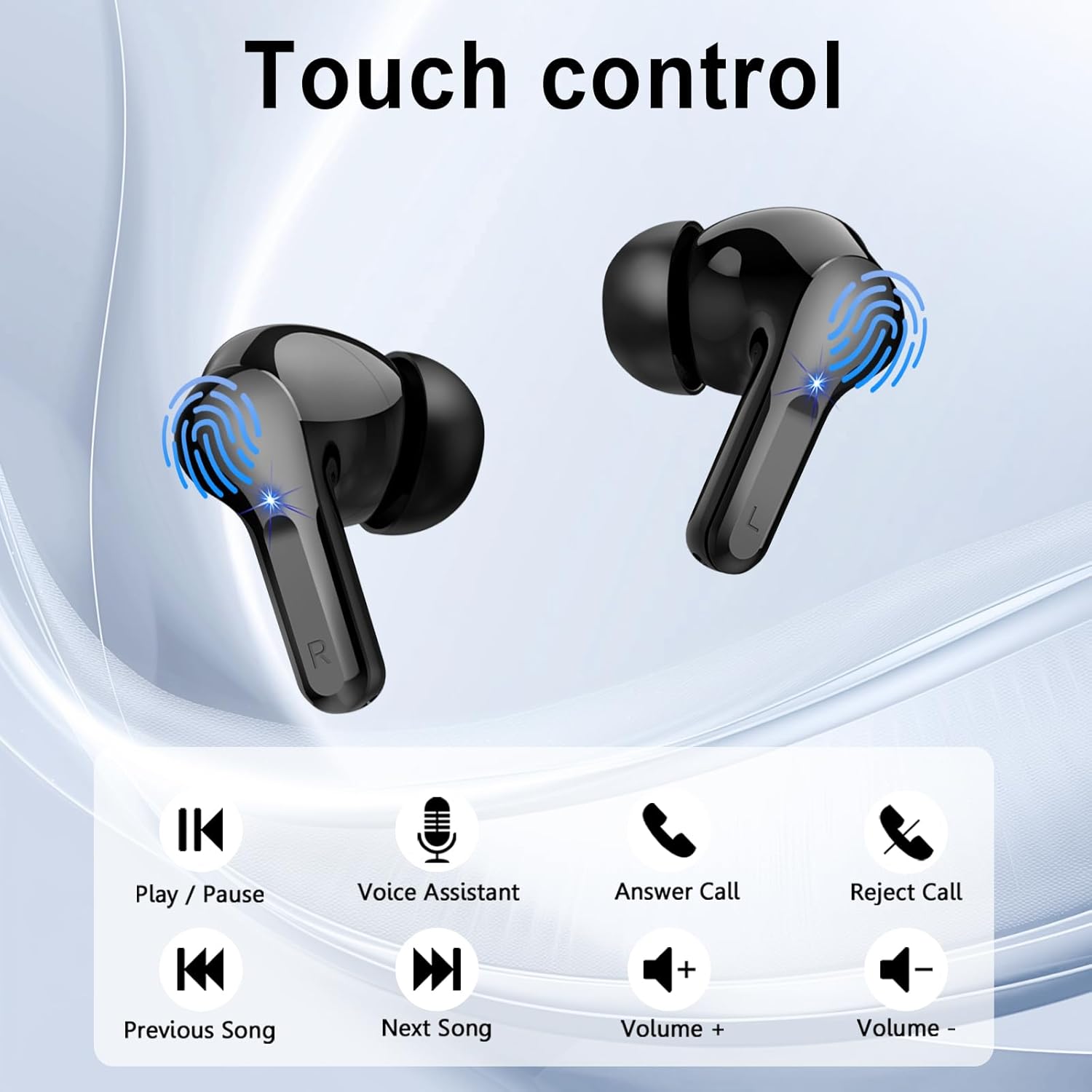
Image 2.2: Visual representation of the 48-hour total playtime and the LED power display on the charging case.
2.2 Pairing with Your Device
The earbuds utilize Bluetooth 5.4 for stable and fast connections.
- Ensure the earbuds are charged.
- Open the charging case. The earbuds will automatically power on and enter pairing mode.
- On your device (smartphone, tablet, computer), enable Bluetooth.
- Search for available Bluetooth devices and select "I63" from the list.
- Once connected, you will hear a confirmation tone, and the earbuds will be ready for use.
The earbuds will automatically connect to the last paired device when removed from the case, provided Bluetooth is enabled on the device.
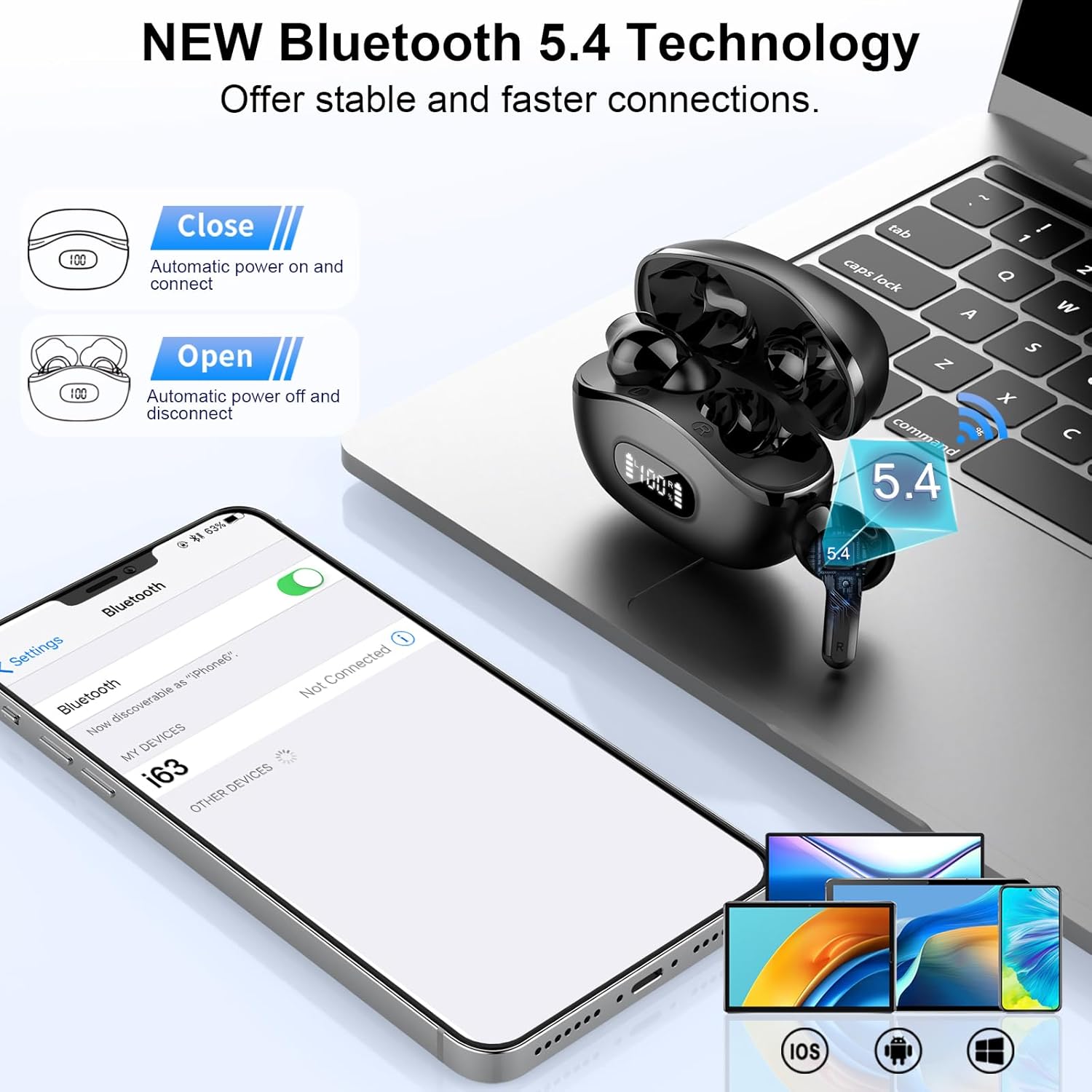
Image 2.3: Diagram illustrating the Bluetooth 5.4 connection process with a smartphone, showing automatic power on/off and connection.
2.3 Ergonomic Fit
For optimal sound quality and comfort, choose the correct eartip size and ensure a secure fit.
- Experiment with the provided S, M, and L eartips to find the size that best seals your ear canal.
- Gently insert each earbud into your ear and twist slightly until it feels snug and comfortable.

Image 2.4: Visual demonstrating the ergonomic design of the earbuds for a comfortable and secure fit during activities.

Image 2.5: Detailed measurements of the earbuds and charging case, highlighting their compact size.
3. Operating Instructions
3.1 Touch Controls
The AOSRAU I63 earbuds feature intuitive touch controls on each earbud for managing audio playback and calls.
| Action | Left Earbud (L) | Right Earbud (R) |
|---|---|---|
| Play / Pause | 1 Tap | 1 Tap |
| Previous Song | Press and Hold (1s) | N/A |
| Next Song | N/A | Press and Hold (1s) |
| Volume Down | 2 Taps | N/A |
| Volume Up | N/A | 2 Taps |
| Answer Call | 1 Tap | 1 Tap |
| Reject Call | Press and Hold (1s) | Press and Hold (1s) |
| Voice Assistant | 3 Taps | 3 Taps |

Image 3.1: Visual guide to the touch control gestures for various functions on the earbuds.

Image 3.2: Comprehensive diagram illustrating all intelligent touch control actions for music playback, calls, and voice assistant.
3.2 HiFi Stereo Sound and ENC Microphones
The earbuds are equipped with 14.2mm drivers for immersive HiFi stereo sound. The 4 built-in ENC (Environmental Noise Cancelling) microphones reduce ambient noise by up to 40dB, ensuring clear calls even in noisy environments.
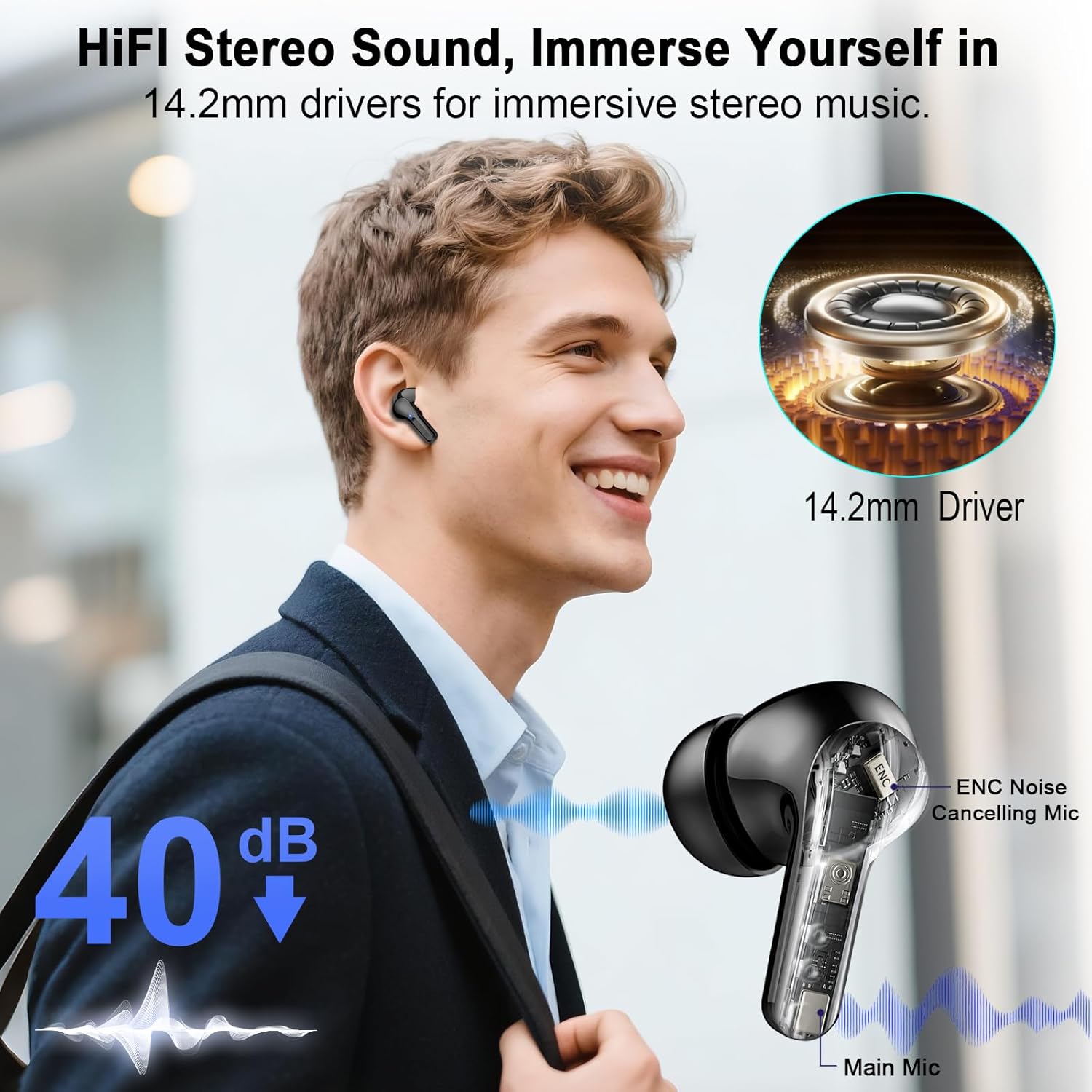
Image 3.3: Diagram highlighting the 14.2mm drivers for HiFi stereo sound and the ENC noise-cancelling microphone technology.
4. Maintenance and Care
4.1 Cleaning
- Regularly clean the earbuds and charging case with a soft, dry, lint-free cloth.
- Remove eartips and clean them with mild soap and water, then dry thoroughly before reattaching.
- Avoid using abrasive materials or harsh chemicals.
4.2 IP7 Waterproof Rating
The AOSRAU I63 earbuds are IP7 waterproof, meaning they are resistant to water splashes, sweat, and rain. This makes them suitable for workouts and outdoor activities.
- Do not submerge the earbuds in water for extended periods.
- Ensure the earbuds are dry before placing them back into the charging case to prevent damage.
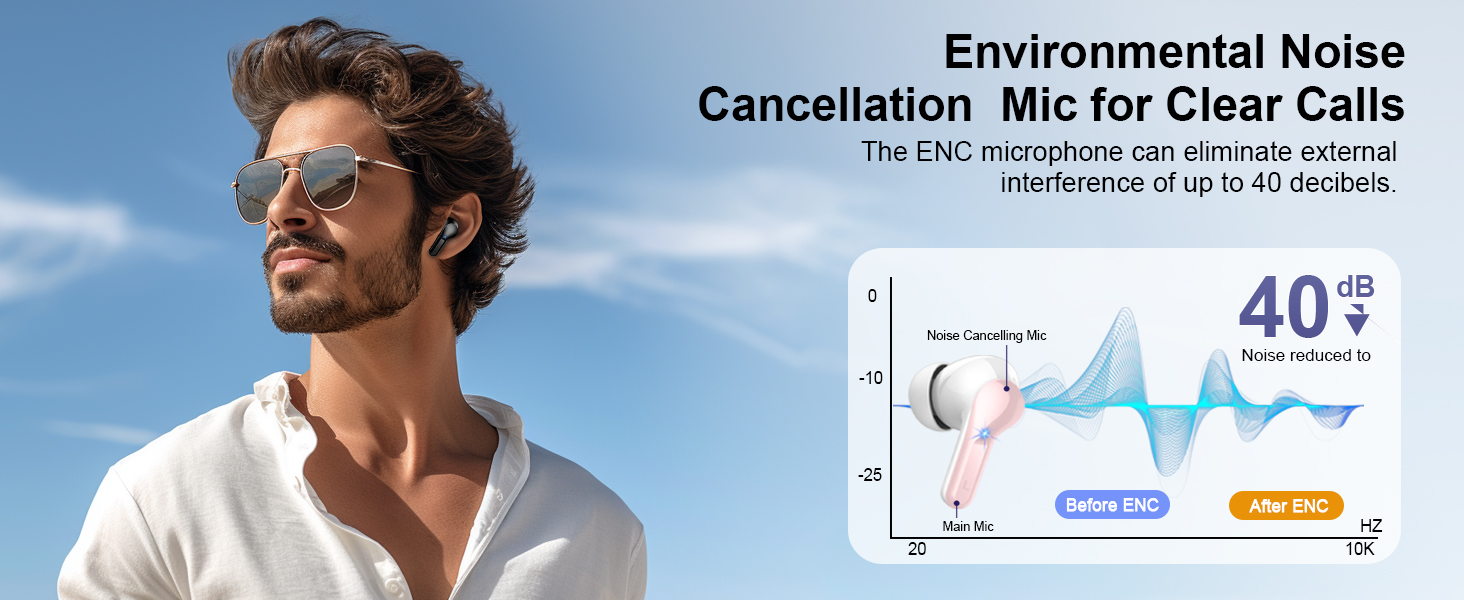
Image 4.1: Visual representation of the IP7 waterproof rating, indicating resistance to water, splashes, and sweat.
5. Troubleshooting
If you encounter any issues with your AOSRAU I63 Wireless Earbuds, please refer to the following common solutions:
- No Sound: Ensure the earbuds are properly paired and connected to your device. Check the volume levels on both the earbuds and your device.
- Pairing Issues: Turn off Bluetooth on your device, then turn it back on. Place the earbuds back in the case, close it, then open it again to re-enter pairing mode. Try pairing again.
- One Earbud Not Working: Ensure both earbuds are charged. Try placing both earbuds back in the case, closing it, and then taking them out again. If the issue persists, try resetting the earbuds (refer to the full user manual for specific reset instructions, if available).
- Charging Problems: Ensure the charging cable is securely connected to both the case and the power source. Try a different charging cable or power adapter. Clean the charging contacts on both the earbuds and the case.
- Poor Call Quality: Ensure the microphones are not obstructed. Move to a quieter environment if ENC is not sufficient.
6. Specifications
| Feature | Detail |
|---|---|
| Model Number | I63 |
| Brand | AOSRAU |
| Input Device Interface | Bluetooth 5.4 |
| Earpiece Shape | In-ear |
| Frequency Range | 20Hz - 20,000Hz |
| Headphones Jack | No Jack |
| Batteries | 1 A batteries required (included) |
| Item Weight | 3.2 ounces |
| Package Dimensions | 3.54 x 3.19 x 1.46 inches |
| Manufacturer | Shenzhen Shengdaren Technology Co.,Ltd |
| Date First Available | June 18, 2025 |
7. Warranty and Support
7.1 Warranty Information
Your AOSRAU I63 Wireless Earbuds are covered by a standard manufacturer's warranty. Please refer to the warranty card included in your product packaging for specific terms and conditions. This warranty typically covers defects in materials and workmanship under normal use.
7.2 Customer Support
For further assistance, technical support, or warranty claims, please contact AOSRAU customer service through the retailer where you purchased the product or visit the official AOSRAU website for contact information.
Ask a question about this manual
Ask about setup, troubleshooting, compatibility, parts, safety, or missing instructions. Manuals+ will review the question and use this page’s manual context to help answer it.