
Aulzaju blustudiomini2023case
User Manual
Aulzaju Full Body Protection Phone Case with Screen Protector
For Blu View Speed Ultra 5G (Model B1660V)
Introduction
Thank you for choosing the Aulzaju Full Body Protection Phone Case for your Blu View Speed Ultra 5G. This case is designed to provide comprehensive protection against drops, scratches, and daily wear, featuring a frosted PC back, a front silicone bumper, and an integrated screen protector. This manual will guide you through the installation, usage, and maintenance of your new phone case to ensure optimal performance and longevity.
1. Setup and Installation
Proper installation is crucial for the full protective capabilities of your Aulzaju phone case. Please follow these steps carefully:
- Prepare Your Device: Ensure your Blu View Speed Ultra 5G phone is clean and free of dust, smudges, or debris. Use a microfiber cloth to wipe down the screen and back of the phone.

Image: The phone case disassembled, showing the front bumper, back case, and the phone itself, along with the separate screen protector.
- Separate the Case Components: The Aulzaju case consists of a front silicone bumper and a hard PC back cover. Gently separate these two parts.

Image: An exploded view demonstrating how the phone fits between the front frame and the back cover of the case.
- Install the Front Bumper: Carefully place your phone into the front silicone bumper, ensuring all edges and corners are securely seated. The built-in screen protector is part of this front bumper. Make sure there are no air bubbles or dust trapped underneath the screen protector. If there are, gently lift the bumper and re-apply.

Image: A visual representation of the phone being carefully placed into the front bumper, which includes the integrated screen protector.
- Attach the Back Cover: Once the phone is snugly in the front bumper, align the assembly with the hard PC back cover. Press firmly around the edges until you hear a click, indicating that the two parts are securely fastened together.
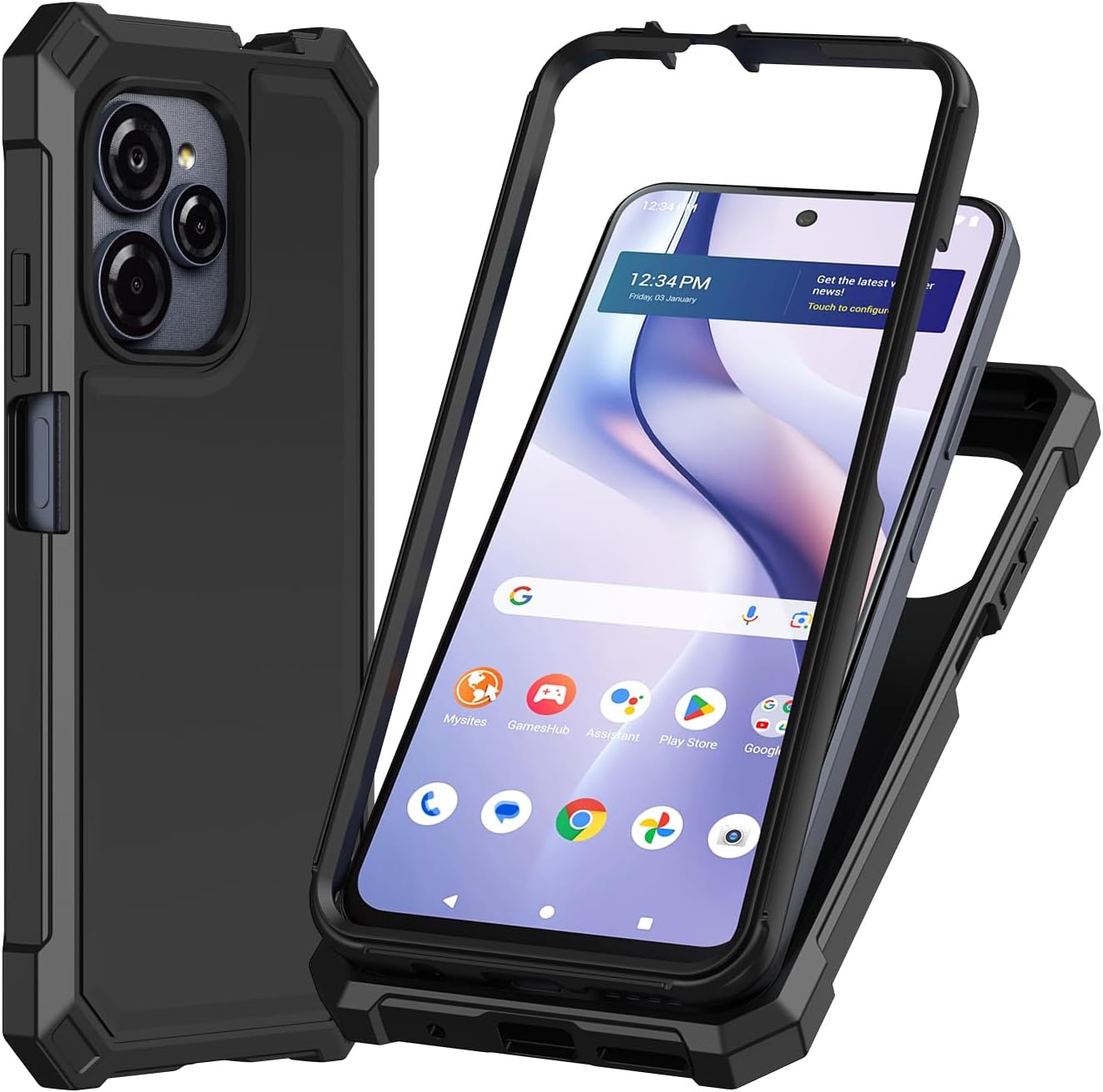
Image: The phone fully enclosed within the assembled front bumper and back cover, showcasing the complete protection.
- Final Check: Verify that all buttons are accessible and functional, and that all ports (charging, headphone jack) are properly aligned with the case cutouts.
2. Operating Your Device with the Case
The Aulzaju phone case is designed to enhance your phone's durability without hindering its functionality.
- Button Accessibility: The case features precise cutouts and responsive button covers for the power and volume buttons, ensuring easy access and tactile feedback.

Image: A detailed view of the side of the phone case, highlighting the precise cutouts and covers for the power and volume buttons.
- Port Access: All essential ports, including the charging port and speaker grilles, are precisely cut to allow for unhindered access and functionality.
- Camera Protection: The case includes a raised bezel around the camera module to protect the lenses from scratches when placed on flat surfaces.
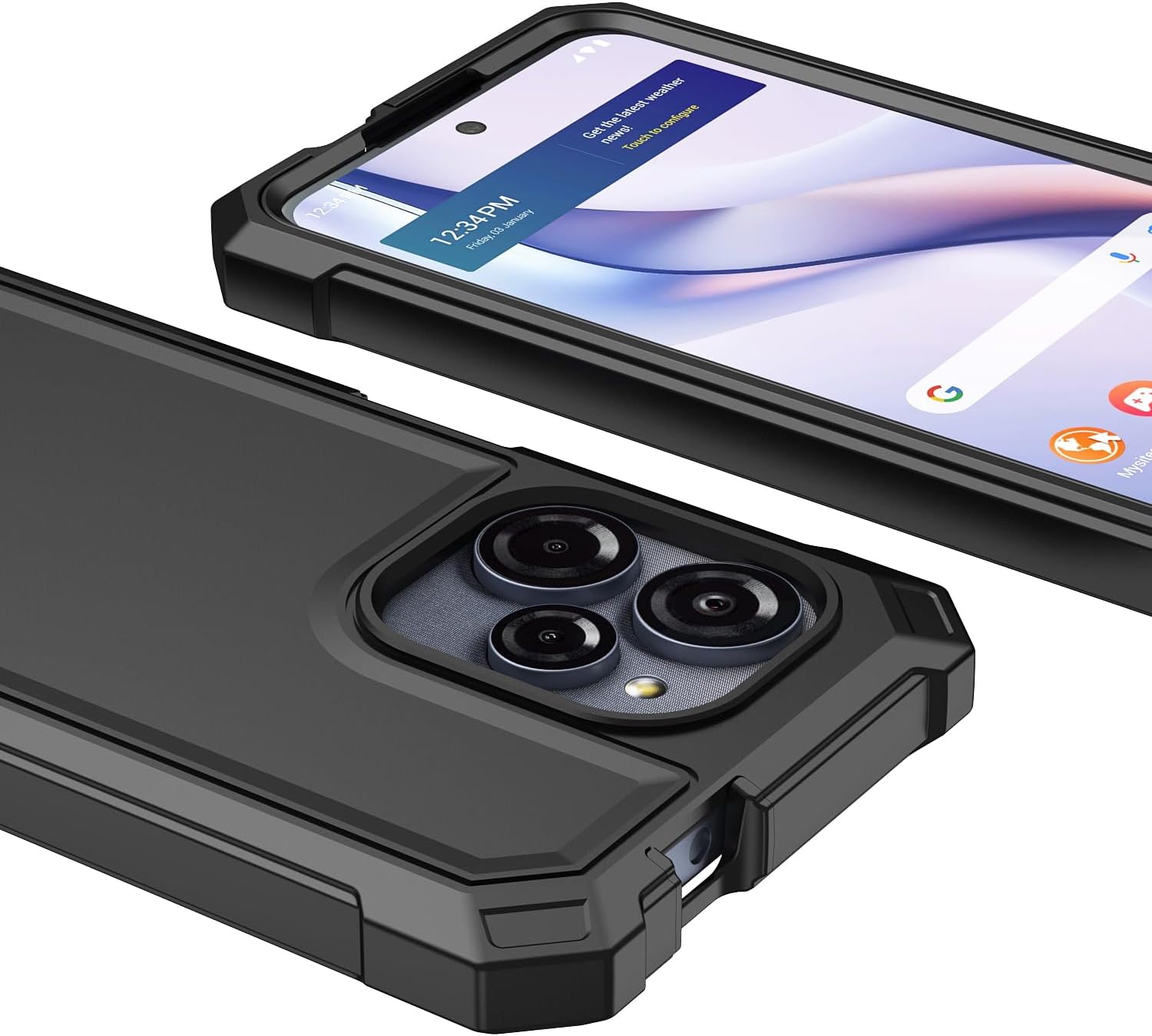
Image: A close-up shot of the phone case's camera area, illustrating the raised bezel designed to protect the camera lenses.
- Screen Protector: The integrated screen protector offers clear visibility and maintains touch sensitivity.

Image: A diagram highlighting the key features of the integrated screen protector, including fingerprint resistance, crush resistance, and smooth durability.
3. Maintenance and Care
To keep your Aulzaju phone case in optimal condition and ensure long-lasting protection, follow these maintenance tips:
- Cleaning: Regularly wipe the case with a soft, damp cloth to remove dust and smudges. For tougher stains, a mild soap solution can be used, but avoid harsh chemicals or abrasive cleaners as they may damage the material.
- Screen Protector Care: Clean the integrated screen protector with a screen-specific cleaner and a microfiber cloth to maintain clarity and touch responsiveness. Avoid using paper towels or rough materials that could scratch the surface.
- Avoid Extreme Conditions: While the case offers robust protection, prolonged exposure to extreme temperatures, direct sunlight, or corrosive liquids should be avoided to prevent material degradation.
- Periodic Inspection: Periodically remove the case to clean your phone and inspect both the phone and the case for any signs of wear or damage. This ensures that no debris is trapped between the phone and case, which could cause scratches over time.
4. Troubleshooting
If you encounter any issues with your Aulzaju phone case, refer to the following common solutions:
| Issue | Possible Cause | Solution |
|---|---|---|
| Case does not fit properly. | Incorrect model or improper installation. | Ensure you have the correct case for Blu View Speed Ultra 5G (Model B1660V). Re-install the case following the "Setup and Installation" steps carefully, ensuring both parts click into place. |
| Bubbles under screen protector. | Dust particles or improper application. | Gently lift the front bumper, clean the screen and the protector thoroughly with a microfiber cloth to remove any dust, then re-apply slowly from one end to the other. |
| Buttons are stiff or unresponsive. | Case not fully seated or manufacturing defect. | Check if the case is fully snapped together. If the issue persists, contact customer support. |
| Case appears yellowing over time. | Natural degradation of silicone/TPU material due to UV exposure. | This is a common characteristic of some clear materials over extended use. While the case is designed to be anti-yellowing, some discoloration may occur over a very long period. Regular cleaning can help maintain appearance. |
5. Specifications
Key specifications for the Aulzaju Full Body Protection Phone Case:
- Compatible Phone Models: Blu View Speed Ultra 5G (B1660V)
- Material: Frosted PC (Polycarbonate) Back, Front Silicone Bumper, Thermoplastic Polyurethane (TPU), Acrylonitrile Butadiene Styrene, Plastic, Resin, Rubber
- Features: Built-in Screen Protector, Heavy Duty Protection, Lightweight, Shock-Absorbent, Slim Fit, Anti-yellowing, Anti-oil, Anti-fingerprint, Military Grade Drop Protection (up to 10ft)
- Color: Black (for this specific variant)
- Form Factor: Bumper
- Item Weight: 2.39 ounces
- Package Dimensions: 7.09 x 3.35 x 1.18 inches
- Model Number: blustudiomini2023case
- Manufacturer: Aulzaju
- Date First Available: June 18, 2025

Image: A visual representation of the case's military-grade drop protection, indicating resistance to drops from up to 10 feet.
6. Warranty and Support
Aulzaju is committed to providing high-quality products and excellent customer service.
- Quality Service: If you have any questions, concerns, or require assistance with your Aulzaju phone case, please do not hesitate to contact us. We aim to respond to all inquiries within 24 hours via email.
- Contact Information: Please refer to your purchase platform or packaging for specific contact details, or visit the official Aulzaju store on Amazon: Aulzaju Store.
Ask a question about this manual
Ask about setup, troubleshooting, compatibility, parts, safety, or missing instructions. Manuals+ will review the question and use this page’s manual context to help answer it.