
1. Important Safety Instructions
Please read all instructions carefully before using this product and retain them for future reference. Failure to follow these instructions may result in electric shock, fire, or serious injury.
- Do not immerse the fan in water or other liquids.
- Keep out of reach of children and pets.
- Do not insert fingers or any objects into the fan grille.
- Use only the provided charging cable or a compatible 5V/2A adapter.
- Do not use the fan if the power cord or plug is damaged.
- Avoid placing the fan on unstable surfaces, especially when operating at high speeds or extreme angles, to prevent tipping.
- Do not disassemble or attempt to repair the fan yourself. Contact customer support for assistance.
2. Product Overview
The ATEngeus TF32B is a versatile rechargeable desk fan designed for portability and extended use. It features a high-capacity battery, multiple speed settings, a timer function, and the ability to act as a power bank.
Package Contents:
- ATEngeus TF32B Rechargeable Desk Fan
- USB Charging Cable (Type-C to Type-A)
- User Manual (this document)
Key Features:
- 10000mAh High-Capacity Battery: Provides up to 200 hours of continuous operation on the lowest setting.
- 3-Stage Airflow Adjustment: Choose between low, medium, and high fan speeds (up to 4.5m/s).
- 2/4 Hour Timer Function: Automatically turns off the fan after a set period for energy saving and comfortable sleep.
- 350-Degree Vertical Rotation: Manually adjust the fan head to direct airflow precisely where needed.
- Reverse Charging (Power Bank Function): Equipped with a USB output port to charge your smartphone or other devices in emergencies.
- Compact & Portable Design: Lightweight and easy to carry, suitable for indoor and outdoor use.
Component Identification:
Refer to the image below for a visual guide to the fan's components and controls.
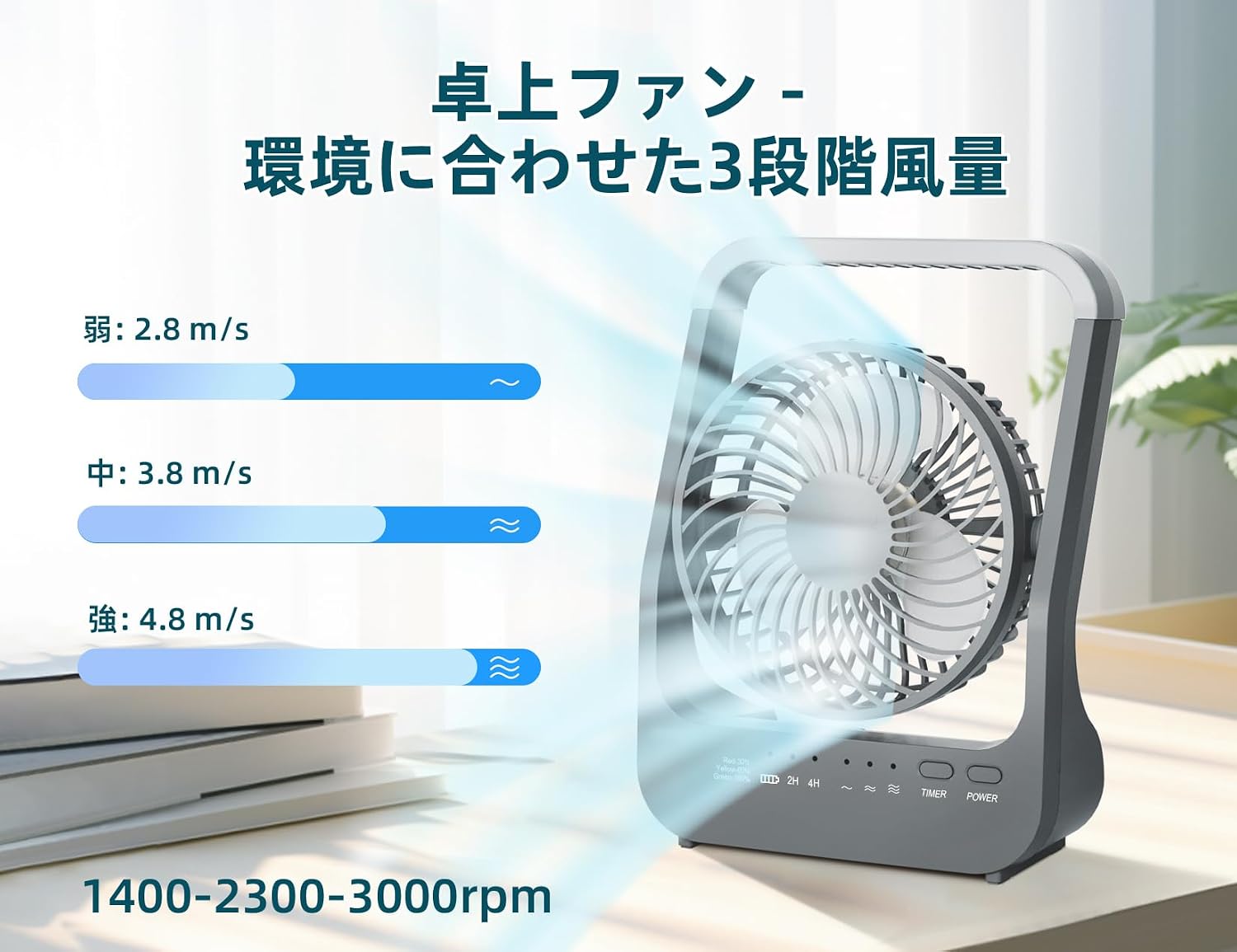
Image: Front and rear view of the ATEngeus TF32B fan, highlighting the power button, timer button, battery indicator, and USB charging/output ports.
- Power Button: Controls fan power and speed settings.
- Timer Button: Activates and cycles through timer settings.
- Battery Indicator: Displays remaining battery level.
- Type-C Input Port: For charging the fan.
- USB-A Output Port: For charging external devices.
- Adjustable Fan Head: Allows manual vertical angle adjustment.
3. Setup
Initial Charging:
- Before first use, fully charge the fan.
- Connect the provided USB Type-C cable to the fan's Type-C input port.
- Connect the other end of the cable (USB-A) to a compatible 5V/2A USB power adapter (not included) or a computer USB port.
- The battery indicator lights will illuminate during charging and turn solid when fully charged.
Placement:
Place the fan on a stable, flat surface. Ensure there are no obstructions to the airflow at the front or rear of the fan.
4. Operating Instructions
Power On/Off and Speed Adjustment:
- To Power On: Press the Power Button once. The fan will start at low speed.
- To Adjust Speed: Press the Power Button repeatedly to cycle through speeds: Low → Medium → High.
- To Power Off: After the High speed setting, press the Power Button one more time to turn off the fan. Alternatively, long-press the Power Button to turn off the fan from any speed setting.
Timer Function:
- While the fan is operating, press the Timer Button.
- The timer indicator will light up, typically indicating a 4-hour timer by default (as per some user reviews).
- Press the Timer Button again to cycle to the 2-hour timer setting.
- Press the Timer Button a third time to deactivate the timer function.
- The fan will automatically turn off once the set timer duration expires.
Angle Adjustment:
The fan head can be manually rotated up to 350 degrees vertically. Gently adjust the fan head to your desired angle to direct airflow.

Image: Illustration of the fan's 3-stage airflow and flexible vertical adjustment capability.
5. Charging and Power Bank Function
Charging the Fan:
Use the Type-C input port on the back of the fan to charge its internal battery. Connect it to a 5V/2A power source. The battery indicator will show charging status.
Using as a Power Bank (Reverse Charging):
The fan can be used to charge other devices, such as smartphones, via its USB-A output port.
- Connect your device's charging cable to the USB-A output port on the back of the fan.
- Connect the other end of the cable to your smartphone or other compatible device.
- Charging will begin automatically. The fan can operate simultaneously while charging an external device.
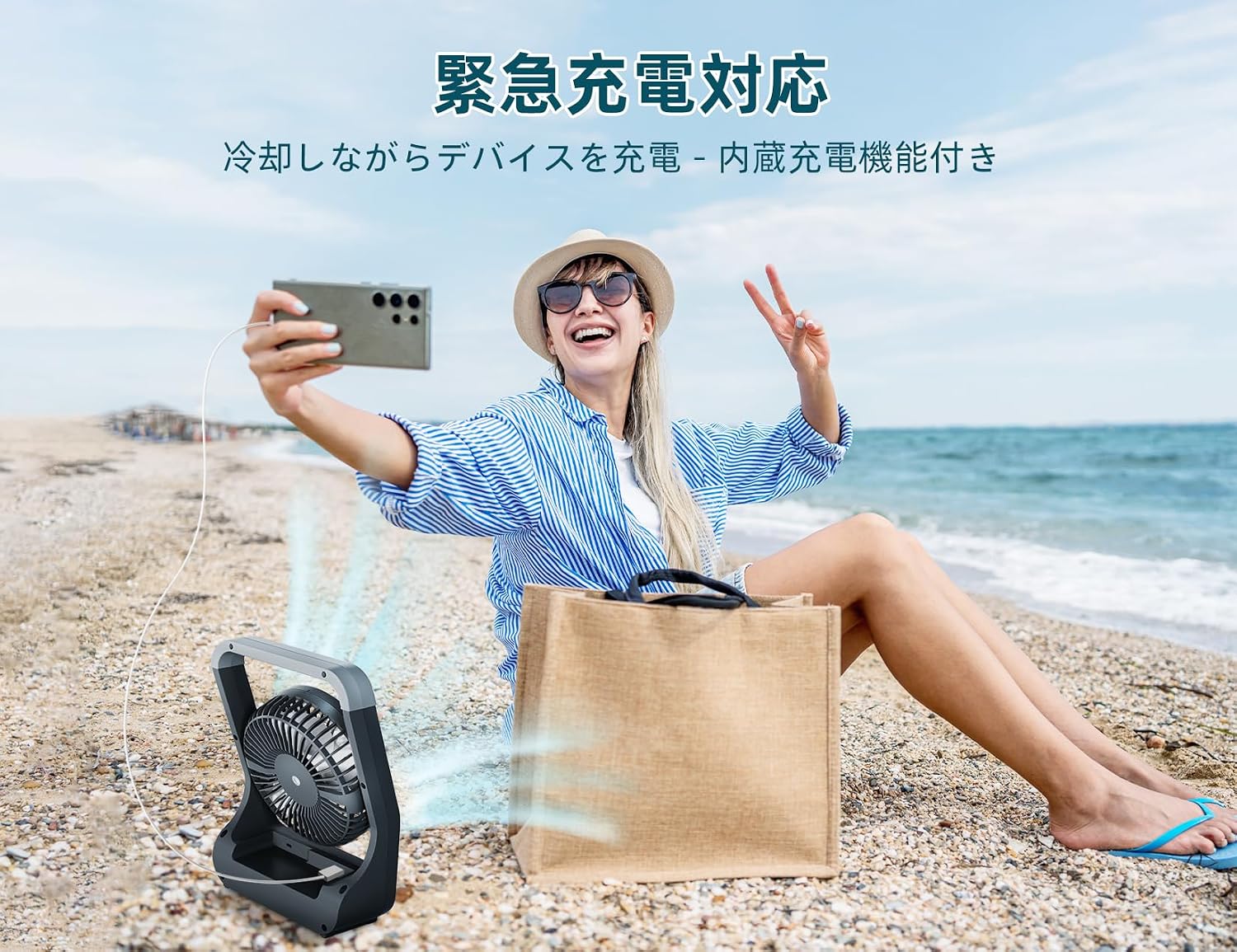
Image: The ATEngeus TF32B fan demonstrating its emergency charging capability by powering a smartphone.
6. Maintenance
Cleaning:
- Ensure the fan is turned off and unplugged before cleaning.
- Use a soft, dry cloth to wipe the exterior surfaces of the fan.
- For dust accumulation on the fan blades or grille, use a soft brush or compressed air. Do not use abrasive cleaners or solvents.
- Do not attempt to remove the front grille or disassemble the fan for cleaning.
Storage:
When not in use for an extended period, store the fan in a cool, dry place, away from direct sunlight and extreme temperatures. Ensure the battery is partially charged (around 50%) before storage to prolong its lifespan.
7. Troubleshooting
| Problem | Possible Cause | Solution |
|---|---|---|
| Fan does not turn on. | Battery is depleted. | Charge the fan using the provided USB cable and a 5V/2A adapter. |
| Weak airflow. | Fan is on a low speed setting. | Press the Power Button to increase the fan speed. |
| Fan is unstable or tips over. | Placed on an uneven surface; operating at high speed with extreme angle. | Ensure the fan is on a stable, flat surface. Reduce fan speed or adjust the angle if stability is an issue. |
| Device not charging via USB-A output. | Fan battery is low; incorrect cable; device incompatibility. | Ensure the fan has sufficient charge. Use a compatible charging cable for your device. Verify device compatibility. |
| Timer function not working. | Timer not activated or incorrectly set. | Press the Timer Button to activate and cycle through the 2-hour and 4-hour settings. |
8. Specifications
| Brand | ATEngeus |
| Model Number | TF32B |
| Battery Capacity | 10000mAh |
| Power Source | Battery Powered |
| Fan Speeds | 3 (Low, Medium, High) |
| Timer Settings | 2 hours, 4 hours |
| Vertical Rotation | 350 degrees (manual) |
| Noise Level | 45 dB |
| Power Consumption | 5 W |
| Voltage | 5 V (DC) |
| Airflow | 4.8 cubic meters/second |
| Number of Blades | 5 |
| Dimensions (D x W x H) | 7.8 x 17.5 x 24 cm (approx. 3.1 x 6.9 x 9.4 inches) |
| Weight | Approx. 0.7 kg (1.5 lbs) |
| Material | Plastic |
| Certifications | CCC, CE, FCC, PSE, RoHS |
9. Warranty and Support
This product comes with a standard manufacturer's warranty. For specific warranty details, please refer to the documentation included with your purchase or contact the retailer.
If you encounter any issues or have questions regarding your ATEngeus TF32B Rechargeable Desk Fan, please contact ATEngeus customer support or your point of purchase for assistance.
Manufacturer: DONGGUAN YATENG ELECTRONIC CO.,LTD