1. Important Safety Information
Please read this manual carefully before using your dishwasher. Keep it for future reference. Always follow basic safety precautions to reduce the risk of fire, electric shock, or injury.
- Electrical Safety: Ensure the appliance is properly grounded. Do not use extension cords or adapters. Disconnect power before any maintenance or cleaning.
- Water Safety: Do not operate the dishwasher if there are visible signs of damage to the water inlet hose or electrical cable. Ensure water connections are secure to prevent leaks.
- Child Safety: Keep children away from the dishwasher when it is operating. Detergents are corrosive; keep them out of reach of children.
- Loading: Load sharp items (knives, forks) with handles up to prevent injury. Do not overload the dishwasher.
- Flammable Materials: Do not wash items that have been in contact with gasoline, paint, or other flammable liquids.
2. Product Overview
The Hyundai HJI13600E is a 60cm integrated dishwasher designed for efficient and thorough cleaning of your dishes. It features a 13 place setting capacity, a mini active drying system, and a universal motor. The electronic control system with an LED display offers 5 washing programs to ensure optimal results and care for your tableware. It also includes an anti-flood system, metal filter, and water sensor for enhanced safety and performance.
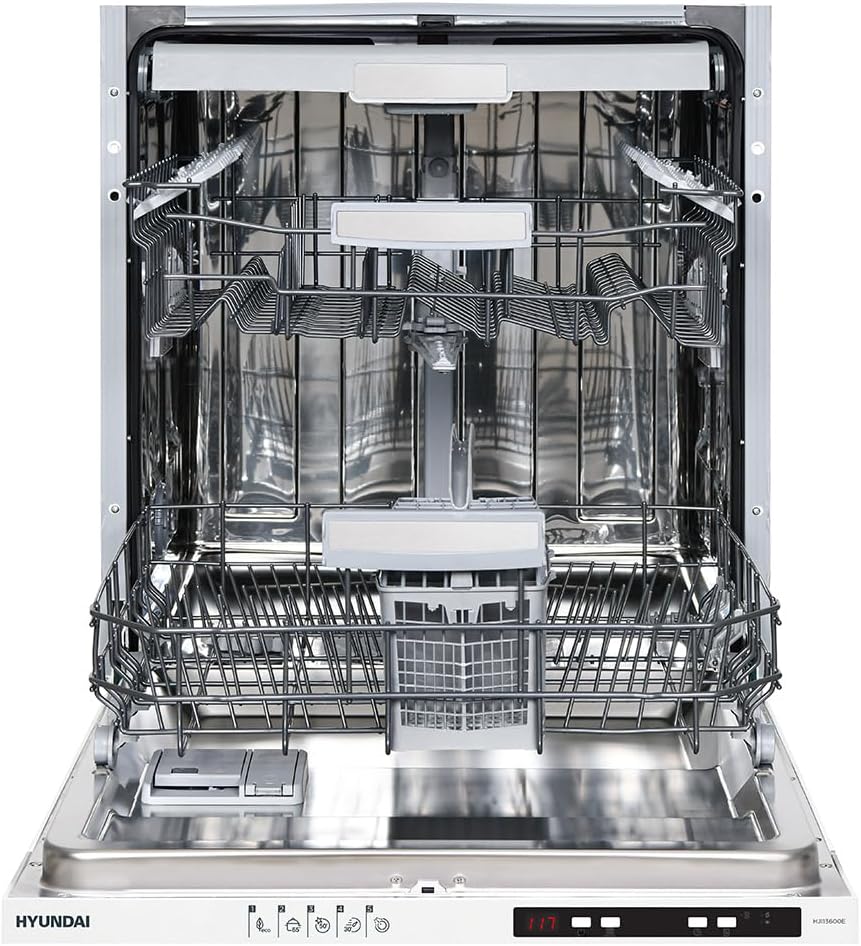
Figure 2.1: Front view of the Hyundai HJI13600E integrated dishwasher with the door open, revealing the upper and lower baskets, cutlery basket, and detergent dispenser. This view highlights the spacious interior designed for 13 place settings.
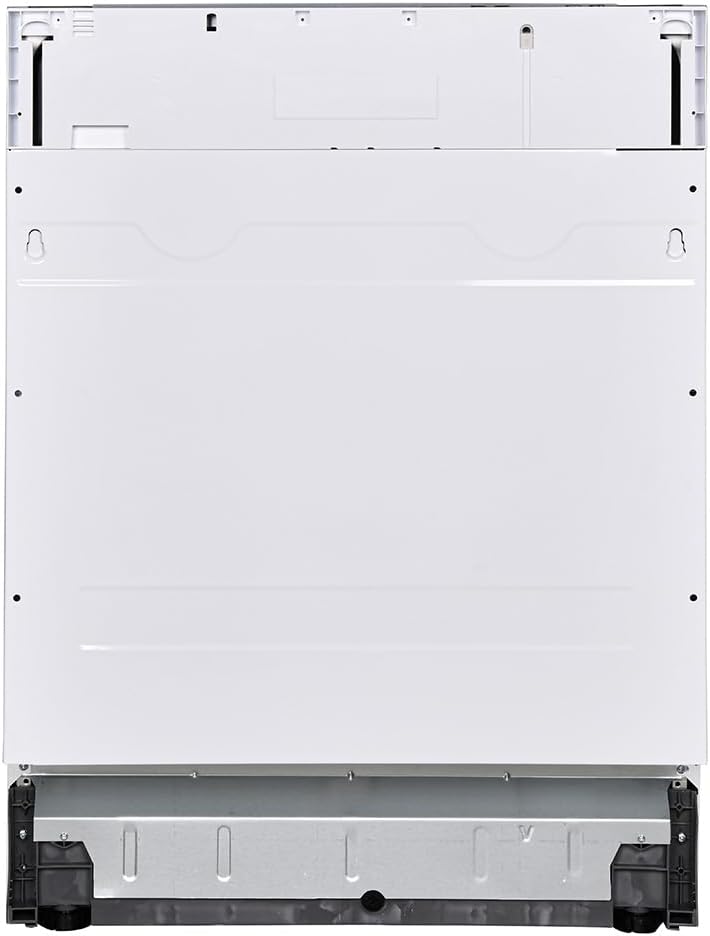
Figure 2.2: Rear view of the Hyundai HJI13600E integrated dishwasher, illustrating the external casing and potential connection points for water and electricity. This view is important for understanding installation requirements.

Figure 2.3: Energy label for the Hyundai HJI13600E dishwasher. This label indicates an energy efficiency class E, an energy consumption of 93 kWh per 100 cycles, a capacity of 13 place settings, water consumption of 9.0 liters per cycle, a program duration of 3 hours and 41 minutes, and a noise level of 49 dB. For more details, visit the official EPREL database: EPREL Product Page.
3. Setup and Installation
Proper installation is crucial for the safe and efficient operation of your dishwasher. It is recommended that installation be performed by a qualified technician.
3.1 Unpacking
- Remove all packaging materials.
- Check the dishwasher for any transport damage. If damaged, do not install or operate it, and contact your retailer.
- Keep packaging materials out of reach of children.
3.2 Placement
- The dishwasher is designed for integrated installation within kitchen cabinetry.
- Ensure the installation area is level and stable.
- Allow sufficient space for door opening and closing.
3.3 Water Connection
- Connect the water inlet hose to a cold water supply with a minimum pressure of 0.04 MPa and a maximum of 1 MPa.
- Connect the drain hose to a suitable drain pipe, ensuring it is not kinked or obstructed.
- Check all connections for leaks before operating the dishwasher.
3.4 Electrical Connection
- Connect the dishwasher to a grounded electrical outlet. The appliance operates on 220 Volts.
- Ensure the electrical supply matches the specifications on the rating plate of the appliance.
- Do not use multi-plugs or extension cords.
4. Operating Instructions
Follow these steps for optimal washing results.
4.1 Control Panel
The dishwasher features an electronic control system with an LED display. The touch controls allow for easy program selection and function activation.
(Refer to the appliance's physical control panel for specific button layout and symbols.)
4.2 Loading Dishes
- Scrape off large food particles from dishes before loading.
- Place dishes securely in the baskets, ensuring water can reach all surfaces.
- Load cutlery into the cutlery basket, with handles facing up for safety (except knives).
- Avoid blocking the spray arms.
4.3 Adding Detergent and Rinse Aid
- Fill the detergent dispenser with the appropriate amount of dishwasher detergent.
- Check the rinse aid indicator and refill the rinse aid dispenser if necessary. Rinse aid helps with drying and prevents spots.
- Ensure the salt reservoir is filled if your water is hard. The dishwasher includes a water sensor to optimize performance.
4.4 Selecting a Program
The dishwasher offers 5 washing programs. Select the program that best suits the type and soil level of your dishes using the control panel.
| Program | Description | Typical Use |
|---|---|---|
| Intensive | For heavily soiled dishes, pots, and pans. | Dried-on food, stubborn stains. |
| Normal/Eco | Standard daily wash for normally soiled dishes. | Everyday dishes, energy-efficient. |
| Glass/Delicate | For lightly soiled dishes and delicate glassware. | Glasses, fine china. |
| 90 Min | A quicker wash for normally soiled dishes. | When time is a factor. |
| Rapid/Quick | Short wash for lightly soiled dishes without drying. | Pre-wash, very lightly soiled items. |
4.5 Starting a Wash Cycle
- Close the dishwasher door firmly.
- Press the Start button. The LED display will show the remaining time or program status.
- To pause or cancel a program, refer to the specific instructions on your control panel.
5. Maintenance and Cleaning
Regular maintenance ensures optimal performance and extends the lifespan of your dishwasher.
5.1 Cleaning the Filters
- The dishwasher includes a metal filter system. Clean the filter assembly regularly (weekly or bi-weekly depending on usage).
- Twist and remove the filter assembly from the bottom of the dishwasher.
- Rinse the filters under running water to remove food particles. Use a soft brush if necessary.
- Reassemble and reinsert the filters correctly.
5.2 Cleaning the Spray Arms
- Periodically check the spray arm nozzles for blockages.
- Remove the spray arms (refer to your appliance diagram for removal instructions).
- Clear any debris from the nozzles using a toothpick or similar tool.
- Rinse and reattach the spray arms securely.
5.3 Exterior and Interior Cleaning
- Wipe the exterior of the dishwasher with a soft, damp cloth. Do not use abrasive cleaners.
- Clean the door seal regularly to prevent food residue buildup.
- Run a dishwasher cleaner cycle periodically to remove grease and limescale buildup from the interior.
5.4 Winterization (If applicable)
- If the dishwasher is to be left in an unheated location during winter, drain all water from the appliance to prevent freezing damage.
- Consult a qualified technician for proper winterization procedures.
6. Troubleshooting
Before contacting service, check the following common issues and solutions.
| Problem | Possible Cause | Solution |
|---|---|---|
| Dishwasher does not start | Door not closed properly; Power supply issue; Program not selected. | Ensure door is latched; Check power cord and circuit breaker; Select a program and press Start. |
| Dishes are not clean | Improper loading; Clogged spray arms/filters; Insufficient detergent; Incorrect program. | Reload dishes correctly; Clean spray arms and filters; Add more detergent; Select a more intensive program. |
| Water not draining | Clogged drain hose/filter; Drain pump issue. | Clean the filter; Check drain hose for kinks or blockages. If problem persists, contact service. |
| Excessive noise | Dishes rattling; Foreign object in pump; Improper installation. | Rearrange dishes; Check for foreign objects in the bottom of the tub; Ensure dishwasher is level. |
| Water leaks | Loose hose connections; Damaged door seal; Anti-flood system activated. | Tighten hose connections; Check and clean door seal; If anti-flood system activates, turn off water supply and contact service. |
7. Specifications
| Feature | Specification |
|---|---|
| Model Number | HJI13600E |
| Capacity | 13 Place Settings |
| Dimensions (H x W x D) | 82 x 59.8 x 55 cm |
| Weight | 34 kg |
| Power Consumption | 1900W |
| Voltage | 220 Volts |
| Noise Level | 49 dB |
| Energy Efficiency Class | E |
| Number of Programs | 5 |
| Control Type | Touch / Electronic with LED Display |
| Included Components | Dishwasher, Instruction Manual |
8. Warranty and Support
Your Hyundai HJI13600E dishwasher comes with a manufacturer's warranty. For detailed information regarding warranty terms and conditions, please refer to the warranty card included with your appliance or visit the official Hyundai home appliances website.
For technical support, spare parts, or service requests, please contact Hyundai customer service. Contact details can typically be found on the manufacturer's website or in your purchase documentation.
Website: Hyundai Home Appliances (Note: This is a general link; specific regional support may vary.)