
CYCROWN EB5
CYCROWN EB5 Mini Electric Dirt Bike User Manual
Model: EB5 | Brand: CYCROWN
1. Product Overview
The CYCROWN EB5 Mini Electric Dirt Bike is designed for both urban commuting and off-road adventures. It features a powerful 750W brushless motor, a UL2849 certified 374.4WH battery, and 16-inch fat tires for versatile performance across various terrains. This manual provides essential information for safe operation, assembly, maintenance, and troubleshooting.

Figure 1: CYCROWN EB5 Mini Electric Dirt Bike - Black Standard model.
2. Safety Information
Always prioritize safety when operating your electric bike. Read and understand all warnings and instructions before use.
General Safety Guidelines:
- Always wear a helmet and appropriate safety gear.
- Obey all local traffic laws and regulations.
- Do not ride under the influence of alcohol or drugs.
- Perform pre-ride checks: ensure brakes are functional, tires are properly inflated, and all components are secure.
- Be aware of your surroundings and ride defensively.
- Avoid riding in extreme weather conditions or on excessively slippery surfaces.
- Do not exceed the maximum load capacity of 330 lbs.
Battery Safety:
- Use only the charger provided by CYCROWN.
- Do not expose the battery to extreme temperatures or direct sunlight.
- Do not puncture, drop, or disassemble the battery.
- Keep the battery away from water and moisture (IPX4 waterproofing provides splash resistance, not submersion).
- If the battery is damaged or shows signs of overheating, discontinue use immediately and contact support.
3. Setup & Assembly
Your CYCROWN EB5 Mini Electric Dirt Bike requires some assembly before its first ride. Follow these steps carefully.
Assembly Video Guide:
Video 1: CYCROWN EB5 Mini 16" Electric Dirt Bike Unboxing and Assembly. This video demonstrates the complete unboxing and assembly process, including handlebar, fender, headlight, wheel, battery, and pedal installation.
Step-by-Step Assembly:
- Unboxing and Inspection: Carefully remove all components from the packaging. Check for any damage during transit and ensure all parts listed in the packing list are present.
- Handlebar Installation:
- Loosen the bolts on the handlebar stem using the provided Allen wrench.
- Carefully position the handlebar into the stem, ensuring the brake levers and display are correctly oriented.
- Tighten the stem bolts securely.
- Front Fender and Headlight Installation:
- Attach the front fender to the fork using the provided screws and tools.
- Mount the headlight to the designated bracket on the front fork and secure it. Ensure the headlight cable is properly connected.
- Front Wheel Installation:
- Remove the protective cap and nuts from the front axle.
- Align the front wheel with the fork dropouts, ensuring the brake rotor slides correctly into the brake caliper.
- Insert the axle through the wheel hub and fork. Secure it with the washers and nuts, tightening them firmly with a wrench.
- Battery Installation:
- Slide the battery into its designated compartment on the bike frame.
- Ensure it clicks securely into place. The battery can be locked with the provided key for security.
- Press the power button on the battery to activate it.
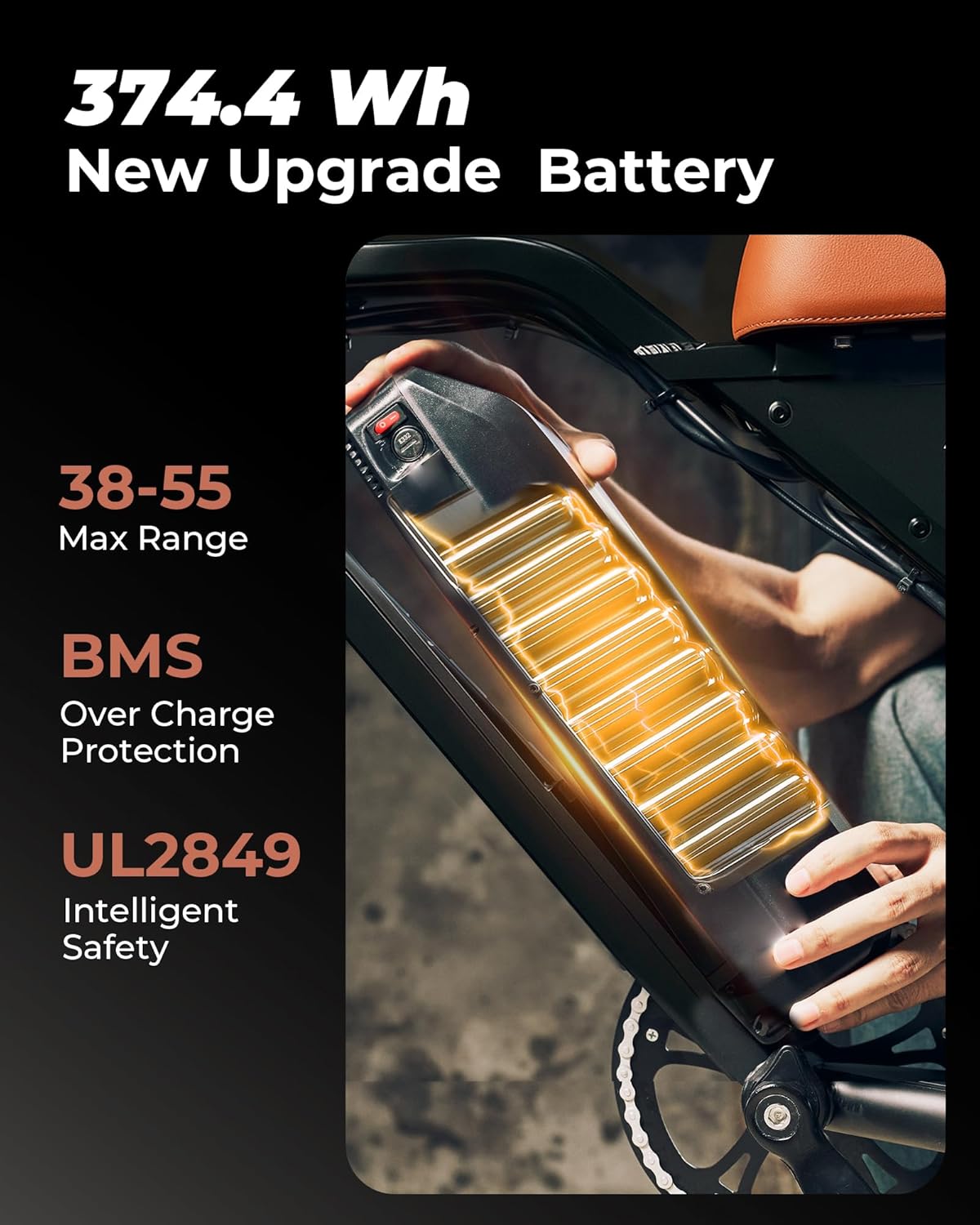
Figure 2: The 374.4 Wh battery provides a maximum range of 38-55 miles and features BMS for overcharge protection and UL2849 certification for intelligent safety.
- Pedal Installation:
- Identify the left (L) and right (R) pedals.
- Screw the pedals into the crank arms. Note that the left pedal has a reverse thread (turn counter-clockwise to tighten).
- Tighten securely with a wrench.
- Accessory Bag Installation:
- Attach the accessory bag to the handlebar or frame using its straps.
4. Operating Instructions
Familiarize yourself with the controls and functions of your EB5 Mini for an optimal riding experience.
Powering On/Off:
- To power on the bike, ensure the battery is installed and the battery's power switch is ON. Then, press and hold the power button on the handlebar display.
- To power off, press and hold the power button on the display until it shuts down.
Display Functions:
The handlebar display provides real-time information about your ride.

Figure 3: The display shows battery level, speed, and riding mode. It also features an integrated USB charging port.
- Battery Level: Indicates the remaining battery charge.
- Speed: Displays current riding speed.
- PAS Level: Shows the current Pedal Assist System level (0-5).
- Odometer/Trip: Tracks total distance or current trip distance.
- Headlight Indicator: Shows if the headlight is on.
Riding Modes:
The EB5 Mini offers 5 smart riding modes:
- Pedal Assist System (PAS): Provides motor assistance as you pedal. Adjust assist levels (1-5) using the '+' and '-' buttons on the display. Higher levels provide more assistance.
- Electric Mode (Throttle): Use the throttle to engage the motor without pedaling.
- Cruise Control: Activate cruise control for consistent speed on flat terrain. (Refer to display manual for specific activation steps).
- Walk Mode: Provides low-speed assistance for walking the bike.
- Pedal Mode: Ride the bike like a traditional bicycle without motor assistance.
Lights and Horn:
- Headlight: Press the light button on the handlebar control panel to turn the 2000-lumen super bright headlight on or off.
- Tail Light: The integrated tail light activates with the headlight and functions as a brake light.
- Horn: Press the horn button to activate the horn.

Figure 4: The 2000-lumen headlight provides excellent visibility, cutting through darkness with an 80m beam.
USB Charging:
The EB5 Mini features an integrated USB charging port on the display, allowing you to charge your mobile devices on the go.
5. Maintenance
Regular maintenance ensures the longevity and optimal performance of your CYCROWN EB5 Mini.
Battery Care:
- Charging: Charge the battery fully before the first use. Use only the original charger. Do not overcharge.
- Storage: If storing the bike for an extended period, charge the battery to 50-70% and store it in a cool, dry place. Recharge every 2-3 months to prevent deep discharge.
- Longevity: The Smart BMS 2.0 system optimizes power output and enhances battery longevity.
Tire Care:
- Pressure: Maintain recommended tire pressure for optimal performance and safety. Refer to the tire sidewall for specific pressure ranges.
- Puncture-Proof: The 16"x4.0" fat tires are designed with puncture-proof layers, but regular inspection for wear and tear is recommended.
- Tread: Check tire tread regularly for wear. Replace tires when tread is significantly worn.

Figure 5: The 16"x4.0" fat tires are puncture-proof with 3X wear-resistant layers and drainage grooves, tested for 5000 miles.
Brake Maintenance:
- The bike is equipped with dual mechanical disc brakes. Regularly check brake pads for wear and replace them when necessary.
- Ensure brake levers are firm and responsive. Adjust cable tension if needed.
General Cleaning:
- Clean the bike regularly with a damp cloth and mild soap. Avoid high-pressure washing, especially near electrical components.
- Lubricate the chain periodically to ensure smooth operation and prevent rust.
6. Troubleshooting
This section addresses common issues you might encounter with your EB5 Mini.
| Problem | Possible Cause | Solution |
|---|---|---|
| Bike does not power on. | Battery not installed correctly, battery power switch off, low battery, loose connections. | Ensure battery is fully seated and locked. Turn battery power switch ON. Charge battery. Check all electrical connections. |
| Motor not assisting. | PAS level too low, throttle not engaged, brake levers engaged, motor connection issue. | Increase PAS level. Ensure throttle is fully engaged. Release brake levers. Check motor cable connection. |
| Brakes feel weak or spongy. | Worn brake pads, loose brake cable, air in hydraulic system (if applicable). | Inspect and replace brake pads. Adjust brake cable tension. If hydraulic, seek professional service. |
| Display not working. | Loose display cable, power issue. | Check display cable connection. Ensure bike is powered on and battery has charge. |
If you encounter issues not listed here or require further assistance, please contact CYCROWN customer support.
7. Product Specifications
| Feature | Detail |
|---|---|
| Bike Type | Electric Bike |
| Model Name | EB5 Mini |
| Motor | 750W Brushless Motor (65Nm torque) |
| Max Speed | 22 MPH (35 km/h) |
| Battery | 374.4WH (UL2849 Certified, Smart BMS 2.0) |
| PAS Range | 30-55+ Miles |
| Wheel Size | 16 Inches (16"x4.0" Fat Tires) |
| Frame Material | Carbon Steel |
| Suspension Type | Dual Suspension |
| Brakes | Dual Mechanical Disc Brakes |
| Load Capacity | Max 330 LBS |
| Bike Weight | 79.8 LBS |
| Headlight | 2000-Lumen SuperBright Light (IPX6) |
| Riding Modes | 5 (PAS, Electric, Cruise, Walk, Pedal) |
| USB Charging | Integrated USB Charging Port |

Figure 6: Key dimensions and weight of the CYCROWN EB5 Mini, including recommended rider height.
8. Warranty & Support
CYCROWN is committed to providing high-quality products and excellent customer service.
Warranty Information:
- 30-Day Quality Guarantee: If you experience riding issues, reliable support is available, or you can return the product.
- 2-Year Product Care: All CYCROWN e-bikes are backed by a 2-year limited care warranty.
Customer Support:
For any questions, technical assistance, or warranty claims, please contact us:
- Call Center: 1(866) 719-9662 (Monday-Friday, 8 AM - 4 PM PST)
- Live Chat/Email: support@cycrown.com
- Expect 24-hour after-sale support.
Ask a question about this manual
Ask about setup, troubleshooting, compatibility, parts, safety, or missing instructions. Manuals+ will review the question and use this page’s manual context to help answer it.