
1. Introduction
Thank you for choosing the GXJ Criss Cross Office Chair. This manual provides detailed instructions for assembly, operation, maintenance, and troubleshooting to ensure safe and optimal use of your new chair. Please read this manual thoroughly before assembly and retain it for future reference.
2. Important Safety Guidelines
- Always follow the assembly instructions carefully to ensure the chair is assembled correctly and safely.
- Do not exceed the maximum weight recommendation of 380 pounds (172 kg) to prevent any safety hazards or damage to the chair.
- Ensure all screws and bolts are tightened securely before use. Periodically check and re-tighten as necessary.
- Avoid standing on the chair or using it as a step stool.
- Keep hands and fingers clear of moving parts during adjustment to prevent pinching.
- Use the chair on a flat, stable surface.
3. Package Contents
Please verify that all components are present before beginning assembly. If any parts are missing or damaged, please contact customer support.
- Backrest with Headrest
- Seat Cushion with Footrest Mechanism
- Armrests (2)
- Gas Lift Cylinder
- Star Base
- Casters (5)
- Lumbar Pillow
- Assembly Hardware (screws, washers, Allen wrench)

4. Assembly Instructions
Follow these steps to assemble your GXJ Criss Cross Office Chair. It is recommended to assemble the chair on a soft, clean surface to prevent damage.
- Attach Casters to Base: Insert the five casters into the holes at the end of each leg of the star base until they click securely into place.
- Insert Gas Lift: Place the gas lift cylinder into the center hole of the star base. Ensure it is seated firmly.
- Attach Armrests to Seat: Secure the armrests to the underside of the seat cushion using the provided screws. Do not fully tighten yet.
- Attach Backrest to Seat: Align the backrest with the seat cushion and secure it using the remaining screws. Once all screws are in place for the armrests and backrest, tighten them evenly.
- Connect Seat Assembly to Gas Lift: Carefully place the assembled seat and backrest onto the gas lift cylinder, ensuring the center mechanism aligns with the top of the gas lift. Press down firmly to secure.
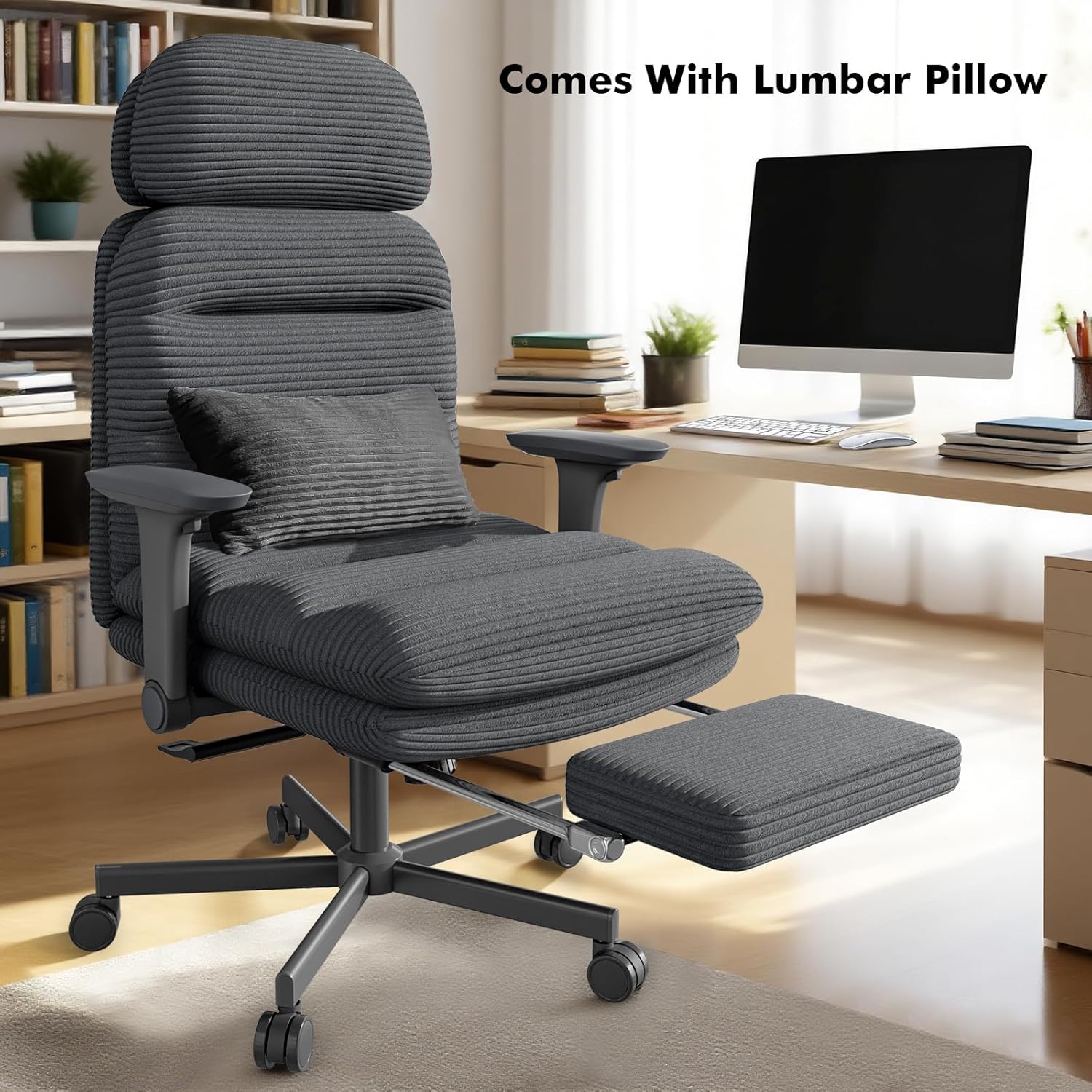
- Attach Lumbar Pillow: Position the lumbar pillow on the backrest for desired support.
5. Operating Instructions
Your GXJ Criss Cross Office Chair offers multiple adjustment features for personalized comfort.
5.1. Height Adjustment
To adjust the chair's height, lift the lever located under the right side of the seat. To raise the chair, lift the lever while taking your weight off the seat. To lower the chair, lift the lever while seated. Release the lever at your desired height.

5.2. Recline Function (90°-120° Tilt Lock)
The chair features an adjustable reclining backrest with three positions: 90° (upright), 110°, and 120° (relaxed). To adjust the recline:
- Pull the recline lever (typically on the left side) forward.
- Lean back to the desired angle (90°, 110°, or 120°).
- Push the lever back to lock the recline in place.
- To return to the upright 90° position, pull the lever forward again, lean back slightly, and the chair back will spring forward.
You can also adjust the rocking pressure by turning the tension knob located underneath the seat.


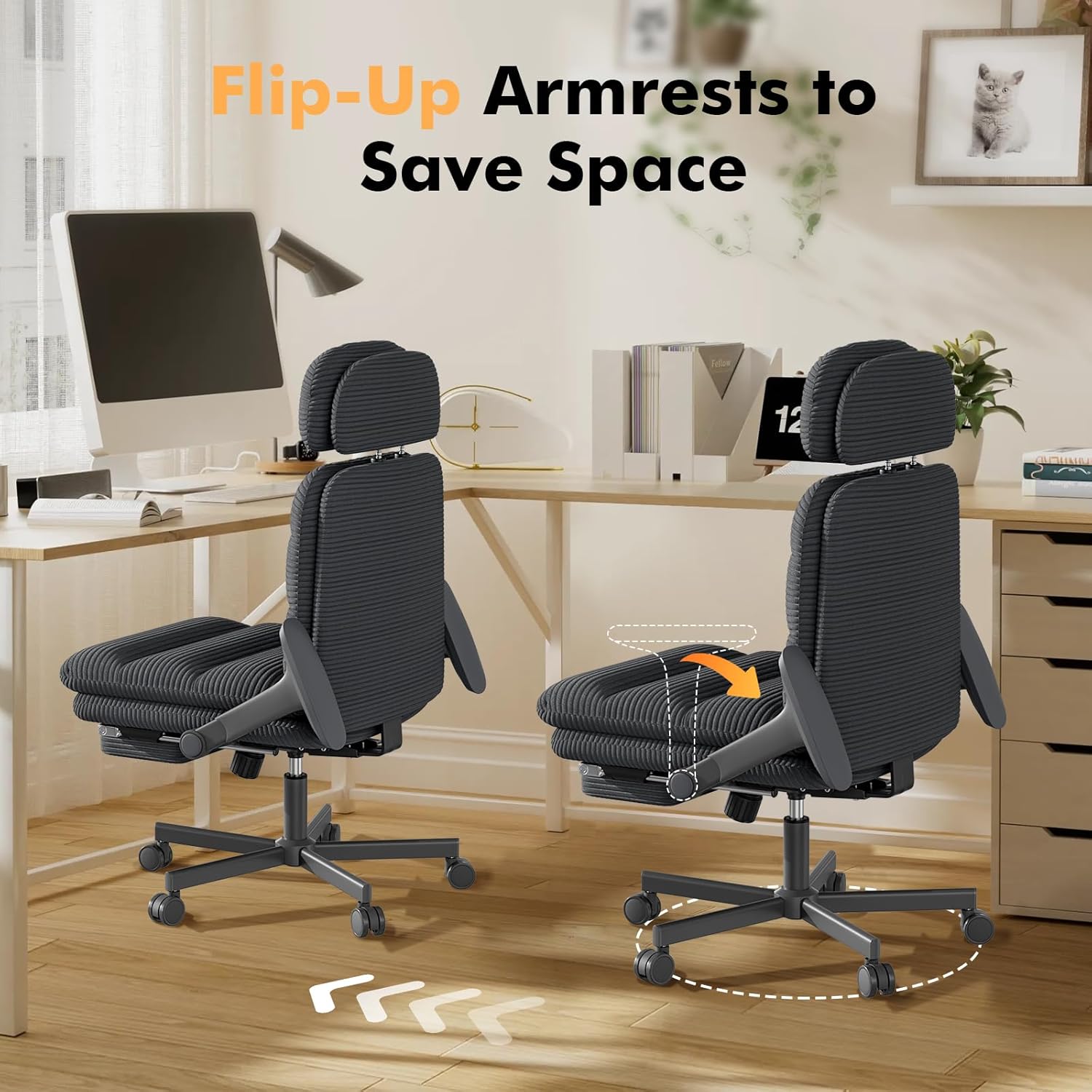
5.3. Armrest Adjustment (4D Flip-Up Arms)
The chair features 4D armrests that offer multiple adjustment options:
- Flip-Up: The armrests can flip up 60° to allow you to sit cross-legged or to easily stow the chair under a desk, saving space.
- Height Adjustment: Adjust the armrest height by pressing the button on the side of the armrest and moving it up or down.
- Forward/Backward Slide: Slide the armrest pads forward or backward to find your preferred position.
- Rotation: Rotate the armrest pads up to 43° left and right.

5.4. Footrest Operation
The integrated footrest allows you to stretch out and relax. To deploy the footrest, pull it out from underneath the seat. To retract, push it back in until it is fully stowed.
5.5. Adjustable Headrest
The headrest can be adjusted in height to effectively support your head and relax your neck. Simply grasp the headrest and slide it up or down to your preferred position. The adjustment range is approximately 7.5" to 10".


6. Maintenance and Care
Proper care will extend the life and appearance of your GXJ office chair.
- Cleaning: Wipe clean with a damp cloth. For corduroy fabric, use a soft brush or vacuum cleaner to remove dust and debris. For spills, blot immediately with a clean, dry cloth. Avoid harsh chemicals or abrasive cleaners.
- Inspection: Periodically check all bolts and screws to ensure they are tight. Re-tighten as needed.
- Moving: When moving the chair, lift it rather than dragging it to prevent damage to the base or floor.
7. Troubleshooting
If you encounter any issues with your chair, please refer to the following common problems and solutions:
- Chair does not adjust height: Ensure the gas lift lever is fully engaged. If the chair is new, the gas lift might need a few uses to function smoothly. If issues persist, check if the gas lift is properly inserted into the base and seat mechanism.
- Chair wobbles: Check that all assembly screws are securely tightened, especially those connecting the seat to the backrest and armrests, and the base to the gas lift. Ensure the casters are fully inserted into the base.
- Armrests move unintentionally: The armrests are designed for multi-directional movement. While they offer flexibility, they do not feature a locking mechanism for all movements (e.g., forward/backward slide, rotation). Ensure you are not applying excessive force in directions not intended for locking.
- Footrest slides out on its own: The footrest is designed to slide smoothly. If it slides out without intentional pulling, check for any obstructions in its track. There is no locking mechanism for the footrest in the stowed position.
- No recline or recline stuck: Ensure the recline lever is properly engaged and disengaged. Check for any obstructions in the recline mechanism.
If these solutions do not resolve the issue, please contact GXJ customer support for further assistance.
8. Product Specifications
Detailed specifications for the GXJ Criss Cross Office Chair (Model: GXJ-OL8077-BK).

| Feature | Specification |
|---|---|
| Model Name | GXJ-OL8077-BK |
| Brand | GXJ |
| Color | Black |
| Product Dimensions (D x W x H) | 22.8"D x 22.2"W x 46.1"H |
| Seat Height Range | 19.7" to 23.6" |
| Maximum Weight Recommendation | 380 Pounds (172 kg) |
| Back Style | Padded Backrest |
| Special Features | Adjustable Height, Ergonomic, Flip-up Armrests, Foot Rest, Reclining |
| Reclining Position Count | 3 (90°, 110°, 120°) |
| Arm Style | 4D Arms |
| Fill Material | Sponge |
| Fabric Type | Corduroy |
| Certifications | BIFMA certified, SGS certified Level 3 gas cylinder |
| Item Weight | 45.4 pounds (20.6 kg) |
9. Warranty and Customer Support
GXJ stands behind the quality of its products. For specific warranty details, please refer to the warranty card included with your purchase or visit the official GXJ website. If you have any questions, require assistance with assembly, or need to report a missing/damaged part, please contact GXJ customer support:
- Online Support: Visit the GXJ brand store on Amazon: GXJ Home Store
- Email: Refer to your product packaging or warranty card for direct email support.