
1. Introduction
Thank you for choosing the Xuevcn BS01 Bluetooth Speaker. This manual provides essential information for setting up, operating, and maintaining your speaker. Please read it thoroughly before use to ensure optimal performance and longevity of your device.
Package Contents:
- Xuevcn BS01 Bluetooth Speaker
- Quick Start Guide
- Charging Cable (USB-C)
2. Safety Information
- Do not expose the speaker to extreme temperatures or direct sunlight for extended periods.
- Avoid dropping or subjecting the speaker to strong impacts.
- Keep the speaker away from medical devices.
- Do not attempt to disassemble or modify the speaker. This will void the warranty.
- Ensure the charging port cover is securely closed when using the speaker near water to maintain its IPX7 waterproof rating.
- Use only the provided charging cable or a certified equivalent.
3. Product Overview
The Xuevcn BS01 is a portable Bluetooth speaker featuring IPX7 waterproofing, stereo pairing capabilities, LED light functions, and a built-in microphone for hands-free calls.

This image displays the Xuevcn BS01 Bluetooth Speaker from an angled perspective, highlighting its cylindrical design, textured black finish, and the vibrant, multi-color LED light strip running along its side. Visible control buttons include power, volume up/down, play/pause, and a mode button, indicating its multi-functional capabilities.
Controls and Ports:
- Power Button: Press and hold to turn on/off.
- Volume Up (+): Increase volume.
- Volume Down (-): Decrease volume.
- Play/Pause Button: Play/pause music, answer/end calls.
- Mode Button (Light Icon): Cycle through LED light modes.
- USB-C Charging Port: For charging the speaker.
4. Setup
4.1 Charging the Speaker
- Open the protective cover of the charging port.
- Connect the USB-C charging cable to the speaker's charging port.
- Connect the other end of the cable to a USB power adapter (not included) or a computer's USB port.
- The LED indicator will show charging status. It will turn off or change color when fully charged.
- Close the protective cover firmly after charging to maintain waterproofing.
4.2 Power On/Off
- To Power On: Press and hold the Power button (ⓘ) for approximately 3 seconds until you hear an audible prompt and the LED lights activate.
- To Power Off: Press and hold the Power button (ⓘ) for approximately 3 seconds until you hear an audible prompt and the LED lights turn off.
4.3 Bluetooth Pairing
- Ensure the speaker is powered on and in Bluetooth pairing mode (the LED indicator will flash).
- On your mobile device, enable Bluetooth.
- Search for available Bluetooth devices and select "Xuevcn BS01" from the list.
- Once connected, you will hear an audible confirmation, and the LED indicator will stop flashing.
- The speaker will automatically reconnect to the last paired device when powered on, if available.
5. Operating Instructions
5.1 Music Playback
- Play/Pause: Press the Play/Pause button (▶▌▌) once.
- Volume Up: Press the '+' button.
- Volume Down: Press the '-' button.
- Next Track: Press and hold the '+' button.
- Previous Track: Press and hold the '-' button.
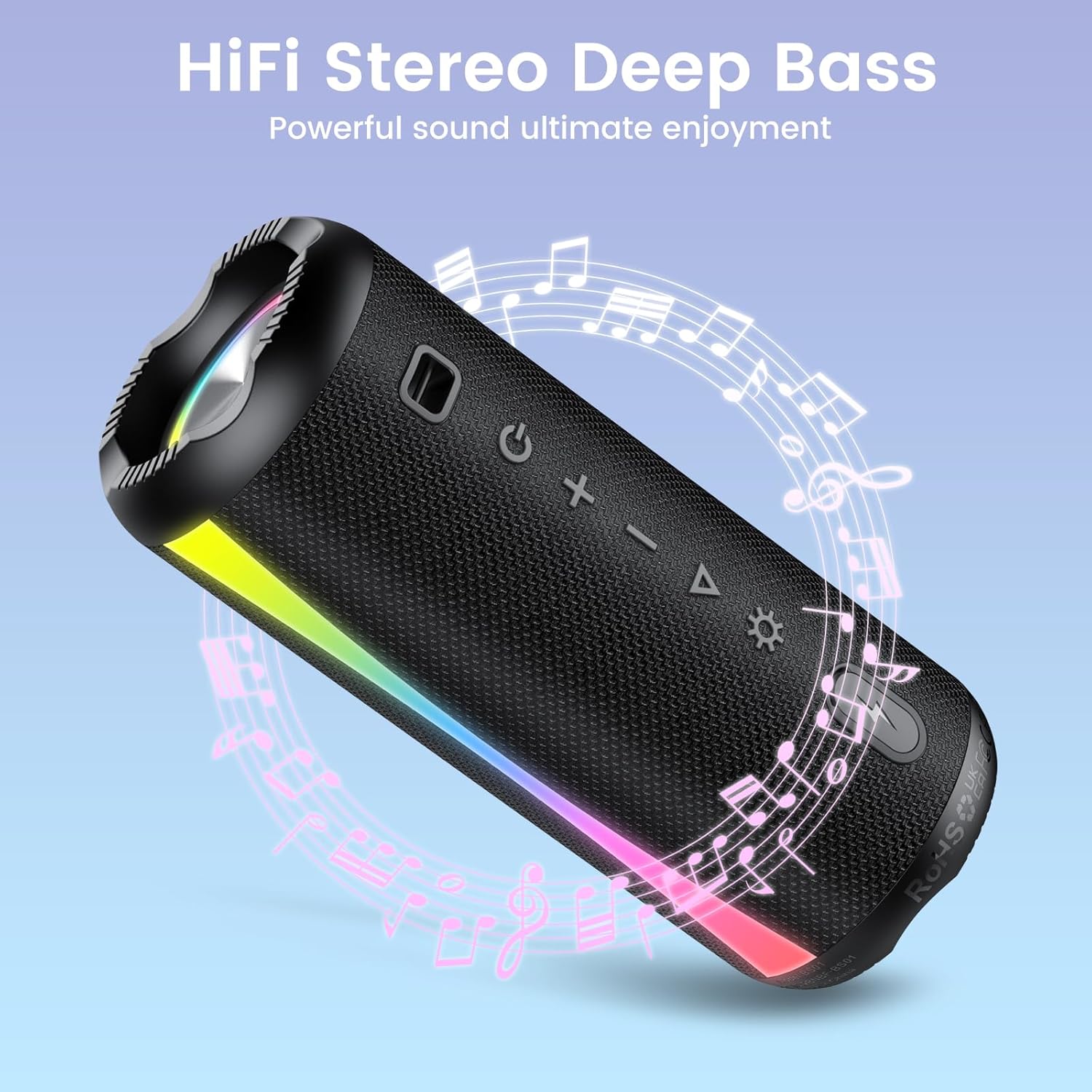
The speaker is shown with graphic elements of musical notes and sound waves, emphasizing its HiFi stereo and deep bass audio capabilities for an enhanced listening experience.

This image features the speaker alongside a circular clock graphic, illustrating its extended battery life of up to 15 hours of uninterrupted playback.
5.2 Call Function (Built-in Microphone)
- Answer Call: Press the Play/Pause button (▶▌▌) once when a call comes in.
- End Call: Press the Play/Pause button (▶▌▌) once during a call.
- Reject Call: Press and hold the Play/Pause button (▶▌▌) for 2 seconds.
5.3 LED Light Modes
Press the Mode button (Light Icon) to cycle through different LED light modes. The speaker offers various rhythmic lightscapes that can sync with your music.

A close-up view of the speaker's ends, showcasing the dynamic RGB lighting feature that syncs with music, creating a vibrant visual experience.
5.4 Stereo Pairing (True Wireless Stereo - TWS)
You can pair two Xuevcn BS01 speakers together for a true wireless stereo sound experience.
- Ensure both speakers are powered on and not connected to any Bluetooth device.
- On one speaker (this will be the primary speaker), press and hold the Play/Pause button (▶▌▌) for 3-5 seconds until you hear a pairing tone.
- The two speakers will automatically connect to each other. You will hear a confirmation tone once paired.
- Now, connect your mobile device to the primary speaker via Bluetooth as described in section 4.3.
- Audio will now play through both speakers in stereo.

This image depicts two Xuevcn BS01 speakers in an outdoor social setting, illustrating their ability to be wirelessly paired for a true stereo sound experience, enhancing audio coverage.
6. Maintenance
6.1 Cleaning
- Wipe the speaker with a soft, damp cloth.
- Do not use abrasive cleaners, alcohol, or chemical solvents.
- Ensure the charging port cover is closed before cleaning with a damp cloth.
6.2 Storage
- Store the speaker in a cool, dry place away from direct sunlight.
- If storing for an extended period, charge the battery every 3-6 months to maintain battery health.

The speaker is shown with water splashing over it, visually confirming its IPX7 waterproof rating, making it suitable for use near water or in wet conditions.

An image showing the speaker clipped to a backpack during a hike, emphasizing its lightweight and portable design, ideal for on-the-go use and outdoor adventures.
7. Troubleshooting
- Speaker does not power on: Ensure the battery is charged. Connect to a power source and try again.
- Cannot pair with Bluetooth device:
- Ensure the speaker is in pairing mode (LED flashing).
- Make sure Bluetooth is enabled on your device.
- Move the speaker closer to your device.
- Forget the speaker from your device's Bluetooth list and try pairing again.
- No sound or low volume:
- Increase the volume on both the speaker and your connected device.
- Ensure the speaker is properly connected via Bluetooth.
- Stereo pairing not working:
- Ensure both speakers are disconnected from any other Bluetooth devices before initiating TWS pairing.
- Repeat the TWS pairing steps carefully.
8. Specifications
| Feature | Specification |
|---|---|
| Model Name | BS01 |
| Brand | Xuevcn |
| Connectivity Technology | Bluetooth |
| Speaker Type | Soundbar (Portable) |
| Speaker Maximum Output Power | 5 Watts |
| Frequency Response | 150 Hz |
| Audio Output Mode | Surround |
| Waterproof Rating | IPX7 |
| Product Dimensions | 2"D x 2"W x 2"H |
| Item Weight | 1.26 pounds |
| Batteries | 2 A batteries required (included) |
| Included Components | Quick Start Guide |
9. Warranty and Support
The Xuevcn BS01 Bluetooth Speaker comes with a standard manufacturer's warranty. Please refer to the warranty card included in your package for specific terms and conditions.
For technical support, troubleshooting assistance, or warranty claims, please contact Xuevcn customer service through the retailer's platform or the contact information provided in your product packaging.

