Introduction
This manual provides instructions for the proper installation, operation, and maintenance of your Kinetijy Case for Ecopad K11 10-Inch Tablet. Please read this manual thoroughly before use to ensure optimal performance and longevity of your product.
Package Contents
- 1 x Kinetijy Case for Ecopad K11 10-Inch Tablet
Setup
Follow these steps to properly install your Ecopad K11 10-inch tablet into the case.
- Verify Compatibility: Ensure your tablet is an Ecopad K11 10-inch model. This case is specifically designed for this tablet size and model.
- Insert Tablet: Gently align your Ecopad K11 tablet with the case's internal frame. Press the tablet firmly into the frame, ensuring all edges are securely seated within the protective corners.
- Check Port Access: Confirm that all tablet ports, buttons, and speakers are accessible through the case's precise cutouts.

Operating Instructions
This case offers versatile viewing options and additional functionality.
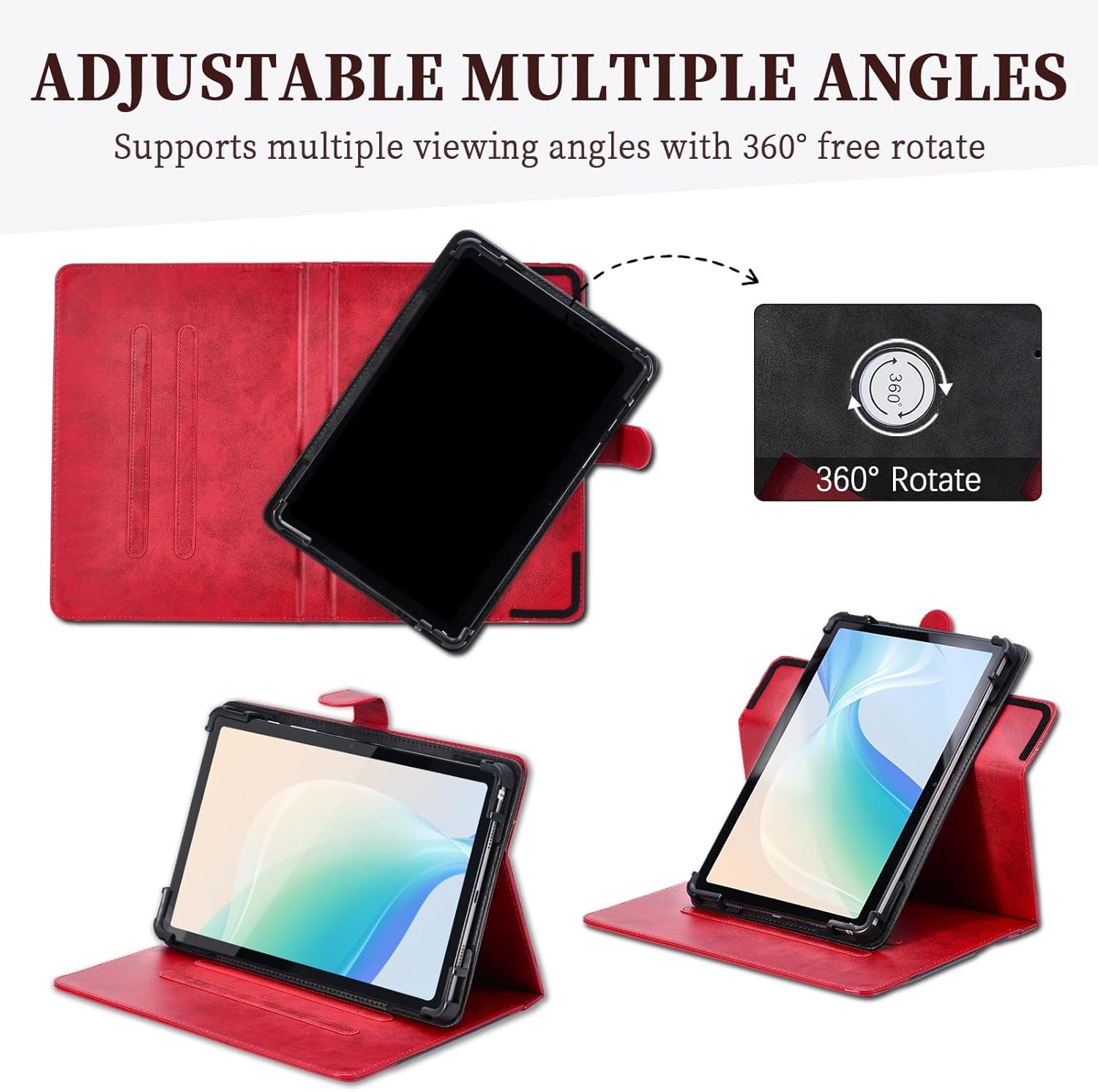
360-Degree Rotation and Multi-Viewing Angles
The case features a 360-degree rotating mechanism and an anti-slip strip design to provide multiple viewing angles.
- Rotate Tablet: To change the tablet's orientation, gently rotate the tablet within its frame. The mechanism allows for both portrait and landscape viewing.
- Adjust Viewing Angle: Fold the front cover back to form a stand. Utilize the anti-slip strip on the inside of the cover to prop the tablet at your desired viewing angle. The strip helps maintain stability.

Storage Pocket
The case includes a storage pocket for small items.
- Accessing the Pocket: Open the front cover to reveal the integrated pocket. This pocket is suitable for carrying cards, documents, or cash.

Camera Access
The case features a reserved back camera opening.
- Using the Camera: The case provides a cutout for the tablet's rear camera, allowing for camera usage without removing the tablet from the case.

Protection Features
The Kinetijy case is designed to provide comprehensive protection for your tablet.
- All-Over Protection: The case covers all sides and corners of the tablet, guarding against scratches, shocks, and dust.
- Durable Material: Constructed from premium synthetic PU leather with a soft anti-slip interior, it helps prevent fingerprints and dirt.
- Thickened Corner Protector: Features thickened anti-drop corner protectors for enhanced impact resistance.

Maintenance
To maintain the appearance and longevity of your tablet case, follow these guidelines:
- Cleaning: Wipe the exterior with a soft, damp cloth. Avoid using harsh chemicals or abrasive cleaners, as these can damage the PU leather.
- Storage: Store the case in a cool, dry place away from direct sunlight and extreme temperatures when not in use.
- Avoid Sharp Objects: Keep the case away from sharp objects to prevent scratches or punctures.
Troubleshooting
- Tablet Does Not Fit: Ensure your tablet is the Ecopad K11 10-inch model. The case is designed for this specific model. Do not force the tablet into the case if it does not fit easily.
- Rotation Stiffness: If the 360-degree rotation feels stiff, gently rotate it a few times to loosen the mechanism. Avoid excessive force.
- No Auto-Sleep/Wake Function: Please note that this case does not support any tablet's auto-sleep/wake function. You will need to manually lock/unlock your tablet.
Specifications
| Feature | Detail |
|---|---|
| Product Dimensions | 0.39 x 0.39 x 0.39 inches |
| Item Weight | 2.46 ounces |
| Compatible Devices | Ecopad K11 10-inch Tablet |
| Material | Premium Durable Synthetic PU Leather |
| Special Features | Card insertion, Stash the change, Thickened anti-drop corner protector, Folding stand, 360-degree rotation |
| Form Factor | Flip Case |
| Color | Red |
Warranty and Support
For warranty information or customer support, please refer to the seller's policies on the platform where the product was purchased or contact the manufacturer directly. Keep your purchase receipt for any warranty claims.