
Introduction
This manual provides instructions for the Kinetijy Case designed for the Relndoo T10p 10-Inch Tablet. This folio cover offers robust protection and versatile viewing options for your device, enhancing usability while safeguarding against daily wear and tear.
Setup: Installing Your Tablet
Follow these steps to correctly install your Relndoo T10p 10-Inch Tablet into the Kinetijy case:
- Gently align your Relndoo T10p 10-Inch Tablet with the flexible frame of the case.
- Carefully push the tablet into the frame, ensuring all corners are securely seated within the protective edges. The flexible material allows for a snug fit.
- Verify that all tablet ports, buttons, and the camera lens are accessible through the designated cutouts.

Image: The tablet case is designed to securely hold the Relndoo T10p 10-inch tablet, ensuring a precise fit for the device.
Operating the Case Features
Using the 360-Degree Rotation Stand
The case features a unique 360-degree rotating mechanism, allowing for both portrait and landscape viewing orientations. To adjust the viewing angle:
- Place the tablet in the desired orientation (portrait or landscape).
- Utilize the integrated stand grooves on the folio cover to prop up the tablet at various angles. The 360-degree rotation allows for flexibility in how the tablet is positioned.

Image: The case supports multiple viewing angles and features a 360-degree free rotation for versatile use.
Utilizing the Multi-Viewing Stand
For stable viewing, the case incorporates an anti-slip strip design:
- Open the folio cover and fold it back to form a triangular stand.
- Rest the bottom edge of your tablet against one of the anti-slip strips located on the inside of the cover. This provides a stable base for hands-free viewing.
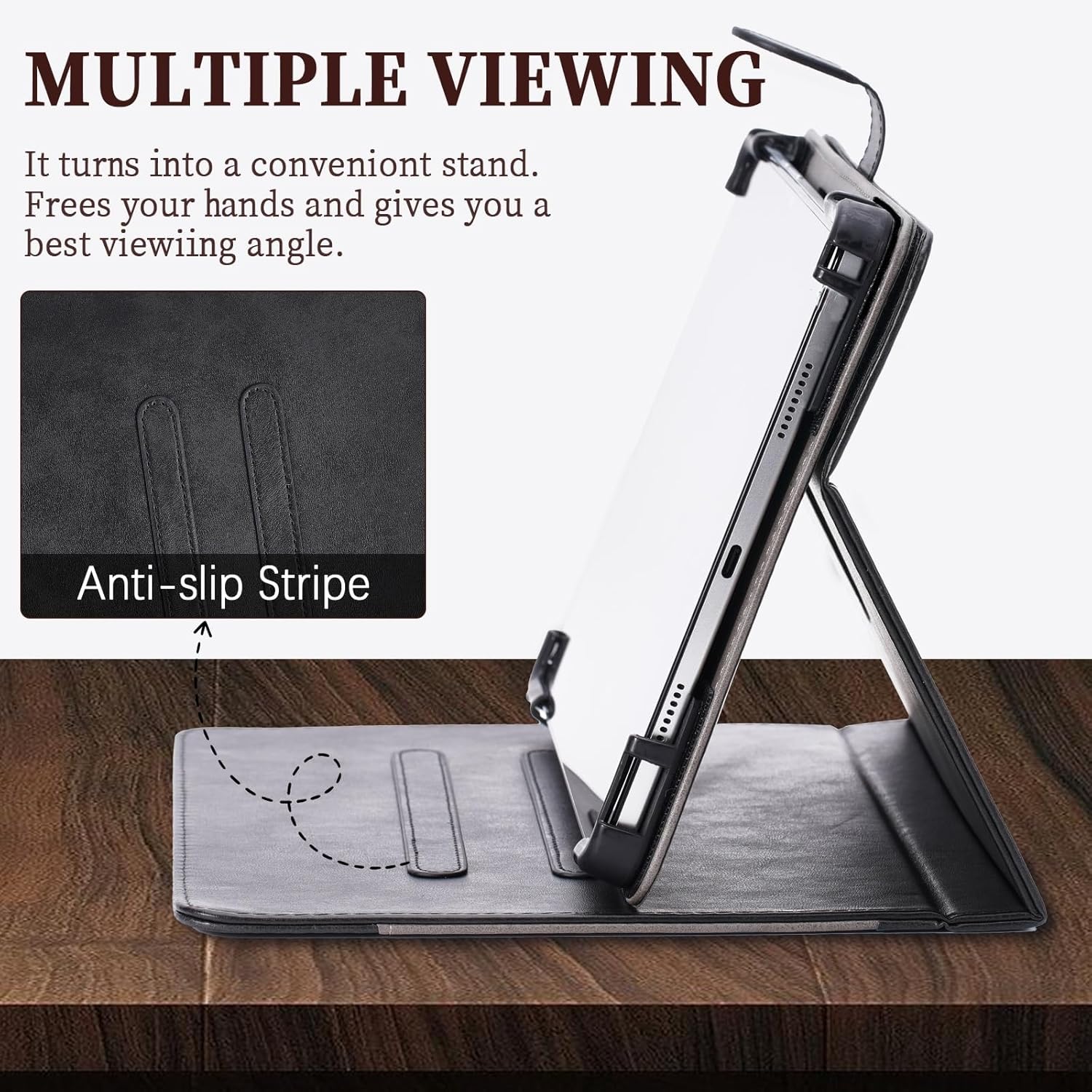
Image: The case converts into a convenient stand, featuring an anti-slip stripe for a stable viewing angle.
Accessing Tablet Features
The Kinetijy case is designed with precise cutouts to ensure full functionality of your tablet:
- Camera Access: A reserved back camera opening supports 99% camera usage, allowing you to take photos without removing the tablet from the case.
- Port and Button Access: All device ports, speakers, and buttons remain fully accessible and functional while the tablet is in the case.

Image: The case features three pre-cutouts to accommodate tablets with different camera positions.

Image: The case offers all-over protection, ensuring device ports, speakers, and buttons remain fully functional, while maintaining a slim and lightweight profile.
Using the Storage Pocket
The case includes a convenient storage pocket for small essentials:
- Utilize the large welt pocket on the inside of the folio cover to store cards, documents, or cash.

Image: The case features a storage pocket for carrying cards, documents, and cash.
Maintenance
Cleaning Instructions
To maintain the appearance and longevity of your Kinetijy tablet case:
- Wipe the exterior PU leather surface with a soft, damp cloth.
- Avoid using harsh chemicals, abrasive cleaners, or excessive moisture, as these can damage the material.
- Allow the case to air dry completely before reinserting your tablet.
Troubleshooting
Tablet Fit Issues
If your tablet does not fit correctly or feels loose:
- Ensure you have the correct case model for your tablet. This case is specifically designed for the Relndoo T10p 10-Inch Tablet.
- Double-check that the tablet is fully pushed into the flexible frame, with all corners seated properly.
Stand Stability
If the stand is not stable:
- Ensure the tablet's edge is firmly resting against one of the anti-slip strips on the folio cover.
- Adjust the angle to find a stable position.
Specifications
| Product Dimensions | 0.39 x 0.39 x 0.39 inches |
| Item Weight | 2.46 ounces |
| ASIN | B0FDBFC29C |
| Special Features | Card insertion, Stash the change, Thickened anti-drop corner protector + folding stand |
| Form Factor | Flip Case |
| Color | Black |
| What's in the Box | 1*Tablet Case |
| Manufacturer | KJY-SSPB-2063 |
| Date First Available | June 16, 2025 |
Warranty and Support
For warranty information or product support, please refer to the seller's policies on the platform where the product was purchased or contact Kinetijy customer service directly through their official channels. Please retain your proof of purchase for any warranty claims.