
Introduction
Thank you for purchasing the Gaiatop L-DS1299-456 Coffee Mug Warmer. This device is designed to keep your beverages and candles at your preferred warm temperature. Please read this manual thoroughly before use to ensure safe and optimal operation.
Safety Instructions
- Do not touch the heating plate directly when the device is on or immediately after use, as it will be hot.
- Keep the device away from water and other liquids to prevent electric shock.
- Ensure the power cord is not damaged and is properly plugged into a suitable power outlet.
- Do not use the device for purposes other than warming beverages or candles.
- Keep out of reach of children and pets.
- Unplug the device when not in use or before cleaning.
- Use only flat-bottomed mugs, glass cups, ceramic cups, or stainless steel cups for best results.
- Using a lid on your cup can help retain heat more effectively.
Product Overview
Components
- Heating Plate: The surface where cups or candles are placed for warming.
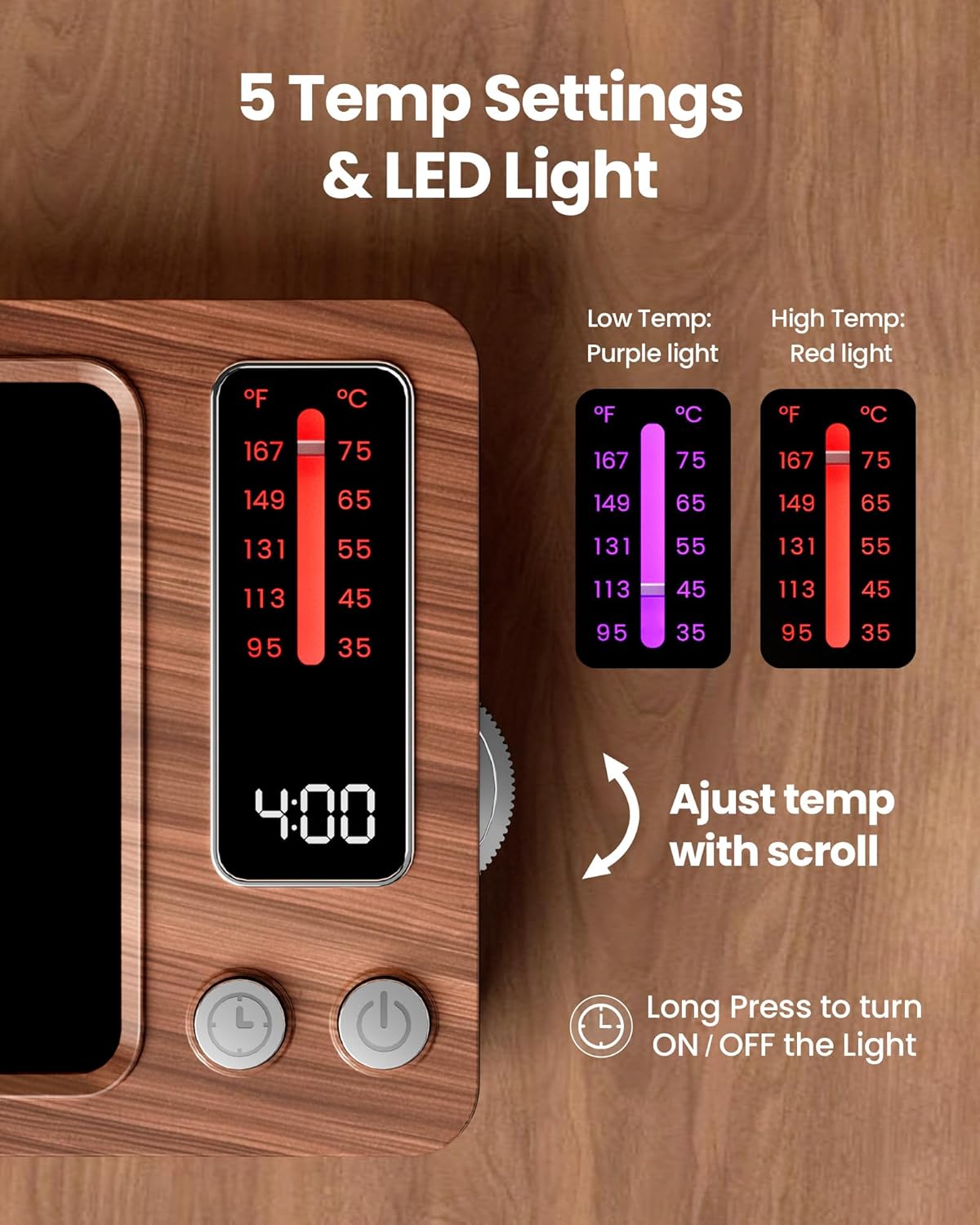
- Temperature Display: Shows the current temperature setting in Fahrenheit and Celsius.
- Temperature Adjustment Scroll Wheel: Located on the side, used to select desired temperature.
- Timer Display: Shows the remaining time for automatic shut-off.
- Timer Button: Used to adjust the automatic shut-off timer.
- Power Button: Turns the device on and off.
- Power Cord: Connects the device to an electrical outlet.
Features
- Fast Heating: 36W power for rapid warming, reaching up to 167°F (75°C).
- 5 Temperature Settings: Adjustable from 95°F (35°C) to 167°F (75°C). Includes a memory function for the last used setting.
- Flexible Timer: Customizable auto shut-off timer from 0.5 to 9 hours.
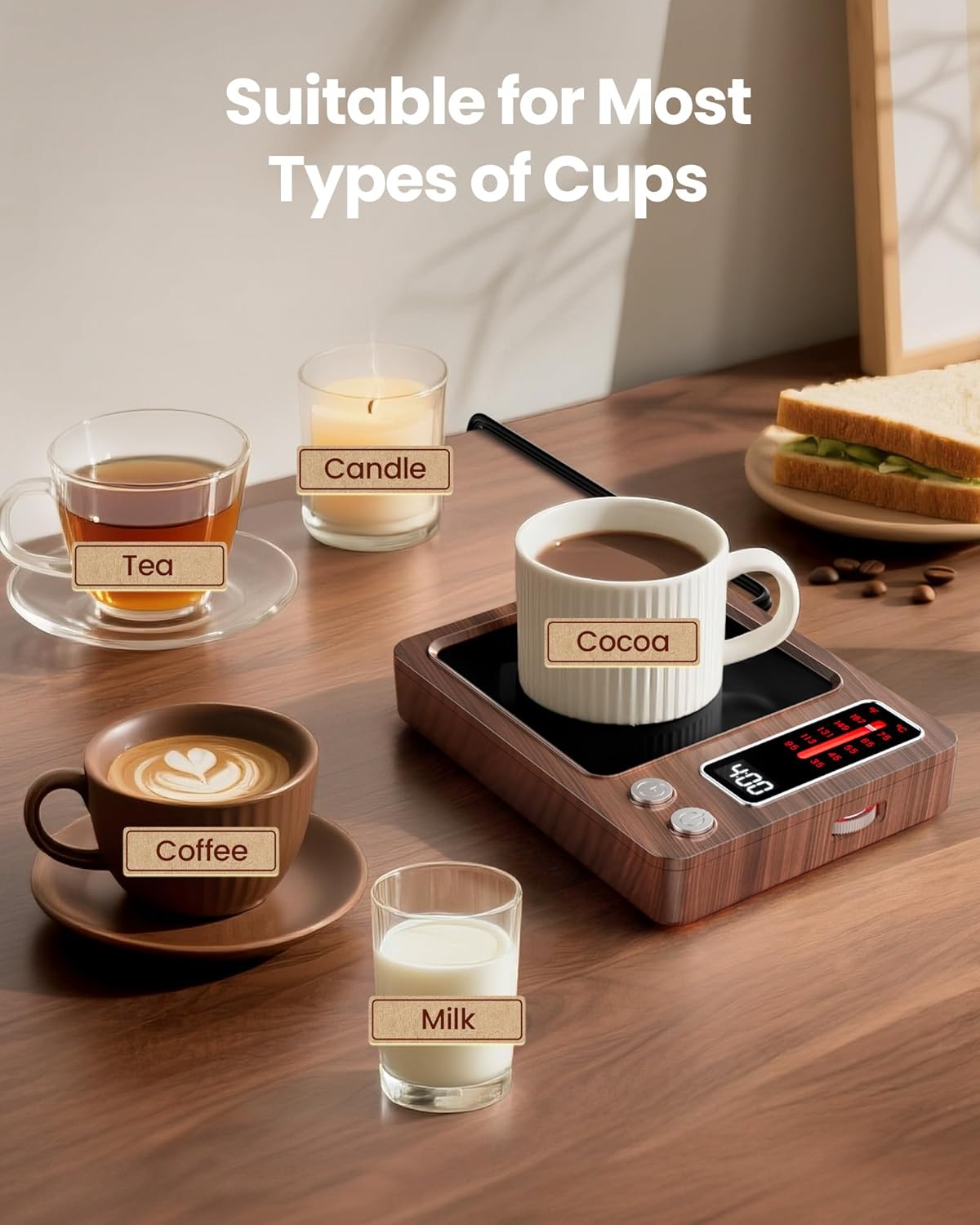
- Versatile Use: Suitable for coffee, tea, milk, water, cocoa, and candles.
- Compatible with Various Cups: Works best with flat-bottomed mugs made of glass, ceramic, or stainless steel.
- LED Light Indicator: Displays purple for lower temperatures and red for higher temperatures.
Setup
- Unpack the Gaiatop Coffee Mug Warmer and ensure all components are present: the warmer unit and the instruction manual.
- Place the warmer on a flat, stable, and heat-resistant surface.
- Plug the power cord into a standard electrical outlet. The display will illuminate, indicating the device is ready for use.


Operating Instructions
Power On/Off
- Press the Power Button to turn the warmer on. The display will show the default temperature and timer.
- Press the Power Button again to turn the warmer off.
Setting Temperature
- Once powered on, use the Temperature Adjustment Scroll Wheel on the right side of the device to select your desired temperature.
- The available temperature settings are: 95°F (35°C), 113°F (45°C), 131°F (55°C), 149°F (65°C), and 167°F (75°C).
- The LED light indicator will show purple for lower temperatures (95°F, 113°F) and red for higher temperatures (131°F, 149°F, 167°F).
- The device remembers your last temperature setting for convenience.
Setting Timer
- Press the Timer Button to adjust the automatic shut-off time.
- The timer can be set from 0.5 hours (30 minutes) to 9 hours.
- The default timer setting is 4 hours.
- The device will automatically turn off once the set time has elapsed, providing safety and energy efficiency.

Using with Beverages and Candles
- Place your flat-bottomed mug or candle directly onto the heating plate.
- For beverages, a thin, flat-bottomed cup works best for efficient heat transfer.
- Using a lid on your beverage cup can significantly improve heat retention.
- The warmer is suitable for various beverages including coffee, tea, milk, water, cocoa, and candles.

Maintenance
- Always unplug the device and allow it to cool completely before cleaning.
- Wipe the heating plate and exterior with a soft, damp cloth. Do not use abrasive cleaners or immerse the device in water.
- Ensure the device is completely dry before plugging it back in or storing it.
Troubleshooting
| Problem | Possible Cause | Solution |
|---|---|---|
| Device does not turn on. | Not plugged in; power outlet issue; damaged cord. | Ensure the power cord is securely plugged in. Try a different outlet. Check the cord for visible damage. |
| Beverage is not warm enough. | Incorrect temperature setting; cup material/shape; no lid. | Increase the temperature setting using the scroll wheel. Use a flat-bottomed cup. Place a lid on the cup to retain heat. |
| Timer shuts off too soon/late. | Incorrect timer setting. | Adjust the timer setting using the Timer Button to your desired duration. |
| Heating plate is not heating evenly. | Cup not centered; uneven cup bottom. | Ensure the cup is centered on the heating plate. Use cups with flat bottoms for optimal contact. |
Specifications
- Model: L-DS1299-456
- Brand: Gaiatop
- Power: 36W
- Temperature Settings: 5 levels (95°F/35°C, 113°F/45°C, 131°F/55°C, 149°F/65°C, 167°F/75°C)
- Timer Range: 0.5 - 9 hours (adjustable)
- Product Dimensions: 6.3 x 4.7 x 1.2 inches
- Item Weight: 14.9 ounces
- Included Components: 1x Coffee Mug Warmer, 1x Instruction Manual
Official Product Video
Watch the official Gaiatop video for a visual guide on the features and operation of the 36W Digital Display Mug Warmer.
Warranty and Support
For warranty information, technical support, or any inquiries regarding your Gaiatop Coffee Mug Warmer, please refer to the contact information provided in the packaging or visit the official Gaiatop website. Keep your purchase receipt for warranty claims.


