
AZHAR G26
AZHAR G26 Electric Mountain Bike User Manual
Model: G26
1. Introduction
This manual provides essential information for the safe operation, assembly, maintenance, and troubleshooting of your AZHAR G26 Electric Mountain Bike. Please read this manual thoroughly before your first ride to ensure proper use and to maximize your riding experience.
1.1 Safety Guidelines
- Always wear a helmet and appropriate safety gear when riding.
- Familiarize yourself with local traffic laws and regulations.
- Perform a pre-ride inspection before each use, checking brakes, tires, and battery level.
- Do not operate the bike under the influence of alcohol or drugs.
- Avoid riding in adverse weather conditions or on excessively rough terrain if you are not experienced.
- Ensure all components are securely fastened before riding.
2. Setup and Assembly
Your AZHAR G26 Electric Mountain Bike is 85% pre-assembled. The following steps outline the completion of assembly and initial setup.
2.1 Unpacking
Carefully remove all components from the packaging. Retain the original packaging for at least one month in case of returns or shipping needs.
2.2 Component Identification
Verify that all included components are present:
- 26" Electric Bike (main frame with wheels)
- Tool Kit
- Charger
- User Manual (this document)
- Soft Seat Pad
- Fenders (front and rear)
- Bike Lock
2.3 Assembly Steps
Refer to the detailed instructions in the included paper manual for specific assembly steps. General steps include:
- Attach the front wheel.
- Install the handlebars.
- Mount the seat post and saddle.
- Attach the pedals.
- Install the front and rear fenders.
- Ensure all bolts and quick releases are tightened securely.

Figure 1: The AZHAR G26 Electric Mountain Bike, fully assembled with included accessories.
2.4 Initial Battery Charge
Before your first ride, fully charge the 48V 10AH removable battery. Charging typically takes 5-6 hours. Connect the charger to the battery port and then to a standard power outlet. The indicator light on the charger will change when charging is complete.

Figure 2: Illustration of the 48V 10AH lithium-ion battery, highlighting its removable design and waterproof rating.
3. Operating Instructions
3.1 Handlebar Controls
The handlebars feature various controls for operating the bike:
- Brake Levers: Located on both sides for front and rear disc brakes.
- Gear Shifter: Typically on the right handlebar, for the 7-speed transmission.
- LCD Display: Central display for ride information.
- Control Buttons: Near the left grip, for power, mode selection, and light control.

Figure 3: The color LCD display and handlebar controls, showing battery level, gear shift, mileage, travel speed, and fault alarm lamp.
3.2 LCD Display Functions
The color LCD display provides real-time information about your ride:
- Battery Level Display: Shows remaining battery charge.
- Travel Speed: Current riding speed.
- Gear Shift: Indicates the current pedal assist level (PAS).
- Mileage: Displays trip distance or total odometer reading.
- Fault Alarm Lamp: Illuminates to indicate system errors.
3.3 Riding Modes
The AZHAR G26 offers three distinct riding modes:
- Full Electric Mode: The motor provides all propulsion without pedaling. Use the throttle for acceleration.
- Pedal Assist Mode (PAS): The motor assists your pedaling effort. You can select different assist levels to control the amount of power provided.
- Fitness Mode (Manual): The motor is off, and the bike operates like a traditional bicycle, relying solely on pedal power.
3.4 Starting and Stopping
- To Start: Press and hold the power button on the control panel. Select your desired riding mode.
- To Stop: Apply the brake levers. The motor will cut off automatically when brakes are engaged. Press and hold the power button to turn off the bike.

Figure 4: The AZHAR G26 Electric Mountain Bike in use, demonstrating its design and features such as the 750W peak motor, 25 MPH top speed, 48V 10AH removable battery, and 35-45 miles max range.
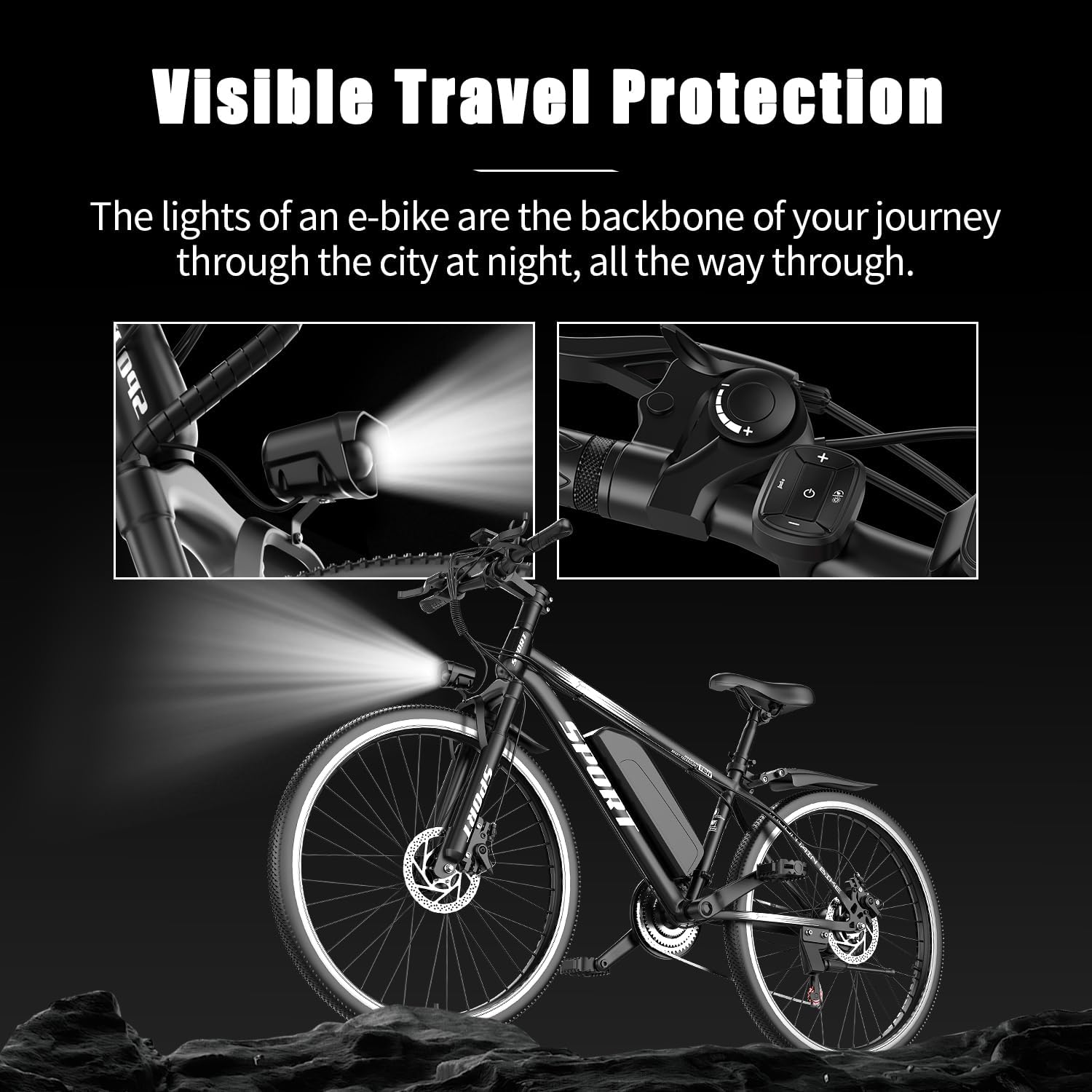
Figure 5: The integrated headlight of the AZHAR G26 Electric Mountain Bike, providing visibility for night riding.
4. Maintenance
Regular maintenance ensures the longevity and safe operation of your electric bike.
4.1 Battery Care
- Charge the battery regularly, even if not in use, to maintain its health.
- Avoid completely draining the battery before recharging.
- Store the battery in a cool, dry place, away from direct sunlight and extreme temperatures.
- Use only the provided charger.
4.2 Tire Pressure
Check tire pressure before each ride. Maintain the recommended pressure (usually indicated on the tire sidewall) for optimal performance and safety. The 26-inch puncture-resistant tires are designed for various terrains.
4.3 Brake System Check
Regularly inspect the dual disc brakes for wear and proper function. Ensure brake levers are responsive and brake pads are not excessively worn. Adjust or replace components as needed.
4.4 Chain Lubrication
Keep the chain clean and lubricated to ensure smooth gear changes and prevent premature wear.
4.5 Cleaning
Clean your bike with a damp cloth and mild detergent. Avoid using high-pressure washers directly on electrical components.
5. Troubleshooting
This section addresses common issues you might encounter with your AZHAR G26 Electric Mountain Bike.
| Problem | Possible Cause | Solution |
|---|---|---|
| Bike does not power on | Battery not charged or not properly seated; loose electrical connection. | Ensure battery is fully charged and securely installed. Check all visible connections. |
| Motor not assisting | Pedal Assist System (PAS) level set to zero; brake levers engaged; motor connection issue. | Increase PAS level on the display. Release brake levers. Check motor cable connection. |
| Short battery range | Under-inflated tires; riding in high assist modes; cold weather; battery degradation. | Check tire pressure. Use lower assist modes. Charge battery fully. |
| Brakes feel weak | Worn brake pads; loose brake cable; air in hydraulic system (if applicable). | Inspect and replace brake pads. Adjust brake cable tension. Consult a bike mechanic for hydraulic brake issues. |
| Gears not shifting smoothly | Derailleur out of adjustment; dirty or dry chain; bent hanger. | Clean and lubricate chain. Adjust derailleur. Consult a bike mechanic if issues persist. |
6. Technical Specifications
Key specifications for the AZHAR G26 Electric Mountain Bike:
- Model Name: G26
- Bike Type: Electric Mountain Bike, Commuting Bike, Hybrid Bike
- Age Range: Adult
- Motor: 750W Peak Power (500W rated)
- Top Speed: Up to 25 MPH
- Battery: 48V 10AH Removable Lithium Battery (480 Watt Hours)
- Range: 35-45 Miles per charge (depending on terrain, assist level, rider weight)
- Charging Time: 5-6 hours
- Wheel Size: 26 Inches
- Tires: 26" x 2.13" Puncture-resistant
- Frame Material: Alloy Steel
- Suspension Type: Front Fork Suspension (with damping and adjustable lockout)
- Number of Speeds: 7-Speed (Shimano)
- Brake Style: Dual Disc Brakes (front and rear)
- Maximum Weight Recommendation: 300 Pounds
- Special Features: Adjustable Seat, Digital Display, Fenders, Headlight, Lightweight, Multi-Speed, Odometer, Rechargeable
- Included Components: Electric Bike, Tool Kit, Charger, User Manual, Soft Seat Pad, Fenders, Bike Lock

Figure 6: Key dimensions of the AZHAR G26 Electric Mountain Bike, including handlebar height (40.5"), handlebar width (24"), seat height (38.9"), minimum seat height (33.8"), and vehicle length (66.1"). Also shows tire size (26"x2.125"), ebike weight (46.3 lbs), and max load capacity (300 lbs).
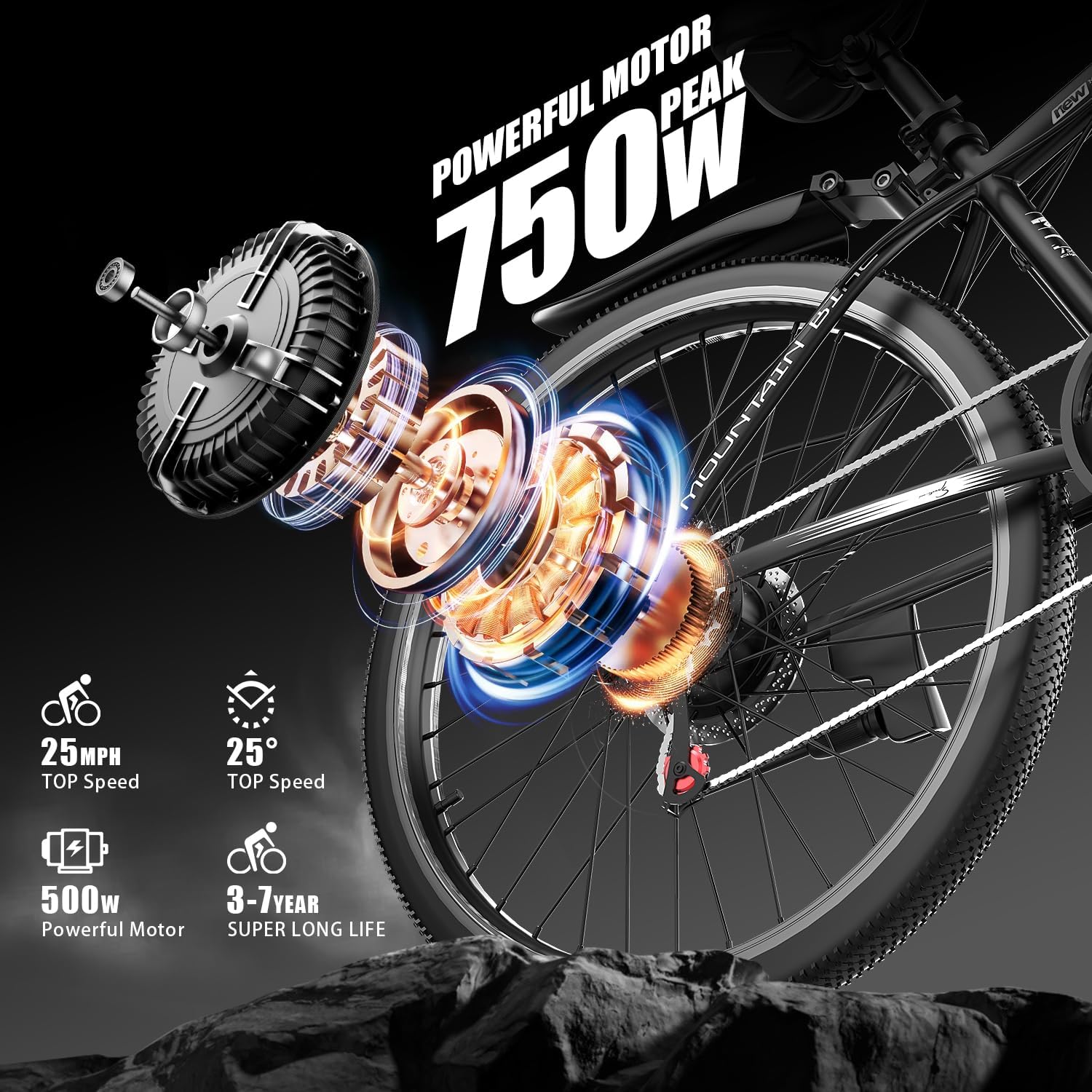
Figure 7: An exploded diagram illustrating the internal components of the 750W peak motor, highlighting its design for efficient power delivery.

Figure 8: The upgraded front fork damping system, designed to minimize bumps and enhance riding comfort with features like adjustable lockout.
7. Warranty and Support
7.1 Warranty Information
The AZHAR G26 Electric Mountain Bike comes with a 1-year limited warranty. Please retain your proof of purchase. For warranty claims or issues, contact customer support with pictures of the problem.
A 30-day return policy is also available. Please keep the original packaging for one month in case a return is necessary. Contact customer support before initiating a return to avoid potential issues with lost packages.
7.2 Contact Information
For any questions, technical support, or warranty inquiries, please contact AZHAR customer service. Our team aims to respond within 24 hours.
(Specific contact details such as email or phone number would typically be provided here by the manufacturer.)
Ask a question about this manual
Ask about setup, troubleshooting, compatibility, parts, safety, or missing instructions. Manuals+ will review the question and use this page’s manual context to help answer it.