
Introduction
This manual provides comprehensive instructions for the LOKMAT APPLLP 2 MAX 4G Smart Watch. Please read this manual carefully before using your device to ensure proper operation and to maximize its features.

Image: LOKMAT APPLLP 2 MAX 4G Smart Watch, showcasing its square display and black strap.
What's in the Box
Verify that all items are present in the package:
- Smart Watch
- Watch Band
- Charging Cable
- User Manual (this document)

Image: The product packaging box, displaying model number, IMEI, and other manufacturing details.
Setup
1. Charging the Device
Before first use, fully charge your LOKMAT APPLLP 2 MAX Smart Watch.
- Connect the provided Type-C charging cable to the watch's charging port.
- Connect the other end of the cable to a compatible USB power adapter (not included) or a computer's USB port.
- The watch display will indicate charging status. A full charge typically takes approximately 2-3 hours.
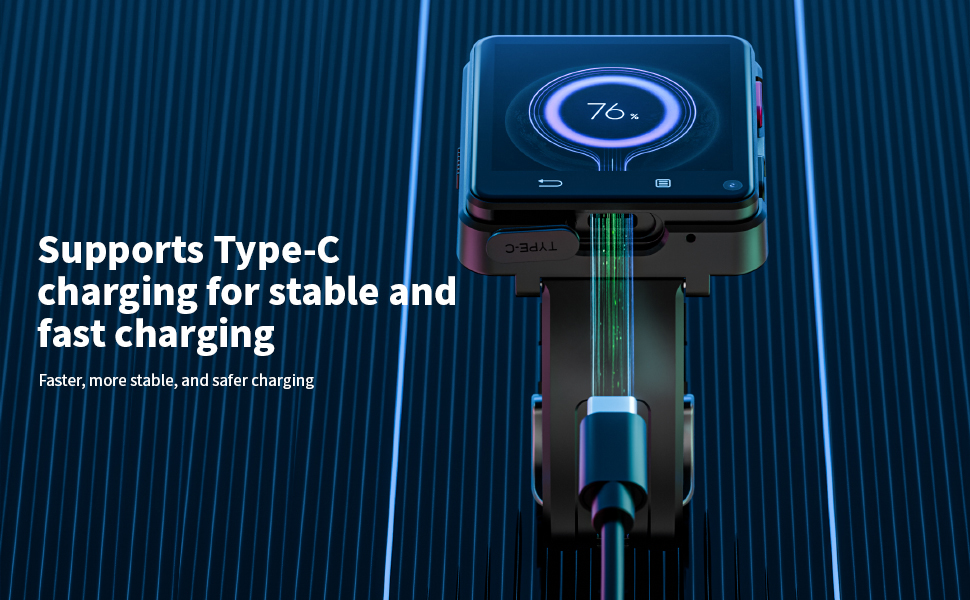
Image: The smartwatch connected to a Type-C charging cable, showing the charging process.
2. SIM Card Installation
The LOKMAT APPLLP 2 MAX supports a Nano SIM card for standalone calling and network connectivity.
- Locate the SIM card slot on the side of the watch.
- Carefully insert a Nano SIM card into the slot, ensuring correct orientation.
- Gently push until the SIM card clicks into place.
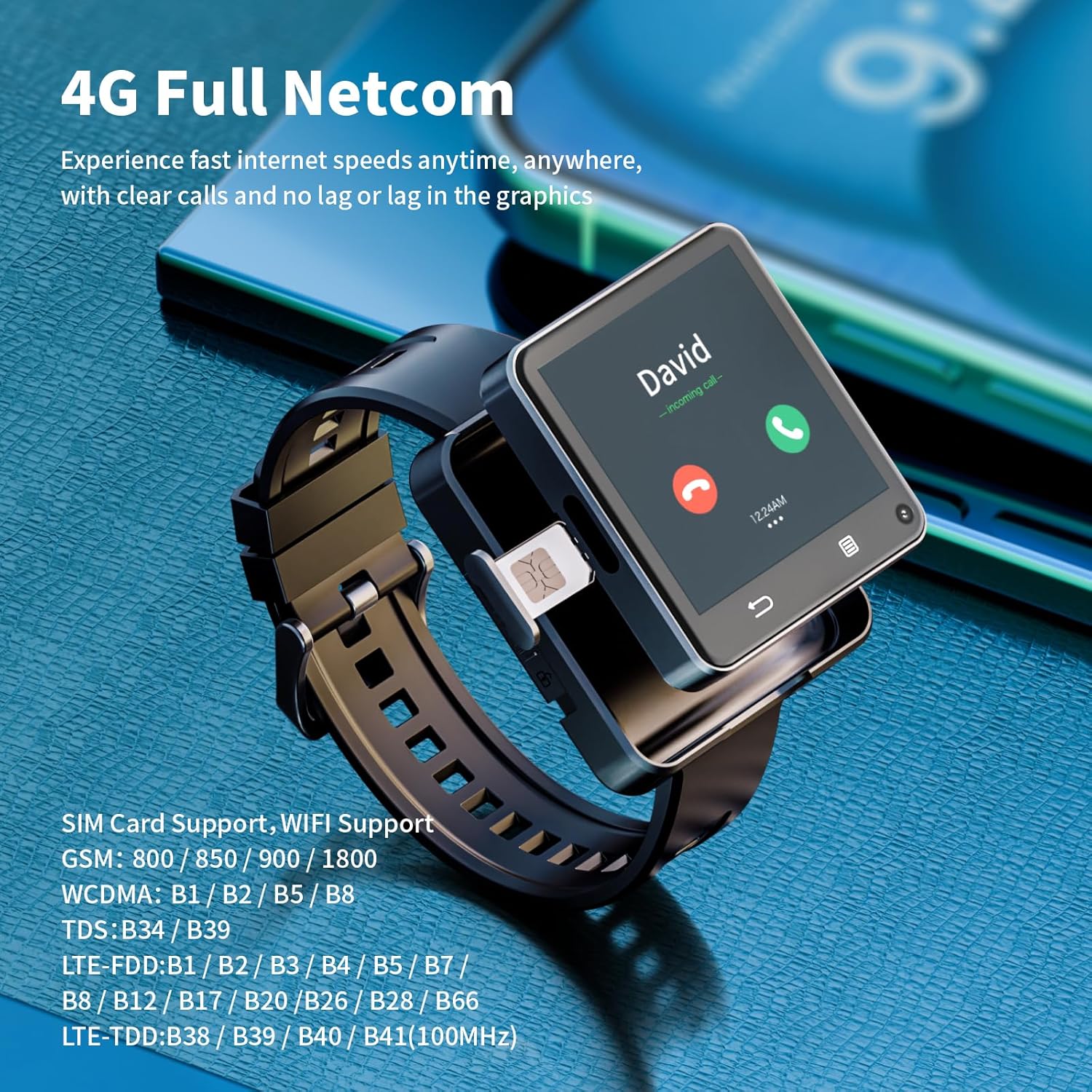
Image: A close-up of the smartwatch, highlighting the SIM card tray and its insertion point.
3. Power On/Off
- Power On: Press and hold the power button (usually on the side) until the screen lights up.
- Power Off: Press and hold the power button, then select "Power Off" from the options on the screen.
4. Initial Setup and Connectivity
Upon first power-on, follow the on-screen prompts to complete the initial setup, including language selection, time zone, and Wi-Fi connection.
- Wi-Fi: Navigate to Settings > Network & Internet > Wi-Fi to connect to a wireless network.
- Bluetooth: Navigate to Settings > Connected devices > Bluetooth to pair with Bluetooth accessories like headphones.
Operating Instructions
1. Basic Navigation
- Touchscreen: Swipe, tap, and long-press gestures are used for navigation.
- Buttons: The side buttons typically control power, screen on/off, and can be customized for other functions.
2. Making Calls and Messaging
With a Nano SIM card installed, your watch can function as a standalone phone.
- Calls: Open the "Phone" app, dial a number, or select a contact to make a call.
- Messages: Use the "Messages" app to send and receive SMS.
3. Camera Functionality
The watch features dual 500W HD cameras (front and side).
- Open the "Camera" app to take photos or record videos.
- Switch between front and side cameras as needed for different perspectives.

Image: The smartwatch displaying a video call, highlighting its dual camera capabilities.
4. App Installation and Usage
Running on Android 11, the watch allows for app downloads.
- Access the pre-installed app store or a compatible Android app market to download and install applications.
- Popular social, entertainment, and utility apps can be installed.

Image: The smartwatch screen showing a grid of application icons, including Spotify, Line, Snapchat, TikTok, iTunes, Instagram, Facebook, YouTube, and Twitter.
5. GPS and Positioning
The watch integrates multiple positioning systems (GPS / BeiDou / GLONASS / AGPS / LBS / WIFI) for accurate location tracking.
- Utilize navigation apps for directions during outdoor activities or daily commutes.
Maintenance
1. Battery Care
- To prolong battery life, avoid extreme temperatures.
- Charge the 1200mAh battery regularly and avoid letting it fully discharge frequently.
- Use only the provided charging cable.
2. Cleaning
- Wipe the watch screen and body with a soft, lint-free cloth.
- Avoid using harsh chemicals or abrasive materials.
- Ensure the charging port is dry before charging.
3. Software Updates
Periodically check for software updates in the watch's settings to ensure optimal performance and access to new features.
Troubleshooting
- Watch not powering on: Ensure the battery is charged. Connect to the charger and wait a few minutes before attempting to power on again.
- No network connection: Verify the Nano SIM card is correctly inserted and activated. Check network settings.
- Apps crashing or slow performance: Close background applications. Restart the watch. Ensure sufficient storage space is available.
- GPS inaccuracy: Ensure you are in an open area with a clear view of the sky.
- Charging issues: Check the charging cable and port for damage. Try a different USB power source.
Specifications
| Feature | Detail |
|---|---|
| Model Number | APPLLP 2 MAX |
| Processor | MTK6761 |
| Operating System | Android 11 |
| RAM | 4GB |
| Internal Storage | 64GB |
| Screen Size | 2.64 Inches |
| Screen Resolution | 490*490 |
| Battery Capacity | 1200mAh Lithium Polymer |
| Cameras | Dual 500W HD (Front + Side) |
| Connectivity | 4G LTE, Wi-Fi (2.4GHz/5GHz), Bluetooth 4.2, GPS (GPS / BeiDou / GLONASS / AGPS / LBS) |
| Charging Port | Type-C |
| Item Weight | 0.55 Pounds (approx. 8.8 ounces) |
| Package Dimensions | 4.13 x 4.13 x 3.11 inches |
Warranty and Support
For warranty information and customer support, please refer to the documentation provided with your purchase or contact LOKMAT customer service.
Online Support: Visit the official LOKMAT website for FAQs, software downloads, and contact information.